Not tested. This is a research score for the documented features, compatibility and ownership trade-offs discussed in this review, not a performance measurement.
Features & capability 30%8.1
ANC, Transparency, qualified Spatial Audio and documented physical controls offer substantial listening capability, without newer Max-only modes.
Compatibility & connectivity 20%7.3
Account-based Apple switching is useful, while non-Apple limits and the separate Lightning analogue cable narrow the connection fit.
Ownership & upkeep 20%6.6
An ageing battery, canopy and cushions need assessment; non-resistant construction and limited case coverage add care and packing requirements.
Setup & everyday use 15%7.7
Crown controls and automatic detection reduce effort in supported setups, while substantial weight makes long-session comfort personal.
Documentation & support clarity 15%8.8
Apple distinguishes model numbers, wired-audio routes, cleaning requirements and separate firmware branches in current documentation.
Compare scores within the same product category. Small decimal differences should not override your needs or the evidence limits.
How the Standpoint Score works
We score five aspects of the documented product on a 0–10 scale, then calculate a weighted total:
- Features & capability30% of the total
- Compatibility & connectivity20% of the total
- Ownership & upkeep20% of the total
- Setup & everyday use15% of the total
- Documentation & support clarity15% of the total
This product’s 7.7/10 is an editorial research assessment. It does not claim measured performance, tested reliability or a verified customer satisfaction rate. Compare it with products in the same category, and read each criterion’s reasoning above.
Read the full rubric and score bands ↗From a tech standpoint.
Buy an original Lightning Max if you're an iPhone and Mac listener who finds the weight comfortable, wants a real dial for volume, and can verify the cushions, canopy, battery and account transfer on the actual pair. Skip it if you mostly use Windows or Android, need a light travel headphone, want a proper protective case, or are buying for the USB-C model's digital lossless path, which this version doesn't get. SoundGuys' attributed testing supports capable cancellation and roughly 21 hours of endurance on its original sample; our 7.7 Standpoint Score assesses documented capability and ownership, not a Tech Standpoint acoustic or battery test.
Reasons to consider it
- The Crown and a separate noise-control button give you real controls you can find by feel
- Account-based setup and switching save effort across compatible Apple devices
- ANC, Transparency and Spatial Audio (with conditions) cover different listening situations
Go in knowing
- At 384.8g with cushions, an extended fit trial is essential
- A cable change won't give the Lightning model the USB-C version's digital lossless path
- Canopy, cushion and battery condition, thin case coverage and account removal all hit used value
Affiliate link. As an Amazon Associate, Tech Standpoint earns from qualifying purchases. It never changes our verdict or score. Disclosure
The specification sheet.
Published specifications from the linked sources. Configurations and availability can differ by country.
- Introduced
- 2020; Lightning model
- Bluetooth
- 5.0
- Processing
- Apple H1 chip in each earcup
- Weight
- Approximately 384.8 g including cushions
- Battery claim
- Up to 20 hours under Apple test conditions
- Charging
- Lightning connector
Model A2096 is its own product
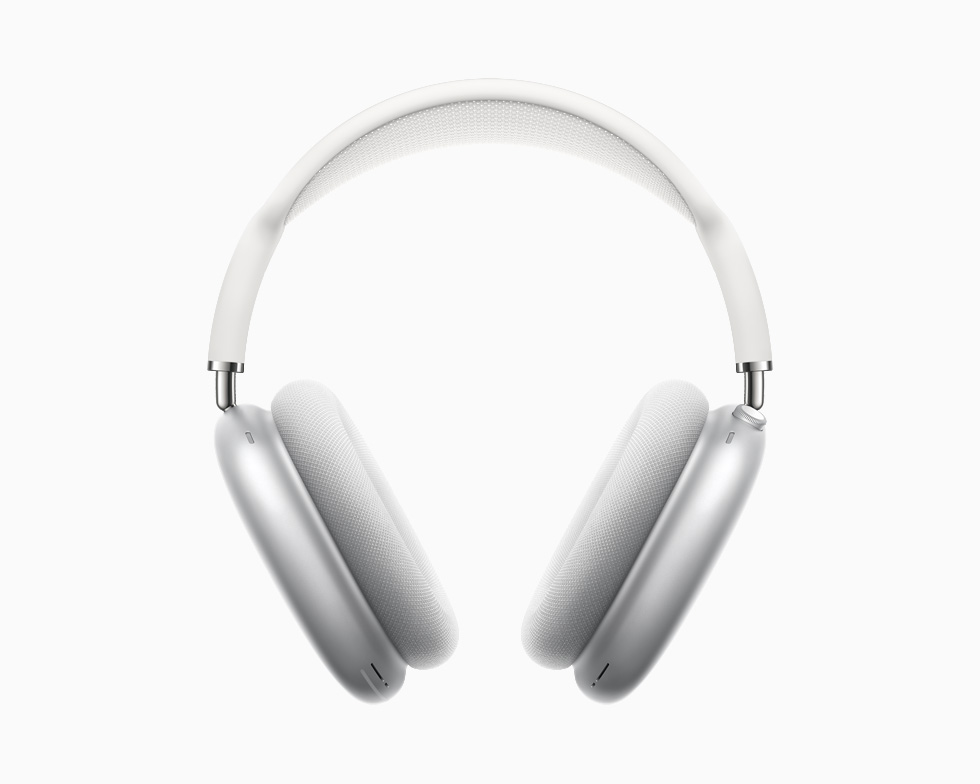
This is the 2020 Lightning version, which Apple identifies as model A2096. Apple's identification guide separates it from the 2024 USB-C A3184 and the later Max 2. On a used listing, check the model number and the port; colour and a shortened product name prove nothing. The cups look nearly identical across versions and hide important connection differences. The case for the original rests on its over-ear design, physical controls and Apple-device integration, not on inheriting every feature now sold under the Max name.
That case has to hold up against the gear you actually own. If most of your listening happens at a Windows desk or through an analogue source, a lot of the convenience evaporates compared with an iPhone-and-Mac setup. If you still carry Lightning accessories, charging is no hassle; if everything else you own has moved to USB-C, it's one more cable to remember. Neither situation is wrong, but they justify very different prices.
Nearly 385 grams on your head
Apple lists about 384.8 grams including the cushions. That number tells you weight belongs in the decision, but it doesn't predict comfort on its own. The mesh canopy, the adjustment arms and the way the cups move all affect how the load spreads. Wear them while looking down at a laptop, turning toward a second screen and leaning back. Those positions reveal far more than standing still for a short demo.
SoundGuys' review of the original Lightning model found the pads and mesh headband comfortable while calling the metal construction heavy. That's attributed handling experience, not a fit guarantee. On a used pair, check the canopy for uneven support and the arms for smooth, consistent adjustment. Worn cushions change how the cups sit even if the outside looks immaculate. A lower price won't fix pressure that nags you every evening, so an extended trial with your usual glasses and posture should come first.
A real dial instead of a swipe
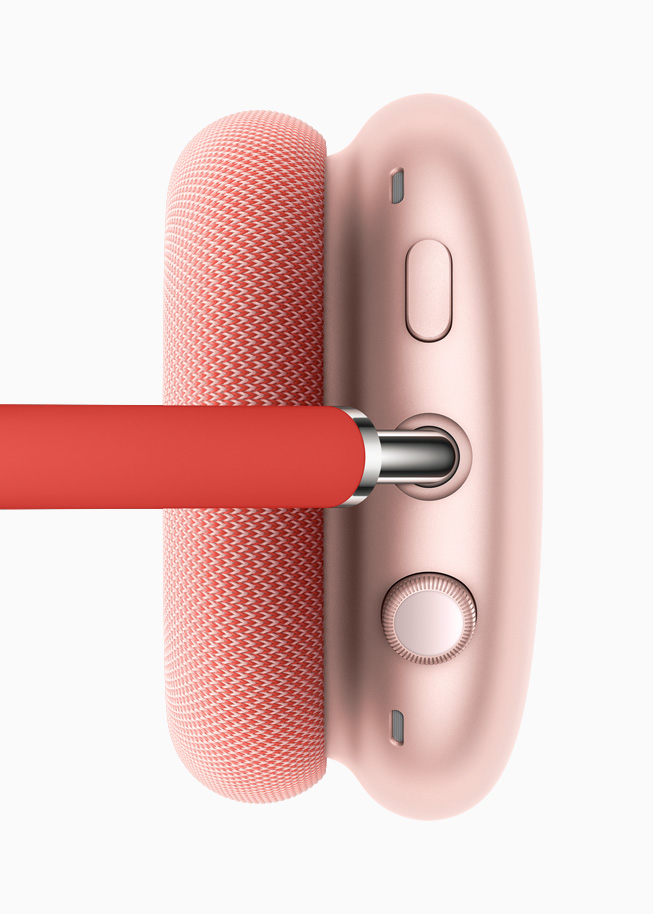
The Crown gives you a physical rotary volume control instead of a gesture on the earcup, and Apple's current instructions let you reverse its rotation direction. SoundGuys described the response on the original model as immediate and potentially sensitive. If you often adjust volume mid-call, try it while looking at a screen, not just admiring it in photos. Confirm smooth turning and reliable presses on the actual used pair.
Apple's current control guide separates a single Crown press, for playback or muting a call, from a double press to end a call. It also describes pausing when you lift a cup and resuming if you put the headphones back on within 15 seconds. Those details help at a desk, but they need the right supported setup. Learn the call action you depend on before an important conversation. A familiar-looking dial doesn't mean every press behaves like your last headset.
Adaptive EQ is not Adaptive Audio
ANC, Transparency, Adaptive EQ and compatible Spatial Audio are separate functions. Adaptive EQ is not the newer Adaptive Audio mode, which Apple's current guide assigns to Max 2. Don't let the similar names blur what the original actually does. The useful decision is whether cancellation or ambient listening suits the moment. Each feature name should map to a specific benefit in your routine, not a vague hope that the headphones will manage every environment for you.
The original's spec sheet now lists Personalized Spatial Audio with dynamic head tracking, subject to compatible hardware, software, content and apps; creating your personal profile requires an iPhone with TrueDepth. Confirm that support before buying mainly for films. Head tracking and lossless transmission are different things. You can enjoy spatial audio without the original's Bluetooth connection becoming lossless. We haven't evaluated the effect in a Tech Standpoint listening test, and we don't call it universally better than stereo.
SoundGuys found strong ANC and a modest bass lift
SoundGuys' review of the original reported strong low-frequency cancellation and generally balanced sound with a modest bass lift. Those are its findings, not our measurements or a current ranking against every headphone on sale. The appeal is cutting a persistent background drone while keeping an over-ear design. On a used pair, the actual cushion seal and the fit around glasses still need checking. No processing feature can make up for cups that shift every time you turn your head.
Those findings give the original Max more substance than a list of chips and microphones. They don't override personal taste. Compare familiar voices and music at a comfortable level, and decide whether cancellation actually helps where you listen. A quieter background can make details easier to follow without pushing the volume up. If you mostly work in a quiet room, comfort and good controls may matter more than the strongest cancellation available.
The microphone count needs context. Apple lists nine in total, some shared between cancellation and voice pickup, so that's not nine dedicated call microphones, and the number alone says nothing about what the other person hears. A headset meant for long work calls should be judged on intelligibility through your real call setup. We haven't compared the original Max's voice processing with newer generations and won't turn a microphone count into a studio-recording claim.
Apple devices are the whole point
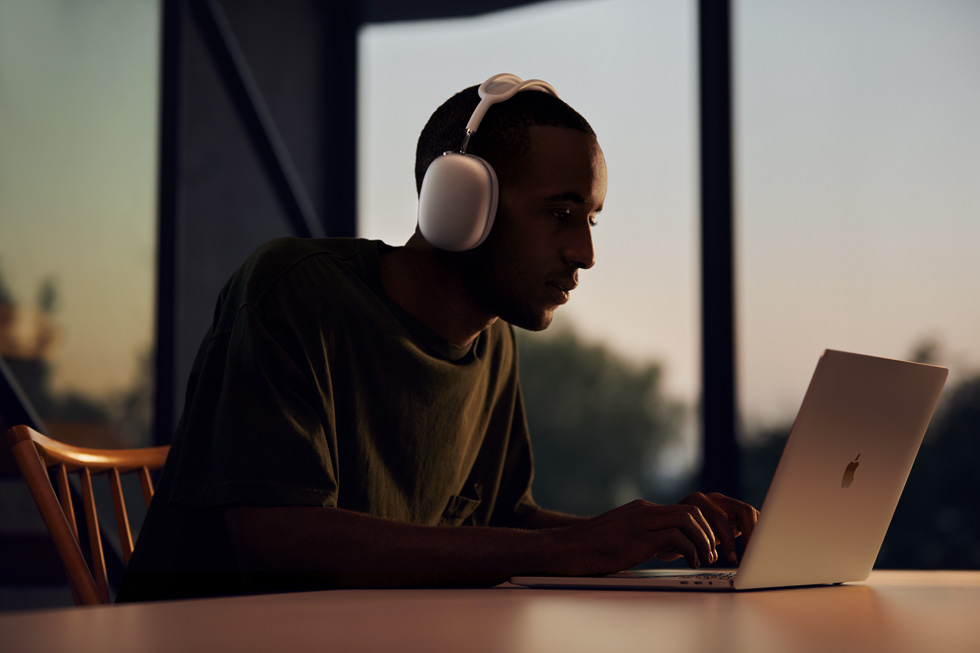
Apple's setup guide describes automatic setup on supported devices signed into the same Apple Account. That's most persuasive when it removes repeated work in a real setup: a Mac session, an iPhone call, a supported TV. SoundGuys distinguishes this account-based switching from general Bluetooth multipoint, so don't assume it gives you the same two-device behaviour between a random Windows PC and an Android phone. Count the sources you actually use most, not the ones the branding suggests you might own.
Basic Bluetooth works with non-Apple devices, with limited functionality according to Apple's spec. SoundGuys reported device-dependent microphone behaviour outside Apple gear. A work laptop pairing successfully doesn't settle call quality or integration. Test the conferencing app, the selected microphone and the switch back to music together. If that desk is your main use, those results matter more than a slick demo on someone else's iPhone. The Apple advantages only count when they save effort on your own equipment.
The right cable, and a case that isn't one
For an analogue source, Apple's usage guide specifies its Lightning to 3.5 mm Audio Cable for this model. A USB-C-to-Lightning charging lead is not that accessory, and a generic phone headphone adapter doesn't prove the right path either. Identify the source socket, the cable and any source-side adapter before shopping. If a seller includes a cable, ask exactly which one and see playback through it. A box of vaguely compatible accessories shouldn't inflate the price of a used pair.
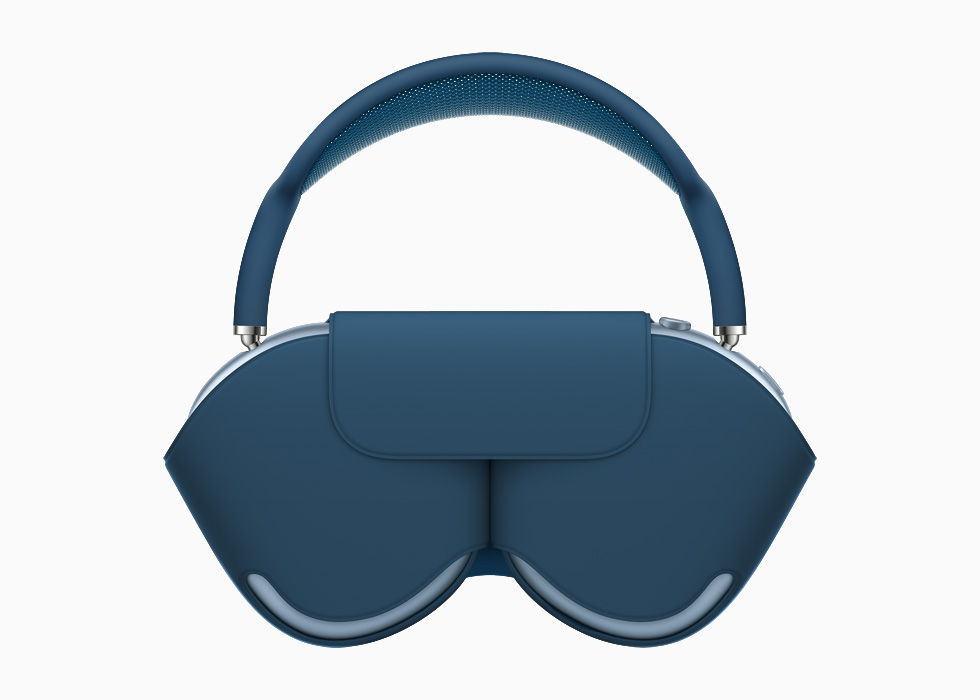
The Smart Case has a documented role in preserving battery, but protection is another matter. Apple's own photo shows the headband exposed, and SoundGuys criticised the limited protection. If hard objects share your bag, plan for extra protection rather than assuming 'case' means a closed travel shell. That extra item adds bulk and cost. A pair that's lovely in your armchair can be a much clumsier travel companion once you add everything it needs.
No USB-C lossless, whatever the cable
Apple's lossless guidance says Bluetooth connections aren't lossless and describes a wired USB-C digital route for the USB-C Max models. Its firmware notes tie the 7E101 lossless addition specifically to Max with USB-C. The original Lightning model sits on a different firmware branch. Swapping the charging lead or a vague claim that the headphones are 'updated' won't put this pair on that USB-C audio path.
The Lightning-to-3.5 mm arrangement remains a separate analogue-source option in Apple's instructions. If it matters to you, price and test exactly that setup rather than buying around a hoped-for conversion. A Lossless label in a music app describes the source format, not every link between the app and your ears. We don't claim bit-perfect Lightning playback or quote a wired latency. If Apple's USB-C digital lossless mode is your main reason to buy, this is the wrong model.
For a traveller plugging into an aircraft socket, or a desk with a headphone output, the cable can still solve a real problem. It's also one more accessory to keep, pack and replace. Run the complete chain with the source you'll actually use, including volume control and any microphone needs. Listening over an analogue cable isn't the same as having a wired calling headset. A cheap used price should still look good once you've counted that accessory and workflow.
Fabric needs gentler care than the metal
Apple's Max-specific cleaning guide treats the exterior separately from the mesh canopy and cushions. The disinfectant wipes it allows on outer surfaces aren't meant for those fabric parts. Don't assume a routine that suits an earbud's hard shell works for the whole Max. Follow the instructions for each area, keep liquid out of openings and keep the headphones away from running water. Premium metalwork doesn't remove the need for fabric care.
For its cushion and headband cleaning procedure, Apple requires at least a day of flat drying before reattaching the cushions and wearing the headphones again. If this is your daily work headset, plan around that. Don't wash them late at night and expect them ready for the first call of the morning. Check how the cushions reattach afterwards; keeping a replaceable contact surface clean is useful, improvising a more invasive repair is not.
Apple also states that neither the Max nor the Smart Case is water resistant. A sheltered listening routine and an exercise or wet-weather routine are very different demands. For an older pair, ask about exposure history, but accept that a seller's answer can't prove the internal condition. If moisture damage or unreliable controls are obvious, get a service assessment rather than treating cleaning as a fix. We don't estimate a failure rate from scattered owner reports or promise a new cushion solves every fit or reliability problem.
Twenty hours claimed, account removal required
Apple's original claim is up to twenty hours with cancellation or Transparency on. SoundGuys reports close to 21 hours of continuous real music peaking at 75 dB SPL. That's a useful independent reference under its conditions, not a reading of an older pair's remaining capacity. Run a normal session and see what's left afterwards. A full indicator straight after charging shows charge level, not whether the battery can cover your longest trip.
Account transfer is a hard gate on any purchase. Apple says the previous owner must remove the headphones from their Apple Account before the new owner can use account-linked functions, including Find My. Removal happens through Find My, and a Bluetooth demo doesn't prove it's been done. Complete your own setup while the sale can still be unwound. Verify any offered AppleCare transfer and the local service route too. A bargain is much less convincing if a return or a missing accessory eats the saving.
6F25 is the number you want to see
Apple's firmware page lists 6F25 for Max 1 with Lightning, separately from the USB-C and Max 2 versions. So a different version number on this pair is expected, and doesn't by itself mean it failed to update. Check the model first, then the matching entry. The 6F25 notes describe bug fixes and other improvements, not a new listening mode. Support documentation shows there's a maintained update route, not a schedule for future features.
Apple's update process involves charging, staying in Bluetooth range of a compatible iPhone, iPad or Mac on Wi-Fi, and waiting at least thirty minutes before checking again. Without an Apple device nearby, Apple offers an Apple Store or authorised-provider appointment for firmware updates. An Android-only owner should factor that maintenance route into the decision, on top of the limited functionality already described. Owning these is more than getting the first song to play.
The used-buy verdict pulls it all together: comfortable support, a battery that covers your sessions, the right cables, a clean account transfer and a workable update route. None of those turns an original Max into the newer model. And if you already own a pair that works well, a different port is no reason to replace it. Upgrade for a requirement you can name, and compare the full alternative setup against the one you already know.
Worth it for comfortable Apple loyalists, at a used price
The original AirPods Max is still a sensible buy for an Apple-centred listener who finds the fit comfortable and accepts Lightning as part of the kit. The Crown and the documented integration give it real character beyond being an expensive over-ear. Base the decision on those everyday benefits, the condition of the support system and the battery reserve you can confirm during a meaningful trial.
It's a weaker buy if you want a light headphone to pack, a simple conventional wired headset, or the USB-C models' digital audio. Settle those needs before talking yourself into it on the strength of its old premium price. Our weighted score is an editorial judgement of the original design and its ownership costs, not a measured sound rating, a promise about any used battery, or a claim that Tech Standpoint has worn this pair for months. Comfortable sessions, correct accessories and a clean account transfer are better buying evidence than prestige.
The closest alternatives.
| Product | Standpoint Score | Best for | Price |
|---|---|---|---|
| Apple AirPods Max (Lightning)This review | 7.7Research | An Apple-device listener who prefers over-ears and wants a physical rotary volume control. | Amazon.ca ↗ |
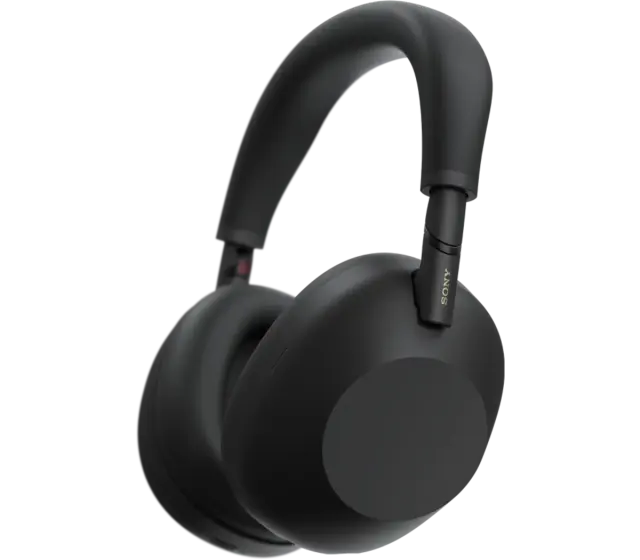
| Sony WH-1000XM6 | 8.3Research | A frequent traveller or desk worker who wants cancellation, multipoint, a wired option and a folding over-ear in one… | Amazon.ca ↗ |
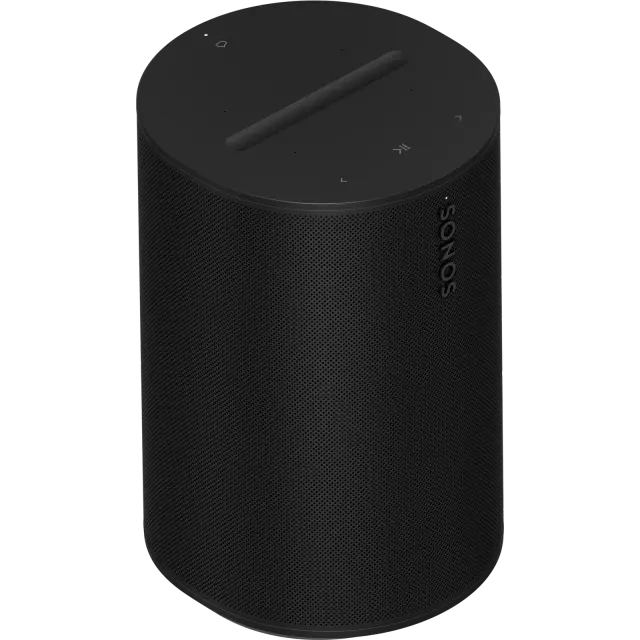
| Sonos Era 100 | 7.9Research | A kitchen, bedroom or study where music stays in the room and a supported phone is on hand for setup and tuning. | Amazon.ca ↗ |
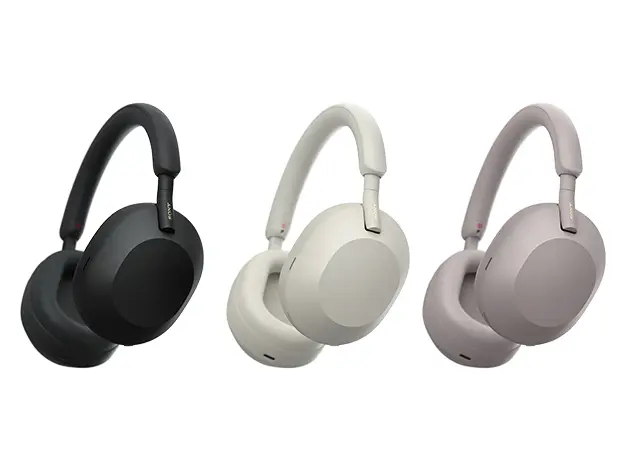
| Sony WH-1000XM5 | 8.2Research | A commuter or desk worker who wants strong cancellation, two-device switching and a cable backup, and has the bag room… | Amazon.ca ↗ |
Compare scores within a category: Tested means our own use, Research means documentation and attributed outside testing. Price links are affiliate links. As an Amazon Associate, Tech Standpoint earns from qualifying purchases. Disclosure
Sources & further reading.
These are the sources behind this research review. Manufacturer claims are not independent performance measurements. Community accounts, when cited, describe individual experiences.
- Apple original Lightning AirPods Max launch and supplied imagery ↗manufacturer
- Apple original Max technical specifications and battery test conditions ↗manufacturer
- Apple Max model identification: A2096 Lightning ↗support
- Apple current controls and model-specific wired listening ↗support
- Apple Music lossless connection requirements ↗support
- Apple Max charging and charge-state guidance ↗support
- Apple Max-specific fabric cleaning and water resistance ↗support
- Apple distinct Max firmware branches and update instructions ↗support
- Apple account removal and AppleCare transfer guidance ↗support
- SoundGuys original Lightning Max comparison: attributed testing and handling ↗independent
Product software and regional bundles can change. Corrections and editorial disclosures.
Affiliate link. As an Amazon Associate, Tech Standpoint earns from qualifying purchases. It never changes our verdict or score. Disclosure