A rating from our own use of the product, weighed against its documentation and price.
Features & capability 30%9.2
More than 100 image and video models behind one balance, 16 parallel jobs on Plus, reusable characters and an AI-assistant connector. It's been my main AI video tool for two years.
Compatibility & connectivity 20%8.8
Web app plus an MCP connector for Claude and ChatGPT, and new models like Seedance 2.5 and Kling 3.0 arrive quickly. 1080p video costs aren't published.
Ownership & upkeep 20%7.3
Fair per-clip pricing, rollover on extra credits and a no-training statement. But there are no refunds, monthly credits reset, and my 30-second clip used a third of my month.
Setup & everyday use 15%8.6
Pick a model, describe the shot, generate. Great for video development. Director, the chat agent, draws heavy credit-burn complaints, and I haven't relied on it.
Documentation & support clarity 15%6.8
Credit costs per model are on the pricing page, but help pages contradict each other, the privacy policy is outdated, and owners report slow support.
Compare scores within the same product category. Small decimal differences should not override your needs or the evidence limits.
How the Standpoint Score works
We score five aspects of the documented product on a 0–10 scale, then calculate a weighted total:
- Features & capability30% of the total
- Compatibility & connectivity20% of the total
- Ownership & upkeep20% of the total
- Setup & everyday use15% of the total
- Documentation & support clarity15% of the total
This product’s 8.3/10 is a hands-on editorial assessment based on our own use and the linked documentation. It is not a laboratory measurement or a long-term reliability rating. Compare it with products in the same category, and read each criterion’s reasoning above.
Read the full rubric and score bands ↗From a tech standpoint.
OpenArt is my go-to for AI video, and for most people I'd pick it over Higgsfield. The model menu is huge, per-clip prices are fair on the bigger plans, and OpenArt says it doesn't train on your work. The catches are real, though: there are no refunds, owners say the Director agent burns credits, and support is slow to answer. Start on Plus, pay monthly, and download your work before you ever cancel.
Reasons to consider it
- Every major image and video model behind one credit balance, with new ones like Seedance 2.5 and Kling 3.0 added quickly
- Great for developing AI video; it's been my main tool for about two years
- OpenArt says it doesn't train its models on your uploads or creations
- Failed generations are refunded automatically in most cases, and extra credits roll over
Go in knowing
- It can get pricey: my 30-second Seedance 2.5 video used 3,900 credits, about a third of my Plus plan's month
- No refunds, apart from accidental annual plans (minus a 10% fee)
- Many owners report Director, the chat agent for longer videos, using far more credits than it estimates
- Starter has no commercial rights and can't buy extra credits
- Owners describe support as slow, and the privacy policy is out of date
Not an affiliate link: Tech Standpoint doesn't earn anything if you sign up. Disclosure
The specification sheet.
Published specifications from the linked sources. Configurations and availability can differ by country.
- What it is
- Web app for AI image, video and audio generation, plus a connector (MCP) for Claude and ChatGPT
- Video models (examples)
- Seedance 2.5 and 2.0, Kling 3.0, Veo 3.1, Wan 3.0, MiniMax Hailuo
- Plans (pricing page, Oct 12, 2026)
- Starter US$14/mo (4,000 credits); Plus US$34/mo (12,000); Pro US$56/mo (24,000); Wonder US$240/mo (106,000). Annual billing saves up to about 27%
- Seedance 2.5 cost
- 650 credits per 5-second 720p clip (130 credits a second), per OpenArt's pricing table
- Extra credits
- US$15 a month per 5,000 credits on Plus and up; unused extra credits roll over
- Parallel jobs
- 8 on Starter, 16 on Plus, 32 on Pro and Wonder
- Commercial use
- Plus and up only
- Refunds
- None unless the law requires it; accidental annual plans refunded minus a 10% fee
- Billing
- US dollars, tax added at checkout; GST/HST handling not stated
- My plan
- Plus, about $50 CAD a month
Why it's my go-to for AI video
I've used OpenArt for about two years, and it's where I develop my AI videos. I'm on the Plus plan, which costs me about $50 CAD a month for 12,000 credits. OpenArt didn't give me the subscription and hasn't seen this review.
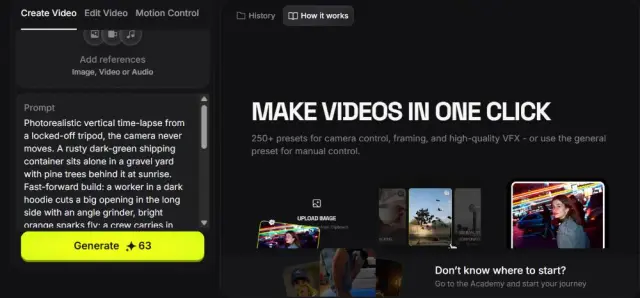
The idea is simple. Instead of paying ByteDance, Kuaishou and Google separately, you get their video models (Seedance, Kling, Veo and plenty more) behind one login and one credit balance, along with the big image models. OpenArt adds its own tools on top, like reusable characters and a connector that lets AI assistants such as Claude and ChatGPT use your account.
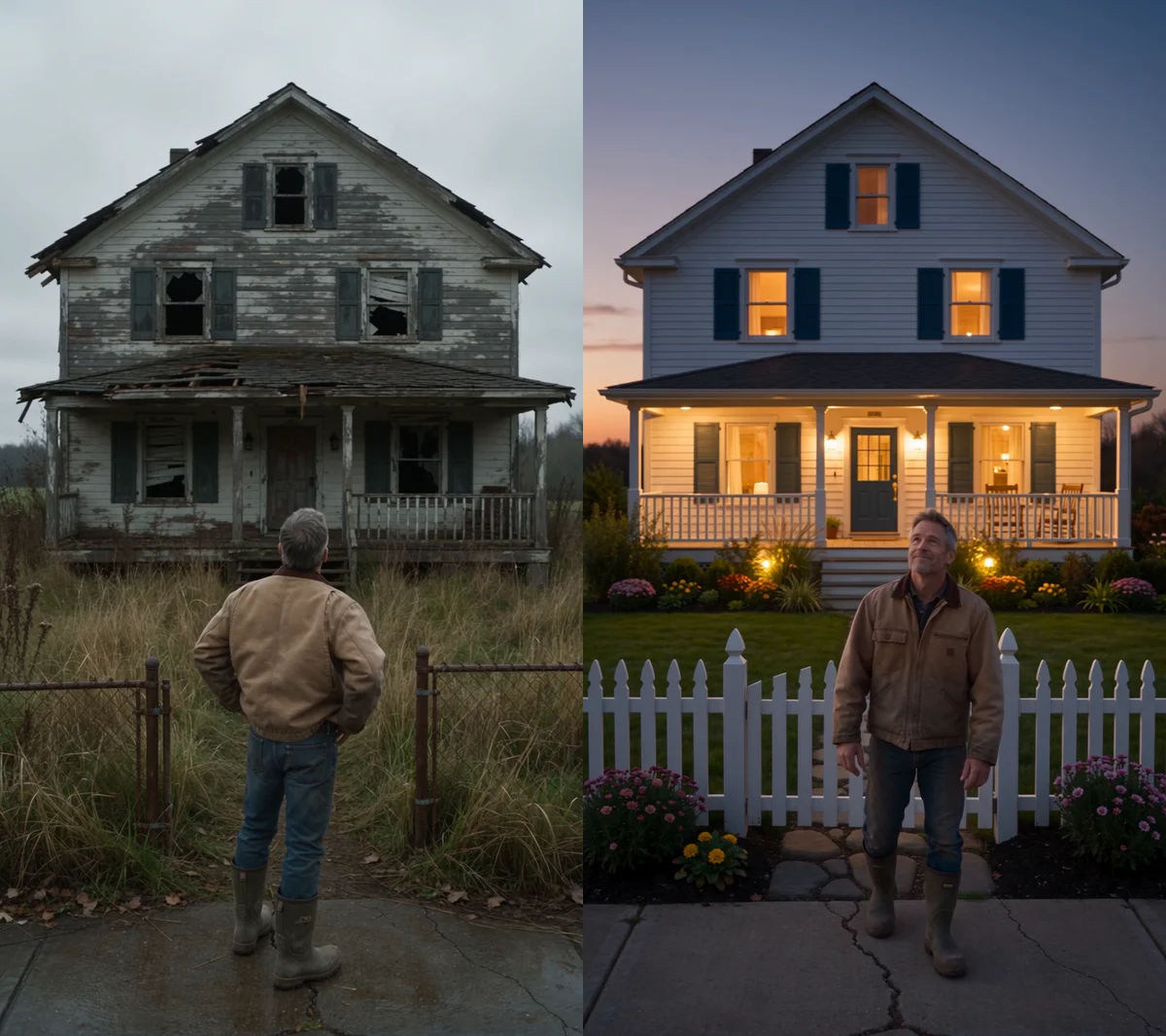
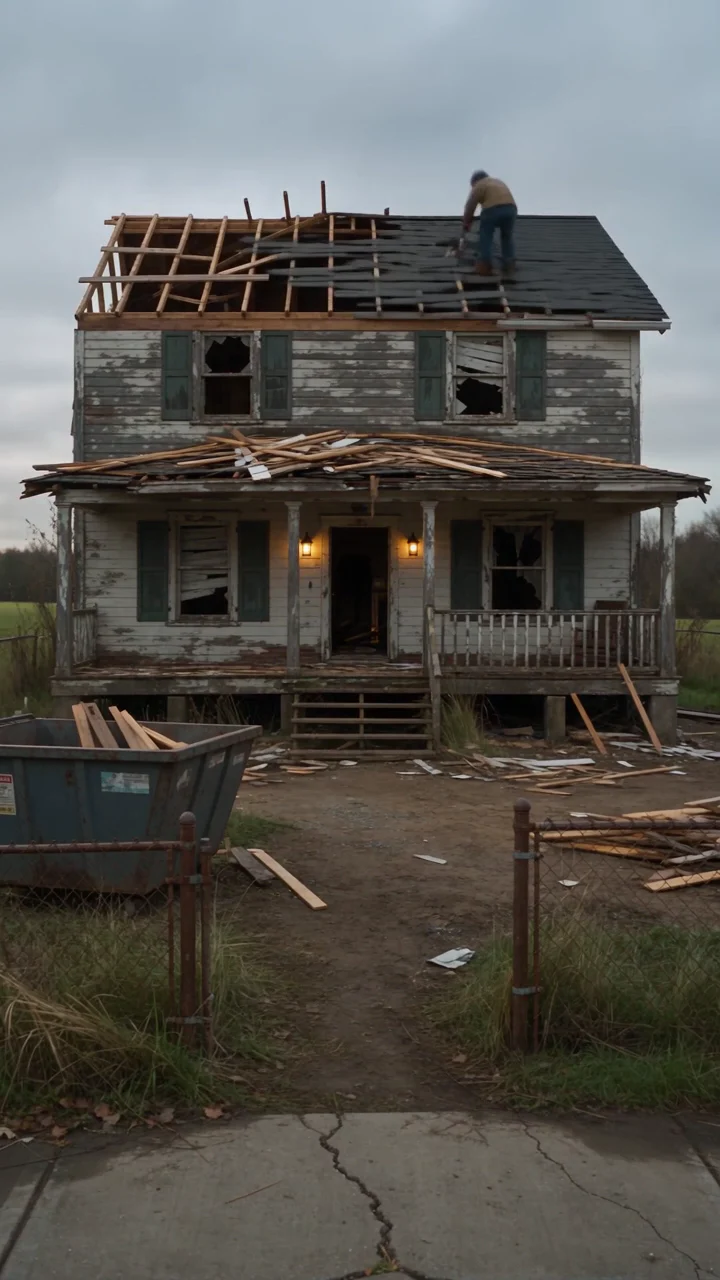
The renovation video at the top of this review is mine. It's a 30-second Seedance 2.5 clip of a run-down farmhouse being rebuilt from the same fixed camera angle, finishing on a lit-up porch at dusk. Nothing in it is real. For that kind of work, OpenArt is great: pick a model, describe the shot, and get something you can actually use.
The catch: it can get pricey
That 30-second video used 3,900 credits. That's about a third of my monthly credits, or roughly $16 CAD worth of my plan, for one clip. It lines up with OpenArt's own pricing table, which puts Seedance 2.5 at 650 credits for a five-second 720p clip, or 130 credits a second.
Do that maths before you pick a plan. The Starter plan's card talks up dozens of videos, but by OpenArt's own table its 4,000 credits make about six five-second Seedance 2.5 clips. Cheaper models stretch further: Kling 3.0 is 175 credits for five seconds with audio. And the monthly credits reset each billing period, so you can't bank a quiet month.
My advice is to draft cheap and finish expensive. Work out the shot with a lower-cost model first, like Seedance 2.0 Mini at 200 credits or Kling 3.0 at 175 for five seconds, then spend Seedance 2.5's 650 credits once the prompt is right. Keep test clips short, too. Every extra second of Seedance 2.5 costs another 130 credits, so a ten-second test costs twice what a five-second one does.
Per clip, OpenArt is competitive. A five-second 720p Seedance 2.5 clip works out to about US$1.84 on Plus and US$1.52 on Pro at monthly prices, against about US$1.72 on Higgsfield's Plus plan. Extra credits cost US$15 a month per 5,000 on Plus and up, and unlike the monthly allowance, those roll over.
Which plan to pick
Plus is the plan I'd start on. Starter is cheaper at US$14 a month, but it doesn't include commercial rights and you can't buy extra credits when you run out. If anything you make might end up in an ad, a client project or a monetised channel, you need Plus or above.
Watch the billing toggle. OpenArt's pricing page loads with annual billing selected, which looks cheaper per month but is paid up front and isn't refundable. Owners on Reddit report being charged for a year when they meant to pay monthly, and OpenArt's fix for accidental annual plans keeps a 10% fee. Pay monthly until you know how many credits you really use.
Prices are in US dollars, so expect your card's foreign-exchange fee, and OpenArt doesn't say how it handles GST or HST. To avoid the next charge, cancel at least five days before your renewal date.
Director: the feature I'd skip for now
Director is OpenArt's newest headline feature, a chat agent that plans and builds longer videos for you. I've rarely used it, so this part comes from other owners rather than from me.
It's the loudest complaint about OpenArt right now. Across r/OpenArtOfficial and r/generativeAI, dozens of owners report Director using two to four times the credits it estimated, charging for the planning chat itself, and leaving videos unfinished. OpenArt staff have said publicly that they're working on making costs clearer. Until that's fixed, I'd build longer videos one clip at a time with the regular tools, where you see the cost before you press generate. If you do try Director, check your balance after each step. Owners say its estimate isn't a cap.
Refunds, support and the fine print
OpenArt's terms say purchases are non-refundable unless the law requires otherwise. The help centre's one exception is an accidental annual plan, refunded minus 10%. There's no seven-day window like Higgsfield's.
Failed generations are handled better. According to the help centre, credits for a failed or cancelled generation come back automatically in most cases. A finished video that just isn't what you wanted still counts as finished, though.
Support is the weak spot. A common complaint in OpenArt's own subreddit and r/generativeAI is slow or missing replies from support, with problems often sorted out only after a public post. On Trustpilot, OpenArt averages 3.6 from about 1,550 reviews, with 29% of them one-star. That's lower than Higgsfield's 4.0, mostly because of Director and billing complaints.
Your work, your rights and your privacy
OpenArt's help centre says it doesn't use your uploads or creations to train its models, which is a real advantage over Higgsfield. The fine print is looser than that sounds, though. The terms give OpenArt a broad licence to what you upload and let it share prompts, inputs and outputs with the model companies it works with, to run and improve the service.
The privacy policy is clearly old. It still cites the EU's defunct Safe Harbor framework, says nothing about photos of faces used to build characters, and doesn't mention Canada or PIPEDA. Your data is processed in the US.
One practical warning: if your subscription lapses, OpenArt deletes your work after 14 days. Download anything you want to keep before you cancel.
OpenArt or Higgsfield?
For most people, OpenArt. Per clip, the two cost about the same on the same model, but OpenArt says it doesn't train on your work, refunds failed generations automatically, and lets extra credits roll over. Its cheapest paid plan is also lower, at US$14 against US$19.
Higgsfield's one clear edge is its refund window: a first purchase can be refunded within seven days if you haven't used any credits, where OpenArt offers nothing. The full breakdown is in our Higgsfield review: Higgsfield AI review
Questions before checkout.
Is OpenArt worth it?
For regular AI video work, yes. I've used it for about two years and score it 8.3. Stick to the core generators, start on a monthly Plus plan, and expect video to use credits fast.
How many videos do you get on OpenArt?
Fewer than the plan cards suggest. OpenArt's own table puts Seedance 2.5 at 650 credits for a five-second 720p clip, so Starter's 4,000 credits make about six of them. My 30-second Seedance 2.5 video used 3,900 credits.
Can I get a refund from OpenArt?
Generally no. Its terms say purchases are non-refundable unless the law requires otherwise. Accidental annual plans are refunded minus a 10% fee, and failed generations usually get their credits back automatically.
Does OpenArt train on my images and videos?
OpenArt says it doesn't train its models on your uploads or creations. Its terms do let it share prompts and outputs with the model companies it works with, to run and improve the service.
Is OpenArt better than Higgsfield?
For most people, yes. It costs about the same per clip, says it doesn't train on your work and refunds failed generations automatically. Higgsfield's advantage is a seven-day refund on a first purchase if you haven't used any credits.
Sources & further reading.
The documentation and outside reporting referred to in this review. Specifications are manufacturer claims; everything else in the review is from our own use unless attributed.
- OpenArt: Pricing ↗manufacturer
- OpenArt: Terms and policies (ToS July 30, 2026; privacy policy March 4, 2026) ↗manufacturer
- OpenArt: Help center ↗support
- OpenArt: Seedance 2.5 model page ↗manufacturer
- TechCrunch: OpenArt now creates videos in one click ↗reporting
- Trustpilot: OpenArt reviews ↗reviews
- Product Hunt: OpenArt reviews ↗reviews
- r/generativeAI: OpenArt Director, a cautionary tale ↗Community discussion
- r/OpenArtOfficial: Director charged far more than estimated ↗Community discussion
- r/OpenArtOfficial: Does OpenArt support ever get back to you? ↗Community discussion
- r/OpenArtOfficial: What is happening with OpenArt? ↗Community discussion
- r/HiggsfieldAI: Four AI video platforms compared on value ↗Community discussion
- r/generativeAI: Director is impressive in places ↗Community discussion
- Tech Standpoint: Higgsfield AI review ↗support
Product software and regional bundles can change. Corrections and editorial disclosures.
Not an affiliate link: Tech Standpoint doesn't earn anything if you sign up. Disclosure