Not tested. This is a research score for the documented features, compatibility and ownership trade-offs discussed in this review, not a performance measurement.
Features & capability 30%8.4
Real 7.1.2 Atmos with two up-firing tweeters, nine amplifiers and four-level Speech Enhancement put it well ahead of the Beam Gen 2, though SoundGuys notes it does not replace ceiling speakers.
Compatibility & connectivity 20%7.6
Wi-Fi 6, Bluetooth 5.3, AirPlay 2 and Sonos expansion are strong, but one eARC-only HDMI port, no passthrough and Atmos needing eARC limit it.
Ownership & upkeep 20%7.1
$949 is steep next to the $649 Gen 2, adapters and mount cost extra, and one owner reported a pop on eARC after firmware 27.2.1 with no official fix cited.
Setup & everyday use 15%8.3
SoundGuys and owners describe simple app setup and first-try Trueplay, while Gizmodo reports unresponsive top touch controls and Expert Reviews notes surround pairing quirks.
Documentation & support clarity 15%7.4
Sonos Canada's page clearly lists specs and compatibility limits, but it does not state warranty length, update length or Canadian adapter prices.
Compare scores within the same product category. Small decimal differences should not override your needs or the evidence limits.
How the Standpoint Score works
We score five aspects of the documented product on a 0–10 scale, then calculate a weighted total:
- Features & capability30% of the total
- Compatibility & connectivity20% of the total
- Ownership & upkeep20% of the total
- Setup & everyday use15% of the total
- Documentation & support clarity15% of the total
This product’s 7.8/10 is an editorial research assessment. It does not claim measured performance, tested reliability or a verified customer satisfaction rate. Compare it with products in the same category, and read each criterion’s reasoning above.
Read the full rubric and score bands ↗From a tech standpoint.
Buy the Beam Ultra if your TV has HDMI eARC, your ceiling is reasonably flat and your room is small or medium. Outside reviewers rate it highly for movies, dialogue and bass for its size, and the jump over the Beam Gen 2 is large. Skip it if you already own a Gen 2 and mostly watch ordinary TV, because the cheaper bar is still good value at $649. Skip it too if you need extra HDMI inputs or a big room, where the Arc Ultra at $1,449 is the safer choice. Add rear speakers before you add a sub.
Reasons to consider it
- It has true 7.1.2 Atmos with two up-firing tweeters, where the Beam Gen 2 only virtualised height, so overhead effects now come from the ceiling rather than from processing
- Dialogue is a standout: reviewers at Expert Reviews and SoundGuys both found the four Speech Enhancement levels useful on mumbled TV, and Sonos adds a Night Sound mode for late viewing
- Bass is better than its size suggests, with SoundGuys saying a 700 sq ft apartment didn't feel like it needed a sub
- It is a normal Sonos product, so it adds rear speakers, a sub, Trueplay tuning and AirPlay 2 without another app
Go in knowing
- At $949 it is $300 above the Beam Gen 2 and $500 below the Arc Ultra, which squeezes it from both sides, and a Sub Mini bundle at $1,518 lands close to the Arc Ultra alone
- There is one HDMI eARC port and no passthrough, so every source has to plug into the TV, and Atmos over optical isn't possible
- The height effect leans on a flat, clear ceiling, and Engadget says mounting the bar can get in its way
- The Sonos Canada page doesn't state warranty length or a software-update promise, and one owner reported a pop on eARC after firmware 27.2.1
Affiliate link. As an Amazon Associate, Tech Standpoint earns from qualifying purchases. It never changes our verdict or score. Disclosure
The specification sheet.
Published specifications from the linked sources. Configurations and availability can differ by country.
- Canadian price (Oct 23, 2026)
- $949 at Sonos.ca; $949.00 at Visions. Beam Gen 2 $649 and Arc Ultra $1,449 on Sonos.ca
- Channels
- 7.1.2 Dolby Atmos; Atmos via Dolby Digital Plus, and via Dolby TrueHD over HDMI eARC
- Drivers
- Nine Class-D amplifiers, five tweeters (two up-firing), four low-profile woofers
- Connections
- One HDMI eARC port (1.5 m HDMI cable included); no HDMI passthrough, per reviewers
- Wireless
- Wi-Fi 6, Bluetooth 5.3, AirPlay 2
- Size and weight
- 750 mm wide, 105 mm deep, 65 mm high; 2.88 kg
- Sound features
- Trueplay room tuning, four-level Speech Enhancement, Night Sound
- Voice
- Sonos Canada lists Sonos Voice Control only; physical mic switch per Engadget
- Expansion
- Optional Sonos Sub and rear surrounds (Era 100, Play pair or Move 2 pair)
- Canadian ship date
- September 29, 2026, alongside the Sonos 27 software update
The Beam that now costs $949 in Canada
The most useful fact about the Sonos Beam Ultra is the Canadian sticker. Sonos.ca lists it at $949 and Visions lists the black model at $949.00 and in stock (checked October 23, 2026). The US launch price that most reviews quote is $699, so the Canadian number is the one to plan around. For comparison, the Beam Gen 2 is $649 on Sonos.ca and the Arc Ultra is $1,449, so the Beam Ultra sits in the middle of the family rather than at the cheap end.
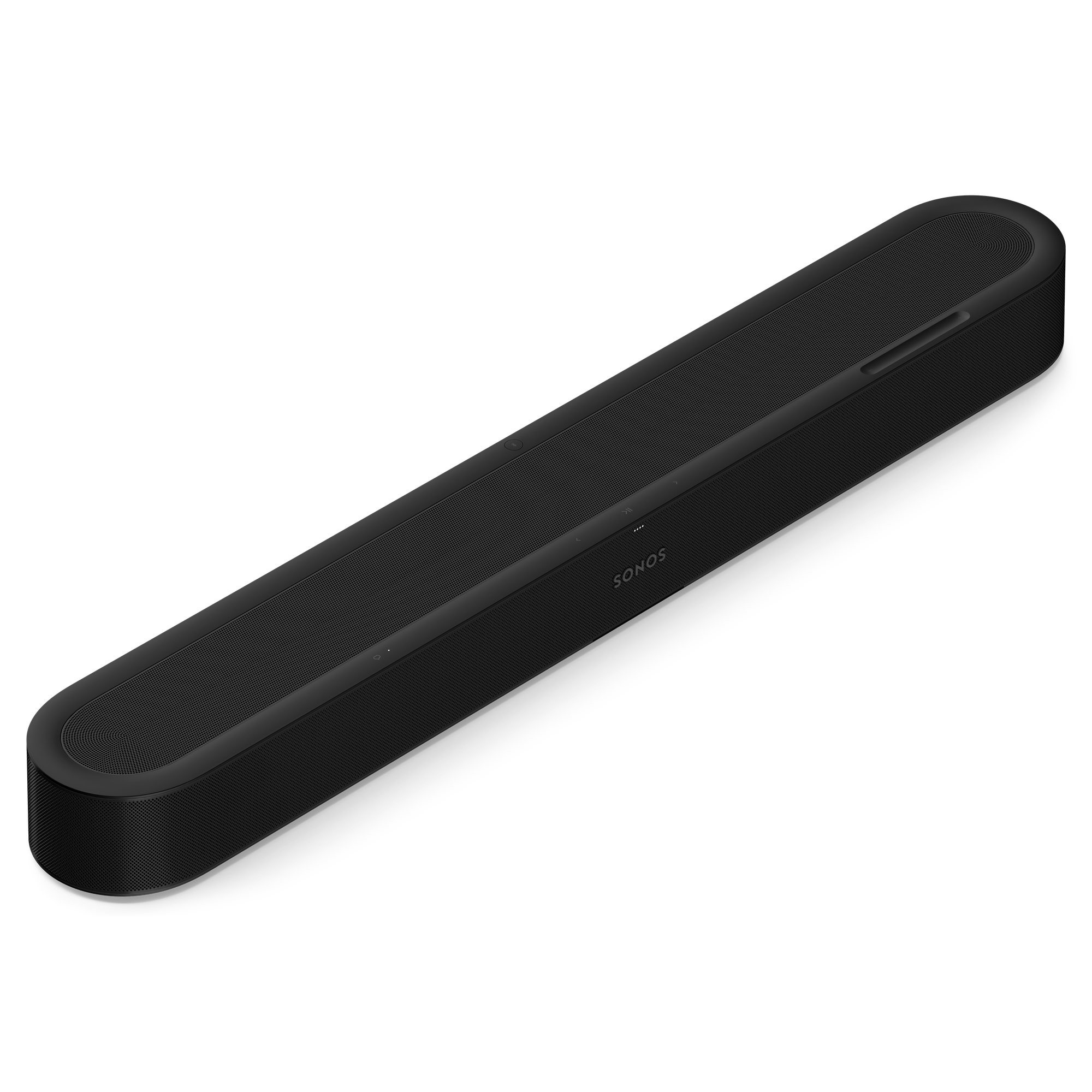
What you get for it is a small bar with a lot of hardware. Sonos lists nine Class-D amplifiers driving five tweeters and four low-profile woofers, and two of those tweeters fire upward to bounce Dolby Atmos height sound off the ceiling. It is 750 mm wide, 65 mm tall and weighs 2.88 kg. Sonos describes it as 7.1.2, and it shipped to Canadian buyers on September 29, 2026, alongside the Sonos 27 software update. Sonos Canada's product listing shows no newer Beam model.
This review is built from Sonos documentation, outside reviews and owner discussion, not from our own time with the bar. The question it tries to answer is simple: is the Beam Ultra worth $300 more than the Gen 2, and when is it better to just buy the Arc Ultra? The first thing to check is what actually changed from the Gen 2.
What the extra $300 over the Beam Gen 2 actually changes
Engadget describes the Gen 2's hardware as one centre tweeter, four mid-woofers and three passive radiators, with Atmos that was simulated rather than real. The Beam Ultra swaps that for five tweeters, four woofers and nine amplifiers. Expert Reviews puts it plainly: the Gen 2 relied on virtualised 5.1.2 processing, while the Ultra has real up-firing drivers and full 7.1.2. That is not a tweak. It is a different speaker in a similar-looking case, and the case is roughly 100 mm wider.
Expert Reviews ran the two bars back to back and called the gap large, with better separation, width and depth. It points to the opening race in F1 The Movie, where the Ultra kept cars and height effects distinct in a way the Gen 2 didn't, and to the synth bass in Billie Eilish's Bad Guy, which had far more definition. Even so, that reviewer still says the Gen 2 is the better pick for most people, because the price jump is steep.
Owners on the Sonos Community forum who moved from a Beam Gen 2 are more upbeat. Several describe the move as clearly worthwhile, with better dialogue and a more obvious Atmos effect, though those owners also run a Sub Mini and Era 100 rear speakers, so their result isn't the bar alone. If you have a Gen 2 and mostly watch regular broadcast TV, keep it. If height effects and bigger bass are what you're missing, the next question is whether your ceiling can deliver them.
Does bouncing sound off the ceiling work in a real living room?
The up-firing tweeters only help if the sound has somewhere to go. Engadget says the height effect works best under a flat, unobstructed ceiling, and it warns that mounting the bar can interfere with the bounce. Its reviewer calls the Atmos here real, with overhead effects that come close to a proper Atmos room. SoundGuys is more measured: height is convincing for a single bar, but it doesn't replace ceiling speakers or rear surrounds.
There is a fallback. Engadget notes a simulated Atmos mode for enclosed spaces, which sounds less convincing but is still wider than the older Beams. A Sonos Community owner explains where it matters: Overhead Sound Mode applies when there is less than 4 inches of clearance above the unit, which can happen on a shelf. That is useful to know before you slide the bar into a media unit with a tight top.
Gizmodo adds a practical point. Even without rear speakers, its reviewer heard side-to-side movement of helicopters and cars in F1 and a good sense of space in Fortnite footsteps and gunfire. So the bar widens the picture well, but the overhead effect is the one that depends on your room. If your living room has a high vaulted or heavily angled ceiling, treat the height speakers as a bonus, not the reason to buy. Whatever the ceiling does, the next test is dialogue, because most of what you watch is people talking.
Dialogue and bass: why reviewers say you may not need a sub
Speech Enhancement is the feature reviewers keep returning to. Sonos gives it four levels, and the AI picks out voices to lift them over music and effects. Expert Reviews used the mumbled first episode of Happy Valley as its test and said the muddiest moments cleared up without wrecking the rest of the sound, even at the top setting. SoundGuys used Medium in quiet rooms and High in noisy ones and found narration clearer. It can be toggled from the main playback screen in the app.
Engadget adds two cautions. The setting isn't recommended for music or games, and the bar can't detect what you're playing and switch automatically, so you flip it by hand. If you watch films one night and listen to music the next, expect to open the app sometimes. Night Sound is there for late viewing when you don't want loud effects to wake the house.
On bass, SoundGuys was surprised. A colleague in a large office asked whether a subwoofer was connected when there wasn't one, and in a 700 sq ft apartment the reviewer didn't feel a sub was needed. Gizmodo is less impressed, calling the bass adequate and weaker than the Bose Lifestyle Ultra's. Expert Reviews also found stereo-only tracks less bassy and harder edged than multichannel mixes. The read here: it's plenty for a condo or small family room, and not a home theatre rumble. The next question is what the single HDMI port does to your gear.
One HDMI port is the catch nobody puts in the headline
The Beam Ultra has a single HDMI eARC port and no passthrough, which both SoundGuys and Expert Reviews list as a drawback. In plain terms, the bar plugs into the TV and nothing else plugs into the bar. Your game console, streaming stick and Blu-ray player all go into the TV, and the TV sends the sound back down the eARC cable. That works fine on most recent sets, but it makes your TV's HDMI behaviour part of your sound.
Sonos is clear on the limits. Dolby Atmos requires eARC, and Atmos via Dolby TrueHD needs it too. A bundled HDMI-to-optical cable exists for older TVs, but Engadget says it drops Atmos, and it argues that a very old TV should be replaced first. Sonos also says the bar isn't compatible with CCFL-backlit TVs made between 2004 and 2012, though a Sonos Community poster reports that an older LED-backlit Sony with HDMI ARC worked.
Extras are sold separately. A Sonos line-in adapter and a Combo adapter (for Ethernet) plug into the single USB-C port, and the wall mount isn't in the box either. Expert Reviews puts the adapters at £19 to £39 in the UK, but we couldn't confirm Canadian adapter or mount prices. Once the bar is on the wall and the cables are sorted, the real spending decision is whether to add rear speakers and a sub.
The real bill: rear speakers and a sub
Sonos sells the Beam Ultra as the start of a system, and the Canadian pricing shows how fast it climbs. The Sub Mini is $649 on Sonos.ca, and the Beam Ultra plus Sub Mini Entertainment Set is $1,518, marked down from $1,598. That is only $69 more than an Arc Ultra at $1,449 by itself. If you're sure you'll add a sub, put the Arc Ultra on your list before you click buy.
SoundGuys suggests rear speakers before a sub. Two Sonos Play speakers worked well as rears, and Move 2 pairs are compatible, but the original Move and Roam are not, and Era 100s are supported as dedicated surrounds. Expert Reviews lists limits: mixed speaker models don't work together, a matched pair can't move to another room as a stereo pair while serving as rears, and re-pairing sometimes needs a power cycle or a toggle in the app.
Gizmodo's reviewer found the Add surrounds option in the app simple, and the speakers drop out of the surround role when carried away from the TV and rejoin when brought back. A Sonos Community owner adds that Era 300s make a bigger difference than Era 100s or Ones, if your seating has wall space behind it. So the bar alone is a fine buy, and the full system is a different budget. Before you commit to either, it helps to see how the bar compares with what else $949 could buy.
Beam Ultra, Beam Gen 2 or Arc Ultra: where does $949 land?
Within Sonos the choice is clean. The Beam Gen 2 at $649 is the cheap, compact option with virtual height. The Arc Ultra at $1,449 has far more speaker hardware, and Engadget says it suits larger rooms and bigger TVs while the Beam Ultra fits small to mid rooms and is less obtrusive. Sonos Canada lists the Arc Ultra as backordered, with an estimated ship date of October 26, 2026, so check stock before you plan around it.
A Sonos Community owner who compared the Beam Ultra with the Arc Ultra says the Arc has more punch up front, stronger dialogue and a firmer low end. In a small room without a side-by-side comparison they thought the difference was hard to notice, and in a larger room they called the Arc clearly better. That matches Engadget, which says the Beam Ultra at times approached the sound of the original Arc.
Outside Sonos, Gizmodo names the Bose Lifestyle Ultra as the stronger bass option, though bigger, and Engadget suggests a Vizio 7.1.4 system with satellite speakers as a lower-cost alternative at US$448. We couldn't confirm current Canadian prices for those, or for the JBL Bar 500, Bar 800 and Bar 1300 that Tech Standpoint also covers, so compare those at a Canadian retailer yourself. For most buyers in a 55 to 65 inch TV room, the Beam Ultra is the sensible middle. Last, what happens after the box is open.
Living with it: firmware, warranty and the Alexa question
Software is the area to watch. A Sonos Community owner reported a loud pop on the Beam Ultra after firmware 27.2.1 when eARC and Pass-through were both turned on. Turning eARC off, or setting the TV to standard multichannel, stopped it, and the poster says firmware rollbacks are blocked. Sonos Support reportedly judged the unit defective and offered a replacement. Two other Beam Ultra owners on the same firmware had no problem. It's one report with no official acknowledgement, so treat it as something to watch, not a verdict.
Warranty is the part we couldn't pin down. Sonos Canada's product page doesn't state the warranty length, and its support page says coverage depends on where you live while linking US terms. Visions lists one year for parts and labour, with 3, 4 and 5 year protection plans at $89.99, $99.99 and $109.99. Sonos Canada offers 30-day returns. The product page makes no update-length promise, so we can't say how long this bar will be supported.
Voice is murky. Sonos Canada lists Sonos Voice Control only, and owners in the Sonos Community say Alexa isn't available on the bar itself, while Engadget lists Alexa and Google Assistant, so confirm before you buy if you rely on one. Engadget also notes a physical mic switch, and Gizmodo found the top touch controls sometimes slow to respond. The Sonos page gives no power-draw figure, and there are no consumables to buy. So who should actually buy it?
Who should buy the Beam Ultra, who should skip it, and what to buy instead
Buy it if you have a 55 to 65 inch TV with HDMI eARC, a flat ceiling and a small to mid-size room, and you want real Atmos height without a bar that dominates the TV stand. It also makes sense if you already have Sonos speakers that can become rears. The reviews are strongest on dialogue, size-for-size sound and ease of setup, and SoundGuys gives it 8 out of 10 while Engadget gives it 9 out of 10.
Skip it if you already have a Gen 2 and don't have a ceiling that suits the height speakers, because Expert Reviews still sees the Gen 2 as the better buy for most people. Skip it if you need more than one HDMI input, or if your TV only offers optical or a non-eARC connection, because Atmos won't work properly.
Buy something else if the room is big or you know you'll want a sub. At $1,518 for the Beam Ultra and Sub Mini set, the Arc Ultra at $1,449 is the cleaner path. If budget is the main limit, the Beam Gen 2 at $649 remains a good soundbar. Our score reflects the Beam Ultra's strong sound and flexibility, held back by its price, single HDMI port and unclear Canadian support terms.
The closest alternatives.
| Product | Standpoint Score | Best for | Price |
|---|---|---|---|
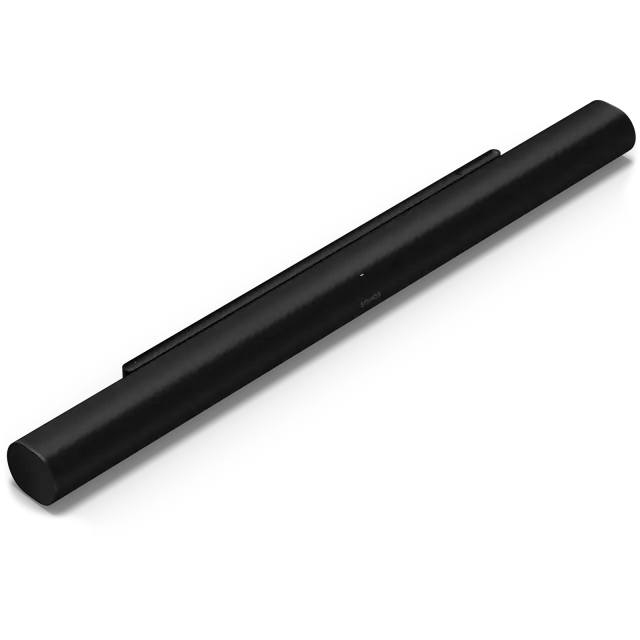
| Sonos Beam UltraThis review | 7.8Research | Small to mid-size living rooms with a 55 to 65 inch eARC TV and a flat ceiling, where you want real Atmos height without… | Amazon.ca ↗ |
| Sonos Arc Ultra | 8.3Research | A TV owner who wants one premium bar with good dialogue tools, room to add Atmos speakers later and multi-room… | Amazon.ca ↗ |
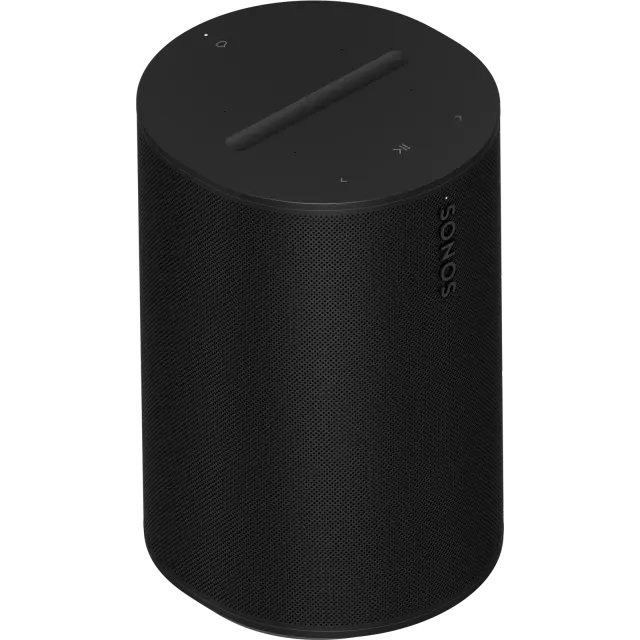
| Sonos Era 100 | 7.9Research | A kitchen, bedroom or study where music stays in the room and a supported phone is on hand for setup and tuning. | Amazon.ca ↗ |
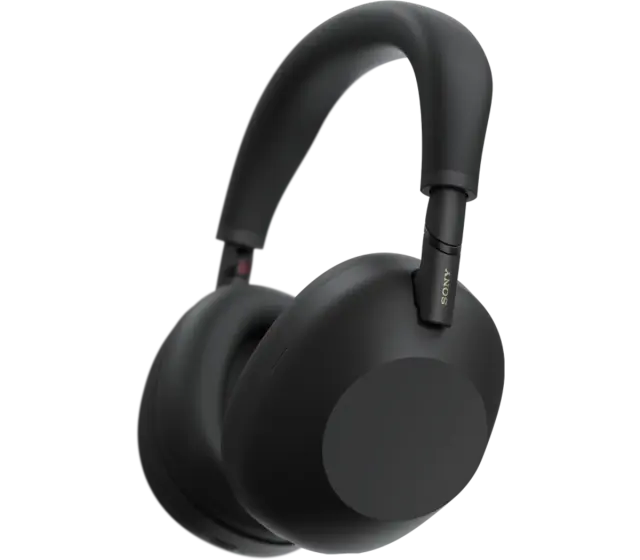
| Sony WH-1000XM6 | 8.3Research | A frequent traveller or desk worker who wants cancellation, multipoint, a wired option and a folding over-ear in one… | Amazon.ca ↗ |
Compare scores within a category: Tested means our own use, Research means documentation and attributed outside testing. Price links are affiliate links. As an Amazon Associate, Tech Standpoint earns from qualifying purchases. Disclosure
Questions before checkout.
Is the Sonos Beam Ultra worth $300 more than the Beam Gen 2 in Canada?
If you can use real Atmos height and want better dialogue and bass, yes, outside reviewers describe a large step up. Expert Reviews still recommends the Gen 2 at $649 for most buyers, so it depends on your ceiling and budget.
Does the Sonos Beam Ultra need HDMI eARC to play Dolby Atmos?
Yes. Sonos says Dolby Atmos requires HDMI eARC, and Atmos via Dolby TrueHD needs it too. The included HDMI-to-optical cable works with older TVs, but Engadget says it drops Atmos, so check your TV's HDMI port before buying.
Do I need a subwoofer with the Beam Ultra?
Not always. SoundGuys felt no sub was needed in a 700 square foot apartment, and recommends rear speakers first. Larger rooms may benefit, but the Sub Mini is $649 and the bundle is $1,518 on Sonos.ca.
Does the Sonos Beam Ultra support Alexa?
It is unclear. Sonos Canada's product page lists Sonos Voice Control only, and owners in the Sonos Community say Alexa isn't available on the bar itself. Engadget's review lists Alexa and Google Assistant, so verify with Sonos before buying if you depend on either.
What is the Canadian warranty on the Sonos Beam Ultra?
Sonos Canada's product page doesn't state a warranty length, and Sonos support says coverage varies by location. Visions lists one year for parts and labour, with optional 3, 4 and 5 year protection plans. Confirm the term with Sonos Canada before purchase.
Sources & further reading.
These are the sources behind this research review. Manufacturer claims are not independent performance measurements. Community accounts, when cited, describe individual experiences.
- Sonos Beam Ultra product page (Sonos Canada) ↗manufacturer
- Sonos Canada Beam (Gen 2) and Arc Ultra listings ↗manufacturer
- Sonos Canada Arc Ultra page ↗manufacturer
- Sonos Entertainment Set with Beam Ultra and Sub Mini (Sonos Canada, French) ↗manufacturer
- Sonos support: Orders and returns (Canada) ↗support
- Engadget: Sonos Beam Ultra review ↗independent review
- Gizmodo: Sonos Beam Ultra review ↗independent review
- Expert Reviews: Sonos Beam Ultra review ↗independent review
- SoundGuys: Sonos Beam Ultra review ↗independent review
- iPhone in Canada: Sonos launches Beam Ultra and Ace Ultra pre-orders in Canada ↗news report
- Visions: Sonos Beam Ultra Soundbar, Black ↗Canadian retailer listing
- Sonos Community: Thinking of upgrading from a Beam Gen 2 ↗Community discussion
- Sonos Community: Beam Ultra impression ↗Community discussion
- Sonos Community: Pop on Beam Ultra with eARC after firmware 27.2.1 ↗Community discussion
Product software and regional bundles can change. Corrections and editorial disclosures.
Affiliate link. As an Amazon Associate, Tech Standpoint earns from qualifying purchases. It never changes our verdict or score. Disclosure