Not tested. This is a research score for the documented features, compatibility and ownership trade-offs discussed in this review, not a performance measurement.
Features & capability 30%8.0
Cancellation, ambient control and EQ offer a broad everyday toolkit, with independent observations qualified by condition and firmware context.
Compatibility & connectivity 20%8.3
Four documented codecs and multipoint provide choices, but LE Audio excludes multipoint and several app conveniences.
Ownership & upkeep 20%6.2
Built-in ageing batteries, shorter LDAC endurance and non-resistant case demand condition checks and a realistic service route.
Setup & everyday use 15%8.1
Low mass and app-assisted fit help; touch assignments, single-ear restrictions and automatic interruptions need configuration.
Documentation & support clarity 15%8.7
Sony details codec-specific endurance, mode exclusions, maintenance and cumulative firmware additions in retained model documentation.
Compare scores within the same product category. Small decimal differences should not override your needs or the evidence limits.
How the Standpoint Score works
We score five aspects of the documented product on a 0–10 scale, then calculate a weighted total:
- Features & capability30% of the total
- Compatibility & connectivity20% of the total
- Ownership & upkeep20% of the total
- Setup & everyday use15% of the total
- Documentation & support clarity15% of the total
This product’s 7.8/10 is an editorial research assessment. It does not claim measured performance, tested reliability or a verified customer satisfaction rate. Compare it with products in the same category, and read each criterion’s reasoning above.
Read the full rubric and score bands ↗From a tech standpoint.
Buy LinkBuds S if you want light, sealed earbuds for a mixed day of music, short calls and hopping between a phone and laptop, and the seal is comfortable for you. Skip it if you need long uninterrupted sessions, rely on calls from noisy streets, or want an open design that lets the room in naturally (that's the original LinkBuds). For a used pair, don't buy without a way to check both batteries. SoundGuys' original testing supports the cancellation and tunable sound; our 7.8 Standpoint Score is a weighted editorial assessment, not a Tech Standpoint listening or endurance test.
Reasons to consider it
- Sony lists each earbud at about 0.17oz, and the app helps you choose tips
- Cancellation, ambient mode, EQ and remappable touch controls give plenty of room to tune the routine
- Current documentation spells out multipoint, LC3/LE Audio and later firmware additions
Go in knowing
- LDAC with cancellation is rated at up to 3.5 hours, against six for AAC or SBC
- LE Audio mode disables multipoint, Quick Access and several other functions
- On an older pair, battery wear and charging contacts can decide whether it's worth buying
Affiliate link. As an Amazon Associate, Tech Standpoint earns from qualifying purchases. It never changes our verdict or score. Disclosure
The specification sheet.
Published specifications from the linked sources. Configurations and availability can differ by country.
- Earbud mass
- Approximately 0.17 oz each
- Bluetooth
- 5.2
- Current listed codecs
- SBC, AAC, LDAC and LC3
- Music battery claim
- NC on: up to 6h AAC/SBC; 3.5h LDAC; 5.5h LC3
- Earbud resistance
- IPX4; charging case not water resistant
- Case dimensions
- Approximately 1.69 × 2.36 × 1.09 inches
- Charging
- USB-C case charging; built-in rechargeable batteries
Sealed LinkBuds, not the ones with a hole
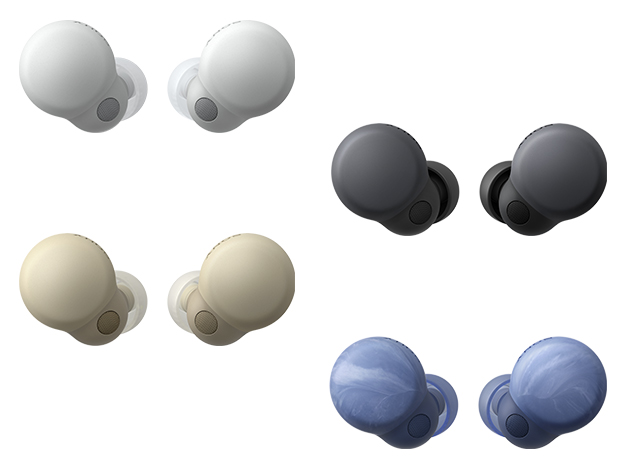
First, get the model right. LinkBuds S is the sealed, noise-cancelling version, not the original open-ring LinkBuds, and mixing them up will cost you when comparing listings or ordering spare parts. The S is aimed at people who want a compact pair for a bit of everything: music, conversations and moving between devices. Its pitch isn't dramatic looks. It's whether the earbuds stay comfortable and easy to manage through an ordinary day.
You're buying a matched set of two earbuds and a charging case, not just two tiny headphones. An older pair can still show every menu option and yet fall short of the listening session you need. This review uses Sony's operating guides and named independent testing. We have not worn or measured a Tech Standpoint sample, and nobody can judge a used set's battery health from photos. The condition of the whole set is part of the recommendation from the start.
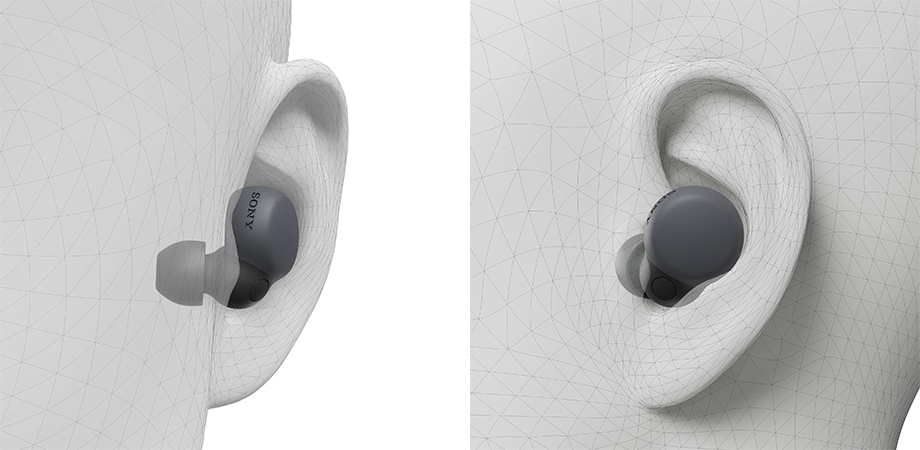
Featherweight shells still need a comfortable seal
Sony gives an approximate weight of 0.17oz per earbud. That makes the S worth a look if bulkier sealed earbuds have put you off, but weight and pressure are separate things. SoundGuys' reviewer found the fit comfortable, which is one person's ears, not proof the shell suits everyone. The tip has to seal without wedging the housing into an awkward angle. Fit each side on its own merits; your ears may not want matching sizes.
Sony's app helps you choose tips. Use it, but also notice how your ears feel after talking, eating or walking, rather than treating the software result as final. A loose seal makes a capable noise-cancelling design seem inconsistent. Fresh tips are a sensible first expense on a used pair, provided they attach properly and still let the earbuds sit down on the charging contacts. Sony's maintenance guide warns that a loose or crooked tip can hurt sound, cancellation and fit.
Treble Boost beats a hi-res badge
SoundGuys' measurements put bass and mids broadly close to its reference curve, with treble pulled back, and its Treble Boost preset moved that region closer to target. That's SoundGuys' measurement and interpretation, not our listening. The practical takeaway: if the default sound is a bit subdued for you, Sony's EQ has a straightforward fix. Still, a reference curve is one framework, and moving towards it doesn't guarantee you'll prefer the result.
Make a modest change with music you know, at the same volume. A brighter sound can make a detail more obvious without adding anything that wasn't in the recording. Check the result stays comfortable across a whole playlist rather than judging it from a few seconds of a striking passage. And fix the seal first: EQ that compensates for a leaky tip will sound different the moment you reseat the earbud.
DSEE Extreme is a separate processing option in Sony's app. It isn't a codec change and it doesn't give you a different recording. Turn it on only if it fixes something you can name, and factor in its documented battery cost. A small everyday pair succeeds by making listening easy. Switching on every enhancement because it appears on the spec sheet is not the only way to get your money's worth.
Ambient mode is good for quick chats, not for open-ear awareness
The S seals your ear and uses microphones for ambient listening; it doesn't keep the natural open path of the original ring-shaped LinkBuds. SoundGuys found useful low-frequency cancellation but described ambient sound as less natural than the open model. A quiet background for listening and an unobstructed ear are different priorities. If you mainly want to hear the room all the time, compare the physical design rather than assuming the family name means the same experience.
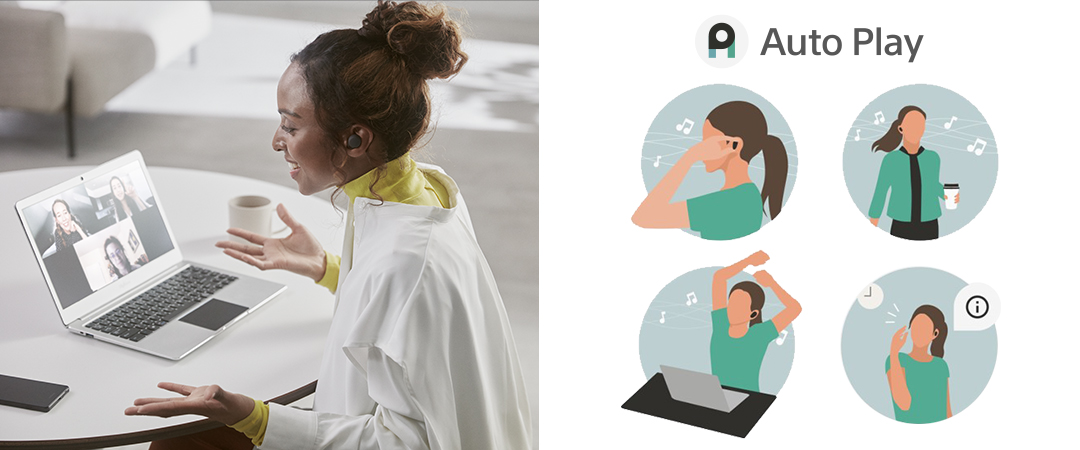
Quick Attention is a manual interruption; Adaptive Sound Control and Speak-to-Chat add automatic behaviour. Treat them as separate decisions. Having a quick exchange without removing the earbuds is handy, but if you often sing or mutter to yourself, a deliberate control will annoy you less. Start with a predictable noise-control routine and add the automation that fixes a real irritation. And ambient mode is no guarantee you'll catch every hazard or instruction in traffic.

Four codecs, but only one connection at a time
Sony's spec sheet lists Bluetooth 5.2 with SBC, AAC, LDAC and LC3. Those aren't four benefits running at once; source support and connection mode decide what you get. The app shows the active codec, which tells you far more than a hi-res badge. Start with a reliable connection on the phone or computer you actually use. A theoretical format advantage is a bad trade for dropouts on the journey where you most need the earbuds.
LDAC deserves to be weighed against battery life. Sony's table gives a cancellation-on maximum of 3.5 hours with LDAC versus six for AAC or SBC. That's a documented design trade-off, not a fault in a pair that dies before the six-hour headline. Ask whether whatever benefit you get from LDAC with your music is worth the shorter session. We haven't run a controlled codec comparison and don't infer audible superiority from a format name.
What you give up in LE Audio mode
Sony's LE Audio instructions require a compatible Android phone and an LE-capable headset configuration, with LC3 as the codec. A generic Bluetooth version number isn't enough to prove your phone supports the whole arrangement. Setup changes the app's connection preference and re-pairs after deleting the Classic Audio pairing. Confirm the app actually shows LE Audio rather than assuming it from basic playback working.
The app guide lists multipoint, Quick Access, Service Link, some voice-assistant settings, Bluetooth sound-quality selection and Auto Switch as unavailable over LE Audio. That's the important catch hiding behind the long codec list. Someone who wants the earbuds connected to a work laptop and a phone has different needs from someone chasing the LE connection on one supported phone. Choose the mode that fits your routine; Sony doesn't promise all those features can be combined.
If LE Audio leaves out something you need, going back to Classic Audio is a perfectly legitimate choice. Sony explains switching the preference back and, if necessary, clearing pairing data and pairing again. Keep track of which mode is active when you compare behaviour, because changing several options at once can make a straightforward pair seem erratic. We haven't measured latency in either mode, and we won't turn Sony's lower-delay description into a numerical gaming promise.
Multipoint switches sources; it won't blend them
Sony's multipoint guide covers two simultaneous connections, set up in the app after pairing each source. To switch music, it tells you to stop the first source and then start the second. Hitting play on another device while the first is playing doesn't automatically make the new one audible. For a laptop-and-phone day, that matters: being connected to both is not the same as hearing both mixed together.
The guide also explains what happens when a third paired device connects: the link to whichever device last played music is kept, and the other is replaced. In a house full of previously paired gadgets, that explains why a familiar device suddenly drops off. Decide which two belong in your working routine and stop playback before switching. A feature meant to save reconnection steps still needs some source discipline.
Rehearse a real interruption instead of just checking that two names appear in settings. Play a clip on the computer, stop it, start something on the phone, then check where a call goes. The buying question is whether that sequence is predictable with your devices. LE Audio disables the multipoint option described here, so confirm the connection mode before treating a missing toggle as a hardware fault. Tech Standpoint asserts no independent switching-reliability test.
A pocketable case you'll want to inspect
Sony lists the case at roughly 1.69 by 2.36 by 1.09 inches. Try that in the actual pocket or small bag you'll use, alongside your keys and everything else. A case that's easy to carry gets used consistently, and loose earbuds rattling around separately pick up dirt and go missing. On a used pair, check the hinge, the lid closure and the charging port, not just the outer finish.
Sony's charging guide specifies USB-C through the case, about two hours for empty earbuds and about three for earbuds plus an empty case. It also warns that a sleeping computer won't deliver a proper charge, so a case left plugged into a laptop overnight may need a different habit. Drop both earbuds in normally, confirm the charging indicator and close the lid. If you have to press the buds down or wiggle them to make contact, sort that out before relying on them away from home.
Plan around six hours, or fewer
The full battery table tells you more than the six-hour headline. With cancellation on, Sony rates AAC/SBC at up to six hours, LDAC at 3.5 and LC3 at 5.5. With noise control off, AAC/SBC reaches nine hours, while talk time tops out at 3.5. Sony also documents extra drain from EQ, DSEE Extreme and Speak-to-Chat. You can't plan a day of calls from the most flattering music number.
SoundGuys measured 5 hours 41 minutes in its battery test, using real music peaking at 75 dB SPL. That's one independent reference for one sample, not a guarantee for other firmware settings or an older pair. Sony says about an hour of music is possible after five minutes of charging. A quick top-up helps between sessions, but it won't bring back the reserve of a healthy new battery. On a used pair, watch whether one side consistently quits much earlier than the other on your intended settings.
Remap the touch controls before you judge them
Sony's current touch guide adds four-or-more taps for volume down on the left and volume up on the right, alongside playback and noise-control actions. So an older review's description of the controls is out of date. Check the assignments in the app after setting up a voice assistant, because Sony warns that assistant setup can change them. Practise the gestures before deciding whether they suit a routine full of pauses and adjustments.
Using one earbud has its own dependencies. Sony says single-ear playback is mixed to mono, and Service Link requires the right earbud. Assistant and touch assignments can further limit which side works alone. If you plan to alternate ears through a workday, set up that exact arrangement and try it. Seeing both buds pair as a stereo set doesn't prove every single-ear feature will work with your chosen assistant.
Speak-to-Chat is off by default according to the manual. When enabled, it pauses or mutes playback and opens up the microphones for a conversation, then ends automatically after the set interval. Sony notes possible false triggers from humming or coughing and offers a sensitivity setting. For podcast listeners or anyone who sings along, unexpected interruptions can outweigh the convenience. A manual Quick Attention gesture, or simply taking one bud out, may be the more predictable option.
Street calls, sweat and cleaning
SoundGuys rated the microphones more kindly in quiet conditions than with street noise, where it identified processing artefacts. That matters if calls are the main reason you're buying. Good cancellation for you doesn't guarantee clean speech for the person on the other end. Try the calling app and the setting you actually depend on. A good quiet-room call is evidence for a quiet-room routine, not a blanket promise of clear outdoor conversation.
Sony rates the earbuds IPX4 and excludes the case from water resistance. After exercise, dry everything off instead of dropping damp earbuds straight into a case in your pocket. The maintenance guide calls for gentle cleaning and thorough drying, and warns against alcohol and other solvents on the housing. It also flags moisture or debris on the contacts as a possible cause of charging corrosion. Follow that model-specific advice rather than borrowing someone else's cleaning routine.
Firmware 4.3.1 adds features, not battery health
Sony's US support page lists firmware 4.3.1, with voice-command quality and security changes. The cumulative notes include multipoint, consecutive volume taps, head tracking and wider LE Audio device support. Head tracking still depends on the phone model and Android version. Update instructions now refer to Sony | Sound Connect, though older help pages may still say Headphones Connect. Those details help you tell a current setup from a seller's description copied off the original box.
The update page requires Android 10 or later or iOS 16 or later, plus Sound Connect 12.3.0 or later, for that procedure. Those are update requirements, not proof that older phones can't handle basic Bluetooth playback. Make sure you have a suitable device to keep the earbuds maintained before buying. Sony also says firmware can't be rolled back after updating, so read the instructions first and don't update in the middle of an important working day.
No software update restores a worn battery's original capacity. Sony's charging guide directs owners to a dealer when usable battery time drops significantly. Get a local service answer and a cost rather than assuming a replacement is simple or covered. For Canadian and US buyers, an imported bargain needs the same practical support check as a domestic used pair. The features are appealing, but dependable sessions and charging are what everything else sits on.
A smart buy when the whole set is healthy
LinkBuds S suits someone who puts a compact sealed earbud, adjustable noise control and flexible connection options first. The recommendation depends on comfort and the condition of the complete set. It's a weaker choice for anyone who needs very long uninterrupted sessions, or who can't check an older battery before committing to buy.
The S makes its best case when the light housing, the seal and the controls remove friction from your day without making you work around the battery. If you already own a pair, a new setting may be a better reason to dig into the app than any urge to replace them. If you're buying used, count tips, charging reliability and a confirmed local service route in the price. That's why our score's ownership criterion sits below its connectivity criterion. This is not an acoustic ranking copied from another publication.
The closest alternatives.
| Product | Standpoint Score | Best for | Price |
|---|---|---|---|
| Sony LinkBuds SThis review | 7.8Research | A listener who wants light sealed earbuds for shorter, mixed sessions of music and calls and values a small case over… | Amazon.ca ↗ |
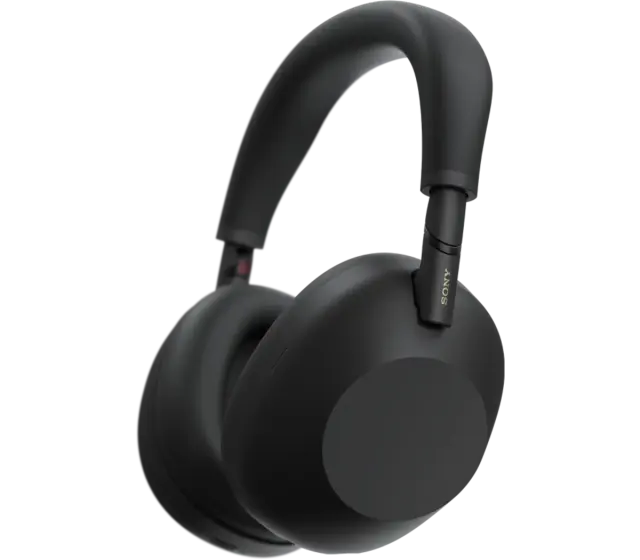
| Sony WH-1000XM6 | 8.3Research | A frequent traveller or desk worker who wants cancellation, multipoint, a wired option and a folding over-ear in one… | Amazon.ca ↗ |
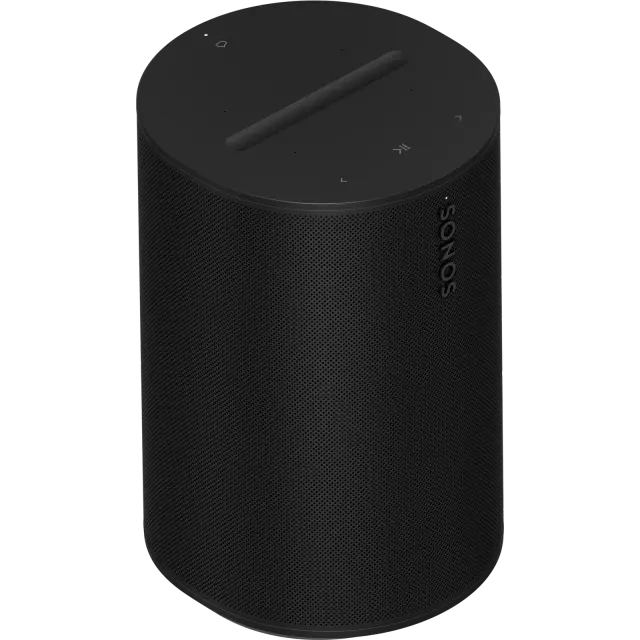
| Sonos Era 100 | 7.9Research | A kitchen, bedroom or study where music stays in the room and a supported phone is on hand for setup and tuning. | Amazon.ca ↗ |
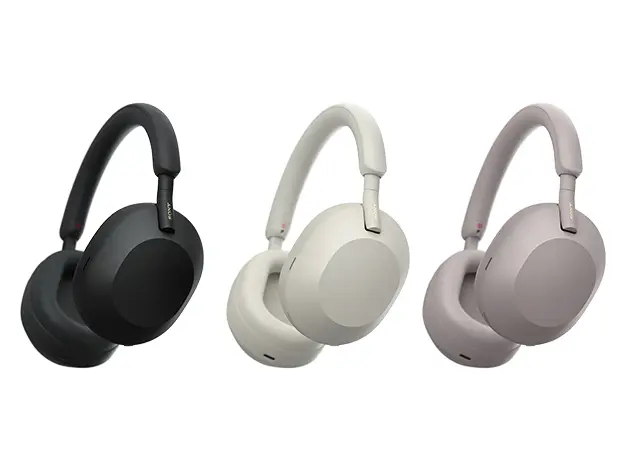
| Sony WH-1000XM5 | 8.2Research | A commuter or desk worker who wants strong cancellation, two-device switching and a cable backup, and has the bag room… | Amazon.ca ↗ |
Compare scores within a category: Tested means our own use, Research means documentation and attributed outside testing. Price links are affiliate links. As an Amazon Associate, Tech Standpoint earns from qualifying purchases. Disclosure
Sources & further reading.
These are the sources behind this research review. Manufacturer claims are not independent performance measurements. Community accounts, when cited, describe individual experiences.
- Sony LinkBuds S specifications ↗manufacturer
- Sony codec-dependent battery and quick-charge table ↗manual
- Sony LE Audio pairing and compatible-device requirements ↗manual
- Sony app feature list and LE Audio exclusions ↗manual
- Sony LinkBuds S multipoint and playback switching ↗manual
- Sony USB-C charging and battery-service guidance ↗manual
- Sony current touch and consecutive volume controls ↗manual
- Sony single-ear and assistant assignment restrictions ↗manual
- Sony Speak-to-Chat behaviour and sensitivity ↗manual
- Sony LinkBuds S cleaning and drying guidance ↗manual
- Sony earbud IPX4 and non-resistant case guidance ↗manual
- Sony firmware 4.3.1 and cumulative feature additions ↗support
- SoundGuys LinkBuds S review and attributed original measurements ↗independent
- Sony Japan supplied product and fit imagery ↗manufacturer
Product software and regional bundles can change. Corrections and editorial disclosures.
Affiliate link. As an Amazon Associate, Tech Standpoint earns from qualifying purchases. It never changes our verdict or score. Disclosure