Not tested. This is a research score for the documented features, compatibility and ownership trade-offs discussed in this review, not a performance measurement.
Features & capability 30%8.0
A 7-inch colour E Ink screen with auto front light, 32GB, IPX8 and an aluminum body, but colour is unchanged from 2024 and wireless charging was dropped.
Compatibility & connectivity 20%6.9
Wi-Fi 2.4 and 5 GHz plus Bluetooth for audio and the Click remote, but no cellular and a strong lock to Amazon's store and ecosystem.
Ownership & upkeep 20%6.5
A 1-year limited warranty, a plastic screen surface at $429.99 CAD, a separate dock and cover bill, and an unproven banding fix this early.
Setup & everyday use 15%8.2
Reviewers describe fast, familiar page turns, double-tap page turning and a light that adjusts itself, with comics needing manual zoom on some titles.
Documentation & support clarity 15%7.3
Amazon publishes clear specs and a comparison table, but the battery conditions sit in the fine print and no software-update window was stated.
Compare scores within the same product category. Small decimal differences should not override your needs or the evidence limits.
How the Standpoint Score works
We score five aspects of the documented product on a 0–10 scale, then calculate a weighted total:
- Features & capability30% of the total
- Compatibility & connectivity20% of the total
- Ownership & upkeep20% of the total
- Setup & everyday use15% of the total
- Documentation & support clarity15% of the total
This product’s 7.4/10 is an editorial research assessment. It does not claim measured performance, tested reliability or a verified customer satisfaction rate. Compare it with products in the same category, and read each criterion’s reasoning above.
Read the full rubric and score bands ↗From a tech standpoint.
Buy the Colorsoft Signature Edition if you read comics, magazines or heavily highlighted books, you live in Amazon's store, and you want the better-built Colorsoft with the auto-adjusting light and 32GB. Skip it if you mostly read novels, because the Paperwhite Signature at $349.99 CAD gives you a longer battery rating and the same size screen for $80 less. Skip the upgrade too if you own a healthy 2024 Signature, since reviewers saw no real colour change. Engadget scored it 8.5 out of 10 but called the extra cost unjustified, and The Shortcut gave it 4.5 out of 5 with a hazier-than-Paperwhite caveat. It only went on sale October 28, so wait a couple of weeks for owner reports on the banding. This is a research review; Cameron hasn't used one.
Reasons to consider it
- Two reviewers report the yellow band along the bottom edge of the 2024 screen is gone: 9to5Toys, whose own 2024 unit had it, credits a redesigned display stack and light guide, and Engadget didn't see it during about two weeks of use
- The aluminum body, IPX8 water rating and 32GB make it the best-built Kindle in colour, and The Shortcut says the aluminum chassis feels sturdier than the original
- The battery claim of up to 8 weeks looks believable: 9to5Toys charged once while reading about an hour a night, and Engadget saw roughly a 10% drop over a day or two of focused reading
- Colour helps with the right content: The Shortcut found covers, magazines and comics look good, and five highlight colours help students and note-takers
Go in knowing
- At $429.99 CAD it's $50 over the base Colorsoft and $80 over the Paperwhite Signature, and the Canadian premium over the US price is wider than the US gaps ($30 and $70)
- Colour quality is largely the same as 2024 according to 9to5Toys and Engadget, and The Shortcut still sees a slight blue tinge and more haze than the Paperwhite in a side-by-side photo
- Wireless charging is gone; the replacement is a US$59.99 pogo-pin dock, and the Page-Turn Cover is $109.99 CAD, so the full setup costs far more than the sticker price
- 9to5Toys notes the screen surface is plastic at a premium price, fixed-layout comics can need manual zooming on 7 inches, and Bluetooth audiobooks cut battery life noticeably
Affiliate link. As an Amazon Associate, Tech Standpoint earns from qualifying purchases. It never changes our verdict or score. Disclosure
The specification sheet.
Published specifications from the linked sources. Configurations and availability can differ by country.
- Canadian price (Oct 31, 2026)
- $429.99 CAD for the 32GB Signature Edition in Amazon.ca's own lineup comparison table (base Colorsoft 16GB $379.99, Paperwhite Signature $349.99). A standalone Amazon.ca page for the 2026 Signature wasn't live when checked, and Best Buy Canada blocked the page request
- US price
- US$319.99 (Graphite or Fig), US launch October 28, 2026, per Amazon and Good e-Reader
- Display
- 7-inch colour E Ink, 300 ppi black and white, 150 ppi colour, auto-adjusting front light, Standard and Vivid colour modes
- Storage
- 32GB (the base Colorsoft has 16GB)
- Body
- Aluminum housing, 229 g, 26.8 x 174.7 x 6.8 mm per Good e-Reader reading the US listing; Graphite or Fig
- Battery rating
- Up to 8 weeks (Amazon's claim; 9to5Toys says it assumes 30 minutes a day, wireless off, brightness 13). The Paperwhite is rated up to 12 weeks
- Water resistance
- IPX8, tested for 60 minutes in 2 metres of fresh water, per Amazon
- Charging
- Pogo-pin dock charging and USB-C; wireless charging is gone, per Engadget. Dock sold separately at US$59.99 and the USB-C cable isn't in the box, per the US listing
- Connectivity
- Wi-Fi 2.4 and 5 GHz, Bluetooth for audio and the Kindle Click remote, no cellular option
- Warranty (Canada)
- 1-year limited warranty, per Amazon.ca's comparison table; a 2-year protection plan is sold separately
A $429.99 e-reader that says it fixed the yellow stripe
Here's the number to start with. Amazon.ca's own comparison table lists the Kindle Colorsoft Signature Edition at $429.99 CAD. The base Colorsoft is $379.99 and the Paperwhite Signature Edition is $349.99. So colour costs you $80 over the Paperwhite Signature, and the Signature upgrade costs $50 over the base Colorsoft. In the US the same model is US$319.99, which makes the Canadian gaps wider than the American ones.
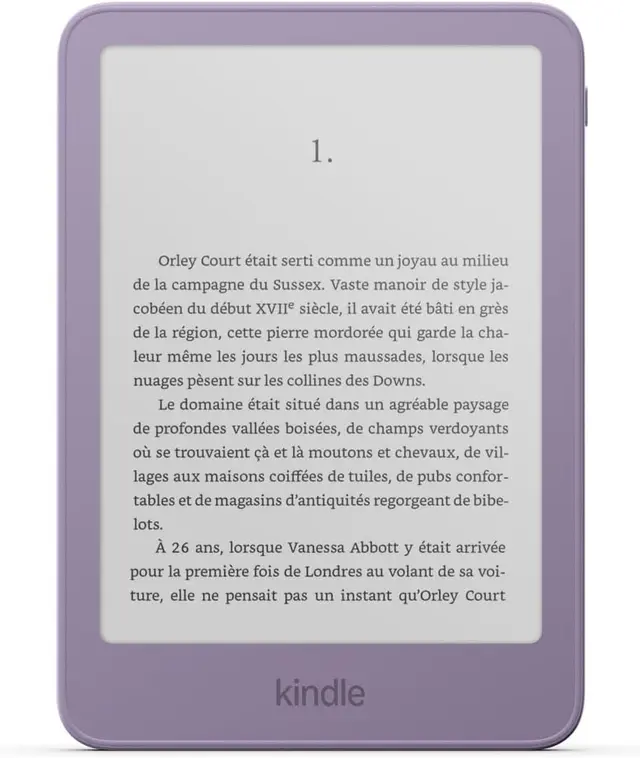
The 2026 Signature is a 7-inch colour E Ink reader with 32GB, an aluminum body, an auto-adjusting front light, IPX8 water resistance and a new pogo-pin dock connector. The headline fix is the yellow strip that showed up along the bottom of the 2024 screen. 9to5Toys, whose own 2024 unit had it, says it's gone, and Engadget didn't see it in about two weeks.
This is a research review. Cameron hasn't used one. Everything below comes from Amazon's own pages, reviews at Engadget, 9to5Toys and The Shortcut, plus Canadian price reports. One caution on availability: when this was checked on October 31, 2026, Amazon.ca still showed the 2024 Signature on its standalone listing, so check the date and the model year before you pay.
What Amazon changed from 2024, and what it quietly took away
9to5Toys lists the changes. The aluminum back returns after a plastic 2024 model, the display stack and light guide are redesigned, the power button moves to the top-right corner, and the whole thing is rated IPX8. Engadget adds that it's slightly thinner, the front bezel now matches the case with no white or black strip, and there's a new Fig colour. Fig is Signature-only in the US.
The loss is wireless charging. Engadget points out it's been removed, and charging now happens through pogo pins on the back that connect to a dock. If you've got a Qi stand on your nightstand, it won't work with this one. The dock is a separate US$59.99 purchase, and the US listing says no USB-C cable comes in the box.
Colour itself barely moved. 9to5Toys saw no meaningful difference outside the banding fix, and Engadget says colour rendering is unchanged. The Shortcut disagrees a little: it calls the colours more saturated than the original Colorsoft. So who shouldn't upgrade? Anyone with a 2024 Signature that doesn't show the stripe. You're paying for a nicer case and a fix you don't need.
The yellow band: what went wrong in 2024 and what reviewers see now
In 2024 the Colorsoft launched with a stripe of yellow light along the bottom of the screen. The eBook Reader blog described it as uneven front lighting, most visible on cool light at medium to high brightness and fading on warmer settings. The author said Reddit and Amazon reviews were full of the same complaint. Amazon put a note on the product page, offered replacements or refunds, and said it was making adjustments.
The 2026 reviews are more reassuring. 9to5Toys blames the old problem on the display stack and light guide, which Amazon redesigned, and its reviewer, who had the stripe on the 2024 unit, no longer sees it. Engadget's reviewer didn't spot it either. The Shortcut didn't mention banding but did notice a slight blue tinge and more haze than the Paperwhite.
My read: two reviewers with working units is a good sign, not proof. They each had one or two units, and the model only went on sale October 28. I couldn't reach 2026 owner threads on Reddit, so the owner side is simply missing. Give it a couple of weeks, and buy from a seller with an easy return window so you can send a bad unit back.
Colour on E Ink: great for comics and covers, a gimmick for novels
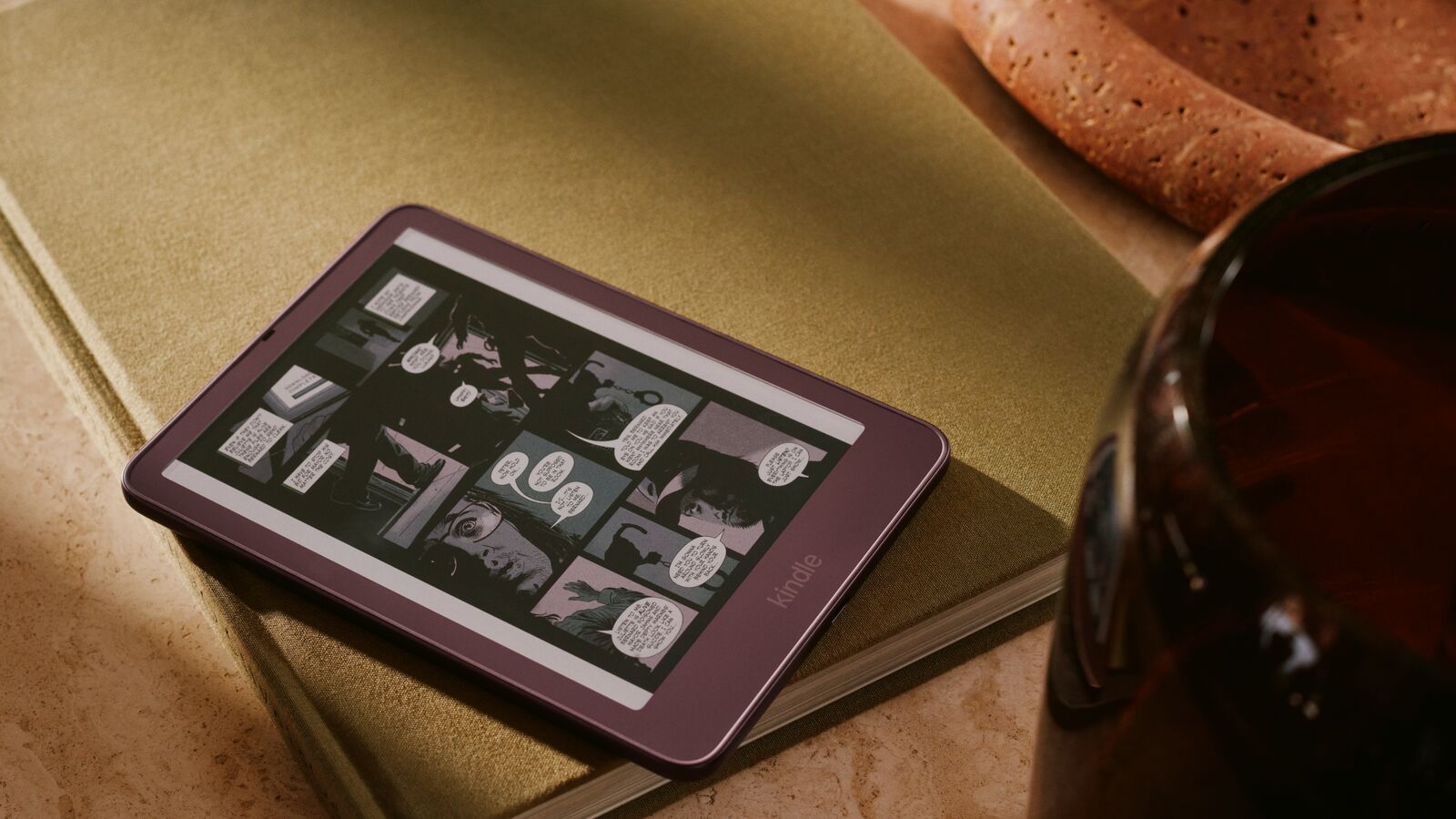
The screen is 300 ppi in black and white and 150 ppi in colour, and Amazon's pitch is paper-like colour that's easy on the eyes. 9to5Toys offers a Standard and a Vivid mode and prefers Vivid. The Shortcut says covers, magazines and comics look good but softer than an LCD tablet, and still sees a slight blue tinge.
Engadget's reviewer was blunter. The novelty wore off, because she doesn't read many books that depend on colour. That's the honest test for you: how much of your reading has colour in it? A paperback thriller in black and white looks the same as it does on a cheaper Kindle. A comic, a magazine, a kids' picture book or a textbook with coloured diagrams is where the extra money shows.
Comics come with a warning. 9to5Toys says fixed-layout comics are hard to read on a 7-inch screen, and its reviewer had to zoom in manually on one title. Comics with Guided View or Panel View were easier, and a sample download is the only way to test a title before you buy it. The Shortcut also likes the fifth highlight colour, which matters if you annotate heavily.
Eight weeks of battery on paper, and what a normal reader should expect
Amazon rates the Signature at up to 8 weeks, against up to 12 weeks for the Paperwhite lines on Amazon.ca's comparison table. 9to5Toys spells out the conditions: 30 minutes of reading a day, wireless off and brightness at 13. That's a light-reading assumption. The same review says the reviewer reads about an hour a night and has charged only once since unboxing, which fits Amazon's claim.
Engadget gives the other data point. The battery fell about 10% to 90% after a day or two of focused reading, and the reviewer called that strong next to other Kindles, though she didn't run a formal test over two weeks. Neither outlet ran a full drain test, so treat both as early impressions, not measurements.
Simple arithmetic from Amazon's own figures (my estimate, not a test): 8 weeks at half an hour a day is roughly 28 hours of reading, so an hour a day should mean something like a month between charges. The big exception is audio. 9to5Toys says Audible over Bluetooth cuts battery life sharply. If you listen on a commute, plan to charge more often.
Pogo pins, a dock and a $109.99 cover: the real cost of the Signature
The Signature adds a row of pogo pins on the back. They carry power to the new Charging Dock, which holds the reader upright, and they connect the magnetic Page-Turn Cover with physical page-turn buttons. Amazon prices the dock at US$59.99 and the cover at US$79.99. iPhone in Canada reports the cover at $109.99 CAD and the Bluetooth Kindle Click remote at $47.99 CAD, per Prompt and Power.
Add them up and the cost shifts. A Signature plus the cover is $539.98 CAD before tax, and the dock is extra. Engadget saw the cover only in a short demo and didn't test it, so there's no outside verdict yet on how well it works. Double-tap page turning is built into the reader and needs nothing extra.
My view: skip the dock unless you already hate plugging in a cable, because you'll charge about once a month. The cover is the only accessory that changes how you read, mainly for one-handed use in bed or on a train. If you don't want to spend that, the $47.99 Click remote gives you page turns from across a desk or bed.
Signature vs Paperwhite Signature vs Kobo Libra Colour: where the $429.99 lands
The Paperwhite Signature is the obvious rival at $349.99 CAD. It has a 7-inch screen, 32GB, an auto-adjusting light, an aluminum body and pogo-pin charging, and Amazon rates its battery at up to 12 weeks. It's black and white only. The Shortcut says to buy the Paperwhite if you mostly read books. If colour isn't a daily need, saving $80 is the better move.
Inside the Colorsoft line, the base model at $379.99 CAD keeps the colour screen but drops to 16GB, the aluminum body and the auto-adjusting light, according to Amazon's announcement. If you read in dim rooms often, the auto light is nice; if you don't, the base model is $50 cheaper. Nobody has reviewed the 2026 base model against the Signature head to head yet.
Kobo's Libra Colour is $289.99 CAD at Kobo Canada, $140 less. It has 32GB, an IPX8 rating, a 45-day return window and, per Engadget, physical buttons, a 7-inch colour screen and stylus support. Engadget's catch: Kobo's software and library don't match Amazon's ease of use. If you buy from Amazon already, stay in that store. If you borrow from your library or hate lock-in, Kobo wins on price.
Living with it: a one-year warranty, a plastic screen and a launch-week caution
Amazon.ca's comparison table lists a 1-year limited warranty on the line. A 2-year protection plan for the Colorsoft is also sold on Amazon.ca, though I didn't check its price. There's no subscription to read your own books. Ongoing costs are the books you buy and any accessories. I didn't find a stated software-update window on the listings I read, so you're relying on Amazon's track record of long Kindle support, not a written promise.
Ownership risks are mostly about the screen. 9to5Toys notes the display surface is plastic and says the reviewer would rather have glass with an anti-glare finish at this price. The Shortcut's haze and blue tint complaints come from the same layered coatings. None of this is a dealbreaker for reading, but it doesn't feel premium for $429.99.
Timing matters too. The 2024 model had a visible defect at launch, and this one launched three days before this research was done. I'd buy where the return policy is generous, open it in a bright room and a dark room, set the light to cool at medium brightness, and look along the bottom edge. If you see a yellow strip, send it back.
Who should buy the Colorsoft Signature, who should skip it, and what to get instead
Buy it if you read comics, magazines or kids' books, or you highlight in several colours, you're committed to Amazon's store, and you want the waterproof aluminum model with the auto light. Engadget recommends it to frequent readers of colour ebooks and Amazon loyalists, and The Shortcut handed it an Editor's Choice award for gifts this holiday.
Skip it if your shelf is novels and non-fiction. The Paperwhite Signature at $349.99 CAD does that job with a longer battery rating for $80 less, and the regular Kindle is cheaper still, as our research review of the 2026 6-inch Kindle covers. Skip the upgrade too if your 2024 Signature works fine.
Instead, take the Kobo Libra Colour at $289.99 if you want colour and buttons and don't care about the Kindle store. Take the base Colorsoft at $379.99 if you want Amazon colour and can live without aluminum. Engadget scored the Signature 8.5 out of 10 and still called it an unnecessary splurge for her, and that's a fair summary of the price.
The closest alternatives.
| Product | Standpoint Score | Best for | Price |
|---|---|---|---|
| Amazon Kindle Colorsoft Signature Edition (2026)This review | 7.4Research | Heavy Kindle readers who want colour for comics, magazines, cover art or multicolour highlights, already buy from… | Amazon.ca ↗ |
| Amazon Kindle (2026, 6-inch) | 6.8Research | Light readers who want the smallest, cheapest Kindle, mostly read in daylight, and already buy their books from Amazon. | Amazon.ca ↗ |
| Apple MacBook Air 13-inch (M5) | 8.4Research | A mobile writer, student or mixed-workload Mac user who values portability and can plan the configuration up front. | Amazon.ca ↗ |
| Apple iPad Air (M4) | 8.1Research | Someone who needs a tablet for drawing, documents and travel, not someone assuming every laptop task will transfer. | Amazon.ca ↗ |
Compare scores within a category: Tested means our own use, Research means documentation and attributed outside testing. Price links are affiliate links. As an Amazon Associate, Tech Standpoint earns from qualifying purchases. Disclosure
Questions before checkout.
How much is the Kindle Colorsoft Signature Edition in Canada?
Amazon.ca's own comparison table lists it at $429.99 CAD for the 32GB model. That compares with $379.99 for the base Colorsoft and $349.99 for the Paperwhite Signature. A standalone Amazon.ca page for the 2026 Signature wasn't live on October 31, 2026, and Best Buy Canada blocked the check, so confirm the model year and price at checkout.
Did Amazon fix the yellow band on the Colorsoft?
Two reviewers say yes. 9to5Toys, whose reviewer had the yellow strip on a 2024 unit, says it's gone and credits a redesigned display stack and light guide. Engadget didn't see it in about two weeks. It's early, though, so check the bottom edge of your own unit and use the return window if it appears.
Does the new Colorsoft Signature Edition support wireless charging?
No. Engadget reports wireless charging was removed from the 2026 model. It now charges through pogo pins on a separate dock that Amazon sells for US$59.99, or through the USB-C port. The US listing says no USB-C cable is included in the box, so you may need to buy or reuse one.
Is the Colorsoft Signature worth it over the Paperwhite Signature?
Only if you read in colour. The Paperwhite Signature is $349.99 CAD against $429.99 CAD, has the same 7-inch size and 32GB, and Amazon rates its battery at up to 12 weeks against 8. The Shortcut says to buy the Paperwhite if you mostly read books, and Engadget called the Signature's extra cost hard to justify.
How long does the Kindle Colorsoft Signature battery last?
Amazon claims up to 8 weeks, based on 30 minutes of reading a day with wireless off. 9to5Toys charged once while reading about an hour a night, and Engadget saw about a 10% drop after a day or two of focused reading. Bluetooth audiobooks drain it noticeably faster, according to 9to5Toys.
Sources & further reading.
These are the sources behind this research review. Manufacturer claims are not independent performance measurements. Community accounts, when cited, describe individual experiences.
- Amazon News: Amazon introduces a completely redesigned Kindle family ↗manufacturer
- Amazon.com: Kindle Colorsoft Signature Edition (Fig) product page ↗manufacturer
- Amazon.ca: Kindle Colorsoft 2026 listing and lineup comparison table (CAD prices) ↗manufacturer
- Engadget: Kindle Colorsoft Signature Edition 2026 review ↗independent review
- 9to5Toys: Review, the Kindle Colorsoft Signature Edition is finally worthy of its name ↗independent review
- The Shortcut: Kindle Colorsoft (2026) review ↗independent review
- Good e-Reader: Amazon Kindle Colorsoft 2026 e-reader is out soon ↗independent coverage (not tested)
- Notebookcheck: Amazon announces new Kindle e-readers with flush displays ↗independent coverage (not tested)
- iPhone in Canada: Amazon Kindle lineup, Canadian prices ↗Canadian pricing report
- Prompt and Power: new Kindle Canada prices ↗Canadian pricing report
- The eBook Reader blog: 2024 Colorsoft yellow bar and uneven front light, with reader comments ↗Community discussion
- Kobo Canada: Kobo Libra Colour ↗rival manufacturer page
Product software and regional bundles can change. Corrections and editorial disclosures.
Affiliate link. As an Amazon Associate, Tech Standpoint earns from qualifying purchases. It never changes our verdict or score. Disclosure