An editorial assessment of documented capabilities and ownership trade-offs. This is not a hands-on test result or a measurement of reliability.
Features & capability 30%8.5
The documented platform spans everyday and selected creative workloads; sustained performance is unmeasured.
Compatibility & connectivity 20%8.2
Two Thunderbolt ports and documented external-display support are useful, with adapters needed for some equipment.
Ownership & upkeep 20%8.0
Configuration and backup planning matter throughout ownership, especially for travelling project files.
Setup & everyday use 15%8.6
A contained laptop workflow and dedicated charging support a straightforward daily arrangement.
Documentation & support clarity 15%8.8
Detailed configuration and display tables allow exact setup checks without inferring service quality.
Compare scores within the same product category. Small decimal differences should not override your needs or the evidence limits.
How the Standpoint Score works
We score five aspects of the documented product on a 0–10 scale, then calculate a weighted total:
- Features & capability30% of the total
- Compatibility & connectivity20% of the total
- Ownership & upkeep20% of the total
- Setup & everyday use15% of the total
- Documentation & support clarity15% of the total
This product’s 8.4/10 is a provisional research assessment. It does not claim measured performance, tested reliability or a verified customer satisfaction rate. Compare it with products in the same category, and read each criterion’s reasoning above.
Read the full rubric and score bands ↗The ownership case.
A strong documented general-purpose Mac proposition, provided application compatibility and the memory, storage and peripheral arrangement are settled before purchase.
Reasons to consider it
- Compact everyday-computing proposition
- Documented support for two external displays
- Dedicated charging alongside Thunderbolt connections
Go in knowing
- Exact applications and plug-ins need compatibility checks
- Peripheral-heavy setups may need a dock
- Published endurance is not a measured workday
The specification sheet.
Published specifications from the linked sources. Configurations and availability can differ by country.
- Display
- 13.6-inch IPS Liquid Retina; 500 nits advertised
- Processor
- Apple M5
- Memory
- 16 GB; configurable to 24 GB or 32 GB
- Storage
- Configurations from 512 GB
- Ports
- Two Thunderbolt 4 USB-C, MagSafe 3, 3.5 mm audio
Start with the work, then choose the laptop
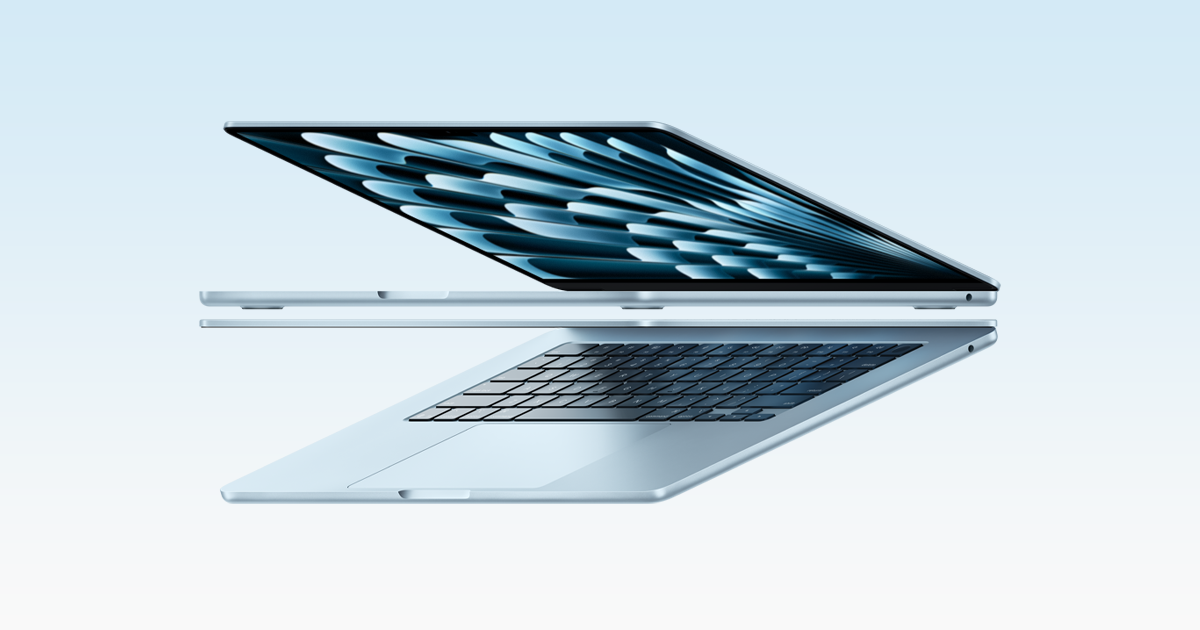
The MacBook Air with M5 makes sense as a portable everyday computer whose configuration needs to be chosen thoughtfully at purchase. It is attractive for writing, study, communication and mixed creative work, but the right recommendation depends on the applications involved. A student using browser tools has different requirements from an engineer with a specialised Windows application. Before judging processors, list the exact software, peripheral connections and files that the laptop must handle. Compatibility is the first performance requirement.
This review focuses on the 13-inch Air family and Apple's current M5 documentation. The larger model should be considered separately for workspace and carrying comfort. We have not run benchmarks or measured endurance. Our provisional assessment concerns the documented capabilities and the practical questions that follow from them. A useful laptop review should explain who can work comfortably within the machine's arrangement, where accessories become necessary and which assumptions should be checked before committing to a configuration.
Memory and storage are decisions about the future
Apple lists configurations beginning with 16 GB of unified memory and 512 GB of storage, with larger choices available. The useful buying exercise is to consider the workload over the expected ownership period rather than only the first week. Keep a record of the current computer's memory pressure and storage use during an ordinary busy session. That gives more context than choosing an upgrade because its number is twice as large. Leave room for application updates, working files and the material needed away from a network.
Unified memory is shared by the system's workloads; it should not be compared casually with a desktop configuration that lists separate pools without considering the applications. We would also avoid assuming that an external drive solves every internal-storage constraint. It can be excellent for archives and project transfer while being inconvenient when the computer is used on a lap or a crowded train. Choose internal capacity for the work that needs to travel with the machine, then arrange a separate backup rather than treating one external copy as both workspace and protection.
The display is a workspace, not just a diagonal
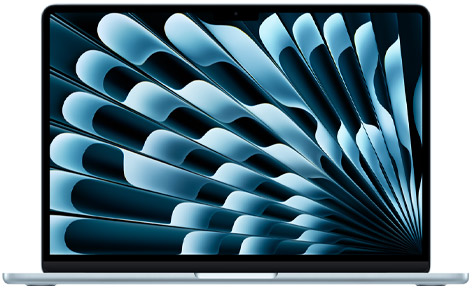
Apple's 13.6-inch Liquid Retina display is an IPS design with a stated 500-nit brightness. The important ownership question is how comfortably the intended applications fit at the user's preferred scaling. A spreadsheet, timeline or two documents side by side can make a small laptop feel constrained even when the screen is detailed. Try the actual layout if possible. Increasing the amount of information displayed is useful only if the text and controls remain comfortably readable.
An external monitor changes the calculation. A compact laptop may be the better travel choice when most substantial work happens at a desk, while someone working away from a desk all day may prefer a larger built-in display. Colour-sensitive work requires more than a wide-colour specification: the lighting, software settings, calibration and delivery target matter. We would inspect the panel and workflow before describing it as a substitute for a specialised reference display. This research assessment therefore credits the documented workspace options without assigning a measured display-quality rating.
Two Thunderbolt ports can be enough, with a plan
The Air lists two Thunderbolt 4 USB-C ports alongside MagSafe charging and a headphone connection. That creates a practical peripheral question. A person using a mouse, camera card, wired network and external drive may need a hub or dock, and the dock itself should be checked against the intended combination. The fact that everything fits a USB-C connector does not settle video capability, data speed or charging. Write down what needs to remain connected at the same time.
Apple documents support for up to two external displays, with resolution and refresh conditions. Read that table against the exact monitors rather than assuming any two screens will work at their highest modes. A shared desk is also worth considering: the more predictable arrangement may be a single verified dock connection that handles charging and the daily peripherals. We would test wake behaviour, display arrangement and file transfer through that dock before describing the setup as seamless. A tidy photograph of a desk cannot demonstrate reliable reconnection after a meeting.
Battery claims describe a scenario, not every day
Apple distinguishes its video-streaming and wireless-web endurance claims. Neither describes an unrestricted combination of creative applications, video calls and maximum brightness. A mobile worker should assess the workday as a schedule: commuting, meetings, writing, exports and charging opportunities. The most useful endurance result would follow that schedule and state the settings. Until we have that evidence, this review does not turn an advertised duration into a guarantee of a full day for every buyer.
Charging accessories should follow the same practical approach. Check the power source and cable against Apple's current requirements, especially when planning to share a charger between a phone and laptop. A smaller adapter can be easier to carry, while the desired charging behaviour may require a particular power supply. Keep enough separation between the working copy of important files and the backup that a lost travel bag does not remove both. Portability is partly about physical size, but also about avoiding a collection of essential accessories that is difficult to replace away from home.
Camera, keyboard and meetings are everyday performance
The documented 12 MP Center Stage camera is relevant to anyone spending a significant part of the day in calls. The practical assessment should include ordinary room lighting, microphone handling and the conferencing applications actually used. A camera specification cannot establish how well a colleague hears speech beside an open window or how natural a face looks under a ceiling light. We would compare the built-in arrangement against a modest external setup before recommending extra equipment.
Typing comfort is equally personal. Test the keyboard layout, shortcut combinations and trackpad behaviour with the work you repeat most often. A long typing session matters more than pressing a few keys in a shop. Accessibility settings, external input devices and display scaling may improve the fit without changing the computer. A familiar laptop shape should not make these details invisible. For a writer, student or administrator, predictable input and comfortable text can contribute more to daily productivity than a processor improvement that rarely changes the waiting time.
macOS, games and specialised applications
Check the current Mac version of each essential application, including plug-ins, device drivers and any licence conditions. Having an application with the same name does not establish that every feature or extension matches its version on another platform. Someone moving an established creative project should test the whole project, not merely confirm that an empty document opens. Keep installation records and an export in a widely usable format where appropriate so that future access does not depend on one computer.
Gaming also needs title-specific scrutiny. The presence of a capable graphics system does not mean every desired game is supported, and online services or anti-cheat requirements can affect the choice. A buyer whose priority is a particular game library should check that library first and compare a suitable alternative platform. The Air's broad everyday proposition remains useful even if it is not the right gaming machine for a specific person. Our scoring gives credit for documented versatility while keeping workload compatibility and sustained performance as questions requiring closer evidence.
The configuration worth buying is the one that removes friction
The Air's strongest research case is a compact general-purpose Mac with clearly documented display and peripheral options. It is less straightforward for someone needing many built-in ports, a specialised unsupported application or repeated demanding exports whose sustained behaviour has not been measured here. Buyers should compare the complete setup, including adapters and storage, rather than the entry laptop price alone. Canadian and US prices, keyboard choices and service arrangements should be checked in the local storefront.
Our next report would measure the actual work that motivated the purchase: opening a substantial project, completing exports, working through a call-heavy day and reconnecting a desk setup. It would identify the memory and storage configuration so that results are not applied indiscriminately to the whole family. The Standpoint Score is provisional because those measurements are still absent. For now, the sensible appeal is portability combined with a capable documented toolkit, provided the buyer chooses the configuration and accessories around real work rather than an imagined future task list.
Sources & further reading.
These are the sources behind this research review. Manufacturer claims are not independent performance measurements. Community accounts, when cited, describe individual experiences.
- MacBook Air — Apple M5 specifications ↗manufacturer
- MacBook Air with M5 — Apple introduction ↗manufacturer
Documentation reviewed: 9 October 2026. Product software and regional bundles can change. Corrections and editorial disclosures.