Not tested. This is a research score for the documented features, compatibility and ownership trade-offs discussed in this review, not a performance measurement.
Features & capability 30%7.8
M1 and the fanless design form a capable documented everyday platform, subject to application fit.
Compatibility & connectivity 20%7.4
Thunderbolt / USB 4 is useful, but two ports and one native external display limit desk flexibility.
Ownership & upkeep 20%7.0
Installed memory, battery age and storage choices need to be resolved before purchase.
Setup & everyday use 15%8.2
A familiar compact laptop format and absence of a cooling fan simplify ordinary use.
Documentation & support clarity 15%8.8
Apple states memory, port and external-display limits clearly.
Compare scores within the same product category. Small decimal differences should not override your needs or the evidence limits.
How the Standpoint Score works
We score five aspects of the documented product on a 0–10 scale, then calculate a weighted total:
- Features & capability30% of the total
- Compatibility & connectivity20% of the total
- Ownership & upkeep20% of the total
- Setup & everyday use15% of the total
- Documentation & support clarity15% of the total
This product’s 7.8/10 is an editorial research assessment. It does not claim measured performance, tested reliability or a verified customer satisfaction rate. Compare it with products in the same category, and read each criterion’s reasoning above.
Read the full rubric and score bands ↗From a tech standpoint.
Worth buying as a healthy, suitably configured used Mac for compatible everyday work. Check that the memory fits your whole working set, that one native external display is enough, that the battery is sound, and that any Intel-only software you depend on has a plan beyond macOS 27. If all four check out, a fanless Air at a used price is hard to argue with.
Reasons to consider it
- Fanless M1 design with an eight-core CPU
- Magic Keyboard and Force Touch trackpad in a 1.29 kg body
- Two Thunderbolt / USB 4 ports with one native 6K external display
Go in knowing
- One native external display, whatever the dock advertises
- 8 or 16 GB is fixed at purchase and must fit the whole workload
- Only two USB-C ports, and one of them charges the laptop
Affiliate link. As an Amazon Associate, Tech Standpoint earns from qualifying purchases. It never changes our verdict or score. Disclosure
The specification sheet.
Published specifications from the linked sources. Configurations and availability can differ by country.
- Processor
- Apple M1; eight-core CPU
- Graphics
- Seven- or eight-core GPU configurations
- Display
- 13.3-inch IPS; 2560 × 1600
- Memory
- 8 or 16 GB unified memory
- Ports
- Two Thunderbolt / USB 4 ports; headphone jack
- Native external display
- One, up to 6K at 60 Hz
- Weight
- 1.29 kg
The 2020 Air worth buying is the M1 one
Apple sold both Intel and M1 versions of the Air in 2020, and a listing that stops at the year hides the most consequential fact. Check About This Mac for the chip, then verify memory and storage on the actual machine. The M1 version pairs an eight-core CPU with a seven- or eight-core GPU. Those share a model name, but the cheapest launch configuration and a higher-spec used listing are not the same computer.
The case for buying one now starts with price, condition and the apps you need. This assessment combines Apple's model specifications and current ownership guidance with Notebookcheck's independently purchased launch unit: 8 GB memory, a seven-core GPU and a 256 GB SSD. Its results describe that machine on earlier software. They are good evidence about the design, not a measurement of the endurance or speed of the ageing unit a seller is offering today.
Silence has a measurable cost under sustained load
Apple's launch documentation identifies a fanless design. That removes fan noise from a quiet room or a microphone recording, but it does not remove heat or make long processing jobs free. Notebookcheck's Cinebench R23 loop dropped about 8% after the first run and settled around 12% below the initial result after six runs. A short task and repeated heavy CPU work should not be judged from the same headline number.
That does not rule the Air out for creative work. It means the purchase should follow the job: occasional edits and short exports are different from a day of rendering or compiling. If completion time matters, compare a representative project against an actively cooled alternative. A newer chip is one fix, but more memory, better app compatibility or different cooling may address the real constraint more directly. The Air's appeal is a simple, quiet portable, not a workstation in a smaller shell.
Eight gigabytes is a configuration, not a recommendation
Apple documents 8 GB and 16 GB unified-memory configurations. Choose the installed amount for the apps and projects you use together, because there is no upgrading it later. A browser, a meeting app and a document editor are one working set; a large photo catalogue with several creative tools open is another. If you can, watch memory pressure during normal work on a comparable machine rather than trusting someone else's claim that 8 GB is plenty.
Storage needs its own sum. Leave room for apps, projects and updates, and decide which material can live on an external drive. An external SSD adds file capacity while using a port; it cannot add unified memory. The seven- versus eight-core GPU choice is separate again. Compare the whole configuration and the seller's protection before paying a premium for one line item. A well-kept 16 GB example can suit a busy workflow better than a cosmetically newer machine with too little memory.
A good portable screen, not a gaming panel
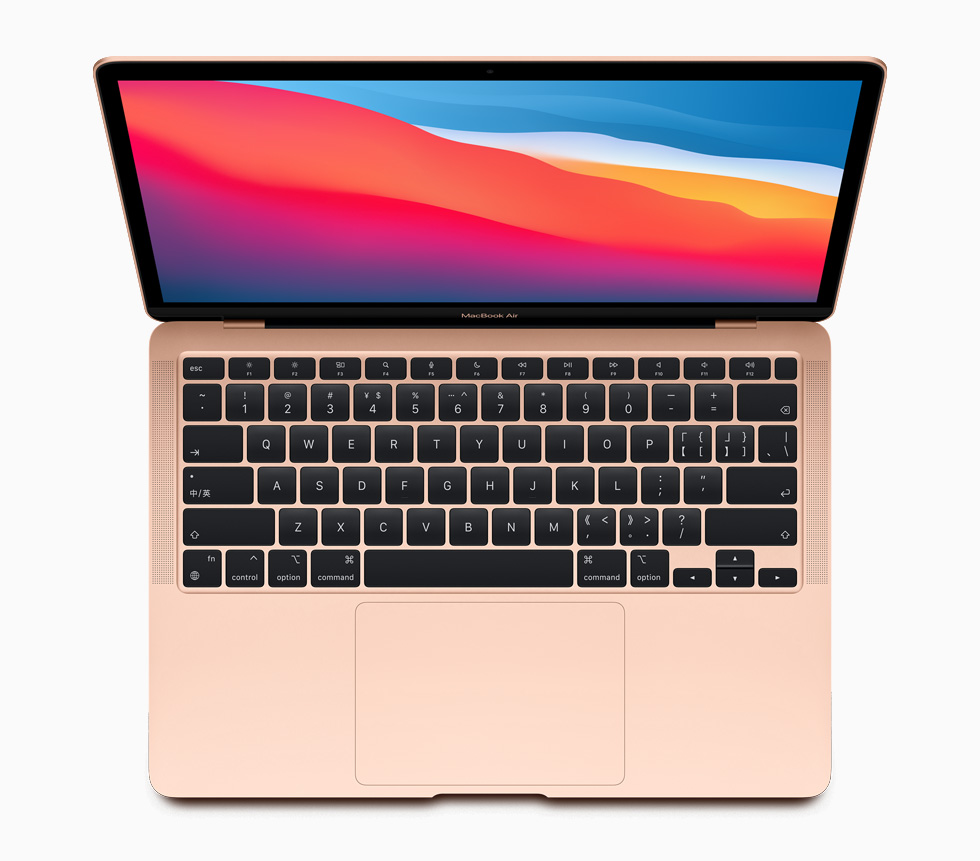
The built-in display is a 13.3-inch 2560 × 1600 IPS panel with Apple-rated 400-nit brightness, P3 colour and True Tone. It is a familiar compact workspace without the M2 redesign's larger screen or notch. Set text scaling to something you can read comfortably; more pixels is not the same as more room for several large windows.
Inspect a used screen against light and dark neutral backgrounds, then read and scroll in a normal app. Coating wear, pressure marks and hinge damage matter more than the original product photo. For colour-sensitive work, test your actual workflow rather than assuming a P3 label makes every editing setup accurate. This is also a conventional non-touch laptop. If you want to annotate directly on the display, put that requirement in the comparison before buying a pen accessory.
One external monitor, no matter how many ports the dock has
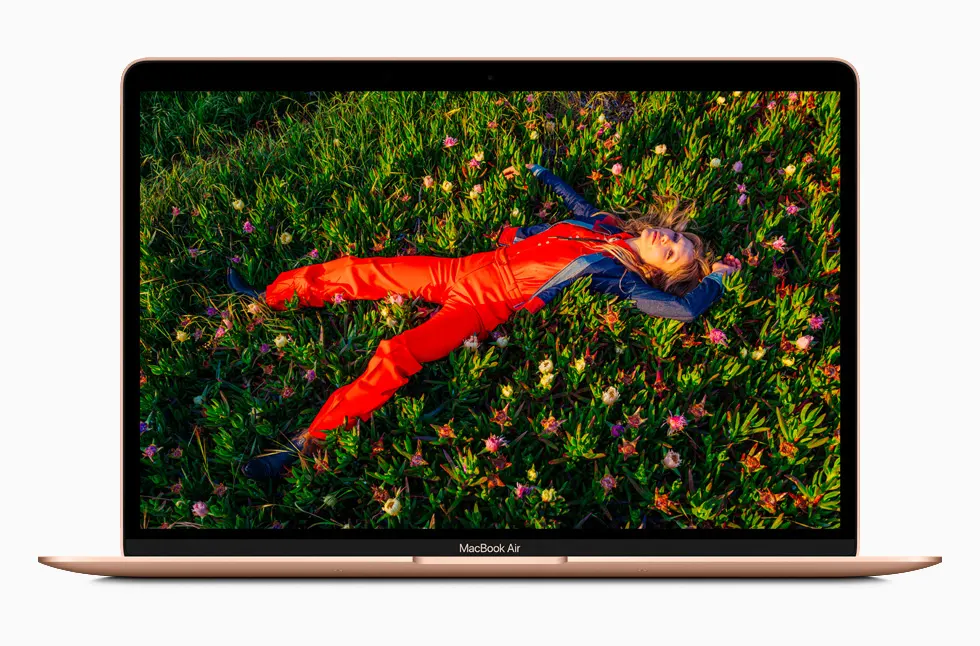
Apple specifies one native external display, up to 6K at 60 Hz, alongside the built-in screen. Two video sockets on a dock do not turn this into a two-monitor Mac. Count the screens that must work before buying the computer or the dock. If two native external monitors are non-negotiable, this Air is the wrong laptop regardless of the price.
Software-driven display adapters are a separate option with their own drivers, permissions and limits. Check the exact setup with your apps instead of assuming it behaves like native video output. For a single-monitor desk, test display, charging, storage and sleep/wake together. A hub that produces a picture once has not proved the whole arrangement reconnects reliably every morning. Keep the working cable and settings on record so troubleshooting does not mean changing everything at once.
Two USB-C ports put the charger in the accessory plan
Both Thunderbolt / USB 4 ports carry charging, data and supported display output. The M1 Air has no dedicated MagSafe socket, so a direct charger takes one of the two. A powered dock can combine some jobs, but its power delivery, display support and data connections need to match your setup. Count what must stay connected at once: a monitor, an external drive and a charger exceed the bare port count immediately.
Apple lists a 30 W USB-C adapter in the original package. A used sale may omit it or swap in something else, so price the actual charger and cable rather than assuming the box contents survived. Test both ports with a data device as well as a charger, and check the 3.5 mm headphone jack if it matters for calls or editing. One failed connection is disproportionately inconvenient on a laptop with so few of them.
Launch battery results do not describe a six-year-old battery
Notebookcheck measured 16 hours in its Wi-Fi browsing test at 150 cd/m², but only 8 hours 28 minutes in its maximum-brightness browsing test. That gap makes an all-day slogan less useful than a description of the workload. The same unit took about 2 hours 40 minutes to charge with the included 30 W adapter. Those are dated outside measurements, not a promise for a current used unit.
Apple's battery-cycle table lists 1,000 cycles for the M1 Air. A cycle is a full battery's worth of use and need not happen in one discharge; the limit is not an automatic shutdown. Check System Information, Hardware, Power for the count and System Settings, Battery for the reported condition. A Service Recommended warning means a repair-cost discussion. Cycle count alone cannot establish health after years of storage or heavy use, so include an ordinary unplugged session and the seller's return terms.
Rosetta's wind-down changes the long-term sum
A good launch-era Rosetta benchmark does not settle compatibility for the years ahead. Apple's September 2026 guidance says general Rosetta support is available on macOS 27 and earlier. From macOS 28, Apple says it will be limited to certain older, unmaintained games that rely on Intel-based frameworks. Buying this Mac for an indispensable Intel-only business app therefore needs a concrete upgrade or replacement plan, not an assumption that translation continues indefinitely.
Apple recommends Universal or Apple-silicon versions and warns that plug-ins, extensions and other components may need separate updates. Finder's Get Info shows whether an app is Intel, Universal or Apple silicon. Check the whole workflow, including updaters and specialist peripherals, before migrating. The restriction is about the software transition; it is not a claim that every M1 Air stops working on a given date, and no future model support beyond Apple's published requirements is inferred here.
Clean ownership and the work surface decide it
Apple explains that Activation Lock can remain after a remote erase. Make the seller remove their ownership association properly and demonstrate normal setup; a freshly erased welcome screen is not proof. A former business machine also needs any organisational management released. Keep proof of purchase and the agreed return terms, and never accept a promise that an unresolved account or management restriction will vanish after payment.
Type a real passage on the Magic Keyboard, try the Force Touch trackpad and run a call through the documented 720p camera and built-in audio. A 1080p external webcam improves a desk setup but adds cost and another connection. A healthy M1 Air remains a plausible choice for compatible everyday work, especially where quiet operation matters. Fixed memory, one native monitor and the Intel-app migration timeline are its boundaries.
The closest alternatives.
| Product | Standpoint Score | Best for | Price |
|---|---|---|---|
| Apple MacBook Air (M1, 2020)This review | 7.8Research | A student or everyday Mac user who wants a compact, fanless laptop for a verified set of compatible applications. | Amazon.ca ↗ |
| Apple MacBook Air 13-inch (M5) | 8.4Research | A mobile writer, student or mixed-workload Mac user who values portability and can plan the configuration up front. | Amazon.ca ↗ |
| Apple iPad Air (M4) | 8.1Research | Someone who needs a tablet for drawing, documents and travel, not someone assuming every laptop task will transfer. | Amazon.ca ↗ |
| Apple MacBook Air (Intel, 2020) | 6.4Research | A buyer with a verified Intel-specific application or peripheral requirement, or a two-monitor desk, and realistic… | Amazon.ca ↗ |
Compare scores within a category: Tested means our own use, Research means documentation and attributed outside testing. Price links are affiliate links. As an Amazon Associate, Tech Standpoint earns from qualifying purchases. Disclosure
Sources & further reading.
These are the sources behind this research review. Manufacturer claims are not independent performance measurements. Community accounts, when cited, describe individual experiences.
- MacBook Air (M1, 2020) - Tech Specs - Apple Support ↗manufacturer
- Apple introduces M1 Macs — fanless Air design ↗manufacturer
- Notebookcheck: independently purchased M1 Air entry-model review and measured workload results ↗independent review
- Apple: current Rosetta scope and identifying Intel apps, September 2026 ↗support
- Apple: model-specific cycle counts and how to check them ↗support
- Apple: battery condition and service indication ↗support
- Apple: Activation Lock and ownership removal ↗support
Product software and regional bundles can change. Corrections and editorial disclosures.
Affiliate link. As an Amazon Associate, Tech Standpoint earns from qualifying purchases. It never changes our verdict or score. Disclosure