Not tested. This is a research score for the documented features, compatibility and ownership trade-offs discussed in this review, not a performance measurement.
Features & capability 30%8.6
Specific landscape, portrait, slow-motion and tracking tools suit short creative video; still-photo and uninterrupted-recording limits narrow the role.
Compatibility & connectivity 20%8.1
Direct Mic 2/Mic Mini connections, removable media and USB webcam use are useful; other microphones and HDMI expectations need separate checks.
Ownership & upkeep 20%7.1
A non-water-resistant moving assembly, accessory batteries and thermal constraints increase care and planning.
Setup & everyday use 15%8.3
The rotating screen and solo controls are useful, while activation, mode restrictions and first-day file checks need attention.
Documentation & support clarity 15%7.7
Matching documentation identifies conditions clearly, but the published update guarantee ends in December 2026.
Compare scores within the same product category. Small decimal differences should not override your needs or the evidence limits.
How the Standpoint Score works
We score five aspects of the documented product on a 0–10 scale, then calculate a weighted total:
- Features & capability30% of the total
- Compatibility & connectivity20% of the total
- Ownership & upkeep20% of the total
- Setup & everyday use15% of the total
- Documentation & support clarity15% of the total
This product’s 8.0/10 is an editorial research assessment. It does not claim measured performance, tested reliability or a verified customer satisfaction rate. Compare it with products in the same category, and read each criterion’s reasoning above.
Read the full rubric and score bands ↗From a tech standpoint.
Buy it if you film walking pieces, tabletop demos and short interviews in dry weather and want a dedicated camera that leaves your phone free. Buy the Creator Combo only if you will use the Mic 2 transmitter, battery handle and tripod it adds. Skip it for long uninterrupted recordings, serious stills or rough outdoor use, and note that DJI's published update guarantee runs to 31 December 2026.
Reasons to consider it
- A mechanical gimbal that Tom's Guide found effective for walking and selfies, plus face tracking Amateur Photographer found useful
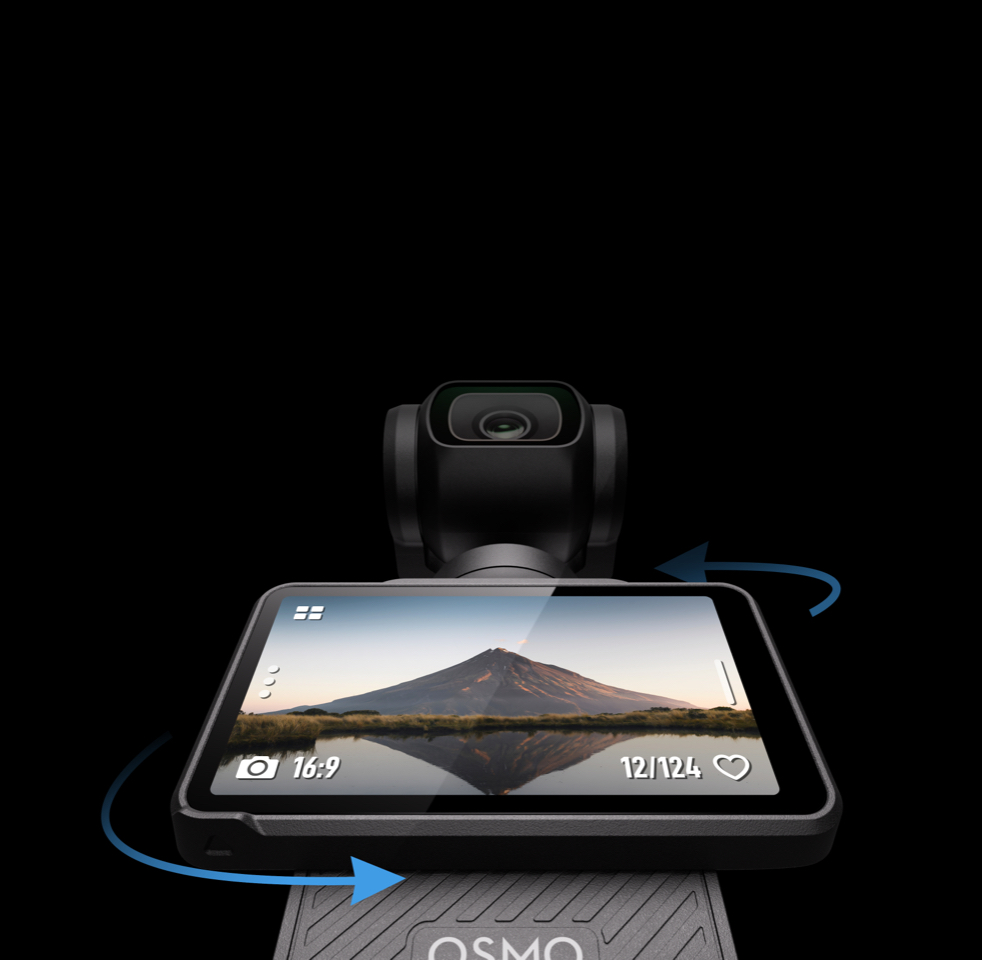
- A rotating 2-inch screen with separate landscape (4K/60) and portrait (3K/60) modes
- Direct connection for two DJI Mic 2 or Mic Mini transmitters, and 4K UVC webcam output
Go in knowing
- Wolinski's stationary 4K/60 take hit a thermal stop at 70 minutes, well before his 113-minute battery result
- Portrait tops out at 3K, and ActiveTrack is unavailable in Low-Light, Panorama, Slow Motion, Timelapse and Med-Tele
- Not water resistant, operating range starts at 0°C, and no built-in storage: a microSD card is part of the purchase
Affiliate link. As an Amazon Associate, Tech Standpoint earns from qualifying purchases. It never changes our verdict or score. Disclosure
The specification sheet.
Published specifications from the linked sources. Configurations and availability can differ by country.
- Camera
- 1-inch CMOS; fixed 20 mm-equivalent f/2 lens; 20 cm minimum focus
- Normal / slow motion
- Landscape up to 4K/60fps; portrait up to 3K/60fps; slow motion up to 4K/120fps or 1080p/240fps
- Body / screen
- 179 g; 139.7 × 42.2 × 33.5 mm; 2-inch rotating touchscreen
- Photos / files
- Approximately 9.4 MP; JPEG or JPEG+DNG; MP4 H.264/HEVC video
- Storage
- No built-in storage; microSD up to 1 TB, using a recommended card
- Operating / charging temperature
- Operation: 0–40°C; charging: 5–45°C
- Published update guarantee
- DJI specification page states 31 December 2026; this is not a shutdown date
Why carry a second camera at all
Pocket 3 earns a place in the bag when movement is part of the story. A walking introduction, a slow move around a product or a conversation filmed at arm's length gives its small gimbal a real job. A locked-off clip at a desk is a weaker reason to spend; the phone you already own probably handles that. The distinction matters because this purchase brings another battery, another set of files and another object to protect. Convenience has to be judged against the recording routine you actually have.
The dedicated camera also keeps the phone free for notes, directions or calls, which is worth something on a trip or during a presentation even when phone footage would have been acceptable. If you want one device for photos, messages and the occasional clip, the extra kit is probably unnecessary. This assessment combines DJI's own documentation with identified outside tests; it does not describe a Tech Standpoint filming session. The recommendation is about the specific work Pocket 3 makes possible and the restrictions that come with it.
Smooth rotation does not erase every footstep
Peter Wolinski's December 2023 test for Tom's Guide found Follow mode effective for walking and selfies, but it did not completely remove footstep bobbing, and he reported occasional drift that needed recentering. That is a more useful expectation than a promise of floating footage. The gimbal manages the camera's orientation; you still choose the route, the pace and the starting position. A short rehearsed move usually beats following a subject for minutes and hoping every turn works out.
For a product demonstration, leave space around the object and plan where the move ends. A gentle reveal is often more useful than a dramatic orbit that hides the detail you are explaining. If the camera drifts, recover between sentences or shots instead of forcing an awkward correction into the finished clip. Mind the floor too: stairs, loose ground and a crowded pavement make different demands from a smooth indoor corridor. Stabilisation helps a shot survive movement; it cannot decide whether that movement tells the viewer anything.
Pick the delivery format before you press record
DJI separates normal landscape video, portrait video and slow motion. The headline 4K/120fps belongs to slow motion; ordinary landscape capture reaches 4K/60fps and portrait reaches 3K/60fps. The rotating screen is therefore more than a handy preview. It pushes you to choose the finished format before recording, and the FAQ states that orientation locks once a take starts. Rotating midway through a demo is no substitute for shooting a second version for a vertical page.
If one clip has to serve both a wide presentation and a vertical feed, leave room around the subject and check both crops. Otherwise a hand gesture, a second speaker or something at the edge disappears from the narrower edit. Slow motion wants its own shot plan: save it for movement whose detail benefits from slower playback, not everything. The normal-speed explanation and the slow insert can be separate clips. That makes a clearer sequence and stops one mode being asked to do two incompatible jobs.
Tracking and focus are two different decisions
Jessica Miller's September 2025 review for Amateur Photographer found face recognition and dynamic framing useful, while noting that a small subject in a busy scene was easier to lose. That is relevant for a presenter stepping away from the camera. A frame that works for a close introduction can get less reliable when the person crosses a room or passes behind something. You need a composition you can recover, not just the reassurance that a tracking box was visible at the start.
DJI's FAQ excludes ActiveTrack from Low-Light, Panorama, Slow Motion and Timelapse. Focus has its own Single, Continuous and Product Showcase options. For a tabletop explanation, foreground-prioritising Product Showcase is worth using when the object rather than the presenter should hold attention. For a talking introduction, decide whether a raised object should pull focus from the face. Changing the mode to suit the shot is more practical than expecting every automatic feature to cooperate in every format. Leave a brief pause when you change what the audience should look at.
A wide lens, a 2x view and a colour choice
The fixed lens favours nearby scenes over distant detail. Move closer only while the perspective stays flattering; a face shot too close is an unkind introduction, while a room shot from too far makes the important detail tiny. Miller found the camera's still images less convincing than its video and reported substantial detail loss with aggressive digital zoom. Treat it as a video tool with a stills option, not a replacement for a photographic camera.
One later addition matters: DJI's February 2025 firmware notes introduced Med-Tele, a 2x view described as 40 mm equivalent that keeps up to 4K output. It is not an interchangeable optical lens; DJI limits ISO to 1600 and disables tracking in this mode. The manual also separates Normal colour, D-Log M for grading and HLG for compatible displays. Choose by the editing and viewing path you actually have. A flat source file is an extra job to manage, not a free upgrade to a clip that will be uploaded straight away.
Put the microphone where the voice is
A camera near the speaker and a camera across the table have different audio problems. In Miller's tests, the onboard recording picked up background and wind noise, while the Mic 2 delivered clearer speech from a more distant subject. That supports placing the microphone near the voice whenever the explanation matters. It does not mean every room, outfit or weather condition produces the same result. Make a short recording and listen back before the main take, especially with a transmitter clipped under a collar.
Current DJI guidance supports direct connection to two Mic 2 or Mic Mini transmitters. The original DJI Mic needs its receiver, and third-party equipment follows the documented USB-C digital or adapter path rather than an assumed universal Bluetooth link. Two speakers need a deliberate sound arrangement; the single transmitter in a one-mic bundle is not a two-person kit. Plan charging and packing for the audio gear alongside the camera. A forgotten transmitter or windscreen wipes out much of the convenience that justified the bundle.

Buy the box contents, not the bundle name
On 10 October 2026, DJI's US store listed the standalone package at US$439 and the Creator Combo at US$549, both marked out of stock. That is a dated snapshot, not a promise about a retailer's checkout or Canadian pricing. The Creator package lists a Mic 2 transmitter with its windscreen and magnet, a battery handle, a mini tripod, a wide-angle attachment and a carrying bag alongside the basic camera accessories. Other Vlog-labelled packages now ship different microphones, so the word combo alone does not identify what arrives.
The US$110 difference only pays off if those extras match the planned work. Someone filming beside a wall outlet with a compatible microphone already in hand has little use for another transmitter or a battery handle. A travelling presenter who needs a compact stand and wireless speech has a stronger reason to compare the full Creator package. Check the Canadian seller's exact contents, local warranty and return terms separately. Do not turn an old launch price into a current value claim, or mistake a retailer's substituted accessory pack for DJI's named configuration.
Battery capacity and an uninterrupted take are different limits
DJI's 166-minute reference run uses 1080p/24fps at 25°C with Wi-Fi and the screen off. Its quoted 16-minute charge to 80% uses the separately sold 65W PD charger. Wolinski reported 113 minutes of 4K/60fps battery runtime, but his stationary room-temperature continuous take reached a thermal stop at 70 minutes. Those figures describe different constraints. The bigger battery number cannot be read as a guarantee that one high-resolution take runs that long without interruption.
That gap matters for an interview, a school performance or a presentation that cannot be repeated. Plan the uninterrupted duration you need and the chance to cool down or switch to a second device. An accessory battery adds energy without lifting a thermal limit. For travel clips shot in short bursts, charging between locations is the more useful routine. For a long event, prove the whole setup beforehand at the intended settings and ambient temperature. Endurance is not solved by buying the largest battery accessory in the store.
Activation, files and webcam duty belong in day one
The manual directs first-use activation through DJI Mimo with the phone's Wi-Fi and Bluetooth enabled. Do it at home, with time to sort out pairing and firmware prompts. The camera has no built-in storage, so a suitable card is part of the purchase. The current specification page supports up to 1 TB; an older review's 512 GB figure should not override that. Record, transfer and play a short file before taking the camera to the work it was bought for.
DJI provides app downloads, card-reader transfer and USB-C export. The release notes also document 4K UVC webcam output at 25/30fps, with computer and cable requirements, plus a later 10-bit D-Log M webcam option. Webcam operation is not USB-C-to-HDMI live output, which the FAQ explicitly excludes. A streaming desk and a travel editing kit therefore need different checks. Either way, keep a separate copy before clearing the card. The goal is a finished clip on the actual editing or streaming system, not a red recording light.
Care, support and the purchase that makes sense
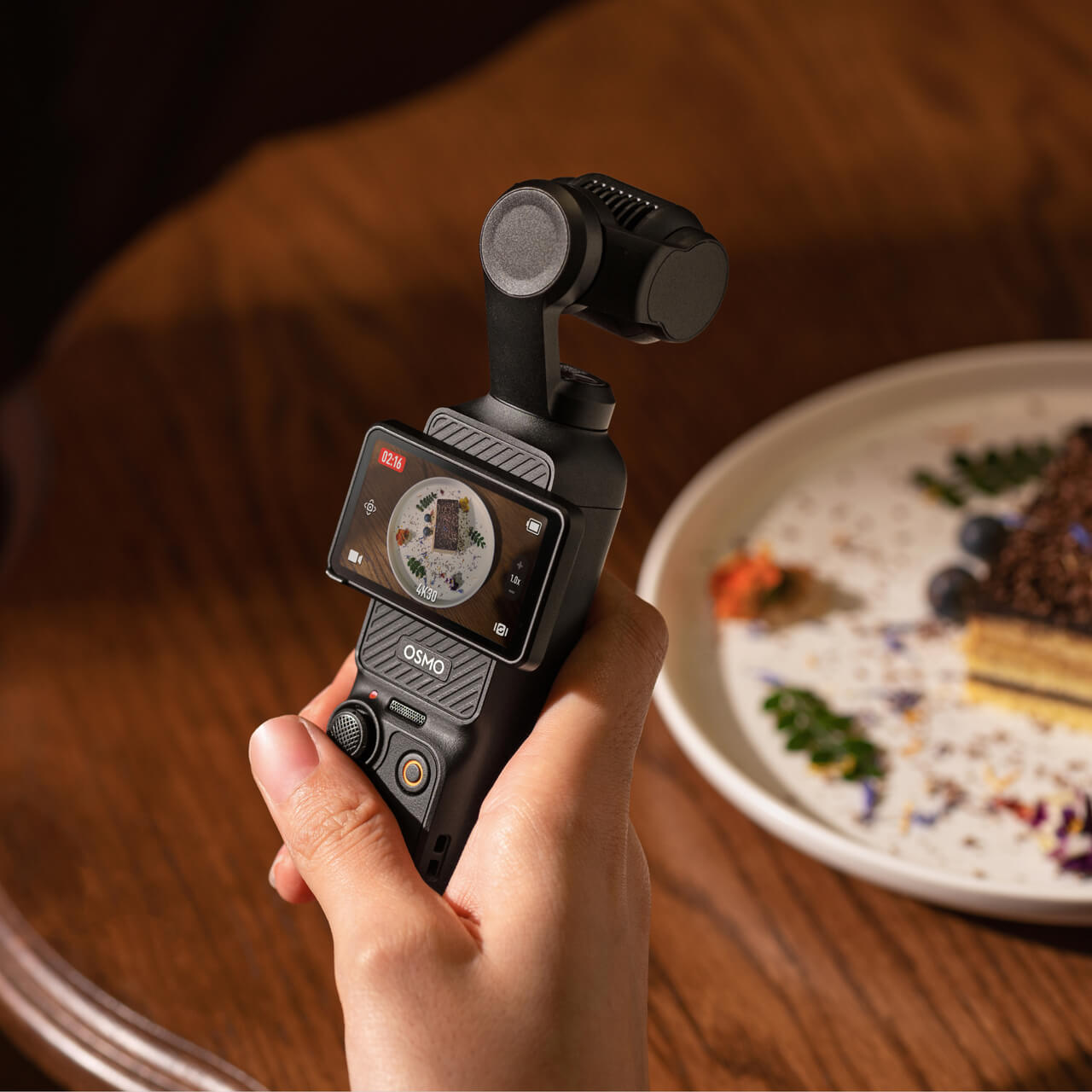
DJI's manual says the camera is not water resistant, specifies a soft dry cloth for cleaning and warns against sand, impacts and mounting in high-vibration spots such as a bicycle or motorcycle handlebar. Use the supplied cover properly inside a bigger bag rather than treating the exposed mechanism like an action camera. The listed operating range starts at 0°C, which is a real limit for Canadian winter plans. A mounting accessory changes where the camera attaches, not the permitted environment or the protection its moving assembly gets from a knock.
The specification page gives 31 December 2026 as the guaranteed software-update date. That does not mean the camera stops working then, but it is a limited published commitment to weigh when buying older stock. Pocket 3 remains most persuasive for controlled handheld filming and solo explanations, where the dedicated screen, sound options and stabilised framing all pull in the same direction. Its case weakens when the job chiefly needs long unbroken recording, distant subjects, strong still-photo flexibility or rough weather. The Standpoint Score reflects those documented choices and attributed observations, with battery condition and real service experience left to the individual unit.
The closest alternatives.
| Product | Standpoint Score | Best for | Price |
|---|---|---|---|
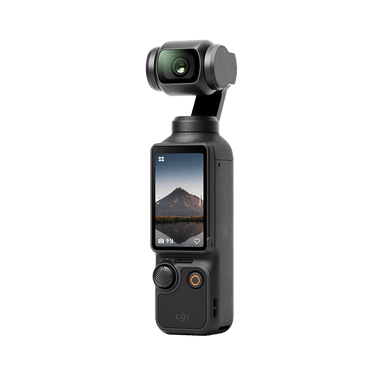
| DJI Osmo Pocket 3This review | 8.0Research | A creator filming walking pieces, tabletop demonstrations and short interviews who wants a dedicated camera instead of… | Amazon.ca ↗ |
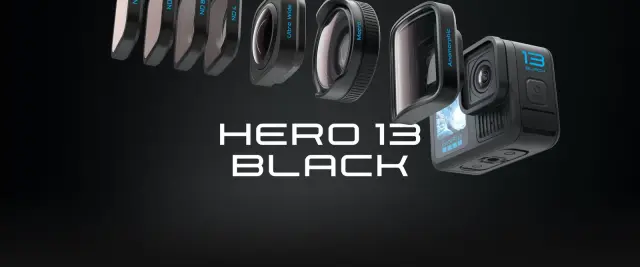
| GoPro HERO13 Black | 8.2Research | Outdoor filming where a compact mounted camera, slow-motion inserts and adaptable framing beat holding a phone up. | Amazon.ca ↗ |
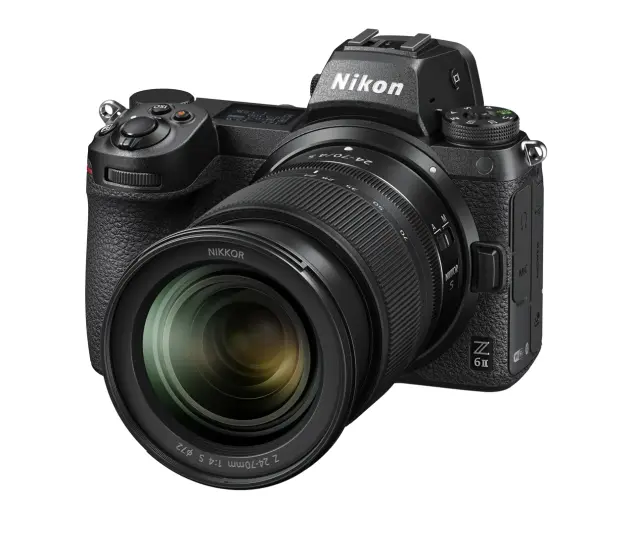
| Nikon Z 6II | 8.0Research | Photographers building a Nikon Z kit, or keeping compatible F-mount lenses, who want full-frame stills with a second… | Amazon.ca ↗ |
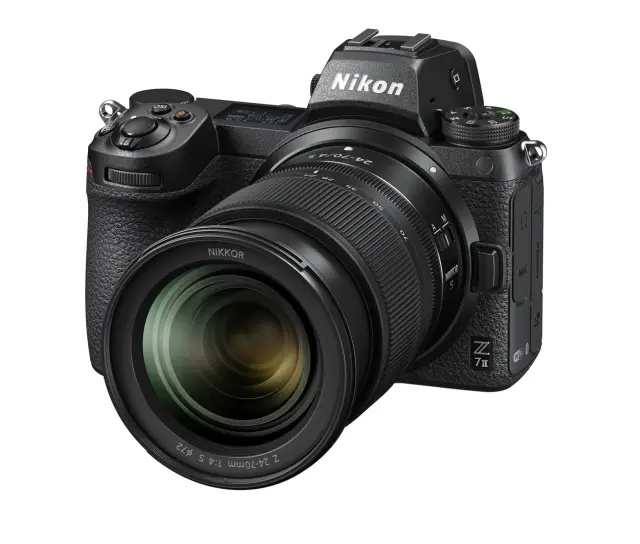
| Nikon Z 7II | 8.1Research | Photographers making large prints, controlled commercial images or carefully framed landscapes. | Amazon.ca ↗ |
Compare scores within a category: Tested means our own use, Research means documentation and attributed outside testing. Price links are affiliate links. As an Amazon Associate, Tech Standpoint earns from qualifying purchases. Disclosure
Sources & further reading.
These are the sources behind this research review. Manufacturer claims are not independent performance measurements. Community accounts, when cited, describe individual experiences.
- Pocket 3 — current specifications, storage and update commitment ↗manufacturer
- Pocket 3 — source, tracking and accessory FAQ ↗manufacturer
- Pocket 3 — user manual, March 2024 edition ↗manufacturer manual
- Pocket 3 — firmware history through August 2025 ↗manufacturer release notes
- DJI US store — current Creator Combo contents and availability ↗manufacturer
- DJI Mimo — official app download centre ↗manufacturer
- Jessica Miller — Pocket 3 hands-on review, September 2025 ↗independent hands-on review
- Peter Wolinski — Pocket 3 hands-on review, December 2023 ↗independent hands-on review
Product software and regional bundles can change. Corrections and editorial disclosures.
Affiliate link. As an Amazon Associate, Tech Standpoint earns from qualifying purchases. It never changes our verdict or score. Disclosure