An editorial assessment of documented capabilities and ownership trade-offs. This is not a hands-on test result or a measurement of reliability.
Features & capability 30%8.6
Resolution, ISO 64 and specialist stills tools support detailed work.
Compatibility & connectivity 20%8.1
Z lenses, qualified adapted lenses and external outputs create a broad system.
Ownership & upkeep 20%7.0
File volume, mixed media and used-body condition raise the ownership commitment.
Setup & everyday use 15%7.7
Familiar controls favour deliberate photography, though dense files reward disciplined technique.
Documentation & support clarity 15%8.8
Detailed specifications and a cumulative firmware history are accessible.
Compare scores within the same product category. Small decimal differences should not override your needs or the evidence limits.
How the Standpoint Score works
We score five aspects of the documented product on a 0–10 scale, then calculate a weighted total:
- Features & capability30% of the total
- Compatibility & connectivity20% of the total
- Ownership & upkeep20% of the total
- Setup & everyday use15% of the total
- Documentation & support clarity15% of the total
This product’s 8.1/10 is a provisional research assessment. It does not claim measured performance, tested reliability or a verified customer satisfaction rate. Compare it with products in the same category, and read each criterion’s reasoning above.
Read the full rubric and score bands ↗The ownership case.
An appealing older platform for landscape, studio and detailed stills when the buyer wants the files it produces and has the lenses and workflow to support them.
Reasons to consider it
- High-resolution files provide room for careful cropping and printing
- Base ISO 64 suits controlled exposure work
- Two card slots and extensive manual documentation
Go in knowing
- Large files increase storage and editing demands
- Tilt screen is awkward for self-presented video
- Published burst speed does not establish action tracking performance
The specification sheet.
Published specifications from the linked sources. Configurations and availability can differ by country.
- Sensor
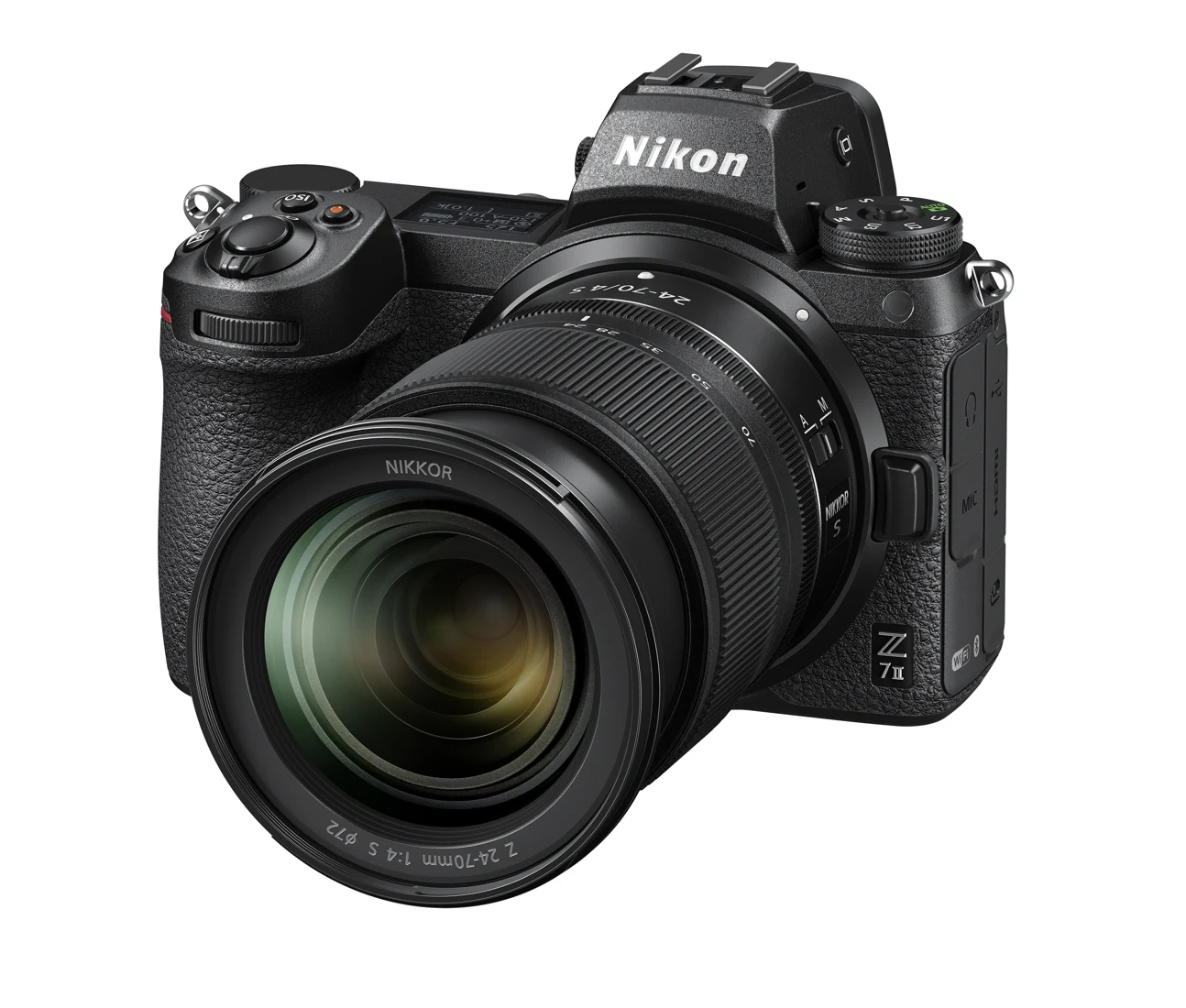
- 45.7 MP full-frame BSI CMOS
- Native sensitivity
- ISO 64–25,600
- Autofocus points
- 493-point hybrid AF system
- Maximum published burst
- Up to 10 fps with specified settings
- Card slots
- CFexpress Type B/XQD and UHS-II SD
- Display
- 3.2-inch tilting touchscreen
- Video
- 4K UHD up to 60p, with mode-specific conditions
Buy the resolution only if it improves the finished work
The Z 7II is best approached as a camera for photographs that benefit from detail, not as a universally superior version of a lower-resolution body. A landscape photographer making large prints, a studio photographer delivering tightly cropped product images or an architectural photographer correcting perspective may have a clear use for its files. Someone delivering modest web images may gain less while still carrying the storage and editing burden. The right question is what the extra information will do after the shutter is released.
That distinction is particularly useful on the used market. A high original specification can make an older body look like an irresistible upgrade, but the purchase also commits the owner to inspecting more data and managing larger archives. The Z 7II's documented strengths are substantial; this review does not translate them into measured sharpness, dynamic range or autofocus results. The recommendation depends on a purposeful workflow, a sound example of the body and lenses suitable for the intended photographs.
The sensor rewards careful exposure and support
Nikon specifies a 45.7-megapixel full-frame sensor and a native sensitivity range beginning at ISO 64. A low base sensitivity is useful in bright light and controlled studio conditions, particularly when exposure can be arranged rather than chased. It is not a reason to underexpose a moving subject merely to preserve the lowest setting. The shutter speed and depth of field still need to serve the picture, and a clean-looking exposure number cannot rescue motion blur or missed focus.
High resolution also changes how errors appear during inspection. Viewing every file at full magnification makes slight camera movement and small focusing differences conspicuous. That does not mean the camera requires a tripod for all use; it means the output should be judged at its intended size as well as closely. For critical landscapes, a stable support, deliberate focusing and an appropriate aperture can be more useful purchases than another accessory promising sharper images. In-body stabilization is helpful but cannot make a moving branch remain still.
Focus controls and bursts need a subject-specific trial
The Z 7II's autofocus specification lists 493 points, with subject-detection options described in Nikon's documentation. Broad coverage can make it easier to place a subject away from the middle, but selecting the right subject remains part of operating the camera. A scene with several faces, reflective objects or branches crossing the foreground can require a different focus-area choice from a clean portrait. Learn how quickly you can switch that choice without losing the composition.
Nikon's maximum 10-frame-per-second figure carries setting and media qualifications. It should not be read as a promise of ten perfectly focused photographs every second in any light. A buyer interested in wildlife should try the intended lens and follow a moving subject through a sequence, then examine consistency across frames. For a studio or landscape buyer, a more revealing trial may involve precise focus placement, magnified live view and repeatability on a tripod. Those are purchase checks we recommend, not performance results obtained for this article.
The cards and computer belong in the budget
The two slots accept different media families: CFexpress Type B or XQD in one, and UHS-II SD in the other. That permits flexible recording arrangements while creating a practical need for compatible cards and readers. Confirm which files go to which slot and whether the arrangement provides the redundancy you expect. A second card carrying different files or overflow is not equivalent to a second complete copy of an assignment. The menu choice matters as much as the presence of the slot.
Large still files then travel into the editing and backup system. Before buying the Z 7II, try representative files in the software and computer you intend to use, including previews, exports and backup transfers. A comfortable editing experience can be more valuable than shaving a little off the body price. When inspecting a used example, test both slots with known media and verify that files can be opened after transfer. Card-door damage and intermittent write errors deserve attention even if the sensor and screen appear immaculate.
Specialist stills tools require a finishing plan
Nikon documents focus-shift shooting and extended exposure options for the Z 7II. These tools can support careful close-up and long-exposure work, but they do not replace the decisions needed to finish the image. Focus-shift capture requires thought about the near and far limits, step size, subject movement and the software used to combine frames. A flower moving in the wind is a different problem from a stationary object on a controlled table.
Similarly, a long exposure is a complete setup involving camera support, power, lighting changes and the desired treatment of movement. It is worth rehearsing these functions before a trip or commission rather than discovering their menu behaviour on location. The appeal of this body is that it offers room to grow into deliberate techniques. The cost is the time required to understand them. Buyers whose pictures are mostly spontaneous may find that a simpler workflow produces more successful photographs than a feature list they rarely explore.
Video capability comes with separate compromises
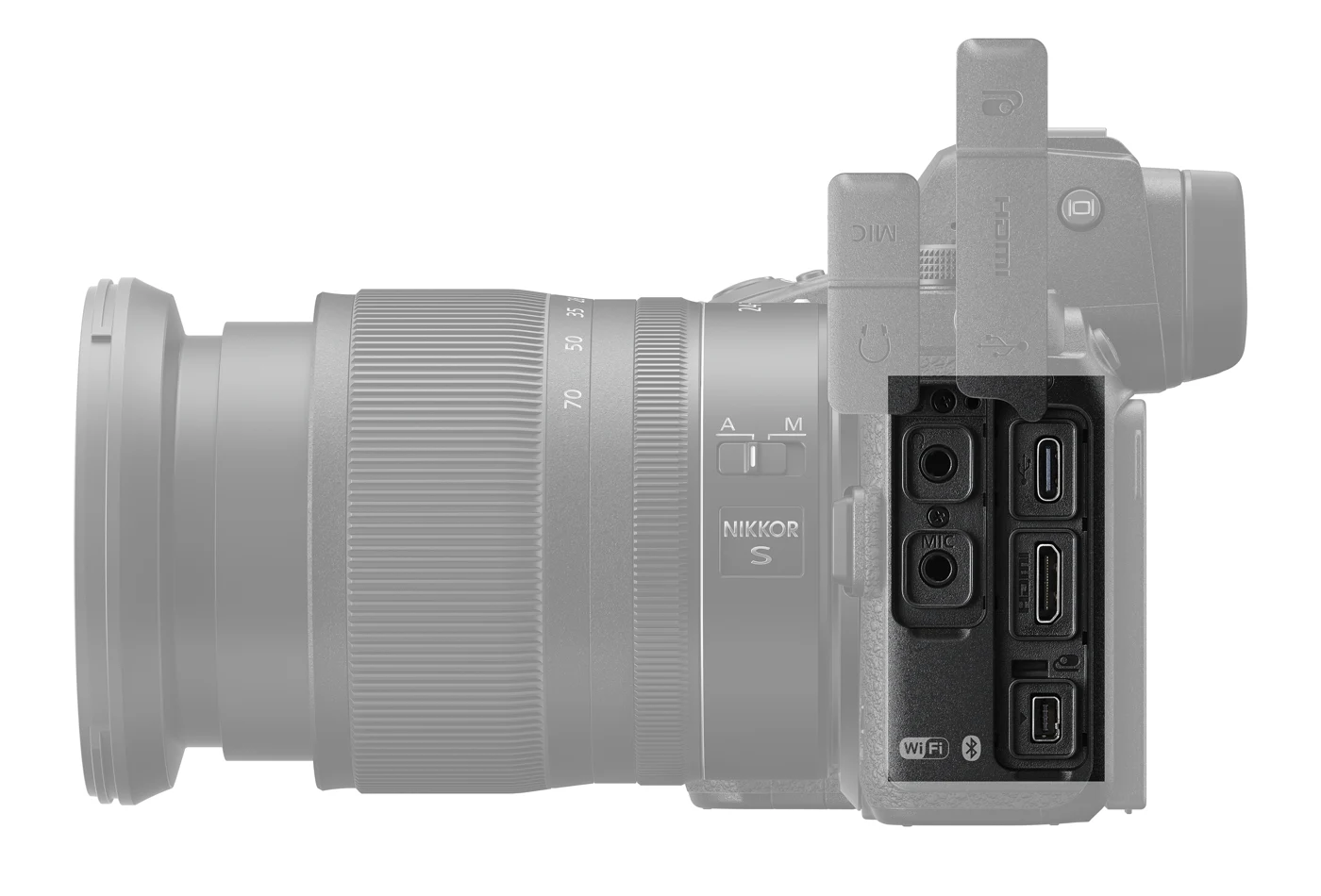
The Z 7II can record 4K UHD at up to 60p, subject to the conditions Nikon sets out for each mode. External output options add further choices for productions that require more grading flexibility. Do not treat all combinations of resolution, frame rate, crop, bit depth and recording destination as interchangeable. Build a short list of the exact modes your editor and delivery format need, then verify each against the camera's documentation and installed firmware.
For occasional clips accompanying a stills assignment, the camera may be a convenient shared-lens tool. For a solo presenter, its tilting screen and the practical arrangement of external audio and monitoring deserve closer attention. A recorder or monitor adds weight and cable management to a system initially chosen for still photography. We have not tested heat behaviour, rolling shutter or continuous recording duration. Those unresolved factors should carry more weight for a video-first buyer than the existence of a high-resolution sensor intended primarily for photographs.
Inspect a used Z 7II as a precision instrument
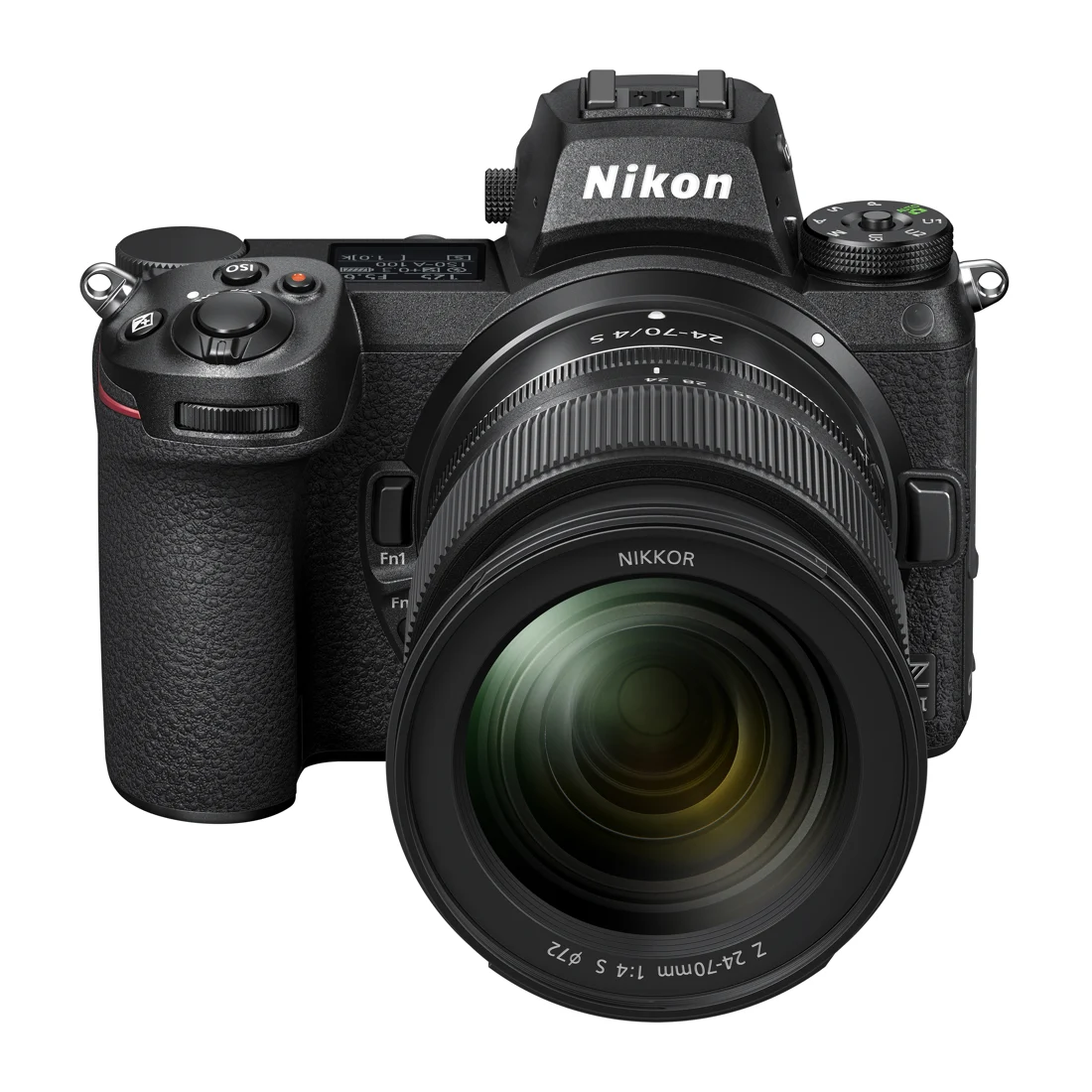
Look beyond the finish on the grip. Inspect the lens mount, sensor surface, viewfinder, display hinge, port covers and both card slots. Make photographs at several apertures and focus distances with a lens whose behaviour you know. A small amount of dust may be a cleaning issue; marks, impact damage or uneven behaviour may require a different response. Ask about repairs and obtain the serial number and receipt where available so the condition story can be checked rather than guessed.
The battery and charger also matter. The EN-EL15c system has documented compatibility conditions for older battery versions, so identify the actual pack supplied with the camera. An ageing battery can make a healthy body seem unreliable during long sessions. Store the equipment dry and avoid assuming that weather resistance remains unchanged after years of handling. The sensible ownership routine is modest: careful lens changes, protected transport, clean contacts and manufacturer-approved cleaning. Aggressive home repair is a poor way to protect an expensive imaging system.
Firmware and regional service complete the decision
The official firmware page currently supplies C 1.70 and preserves the history of earlier changes, including support additions and fixes. That history is more useful than a seller's assertion that the camera is fully updated. Read the installed version directly and compare it with the official page. An available firmware file demonstrates a current download route; it does not promise a future schedule or transform the body into a later hardware generation.
Canadian and US purchasers should confirm service arrangements in the country where the camera will be used, especially for imported or secondhand stock. A product listing on Nikon's US site does not establish Canadian availability or transferable coverage. The Z 7II earns consideration when resolution has a specific job and the complete kit remains affordable after lenses, cards and storage. If the main aim is simply to own a higher specification, first compare the finished photographs you actually make. Its strongest case is deliberate work that uses its detail, not an abstract ranking of megapixels.
Sources & further reading.
These are the sources behind this research review. Manufacturer claims are not independent performance measurements. Community accounts, when cited, describe individual experiences.
- Nikon Z 7II official specifications ↗manufacturer
- Nikon Z 7II and Z 6II announcement ↗manufacturer
- Nikon Z 7II firmware C 1.70 and change history ↗support
Documentation reviewed: 9 October 2026. Product software and regional bundles can change. Corrections and editorial disclosures.