An editorial assessment of documented capabilities and ownership trade-offs. This is not a hands-on test result or a measurement of reliability.
Features & capability 30%7.6
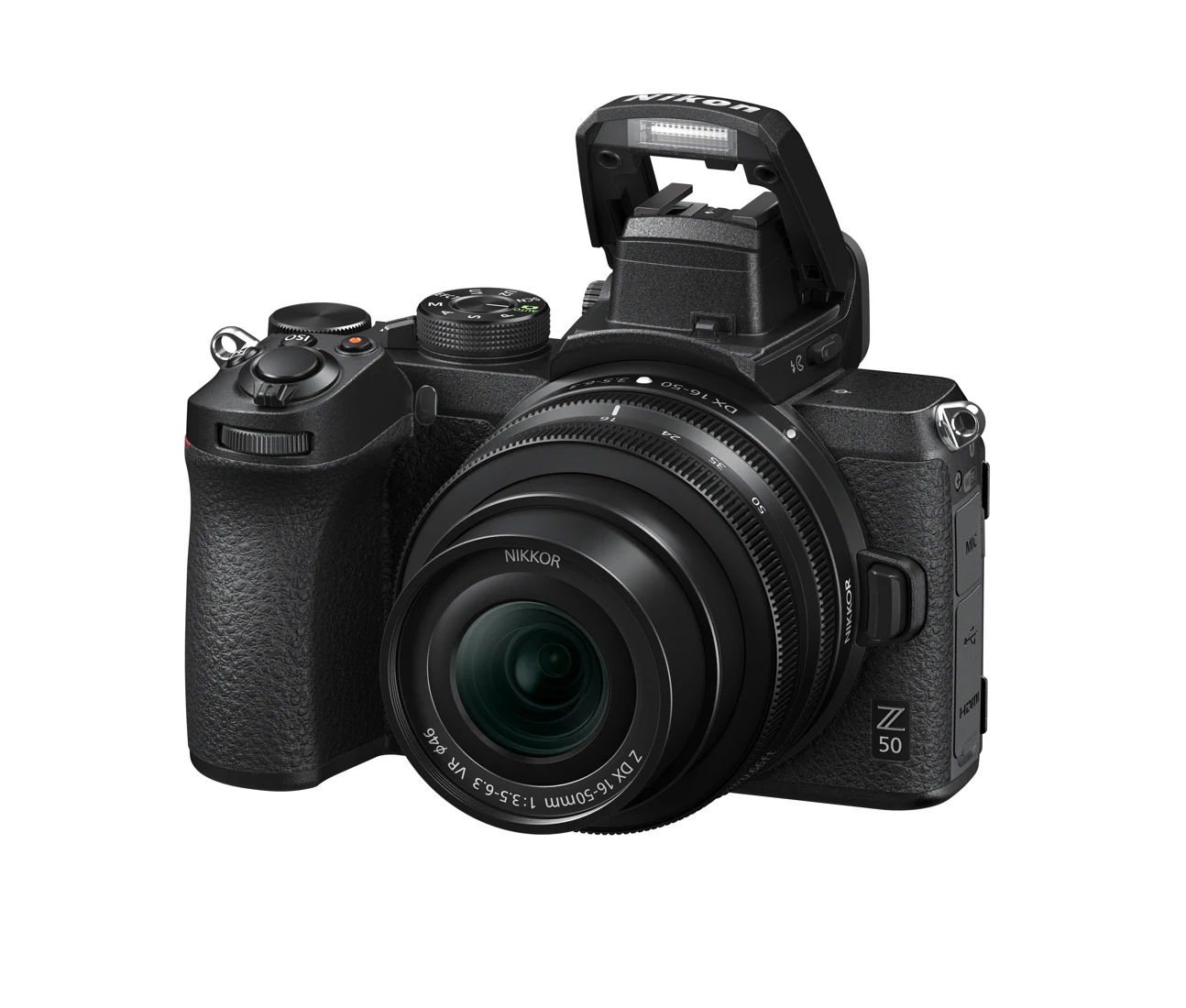
DX stills, 4K and an integrated flash cover everyday photography without specialist body features.
Compatibility & connectivity 20%7.7
Z-mount choices and qualified FTZ use provide expansion, with size and compatibility tradeoffs.
Ownership & upkeep 20%7.6
Compact equipment and retained firmware support help; used condition and lens stabilization remain relevant.
Setup & everyday use 15%8.0
Travel-friendly handling and a touchscreen are approachable, though the selfie screen has mounting limits.
Documentation & support clarity 15%8.6
The manufacturer retains a detailed cumulative firmware record for the original model.
Compare scores within the same product category. Small decimal differences should not override your needs or the evidence limits.
How the Standpoint Score works
We score five aspects of the documented product on a 0–10 scale, then calculate a weighted total:
- Features & capability30% of the total
- Compatibility & connectivity20% of the total
- Ownership & upkeep20% of the total
- Setup & everyday use15% of the total
- Documentation & support clarity15% of the total
This product’s 7.8/10 is a provisional research assessment. It does not claim measured performance, tested reliability or a verified customer satisfaction rate. Compare it with products in the same category, and read each criterion’s reasoning above.
Read the full rubric and score bands ↗The ownership case.
A credible used travel or learning camera when paired with compact lenses and updated firmware. Self-filming arrangements and the absence of sensor-shift stabilization deserve attention.
Reasons to consider it
- Compact DX lenses can keep the complete kit manageable
- Integrated flash adds a convenient occasional lighting option
- Official firmware history documents meaningful feature additions
Go in knowing
- Downward selfie screen can conflict with a tripod arrangement
- No in-body sensor-shift stabilization
- Original Z 50 must not be confused with Z50II specifications
The specification sheet.
Published specifications from the linked sources. Configurations and availability can differ by country.
- Sensor
- 20.9 MP DX-format CMOS
- Processor
- EXPEED 6
- Autofocus
- 209-point hybrid system
- Published continuous rate
- Up to 11 fps with AF/AE, under specified conditions
- Screen
- 3.2-inch tilting touchscreen with downward selfie position
- Video
- 4K UHD and Full HD slow-motion options
- Mount
- Nikon Z
A compact camera should remain compact as a system
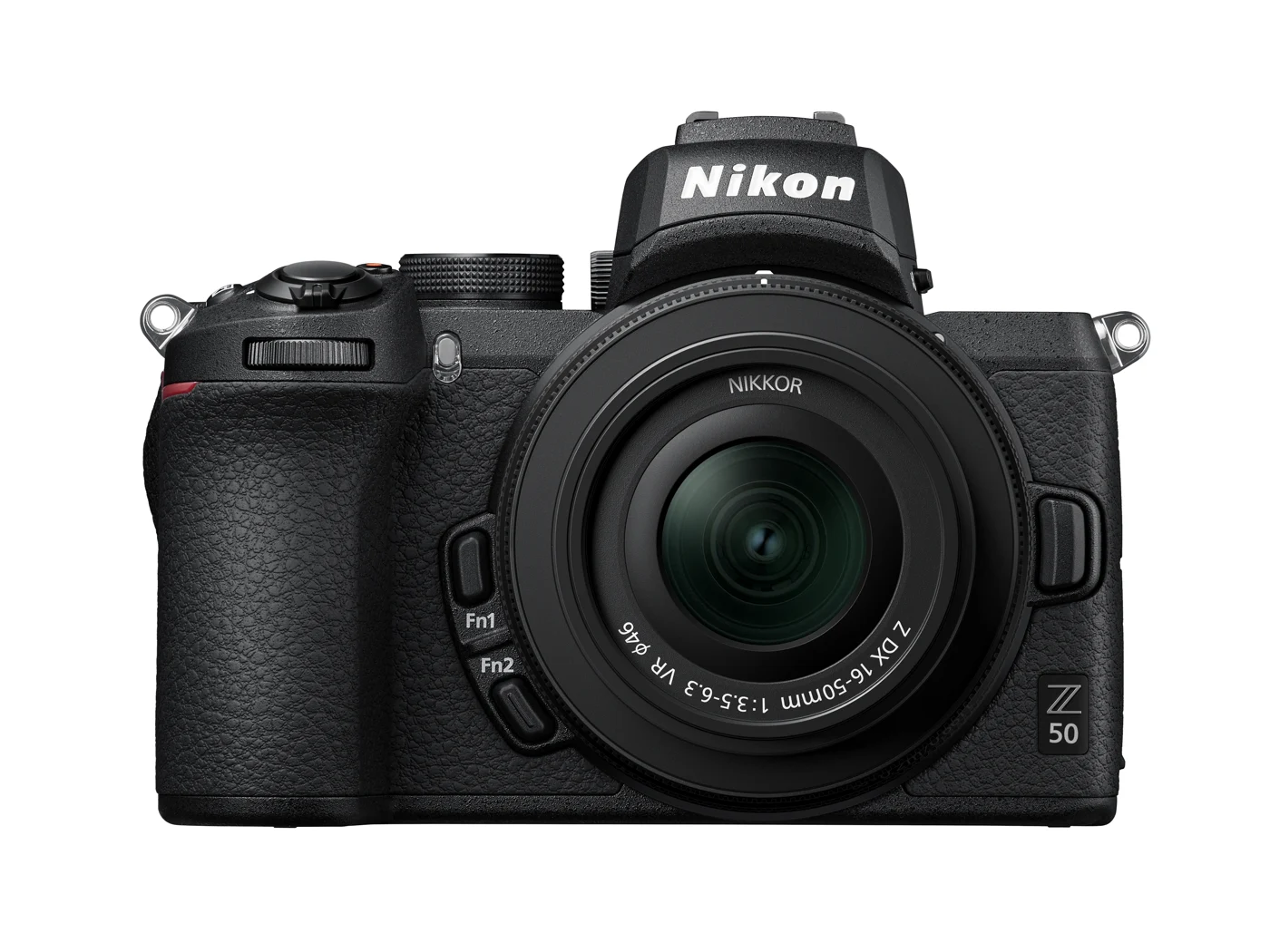
The original Nikon Z 50 is appealing when it is used as the centre of a small kit. Its DX sensor format and compact lens options can make it easier to carry than a full-frame body with a large zoom. That advantage can disappear if every purchase is chosen for a possible future system rather than today's photographs. A traveller who values a light bag should assess the camera with the lens attached, a spare battery and the actual carrying arrangement, not just compare bare-body dimensions.
This review concerns the first Z 50, not the later Z50II. Similar names in used listings can conceal meaningful differences, so check the badge, photographs and exact model information. The original model remains interesting as a learning and travel tool, but its value depends on condition, lens pairing and the functions the buyer needs. We assess the documented design here; there are no measured image-quality, focus-tracking or battery-life results behind the provisional score.
DX framing and resolution encourage sensible lens choices
Nikon's specification combines a 20.9-megapixel DX sensor with the Z mount. The smaller sensor changes the angle of view delivered by a given focal length compared with full frame. That makes the lens choice more important than the familiarity of a number printed on its barrel. A lens that feels comfortably wide on another camera may be too tight for interiors here. Work from the photographs you want to frame, particularly if you are adapting equipment already owned.
Resolution is sufficient for many ordinary printing and publishing tasks, but it should not be treated as permission to crop every scene aggressively. Filling the frame thoughtfully preserves flexibility and encourages better positioning. The smaller kit can also make it easier to carry the camera on days when a heavier system would remain at home. That practical advantage is personal rather than measurable from specifications. Try the grip with your chosen lens and check that the controls remain comfortable during a long walk rather than only during a brief shop demonstration.
Stabilization depends on the lens and recording mode
The original Z 50 does not include sensor-shift in-body stabilization. That makes the stabilization features of the chosen lens relevant for handheld stills, while electronic video options need to be considered separately. The distinctions matter because a listing that says stabilized may be describing the supplied lens or a video mode rather than the body itself. Verify the exact lens name and do not assume that changing to a compact prime preserves the same stabilization arrangement.
Even a stabilized lens does not freeze a moving person. For indoor family photography, an appropriate shutter speed and focus choice remain more important than relying on vibration reduction alone. A buyer learning exposure can use this as a useful discipline: distinguish movement of the camera from movement within the scene. For video, check framing and any crop associated with electronic stabilization before choosing a lens. A wide-enough view without stabilization may become too narrow once the intended recording settings are applied.
Autofocus has changed through firmware
Nikon's launch documentation lists a 209-point hybrid autofocus system, but the original launch feature set is not the entire current story. The official firmware history records additions including animal detection and, later, eye-detection autofocus during video recording. That is a strong reason to read the version installed on a used camera rather than judging it only from an old review or a seller's description. Firmware history can explain why two otherwise identical bodies behave differently.
The published continuous-shooting rate also needs context. A fast sequence is useful only if exposure, focus and framing remain appropriate to the subject. For children, pets or informal sport, practise switching focus areas and following motion before relying on the highest rate. When assessing a used unit, inspect a sequence from beginning to end and test with the intended lens. We have not established tracking accuracy or compared it against newer processors. The documentation supports an adaptable focus toolkit, not a guarantee of effortless action photography.
The downward screen is a specific filming compromise
The 3.2-inch screen tilts into a downward-facing selfie position. That can help handheld self-composition, but it creates an obvious planning issue when the camera is mounted on a tripod or other support underneath. Before buying the Z 50 primarily for presenting to camera, assemble or sketch the mounting arrangement. A screen that technically faces forward is not necessarily visible with your microphone, plate or support in place. The physical layout deserves more attention than a simple selfie-screen label.
For travel stills, a tilting display can be useful at low or high viewpoints without drawing attention to the camera. For video, the body offers 4K UHD and Full HD slow-motion options, but audio, focus transitions and editing compatibility still determine whether the result fits the project. Rehearse a complete clip and transfer it to the intended editor. This article does not establish recording endurance, overheating behaviour or the quality of the internal microphone. A compact camera can be useful for clips without being the ideal dedicated presenter rig.
Flash, controls and learning the camera deliberately
The integrated flash is a practical distinction in a compact travel body. It can provide occasional fill or a simple starting point for understanding how ambient and added light interact. It is not a substitute for a larger lighting arrangement when you need soft, directional illumination or coverage across a room. Try it at the distances you expect to use and pay attention to whether the attached lens obstructs part of the light. A small built-in unit has practical limits even when it is convenient.
The Z 50 is also a reasonable platform for learning exposure without treating every photograph as a technical exercise. Set up a familiar starting mode, then learn one control at a time: exposure compensation for changing brightness, autofocus area for subject selection and shutter speed for movement. Save useful settings only after understanding them. A used camera may retain the previous owner's custom choices, so document anything important and reset or reconfigure deliberately. An apparently confusing behaviour may be a setting rather than a defect, but the seller should still allow enough time to investigate.
Inspect the small parts that a travel camera wears
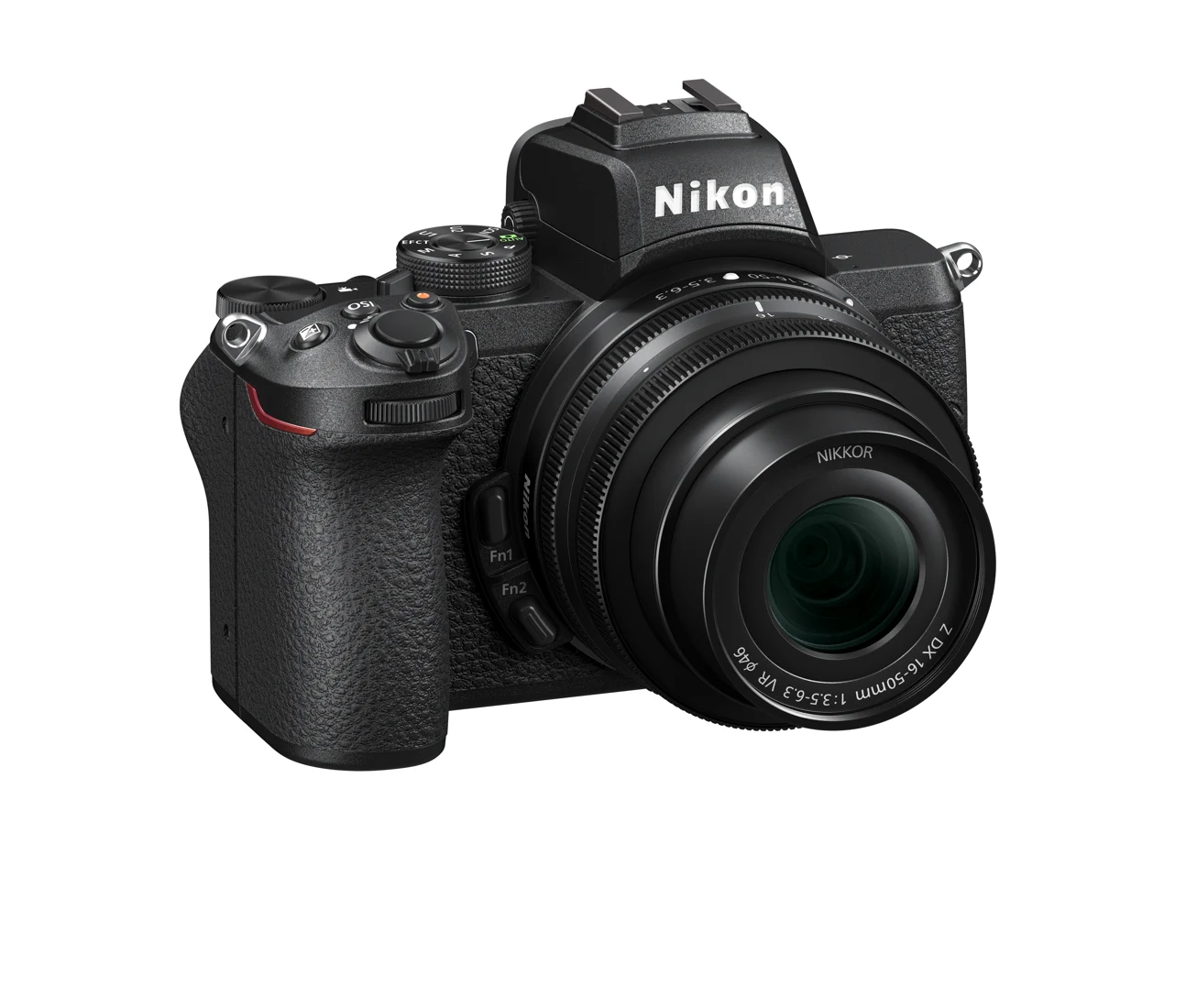
A camera intended for regular travel can accumulate wear in places that do not dominate listing photographs. Inspect the screen hinge, battery door, card access, strap attachments and lens mount. Extend and retract any collapsing kit zoom several times and check that the camera recognises it consistently. The combination may have spent years moving in and out of a bag, so the lens deserves the same attention as the body. Ask for original accessories and identify the exact battery supplied.
Try wireless pairing with the phone you intend to use, while recognising that app and operating-system requirements can change. A successful transfer is a useful purchase check, not a promise of permanent compatibility. Keep a card-reader route available for important photographs rather than making a phone connection the only way to retrieve them. For maintenance, protect the exposed mount during lens changes, keep the kit dry in storage and follow the manual's cleaning guidance. Compact construction does not make improvised repair or rough treatment less consequential.
The support record and the sensible used-buying conclusion
The official Z 50 firmware page supplies version C 2.60 and a detailed sequence of previous changes. Among those changes are support for EN-EL25a batteries and adjustments to wireless defaults. This record helps a buyer distinguish original specifications from later behaviour, but it is not a pledge of indefinite updates. Use the exact Z 50 file and instructions; a download for the similarly named successor is not interchangeable. Confirm successful installation before depending on a newly added function.
For buyers in Canada and the United States, the original country of sale and local service route remain worth checking. The US announcement verifies the model and its launch positioning, not current regional stock or secondhand warranty transfer. The strongest case is a sound body with a compact, useful lens at a total cost that leaves room for a healthy battery and dependable storage. If the screen arrangement, lens-based stabilization or older focus system conflicts with the intended work, those are reasons to compare alternatives rather than hope a low price will make the compromise disappear.
Sources & further reading.
These are the sources behind this research review. Manufacturer claims are not independent performance measurements. Community accounts, when cited, describe individual experiences.
- Nikon original Z 50 announcement and specifications ↗manufacturer
- Nikon Z 50 firmware C 2.60 and previous changes ↗support
Documentation reviewed: 9 October 2026. Product software and regional bundles can change. Corrections and editorial disclosures.