Not tested. This is a research score for the documented features, compatibility and ownership trade-offs discussed in this review, not a performance measurement.
Features & capability 30%8.0
Stabilisation, a full-frame sensor and external 10-bit recording give this generation a useful creative toolkit.
Compatibility & connectivity 20%7.6
Z-mount lenses and FTZ adaptation broaden options; external recording needs additional hardware.
Ownership & upkeep 20%6.7
A single card slot, specialist media and used-body condition add ownership constraints.
Setup & everyday use 15%7.2
The viewfinder and physical controls suit dedicated photography; battery planning matters for longer sessions.
Documentation & support clarity 15%8.0
Model-specific specifications distinguish internal recording from HDMI output and identify the media requirements.
Compare scores within the same product category. Small decimal differences should not override your needs or the evidence limits.
How the Standpoint Score works
We score five aspects of the documented product on a 0–10 scale, then calculate a weighted total:
- Features & capability30% of the total
- Compatibility & connectivity20% of the total
- Ownership & upkeep20% of the total
- Setup & everyday use15% of the total
- Documentation & support clarity15% of the total
This product’s 7.5/10 is an editorial research assessment. It does not claim measured performance, tested reliability or a verified customer satisfaction rate. Compare it with products in the same category, and read each criterion’s reasoning above.
Read the full rubric and score bands ↗From a tech standpoint.
Buy an original Z 6 if you're a stills-first photographer entering Nikon mirrorless, especially with F-mount lenses and an FTZ adapter already in the cupboard, and you can accept a single card slot. Check the shutter count, firmware version and sensor condition before paying. Skip it if you shoot weddings or events that need in-camera backup, if you need newer subject-detection autofocus or 4K/60p, or if the lenses you still need would cost as much as a newer kit.
Reasons to consider it
- A 24.5 MP BSI CMOS sensor that DPReview found competitive at high ISO
- 5-axis in-body stabilisation rated at up to 5 stops, which also works with adapted lenses
- Full-width 4K UHD 30p internally, plus 10-bit 4:2:2 output over HDMI
- Native Z mount with an FTZ route for compatible F-mount lenses
Go in knowing
- One XQD/CFexpress slot means no in-camera backup copy
- The 273-point autofocus may track less reliably than later Z bodies in low contrast or fast action
- About 310 shots per charge (CIPA) is thin for a full day without a spare
- Sensor and shutter condition can't be judged from a listing photograph
Affiliate link. As an Amazon Associate, Tech Standpoint earns from qualifying purchases. It never changes our verdict or score. Disclosure
The specification sheet.
Published specifications from the linked sources. Configurations and availability can differ by country.
- Sensor
- 24.5 MP full-frame BSI CMOS (35.9 × 23.9 mm)
- Processor
- EXPEED 6
- Lens mount
- Nikon Z (16 mm flange distance); F-mount lenses via FTZ/FTZ II adapter
- Card slot
- Single XQD (CFexpress Type B support added via firmware)
- Autofocus
- Hybrid 273-point phase-detect/contrast-detect
- Continuous shooting
- Up to 12 fps (12-bit RAW); up to 9 fps (14-bit RAW, extended); 5.5 fps (14-bit RAW, continuous high)
- Video
- 4K UHD 30p full-width readout; 1080p up to 120p; 10-bit N-Log via HDMI
- Stabilisation
- 5-axis in-body (IBIS), rated up to 5 stops (CIPA)
- Viewfinder
- 3.69 M-dot OLED EVF, 0.8× magnification
- Rear display
- 3.2-inch tilting touchscreen, 2.1 M dots
- Battery
- EN-EL15b (also accepts EN-EL15/a; USB-C in-camera charging requires EN-EL15b or later); approx. 310 shots CIPA
- Body weight
- Approximately 675 g with battery and memory card
- Weather sealing
- Dust and drip resistant (no formal IP rating)
- Connectivity
- USB-C (data and charging with compatible battery), mini HDMI (Type C), Wi-Fi, Bluetooth (SnapBridge)
Three cameras share one name, so confirm which one you're buying
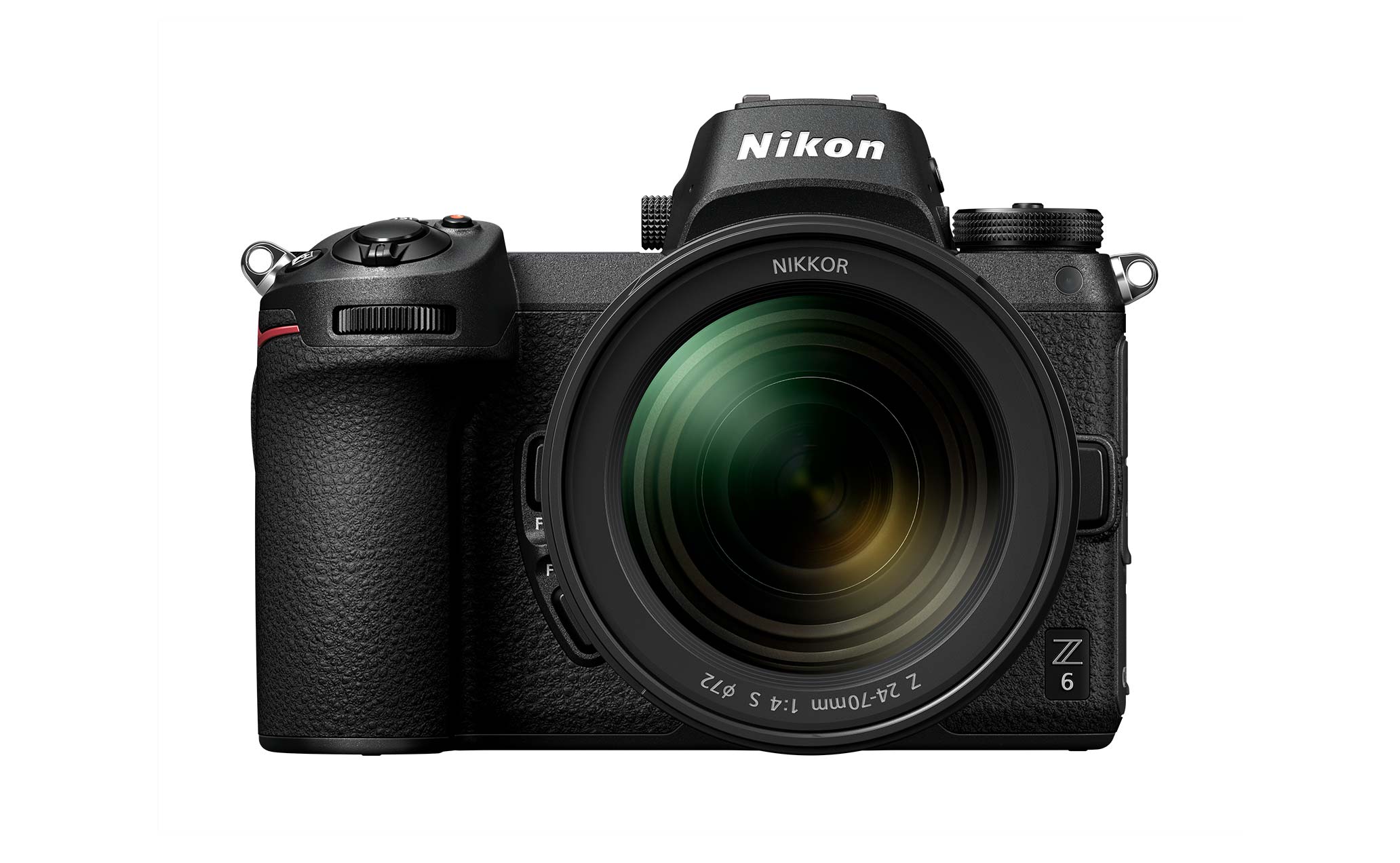
Nikon announced the Z 6 in August 2018 and started shipping it that November, alongside the higher-resolution Z 7. The pair were Nikon's first full-frame mirrorless bodies and the foundation of a new mount with a 16 mm flange distance and a 55 mm inner diameter. Every later Z body uses that Nikon Z mount. The generation matters because Nikon followed up with the Z 6II (dual processors, dual card slots) and the Z 6III (partially stacked sensor, improved autofocus), and the names are easy to blur. This review covers only the original Z 6, which forums sometimes call the Z 6I.
That distinction is where used buyers get caught. The original body is marked Z 6; later versions carry their own generation markings. Ask for a clear photo of that marking and of the firmware screen instead of trusting a shortened listing title. Dual card slots and newer subject detection can't be added to this body later. Nikon's Download Center keeps a separate manual and firmware record for this model, and that's the place to settle any feature question before you pay.
24.5 megapixels is the comfortable middle
The 24.5-megapixel BSI sensor strikes a good balance between output resolution and the work of editing a full shoot. DPReview's published testing found competitive high-ISO image quality, and also flagged possible banding when very deep shadows are pushed hard. That caveat is more useful than a blanket claim of excellent dynamic range. It doesn't mean every frame will band, and more pixels wouldn't fix an exposure problem anyway. Tech Standpoint has not tested this sensor itself.
The resolution is practical. Files stay moderate in size, so storage is manageable and editing stays responsive on a midrange computer. The Z 7, for comparison, roughly doubles the resolution and the file sizes, and asks more of its lenses. If you print very large or crop hard as a habit, you may want more pixels eventually. For screen delivery, moderate prints and general editorial work, the Z 6's output holds up against many current mid-tier bodies. Those file-quality judgements rest on DPReview's published measurements and Nikon's documented specifications, not on any sample examined here.
An autofocus system that firmware kept improving
Nikon gave the Z 6 a hybrid system of 273 points covering roughly 90 percent of the frame horizontally and vertically. It mixes phase detection and contrast detection and supports face and eye detection for stills. At launch, the consensus was that it handled static and moderately paced subjects competently but was less dependable for fast, erratic action than the best DSLRs of the time. Nikon then shipped several firmware updates that improved tracking and added features including animal-detection AF; the full version history sits in the Nikon Download Center.
DPReview revisited its autofocus assessment for firmware 3.0 and separated tracking from a manually chosen focus area from automatic subject selection. That split is a better starting point than calling the whole system good or bad. A portrait, an event entrance and a moving pet each call for a different subject and focus-area choice. Try your combination during a return window. Note firmware, lens and focus mode whenever you compare results, or an old review and a new demo may be describing different cameras in practice.
The one-slot problem, stated plainly
The single memory-card slot is still the original Z 6's most argued-over limitation. At launch it accepted only XQD. A later firmware update added CFexpress Type B compatibility, opening the door to a faster and more widely sold format. There's still no second slot for a simultaneous backup. For wedding and event photographers used to dual-slot DSLRs, that was a serious concern in 2018 and it remains one now.
A second slot earns its keep when a lost frame can't be reshot. This body can't write a duplicate to another internal card. Offloading files promptly gives you a backup after the fact, but it can't save a file that never recorded properly. Swapping cards through the day spreads risk across media; it isn't duplication. Budget for a compatible card and reader, and check Nikon's supported-card list rather than assuming any CFexpress Type B card works because it fits. No card format replaces a backup plan.
12 fps only applies in one mode
Nikon lists 12 fps in extended high-speed mode for 12-bit RAW, JPEG or TIFF, and 9 fps for 14-bit RAW in that mode. Ordinary high-speed continuous is listed at 5.5 fps. Those splits change any comparison with another camera, because the biggest advertised number doesn't apply to every quality setting or mode. Pick the file type and exposure behaviour you need before treating a burst figure as an answer.
Buffer depth and recovery matter when the action repeats. Catching one jump is different from following a long sequence and launching straight into another. Buffer clearing and successful-frame counts haven't been timed or tallied here. When trying the camera with your lens and card, check focus across the whole sequence, not just the first sharp image. And confirm exposure behaviour for your chosen mode in the manual; the headline rate leaves those working conditions out.
Internal 4K, external N-Log and a paid RAW upgrade
The original Z 6 records full-width 4K up to 30p internally and offers a separate 10-bit N-Log output path through mini HDMI to an external recorder. Those are two distinct workflows. Nikon's 2019 announcement also describes a paid service that enables RAW output to compatible external recorders; it does not add internal RAW recording. On a used body, confirm whether the service was done and whether your recorder and editing software support the format. The recorder, cable, storage and power all belong in the price comparison.
Nikon lists H.264 recording in MOV or MP4 and a maximum clip length of 29 minutes 59 seconds, so an interview that runs longer needs a plan for the cut. Don't read a spec for the external path as a description of internal capture. Before an unrepeatable event, run the full rig, including audio monitoring, cable strain and file ingest. Heat-related recording behaviour hasn't been measured here. For a fixed camera position, notice the tilting screen too: it can't face a presenter standing in front of the lens.
IBIS earns its keep; the MB-N10 isn't a grip
Nikon rates the Z 6's in-body stabilisation at up to five stops under the CIPA standard. It works with native Z lenses and, according to Nikon's documentation, also stabilises adapted F-mount lenses through the FTZ adapter, though the number of active axes can change depending on whether the lens has its own VR. For handheld low-light shooting and gimbal-free video, IBIS is one of the most practically useful things this body offers.
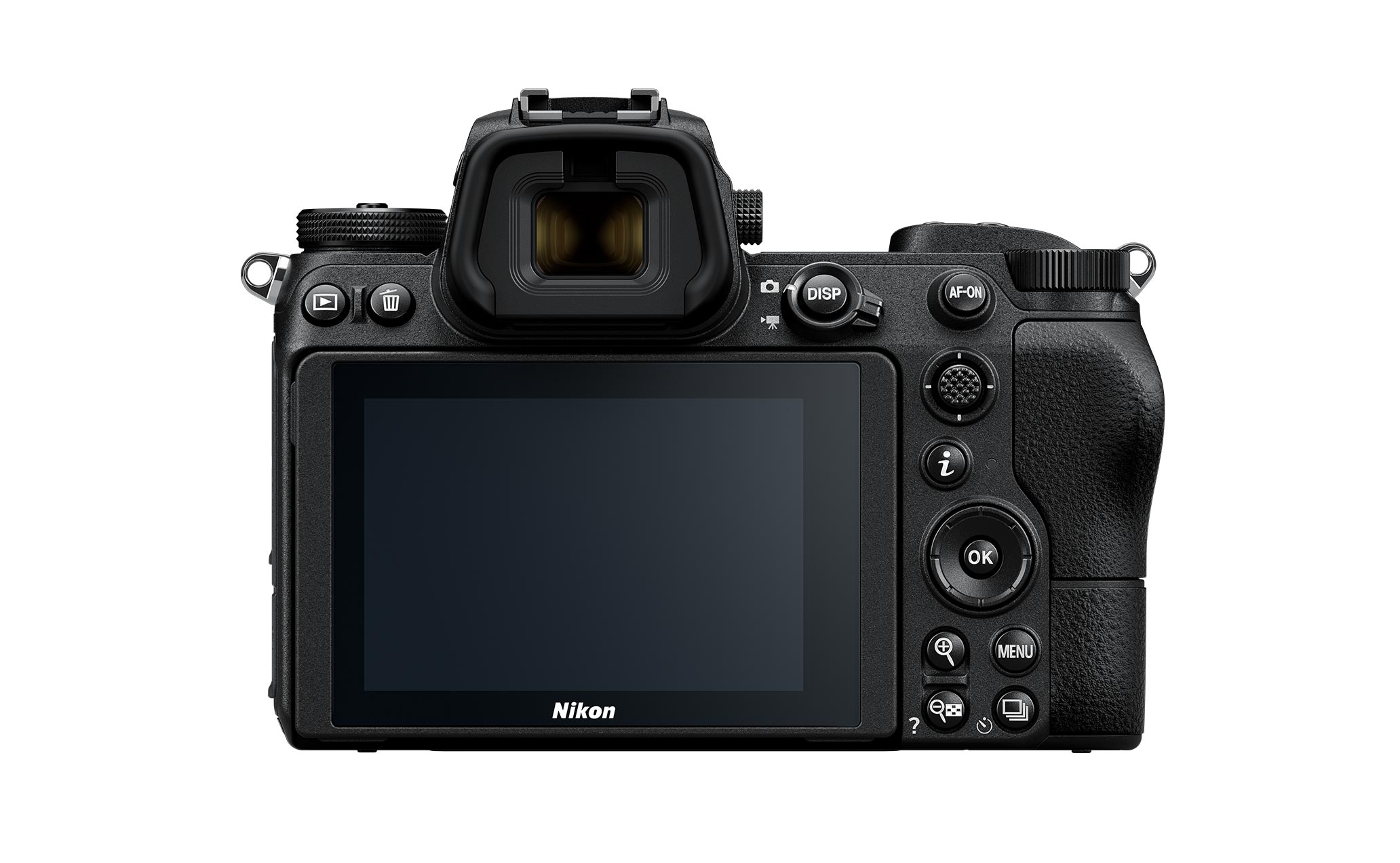
The documented 675 g weight includes battery and card. Add a lens and an FTZ adapter and the balance can shift a lot, so try the complete kit if you can. The rear screen tilts but won't turn forward for self-framing. The viewfinder lets you compose with the camera braced against your face, and the rear joystick gives you a physical way to move the focus point. Nikon's MB-N10 battery pack adds capacity, not a vertical shutter button or portrait-orientation controls, so don't price it or describe it as a conventional vertical grip.
Old F-mount glass: a bridge with gaps
The Z mount's wide throat and short flange distance let Nikon design lenses that were impractical in the F-mount era, and the native catalogue has grown a lot since 2018, with primes, zooms and specialty optics across a wide range. Even so, anyone buying a first-generation Z 6 today should price the lenses alongside the body. A cheap body loses its shine fast if the lenses you need cost as much as a newer kit.
FTZ adaptation can make a switch practical when your existing lenses fit the work. Compatibility is specific, so check each lens against Nikon's adapter table. AF-S and AF-P lenses are a different proposition from screw-drive AF and AF-D designs, which don't gain a focus motor from the adapter. List your lenses one by one before assigning value to an old kit. A manual-focus lens can still be lovely for deliberate work, but it's a different purchase from one you expect to follow a moving subject automatically.
310 shots, USB-C charging and SnapBridge
The Z 6 ships with the EN-EL15b and also takes the older EN-EL15 and EN-EL15a. Nikon's CIPA rating is about 310 shots per charge using the viewfinder, a standardised figure rather than a description of continuous shooting. Real counts swing with settings, review habits, video use and temperature. The EN-EL15b and later packs such as the EN-EL15c support USB-C in-camera charging while the camera is off; that isn't USB power delivery during recording. Older EN-EL15 and EN-EL15a packs fit but don't enable USB-C charging. A spare battery is the usual advice for a full day of mixed shooting, and it's good advice.
SnapBridge connects a phone, but the real question is what has to move and how fast. A few images for sharing and a full card of RAW files are different jobs. For the second, carry a reader and time the transfer on your actual computer. During a return period, check pairing, port condition and the charger supplied. A charging failure could be the cable, the battery or a compatibility issue; flaky wireless pairing is not proof of physical wear.
When the Z 6II, A7 III or EOS R makes more sense
If a second card slot is the deciding requirement, the Z 6II is the obvious step across. Compare total kits rather than body prices, because lenses, adapter, batteries and recording accessories can wipe out an apparent saving. Sony's A7 III also has two slots; Canon's original EOS R has one slot and no in-body stabilisation. Lenses you already own can make switching brands expensive. Viewfinder comfort and grip fit are personal, so compare them yourself rather than ranking cameras by spec numbers.
A clean used Z 6 with current firmware and a healthy shutter count is a rational choice for someone who likes Nikon's colour science, wants into the Z-mount lens system and can work with one card slot. It's worth more to someone who already owns F-mount lenses and an FTZ adapter. It's worth less to anyone who needs dual slots for professional redundancy, advanced subject detection or 4K 60p. Check the shutter count, inspect the sensor for scratches or cleaning marks, test the stabilisation and confirm every port and control responds.
Our take: a fine first Z body if the limits suit you
The original Z 6 makes most sense as a way into a Nikon full-frame kit when its limits match the work. Deliberate stills and planned video make a clearer case than buying it to cover every possible job. One card slot, advanced recording paths that only exist externally and generation-specific autofocus are real boundaries. Compare the body against the full price of a suitable lens, a supported card, a reader and batteries. A low listing price means little if the missing gear eats the saving.
Our recommendation depends on the individual camera, its firmware and what comes in the box. Autofocus hit rates, stabilisation effectiveness, shutter durability and recording temperatures haven't been measured here. Nikon's specifications establish what the camera can do; DPReview's independent assessment adds context. On a used purchase, insist on a return arrangement long enough to make representative photos and clips, and check those files on a computer. If the job needs simultaneous card backup or a feature exclusive to a later generation, buy a different body instead of working around the gap.
The closest alternatives.
| Product | Standpoint Score | Best for | Price |
|---|---|---|---|
| Nikon Z 6This review | 7.5Research | A stills-first photographer entering Nikon's mirrorless system who wants full-frame image quality, 4K video capability… | Amazon.ca ↗ |
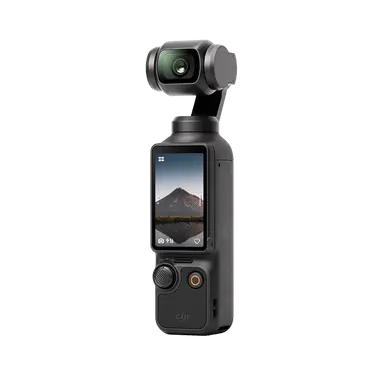
| DJI Osmo Pocket 3 | 8.0Research | A creator filming walking pieces, tabletop demonstrations and short interviews who wants a dedicated camera instead of… | Amazon.ca ↗ |
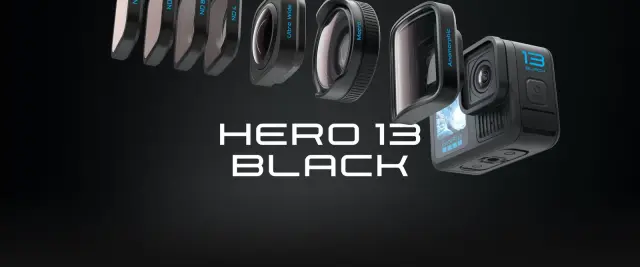
| GoPro HERO13 Black | 8.2Research | Outdoor filming where a compact mounted camera, slow-motion inserts and adaptable framing beat holding a phone up. | Amazon.ca ↗ |
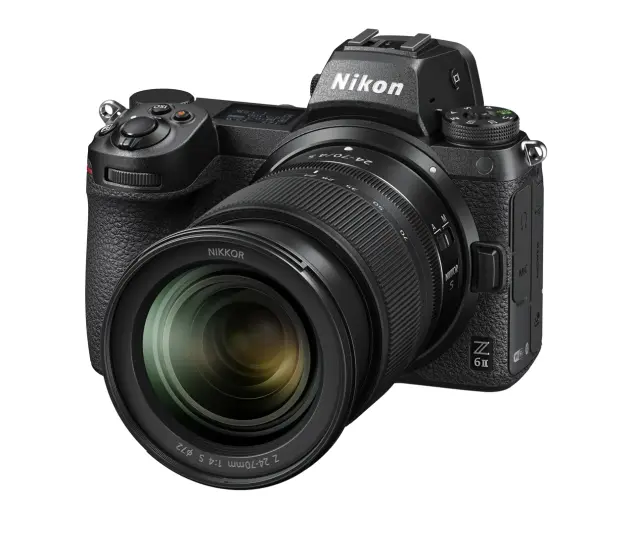
| Nikon Z 6II | 8.0Research | Photographers building a Nikon Z kit, or keeping compatible F-mount lenses, who want full-frame stills with a second… | Amazon.ca ↗ |
Compare scores within a category: Tested means our own use, Research means documentation and attributed outside testing. Price links are affiliate links. As an Amazon Associate, Tech Standpoint earns from qualifying purchases. Disclosure
Sources & further reading.
These are the sources behind this research review. Manufacturer claims are not independent performance measurements. Community accounts, when cited, describe individual experiences.
- Nikon Z 6 product page (Nikon global imaging archive) ↗manufacturer
- Nikon Z 6 product overview (Nikon USA) ↗manufacturer
- Nikon Z 6 reference manual and firmware downloads (Nikon Download Center, product ID 493) ↗manual
- DPReview Nikon Z 6 in-depth review ↗independent review
- Nikon press release: Z-series firmware evolution (CFexpress and RAW video support) ↗manufacturer
Product software and regional bundles can change. Corrections and editorial disclosures.
Affiliate link. As an Amazon Associate, Tech Standpoint earns from qualifying purchases. It never changes our verdict or score. Disclosure