An editorial assessment of documented capabilities and ownership trade-offs. This is not a hands-on test result or a measurement of reliability.
Task capability 30%8.2
The display and movement support varied programming lessons.
Navigation & control 20%8.4
A supported progression and live feedback help explain behaviour.
Ownership & upkeep 20%7.8
Few loose mechanical parts simplify classroom handling.
Setup & usability 15%8.0
Preassembled hardware reduces build time, though pairing needs preparation.
Documentation & support clarity 15%8.5
Official learning and compatibility resources are extensive.
Compare scores within the same product category. Small decimal differences should not override your needs or the evidence limits.
How the Standpoint Score works
We score five aspects of the documented product on a 0–10 scale, then calculate a weighted total:
- Task capability30% of the total
- Navigation & control20% of the total
- Ownership & upkeep20% of the total
- Setup & usability15% of the total
- Documentation & support clarity15% of the total
This product’s 8.2/10 is a provisional research assessment. It does not claim measured performance, tested reliability or a verified customer satisfaction rate. Compare it with products in the same category, and read each criterion’s reasoning above.
Read the full rubric and score bands ↗The ownership case.
BOLT+ is a strong candidate for guided programming activities that make genuine use of its screen and physical feedback.
Reasons to consider it
- Programmable display
- Physical sensor feedback
- Supported learning resources
Go in knowing
- Guidance remains necessary
- Sealed body limits hardware building
- Verify school device compatibility
The specification sheet.
Published specifications from the linked sources. Configurations and availability can differ by country.
- Form
- Programmable rolling sphere
- Display
- Colour LCD
- Charging
- Wireless
- Environment
- Sphero Edu and Sphero Central resources
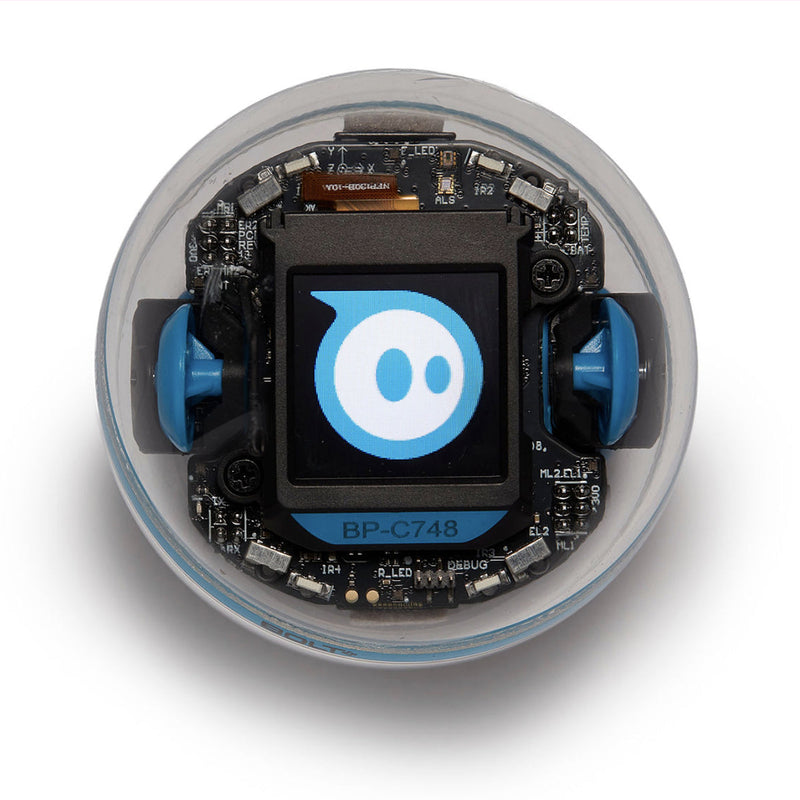
A sphere with a useful display
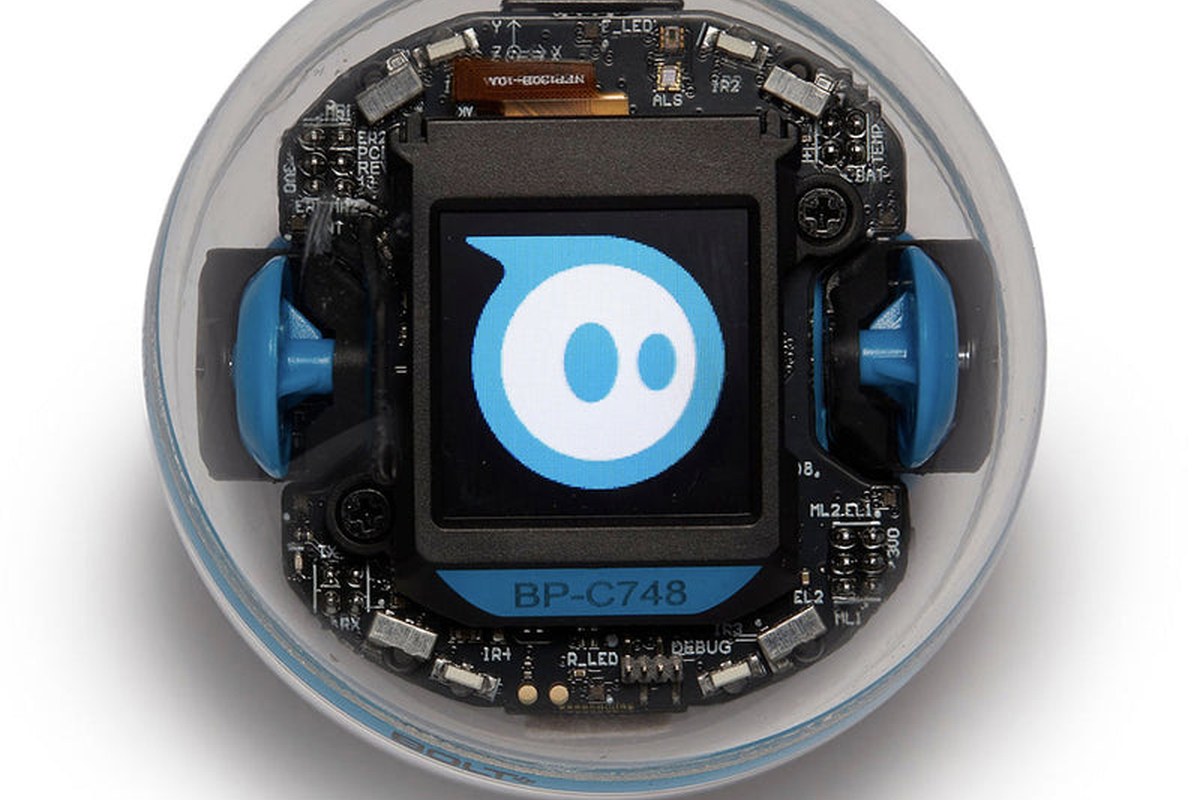
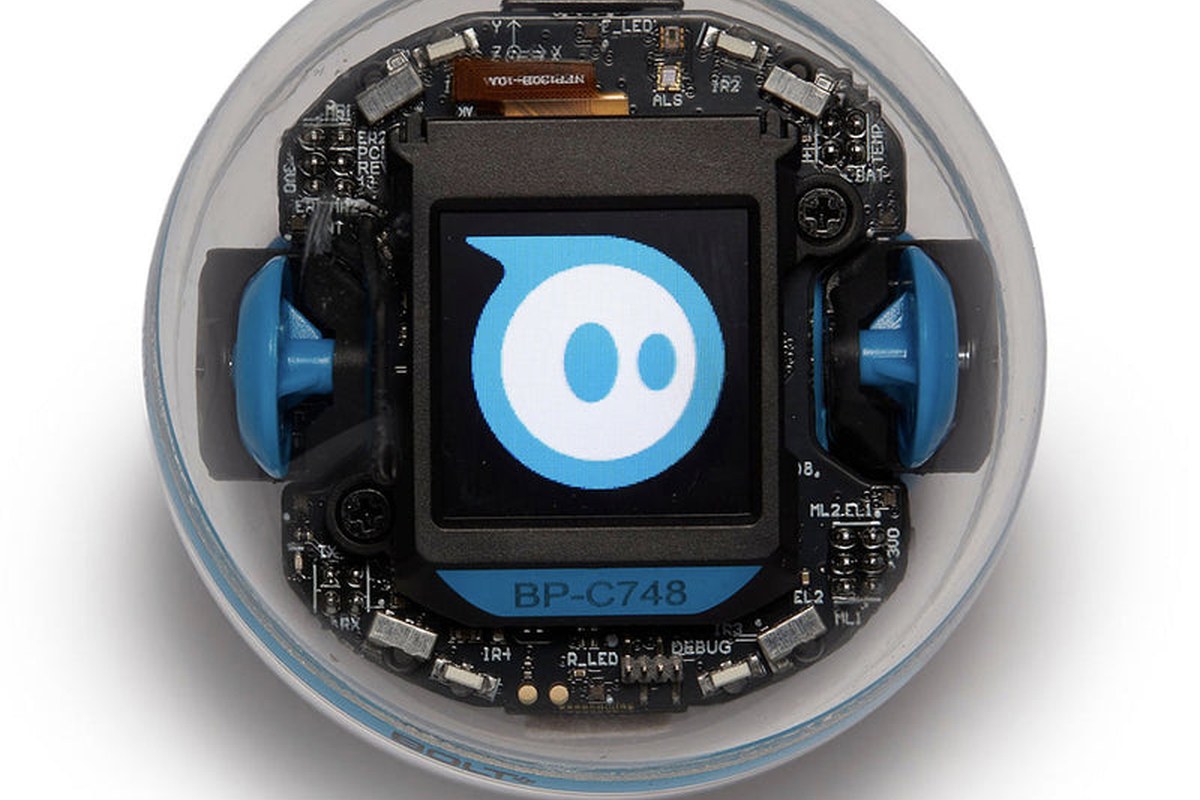
BOLT+ is a programmable rolling robot whose screen makes it more than a remote-controlled ball. Sphero describes a colour display for animations, messages and live data, alongside sensors, motors and programming through its education environment. The educational opportunity is concrete: code produces a visible physical movement or on-robot response that students can observe and change. That can make abstract ideas approachable, but a robot does not teach a curriculum by itself. The quality of the activity and the teacher's or parent's guidance remain decisive. We have not tested BOLT+ in a classroom. This review assesses the published platform and the practical questions that determine whether it becomes a frequently used learning tool rather than an expensive demonstration object.
The display changes the feedback loop
A robot that can show a number, image or state on its body gives a learner another way to understand what a programme is doing. A condition can become a visible symbol, or a measured value can appear near the moving object that generated it. That is particularly useful when debugging, because the learner can connect an internal state to an external action. It is not automatically a learning advantage if the screen is used only for decorative animations. A good project would ask students to explain why the display changes and how that relates to the programme. The BOLT+ premium is easier to justify when the screen becomes part of the reasoning process, not merely a more attractive face for familiar driving activities.
Rolling motion makes heading a lesson
A spherical robot's direction is less visually obvious than the front of a wheeled car. That can initially confuse learners, but it also creates an opportunity to discuss orientation, coordinate systems and the difference between a command and a reference frame. Provide a clear activity area and teach the aiming or calibration procedure before judging movement accuracy. Floor texture and collisions can affect the path, so a perfectly drawn square in code may not produce a perfect square on the floor. That discrepancy is useful evidence for a lesson about real systems. It becomes frustration only when the learner expects the physical world to behave exactly like a screen animation and receives no explanation for the difference.
Programming progression should match the learner
Sphero provides a progression from accessible visual programming toward text-based work within its supported environment. Before buying, verify the exact functions and languages available on the devices you intend to use. A school-managed Chromebook and a family tablet can have different installation, permission and connectivity constraints. A successful first activity should be small enough that the learner can predict the result and alter it meaningfully. Do not equate the number of downloadable lessons with a coherent learning path. Choose a sequence that builds from movement and events toward sensing and conditional behaviour. We would judge the platform by whether learners can transfer ideas between projects, not by whether they can reproduce a colourful demonstration after following instructions.
Sensors are a route to experiments
The robot's sensing and display can support investigations into motion, light or events, depending on the exposed functions. The important educational step is to distinguish a measurement from an assumption. Ask learners to collect repeated observations, compare surfaces or change one variable at a time. A surprising result can prompt a better question rather than a declaration that the robot is broken. At the same time, do not present classroom sensor data as laboratory-grade measurement without validation. We have not assessed calibration or precision. The useful value is access to physical feedback and programmable responses, with appropriate discussion of noise, timing and uncertainty. That can make the robot relevant beyond a coding lesson when the activity is designed carefully.
Classroom management is part of the system
One robot shared by two students can encourage discussion, but only if the roles rotate and both participate in prediction and debugging. In a larger class, naming devices, pairing them correctly and keeping charging organised can consume substantial time. Test the actual school network and device policies before ordering a class set. Verify whether activities require accounts or internet access and how student work is saved. BOLT+ class packs, mats and accessories are purchasing configurations, not different robots. Check exactly what is included rather than assuming the photographed storage and charging arrangement accompanies a single unit. The success of a classroom deployment often depends more on these logistical details than on the robot's most advanced technical feature.
Durability claims still need sensible handling
Sphero describes a durable waterproof shell and wireless charging. Those are useful design features for a classroom, but the robot should still be used within the current safety and handling guidance. A waterproof body does not automatically make every charger or accessory suitable for wet use. Avoid high drops, unsuitable surfaces and activities that launch the robot toward people or fragile objects. Clean and dry it as directed before charging. Inspect the shell and charging arrangement over time. We have not conducted impact, water-ingress or battery-endurance tests. Durability should be understood as a design intention with operating limits, not permission to turn a learning activity into an uncontrolled stress test.
Running costs and the alternative platforms
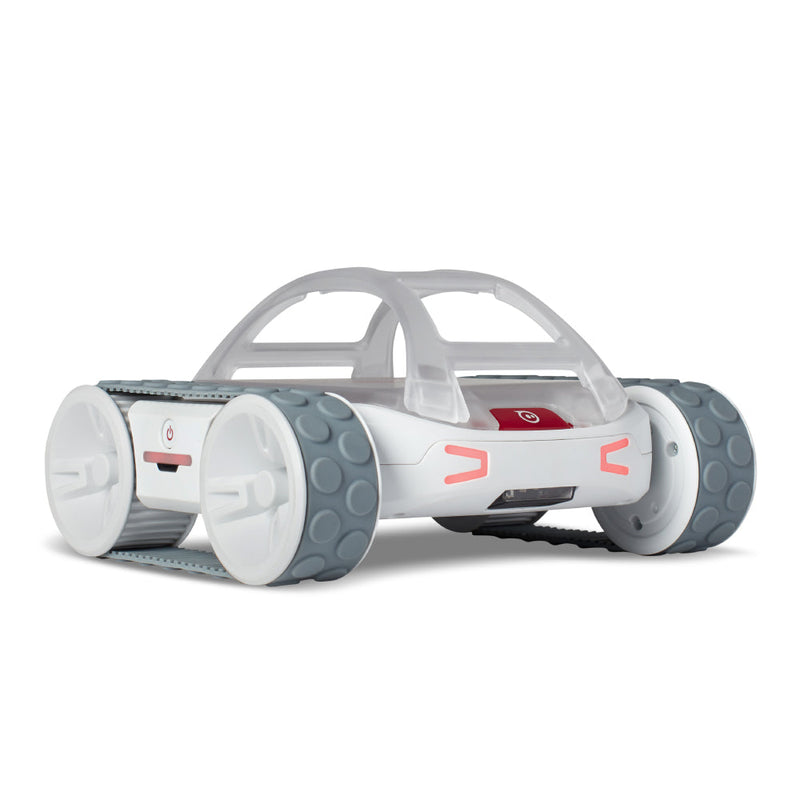
BOLT+ has relatively few exposed mechanical parts for learners to lose, but it depends on a working battery, charging equipment and compatible software. Ask about battery service and repair options, particularly for a class set intended to last several years. Compare it with indi for younger learners who benefit from screen-free colour instructions, and with RVR+ or mBot2 when building and expansion are central goals. The sealed sphere simplifies handling while limiting physical modification. That is not a flaw if the teaching objective is programming and experimentation. It becomes a mismatch if students are expected to learn assembly, drivetrain maintenance or hardware integration. Purchase for the intended learning task rather than assuming every educational robot teaches the same skills.
Our research verdict
BOLT+ is a strong candidate for guided programming activities that make genuine use of its screen and physical feedback. It is less compelling when the plan is only occasional remote driving or when the real objective is building a robot from components. We have not observed student engagement, pairing reliability or battery performance firsthand. A useful pilot would run a complete lesson with the actual devices, include a debugging exercise and record how much time is lost to setup. Ask learners to explain what they changed and why, rather than simply whether they enjoyed the robot. That evidence would establish educational value more convincingly than a list of sensors or an enthusiastic first impression.
Sources & further reading.
These are the sources behind this research review. Manufacturer claims are not independent performance measurements. Community accounts, when cited, describe individual experiences.
- Sphero BOLT+ — official product information ↗manufacturer
Documentation reviewed: 9 October 2026. Product software and regional bundles can change. Corrections and editorial disclosures.