Not tested. This is a research score for the documented features, compatibility and ownership trade-offs discussed in this review, not a performance measurement.
Features & capability 30%8.2
The M6 is a clear step up from the M4 in the benchmarks Tom's Guide and Gizmodo published, and the 4.5K screen, camera and speakers are all strong. The base model's 10-core chip and 256GB drive hold it back.
Compatibility & connectivity 20%7.9
Wi-Fi 7, Bluetooth 6, Thread and Thunderbolt 4 are current, but the base model has two ports, one external display and no Ethernet, and there's no Thunderbolt 5 or video input on either.
Ownership & upkeep 20%7.3
Storage and memory upgrades are expensive in Canada, the screen can't be reused when the computer ages, and the entry price is $400 above the M4's 2024 launch price.
Setup & everyday use 15%8.8
Reviewers describe a one-cable setup with keyboard and mouse in the box. The tilt-only stand and the Magic Mouse are the everyday annoyances.
Documentation & support clarity 15%8.2
Apple's Canadian spec page is detailed and clear about what each model includes, and warranty and AppleCare+ terms are stated on the buy page. The return window takes more digging.
Compare scores within the same product category. Small decimal differences should not override your needs or the evidence limits.
How the Standpoint Score works
We score five aspects of the documented product on a 0–10 scale, then calculate a weighted total:
- Features & capability30% of the total
- Compatibility & connectivity20% of the total
- Ownership & upkeep20% of the total
- Setup & everyday use15% of the total
- Documentation & support clarity15% of the total
This product’s 8.0/10 is an editorial research assessment. It does not claim measured performance, tested reliability or a verified customer satisfaction rate. Compare it with products in the same category, and read each criterion’s reasoning above.
Read the full rubric and score bands ↗From a tech standpoint.
The M6 iMac is a strong chip update inside a five-year-old design, and reviewers at TechRadar, Tom's Guide and Gizmodo all recommend it. In Canada the honest price is not $2,099: the 256GB base drive pushes most buyers to $2,399 or higher. If you want the one-cable simplicity, buy the 12-core model and add storage. If you care more about value or screen size, a Mac mini M6 with your own monitor is the smarter buy. This is a research review: Cameron hasn't used the M6 iMac, and every observation here belongs to the outlet named.
Reasons to consider it
- Real speed gains over the M4 iMac: Tom's Guide recorded a Geekbench 6 multi-core score of 20,038 against 14,724, and SSD read and write speeds that more than doubled.
- Everything is in one box. The screen, a 12MP camera, six speakers, three mics, a keyboard and a mouse all come with it, and Tom's Guide describes setup as plugging in a single power cable.
- The 4.5K display is sharp and accurate. Tom's Guide measured 473 nits of average brightness and a Delta-E of 0.3, and it's the only all-in-one they know of with a matte glass option.
- Wi-Fi 7, Bluetooth 6 and Thread arrive with Apple's N1 chip, and the 12-core model adds 2.5Gb Ethernet in the power adapter.
Go in knowing
- 256GB of storage on a $2,099 desktop is stingy. Moving to 512GB adds $300 in Canada, so the realistic entry price is $2,399.
- The base model has a slower chip than the $1,249 Mac mini M6, only two ports, one external display and no Ethernet or Touch ID unless you pay extra.
- It only comes in 24 inches, the stand only tilts, and Apple's spec sheet lists no way to use the screen with another computer later.
- The Canadian price held at $2,099, but that's $400 more than the M4 iMac cost at its 2024 launch, according to Retail Insider.
Affiliate link. As an Amazon Associate, Tech Standpoint earns from qualifying purchases. It never changes our verdict or score. Disclosure
The specification sheet.
Published specifications from the linked sources. Configurations and availability can differ by country.
- Canadian price (Nov 14, 2026)
- $2,099 (10-core, 16GB/256GB) and $2,299 (12-core, 16GB/256GB) at Apple.ca; $2,099.99 and $2,299.99 at Best Buy Canada
- Chip
- Apple M6 with 10-core CPU and 10-core GPU, or 12-core CPU and 12-core GPU
- Memory and storage
- 16GB and 256GB standard; up to 24GB and 1TB on the 10-core model, up to 32GB and 2TB on the 12-core model
- Display
- 24-inch 4.5K Retina (23.5 inches actual diagonal), 4480 x 2520 at 218 ppi, 500 nits, P3 colour, True Tone; nano-texture glass optional on the 12-core model
- Ports
- Two Thunderbolt / USB 4 ports (10-core) or four Thunderbolt 4 ports (12-core), plus a 3.5 mm headphone jack
- Wireless and Ethernet
- Apple N1 chip with Wi-Fi 7, Bluetooth 6 and Thread; 2.5Gb Ethernet included on the 12-core model, optional on the 10-core
- Camera and audio
- 12MP Center Stage camera with Desk View, six-speaker system, three-mic array
- External displays
- One up to 6K at 60Hz (10-core); two up to 6K at 60Hz, or one 8K at 60Hz (12-core)
- Size and weight
- 54.7 cm wide, 46.1 cm tall, 14.7 cm stand depth; 4.42 kg (10-core) or 4.44 kg (12-core)
- In the box
- Magic Keyboard (with Touch ID on the 12-core model), Magic Mouse, 143W power adapter, 2 m power cord, USB-C charge cable
The $1,249 Mac mini has a faster chip than the $2,099 iMac
Here's the number that should shape this purchase. The base M6 iMac is $2,099 at Apple.ca and comes with a 10-core CPU and 10-core GPU. The Mac mini M6 starts at $1,249 on Apple.ca, and Best Buy Canada's listing for that model shows a 12-core CPU and 12-core GPU with the same 16GB of memory and 256GB of storage. So the cheaper Mac has the better chip. The extra $850 on the iMac pays for the screen, camera, speakers, keyboard and mouse.
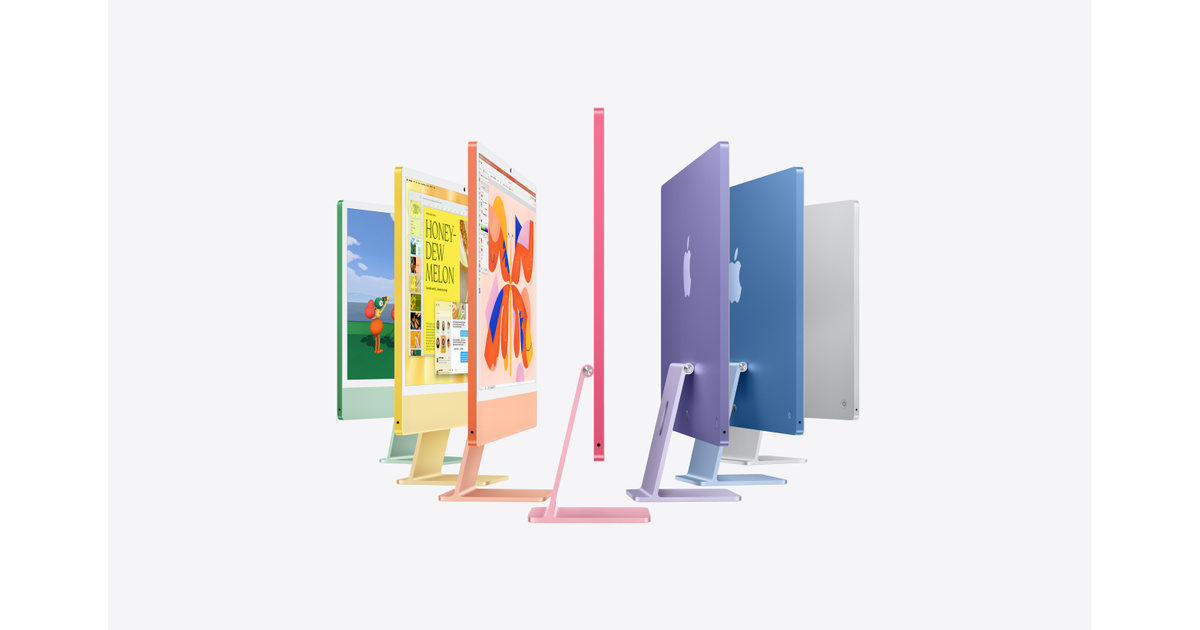
The iMac itself is a familiar thing: a thin 24-inch all-in-one in seven colours, now with Apple's M6 chip. iPhone in Canada reports that orders opened October 28 and it reached stores on November 6. As of November 14, Apple.ca lists it at $2,099 for the 10-core model and $2,299 for the 12-core. Best Buy Canada has the same two models at $2,099.99 and $2,299.99.
The question this review answers is simple. Is the all-in-one worth that $850 gap, and if it is, which configuration should a Canadian buyer actually order?
What changed from the M4 iMac, and why M4 owners should sit this one out
Almost everything new is inside. The M6 chip brings two more CPU and GPU cores at each tier than the M4 models had. Apple's N1 wireless chip adds Wi-Fi 7, Bluetooth 6 and Thread. The SSD is much faster, the Ethernet option is now 2.5Gb, and the camera, speakers and 4.5K screen carry over. Gizmodo and Tom's Guide both say the outside is unchanged, and neither flags a feature that was removed.
The price story depends on where you start counting. Apple held the Canadian entry price at $2,099, which is what the M4 iMac cost after Apple's price increases earlier this year. Retail Insider notes the M4 launched at $1,699 in 2024. So this model costs the same as last month's iMac and $400 more than the one from two years ago. In the US, Tom's Guide pegs the jump at $200 over the previous generation.
If you own an M4 iMac, skip it. TechRadar calls this a speed bump and sees little reason for M4 owners to rush. For M1 owners it's less clear cut. A common view in r/iMac is that an M1 iMac still handles browsing, email and office work fine, and that the upgrade only pays off if you edit photos or video or need more memory.
How big the M6 speed jump really is, by the numbers reviewers recorded
The gains are real. Tom's Guide ran the 12-core iMac through Geekbench 6 and got 4,553 single-core and 20,038 multi-core, against 3,646 and 14,724 for the M4 iMac. TechRadar works that out to roughly 25% and 36%. Their 4K-to-1080p Handbrake encode dropped from 5:03 to 3:20. Gizmodo's own tests put it about 20% ahead of the M4 iMac in Cinebench 2026 and up to 45% ahead in 3DMark Steel Nomad.
Storage speed changed the most. Tom's Guide measured about 6,595 MB/s read and 6,752 MB/s write with Blackmagic's disk test, compared with roughly 2,895 and 3,046 on the M4 model. That matters for big photo libraries and video projects more than for web browsing.
Apple's pitch leans on AI. TechRadar found Siri AI quick at on-screen tasks, such as turning an emailed invitation into a calendar event, and says Generative Fill in Pixelmator Pro ran briskly. That's a reviewer's impression over five days, not a benchmark, and how useful those features are will vary by person.
Two cautions. Every review read for this piece used the $2,299 12-core model, so nobody has published numbers for the 10-core base yet. And Gizmodo found the iMac scored nearly 11% below the M6 Mac mini they'd reviewed, which had 24GB of memory. Gaming is possible but modest: Gizmodo saw roughly 40 to 43 fps in Control and Baldur's Gate III at 1440p, and about 60 with MetalFX upscaling.
The 256GB problem: why the real starting price is $2,399
Apple still ships both models with 256GB. Gizmodo calls that too small for a modern desktop, and it's hard to argue. A family photo library, a few games and macOS itself will fill it quickly.
The fix isn't cheap. iPhone in Canada lists Apple's Canadian upgrade prices as $300 for 512GB and $750 for 1TB, with 2TB at $1,500 on the 12-core model only. Memory is $300 for 24GB, and 32GB is $600 and also 12-core only. Best Buy Canada's shelf prices line up: the 12-core iMac with 512GB is $2,599.99, and with 24GB and 512GB it's $2,899.99.
So think of $2,399 as the true floor for the 10-core model and $2,599 for the 12-core. For most households 16GB of memory is enough. TechRadar ran a dozen-plus browser tabs, Photos, Pixelmator Pro and Slack on 16GB without trouble. Gizmodo found 16GB limiting only when running local AI models, and suggests 24GB or more for that.
A fast external drive is the cheaper route to more space. Just remember the base model has two ports in total, so a drive takes half of them.
A sharp, accurate screen that plenty of buyers will find too small
On quality, the display holds up. Tom's Guide measured 473 nits of average brightness, 108.7% of the sRGB gamut and a Delta-E of 0.3, which is about as colour-accurate as consumer screens get. Those results are nearly identical to the M4 iMac's, because it's the same 4480 x 2520 panel. Gizmodo points out it's an LCD, not OLED, and found it underwhelming beside Apple's pricier displays.
Size is the sticking point. In the r/apple launch thread and in r/iMac, the most repeated complaint is that 24 inches is the only option, and several people coming from old 27-inch iMacs say they went with a Mac mini and a larger monitor. Tom's Guide was more relaxed: two browser windows side by side fit comfortably at 4.5K.
The look is dated to some eyes as well. Tom's Guide describes a half-inch white border around the panel and a two-inch chin below it, the same as in 2021. In the r/apple thread, a repeated gripe is that a design this old is hard to accept at this year's prices. Others still love the colours. That one comes down to taste.
Ergonomics haven't moved either. Tom's Guide notes the stand tilts about 5 degrees forward and 25 back, with no height adjustment. Apple sells a separate VESA-mount version if you want an arm. The matte nano-texture glass is a $300 option in Canada and only on the 12-core model. TechRadar missed it on a glossy review unit near natural light, so it's worth it for a bright room.
Two ports or four: what the extra $200 actually buys
The $2,299 model isn't only a faster chip. Apple's spec page shows it has four Thunderbolt 4 ports where the base has two, 2.5Gb Ethernet built into the power adapter, a Magic Keyboard with Touch ID, and support for two external displays up to 6K where the base drives one. It's also the only way to get nano-texture glass, 32GB of memory or 2TB of storage.
You can patch the base model, but it adds up. iPhone in Canada lists Ethernet as a $50 add-on for the 10-core iMac and a Touch ID keyboard with numeric keypad as $100. At that point you've spent $150 of the $200 difference and still have two ports and the slower chip.
The wireless upgrade is the part every buyer gets. Tom's Guide saw gigabit speeds over Wi-Fi when the iMac was paired with a Wi-Fi 7 mesh system, and notes that Thread support lets it talk directly to smart home gear. You'll need a Wi-Fi 7 router to see that benefit. On an older router, expect it to behave like the last model.
So the 12-core model is the one to buy if anything will be plugged in: a backup drive, a card reader, a second screen. The base model only makes sense as a kitchen or kids' computer that lives on Wi-Fi. Gizmodo's other gripes apply to both: no Thunderbolt 5, no ports on the front, and a headphone jack on the left edge.
Mac mini plus a monitor, a leftover M4, or a Windows all-in-one: the Canadian math
Start with the Mac mini M6 at $1,249.99 at Best Buy Canada. Add a 27-inch 4K USB-C monitor: Best Buy lists Samsung's ViewFinity S8 at $349.99 on sale (regularly $499.99) and Dell's S2725QC at $489.99. That's about $1,600 to $1,740 with the 12-core chip, against $2,299 for the matching iMac. You still need a keyboard, mouse, webcam and probably speakers, and a 27-inch 4K panel is less pixel-dense than the iMac's 218 ppi. Pair the mini with Apple's own Studio Display at $2,099 and you're at $3,348, well past the iMac.
Don't buy a new M4 iMac to save money, because you won't. Best Buy Canada still lists the base M4 at $2,099.99, the same as the M6. The savings are in open-box and refurbished stock: Best Buy's site showed open-box base M4 iMacs from marketplace sellers at $1,599.99 on November 14. Condition and seller vary, so read the listing closely.
On the Windows side, Best Buy has HP's OmniStudio 27-inch all-in-one with a Ryzen AI 7 445, 16GB and a 1TB drive at $1,499.99 on sale. You get a bigger screen and four times the storage for $600 less, but the listing says the panel is FHD, far below the iMac's 4.5K.
What ownership costs in Canada, and the risks to think about first
Apple.ca says every Mac comes with a one-year limited warranty and up to 90 days of complimentary technical support. AppleCare+ for the iMac is listed at $99.99 a year or $9.99 a month, with service fees of $129 for screen or enclosure damage and $379 for other accidental damage. Apple says you can return or exchange a Mac under its Sales and Refunds Policy. The exact return window wasn't confirmed for this review, so check it at checkout.
The bigger long-term risk is the all-in-one format. Memory and storage are picked when you order, and Apple's spec sheet lists no video input, so the screen can't serve another computer when the chip ages. A Mac mini owner replaces a $1,249 box and keeps the monitor. An iMac owner replaces everything.
Budget for a mouse too. Gizmodo criticizes the Magic Mouse, and r/iMac owners often say they leave it in the box and use a third-party one. On software, Apple's footnotes describe Siri AI as a beta in macOS 27, with daily limits on some cloud features. The M6 iMac has only been on sale since November 6, so there's no long-term reliability picture yet.
Buy the 12-core with 512GB, or buy the Mac mini
Buy the iMac if the appeal is the object itself: one cable, no clutter, a great camera and speakers for video calls, and a colour the family likes. The configuration to get is the 12-core with 512GB at $2,599. It's a lot of money, but it fixes the base model's three weak spots at once.
Skip it if you already own an M4 iMac, if 24 inches feels small, or if $2,099 for 256GB bothers you as much as it should. The Mac mini M6 with a 27-inch 4K monitor gets you the same 12-core chip and a bigger screen for hundreds less, and the monitor outlives the computer.
If the budget is tight and the look matters, an open-box M4 iMac around $1,600 is the value play. Apple's M6 pricing leaves no reason to buy the old one new.
The closest alternatives.
| Product | Standpoint Score | Best for | Price |
|---|---|---|---|
| Apple iMac 24-inch (M6)This review | 8.0Research | Families, students and home offices that want one good-looking Mac with the screen, camera, speakers, keyboard and mouse… | Amazon.ca ↗ |
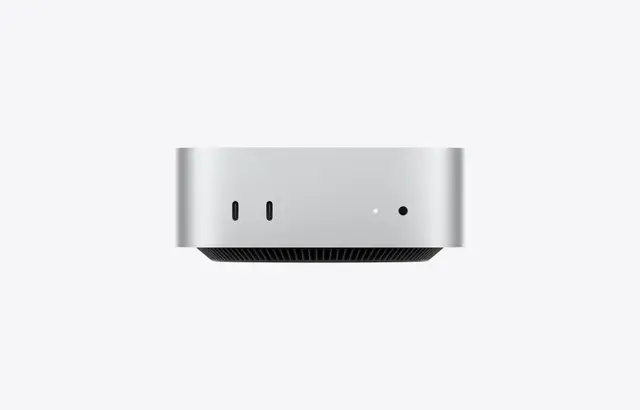
| Apple Mac mini (M6) | 8.4Research | Anyone who wants a quiet, small Mac desktop for work, photo editing, light video or a home server and is willing to pay… | Amazon.ca ↗ |
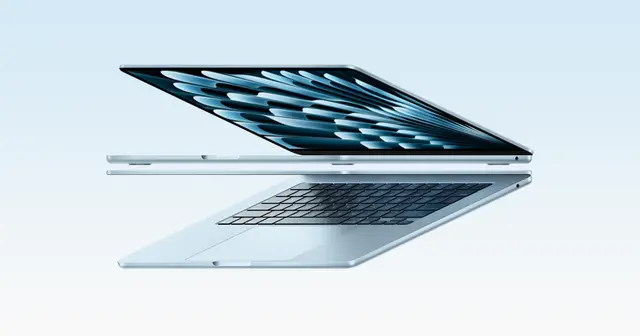
| Apple MacBook Air 13-inch (M5) | 8.4Research | A mobile writer, student or mixed-workload Mac user who values portability and can plan the configuration up front. | Amazon.ca ↗ |
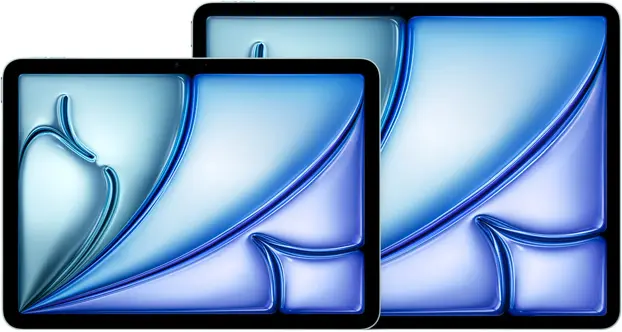
| Apple iPad Air (M4) | 8.1Research | Someone who needs a tablet for drawing, documents and travel, not someone assuming every laptop task will transfer. | Amazon.ca ↗ |
Compare scores within a category: Tested means our own use, Research means documentation and attributed outside testing. Price links are affiliate links. As an Amazon Associate, Tech Standpoint earns from qualifying purchases. Disclosure
Questions before checkout.
How much is the M6 iMac in Canada?
As of November 14, 2026, Apple.ca lists the 10-core model at $2,099 and the 12-core model at $2,299, both with 16GB of memory and 256GB of storage. Best Buy Canada has the same two at $2,099.99 and $2,299.99. iPhone in Canada reports education pricing of $2,029 and $2,159.
Is 256GB enough on the M6 iMac?
For a web, email and streaming computer it can work, but Gizmodo calls it too small for a modern desktop. Stepping up to 512GB costs $300 in Canada according to iPhone in Canada's price list, which is why the realistic starting price is $2,399. An external SSD is the cheaper alternative.
Should I buy the M6 iMac or a Mac mini M6 with a monitor?
The Mac mini M6 is $1,249 at Apple.ca with a 12-core chip, and a 27-inch 4K USB-C monitor at Best Buy Canada runs about $350 to $490 right now. That beats the $2,299 12-core iMac on price and screen size, but you'll need your own keyboard, mouse, webcam and speakers, and the iMac's 4.5K panel is sharper.
Is it worth upgrading from an M4 or M1 iMac?
From an M4, no. TechRadar describes the M6 as a speed bump and sees little reason for M4 owners to move. From an M1 it depends on the work. Tom's Guide recommends it for owners of older iMacs, while a common view in r/iMac is that an M1 still handles everyday tasks comfortably.
Can the M6 iMac be used as a monitor for another computer?
Apple's spec page for the M6 iMac lists Thunderbolt ports that send video out to external displays, but it lists no video input or display mode for another computer. Plan on the screen and the computer retiring together, which is the main long-term cost of any all-in-one.
Does the base M6 iMac have Ethernet and Touch ID?
Not by default. Apple's spec page shows 2.5Gb Ethernet and the Touch ID keyboard as standard only on the 12-core model. On the 10-core iMac, iPhone in Canada lists Ethernet as a $50 option and a Touch ID keyboard with numeric keypad as $100, which closes most of the $200 gap between the two models.
Sources & further reading.
These are the sources behind this research review. Manufacturer claims are not independent performance measurements. Community accounts, when cited, describe individual experiences.
- Apple (CA): iMac tech specs ↗manufacturer
- Apple (CA): Buy iMac ↗manufacturer
- Apple (CA): Buy Mac mini ↗manufacturer
- Apple (CA): Buy Studio Display ↗manufacturer
- Tom's Guide: Apple iMac M6 review ↗independent testing
- TechRadar: Apple iMac 24-inch (M6) review ↗independent review
- Gizmodo: M6 iMac review ↗independent review
- iPhone in Canada: Apple's new iMac gets M6, and here's what it costs in Canada ↗news
- Retail Insider: Apple holds Canadian iMac price at $2,099 as M6 adds AI, connectivity upgrades ↗news
- Best Buy Canada: Apple iMac 24-inch listings (M6 and M4), Mac mini M6 and monitors ↗retailer
- r/apple: Apple unveils new iMac with M6 ↗Community discussion
- r/iMac: owner thread on choosing between the M6 iMac and a Studio Display ↗Community discussion
- r/iMac: Upgrade M1 iMac to M6? Is trade-in worth it? ↗Community discussion
Product software and regional bundles can change. Corrections and editorial disclosures.
Affiliate link. As an Amazon Associate, Tech Standpoint earns from qualifying purchases. It never changes our verdict or score. Disclosure