Not tested. This is a research score for the documented features, compatibility and ownership trade-offs discussed in this review, not a performance measurement.
Features & capability 30%9.4
Nine preheated tools, six-second swaps, full-volume access, soft TPU and a 65°C chamber cover almost any desktop job.
Compatibility & connectivity 20%7.9
Wi-Fi 6 and a LAN-only mode, but no Ethernet or network kill switch, and the best features lean on Bambu's ecosystem.
Ownership & upkeep 20%7.5
Two-year warranty, but only two drying slots, screw-on hotends, a purge tower and nine tools' worth of parts to maintain.
Setup & everyday use 15%7.9
Reviewers found setup straightforward, but the 1,306 mm height, manual bypass loading and a learning curve add friction.
Documentation & support clarity 15%7.8
Detailed official spec table, but early written setup guidance was thin per FauxHammer and launch firmware was still changing.
Compare scores within the same product category. Small decimal differences should not override your needs or the evidence limits.
How the Standpoint Score works
We score five aspects of the documented product on a 0–10 scale, then calculate a weighted total:
- Features & capability30% of the total
- Compatibility & connectivity20% of the total
- Ownership & upkeep20% of the total
- Setup & everyday use15% of the total
- Documentation & support clarity15% of the total
This product’s 8.3/10 is an editorial research assessment. It does not claim measured performance, tested reliability or a verified customer satisfaction rate. Compare it with products in the same category, and read each criterion’s reasoning above.
Read the full rubric and score bands ↗From a tech standpoint.
Going by Tom's Hardware, TechRadar and FauxHammer, the H3C is the fastest multi-material printer Bambu has made, and the first that makes soft TPU and mixed nozzle sizes routine. At CA$3,499 it only earns that price if you print five-plus colours or combine flexible and rigid parts often. Two drying slots for nine spools, Wi-Fi only, a 1,306 mm height requirement and launch-firmware bugs are real costs, not footnotes. If you print a few colours now and then, buy the H2C for CA$800 less, or an H2D Combo for two-material work.
Reasons to consider it
- Tool swaps of about six seconds, timed by both Tom's Hardware and FauxHammer, cut multi-colour print times sharply compared with the H2C
- The FlexFeed extruder and a dedicated 2.85 mm tool make very soft 75A TPU practical, and Tom's Hardware rates it among the best TPU printers it has tested
- Every tool reaches the full 330 × 320 × 325 mm build volume, and nozzle sizes can be mixed in one print
- Heated chamber, 350°C hotends and hardened nozzles on every tool cover nylon, PC, glass-filled and carbon-filled filaments
Go in knowing
- Only two of the nine AMS 3H slots can dry filament, down from four on the AMS 2 Pro
- Needs 1,306 mm of vertical space; reviewers and owners report needing step stools or a low cart to reach the rear spools
- Wi-Fi only with no Ethernet port, and it still prints a purge tower that wasted 68 to 153 g per model in Tom's Hardware's tests
- Review units ran beta firmware with a clicking stepper, a tool that dropped off mid-print and calibration reruns
Affiliate link. As an Amazon Associate, Tech Standpoint earns from qualifying purchases. It never changes our verdict or score. Disclosure
The specification sheet.
Published specifications from the linked sources. Configurations and availability can differ by country.
- Canadian price (Nov 16, 2026)
- CA$3,499 for the AMS Combo (the only configuration) at Bambu Lab's Canadian store, 3D Printing Canada and RepRap Warehouse
- Tools
- 9 PrintTools: eight for 1.75 mm filament, one for 2.85 mm; 0.4 mm hardened steel (HRC 55+) nozzles, 0.2 to 0.8 mm sizes available
- Build volume
- 330 × 320 × 325 mm, reachable by every tool
- Temperatures
- 350°C nozzle; 65°C active chamber heating
- Filament system
- AMS 3H on top: nine slots, auto-loading, built-in two-slot dryer up to 85°C
- Size and weight
- 493 × 571 × 587 mm printer; 36.28 kg with AMS 3H; recommended space 593 × 1056 × 1306 mm
- Connectivity
- Wi-Fi 6; Ethernet not available
- Bambu CA store terms
- 2-year warranty, 30-day returns, 30-day price protection, free shipping
Six seconds per swap, and a CA$3,499 price tag
The number that sells the Bambu Lab H3C is six. That's roughly how many seconds Tom's Hardware and FauxHammer each timed between the printer finishing one colour and starting the next. Every one of its nine nozzles stays loaded and preheated in a rack, so there's no reeling filament back to a hub. FauxHammer describes the H2C's swaps as taking half a minute or more. Multiply that gap by a few hundred colour changes and you get the real pitch: multi-colour prints that finish in a day instead of two.
The H3C went on sale November 3, 2026. In Canada it costs CA$3,499 for the AMS Combo, which is the only way it's sold. That price was the same at Bambu Lab's Canadian store, 3D Printing Canada and RepRap Warehouse when checked on November 16, 2026. It's US$2,499 in the States, and TechRadar lists £2,199 in the UK. Bambu's Canadian store shows free shipping, 30-day returns, 30-day price protection and a two-year warranty.
This is a research review. Tech Standpoint hasn't had an H3C in the house. It pulls together Bambu's own listing, full reviews from Tom's Hardware, TechRadar and FauxHammer, and repeated patterns from owners in r/BambuLab. The question it answers is simple: is the H3C worth CA$800 more than an H2C, or CA$1,350 more than an H2D Combo, for the way you actually print?
Goodbye Vortek: what changed from the H2C, and who should stay put
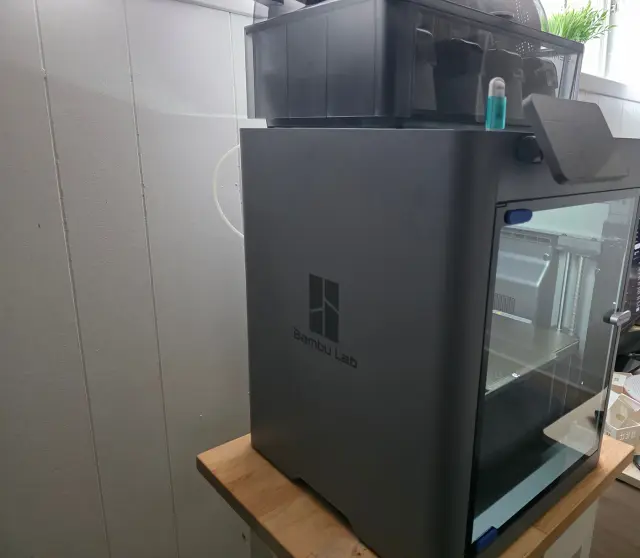
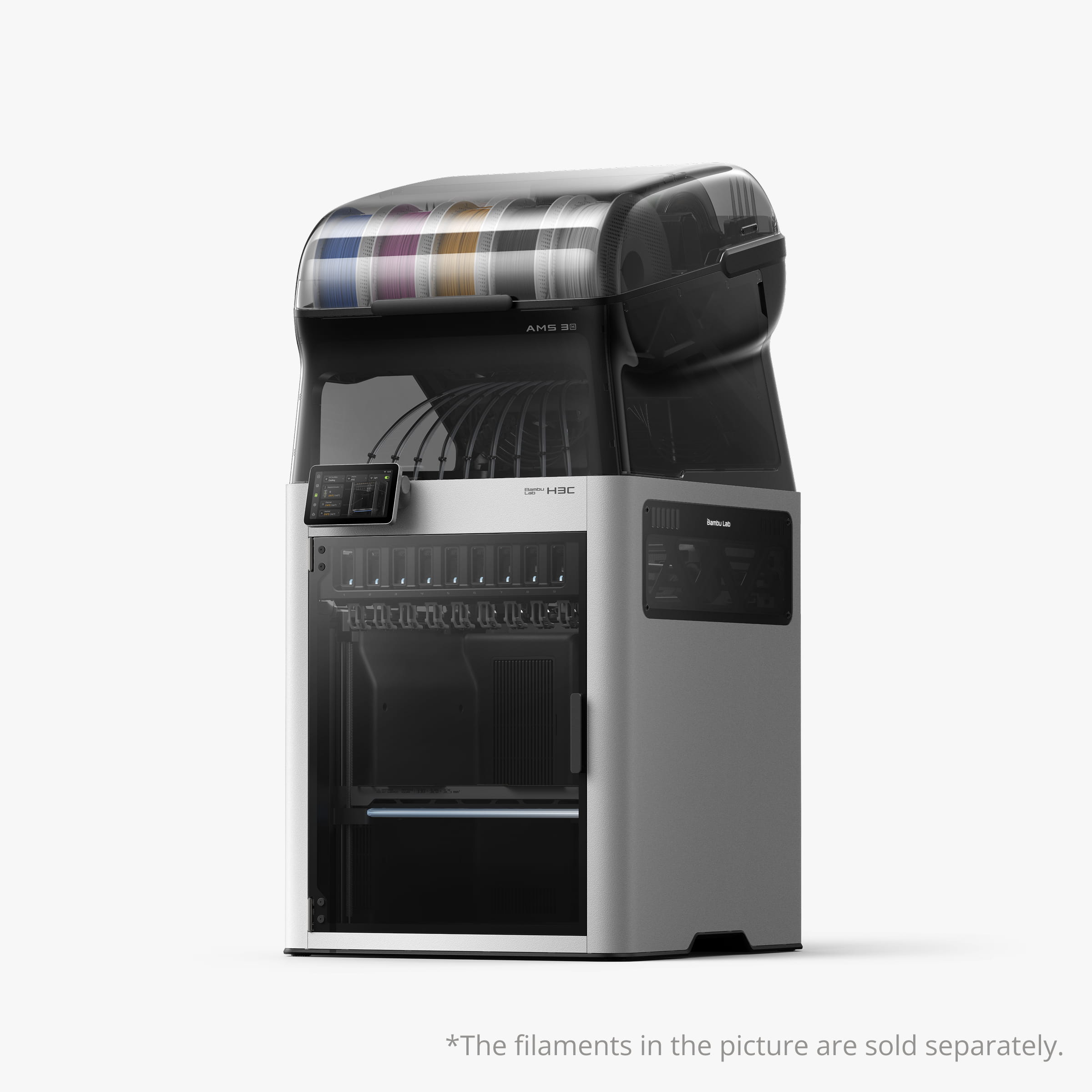
The H2C used Bambu's Vortek system, which swapped hotends onto a single toolhead. The H3C drops it. Its Swaptek system gives each of the nine PrintTools its own heater, filament path and hardened steel nozzle, an approach Tom's Hardware compares to Prusa's INDX. The rack sits at the front and lifts out of the way once a tool is picked up, so you can still watch the first layer go down. The build volume stays at 330 × 320 × 325 mm, the same as the H2C, but FauxHammer points out that every nozzle can now reach all of it.
The rest of the changes are just as big. The AMS 3H filament unit bolts onto the top and isn't optional. One of the nine tools takes 2.85 mm filament for ultra-soft TPU. You can mix nozzle sizes from 0.2 to 0.8 mm in one print. Bambu lists a 350°C nozzle and a 65°C actively heated chamber, and its spec table says Ethernet isn't available. It's Wi-Fi 6 only. Bambu will also offer cutting, drawing, debossing and foil-transfer tools later, according to Tom's Hardware, but there's no laser version.
Who shouldn't upgrade? If you own an H2C and mostly print two to four colours, you'd be paying for speed, not new abilities. You'd also trade the AMS 2 Pro's four drying slots for two. FauxHammer found H2C plates fit but H2D and H2S plates don't. Tom's Hardware also reports that mixed-nozzle printing is coming to the H2D, H2C and X2D through software by March. If you print single-colour functional parts, eight of the nine tools would mostly sit idle.
The purge tower shrank, but it didn't go away
Bambu's Canadian listing advertises a 0.038 g purge per swap, with an asterisk. Real prints still need a prime tower, and the reviews show how much plastic that costs. Tom's Hardware printed an eight-colour steampunk dragon in a bit under 24 hours with 68 g in the purge tower. The same model on an Anycubic Kobra 3 Max, a bed slinger with two AMS units, had taken 37 hours 28 minutes and thrown away 267 g.
A nine-colour figure was the more useful test. Tom's Hardware finished it in 15 hours 12 minutes with a 152.6 g prime tower. The H2C, running only five colours with the same settings, took 24 hours 44 minutes and used 111.4 g. Prusa's INDX ran eight colours in 15 hours 38 minutes but wasted just 24 g. So the H3C wins clearly on time, while Prusa's tool changer was far thriftier with plastic in that one comparison.
In practice, a busy multi-colour model still costs you something like 70 to 150 g of waste per print, not a few grams. That's much better than a typical AMS printer, and the hours saved matter more for most people. Just don't buy it expecting zero waste. Several owners in r/BambuLab posting their first prints report big cuts in print time compared with their H2C or X2D, which lines up with the reviews. Some of the loudest early posts came from people Bambu sent units to, though, so weigh them accordingly.
Soft TPU might be the real reason this printer exists
Tom's Hardware calls the H3C one of the best printers it has tested for TPU, and that's where it does something no earlier Bambu could. The FlexFeed extruder adjusts itself to push normal 1.75 mm filament or thicker 2.85 mm, and the thicker filament makes very soft 75A TPU printable. Tom's Hardware turned Bambu's 75A into a squishy wrist rest in 50 minutes using 20 g, then printed RC tires at about 57 minutes per pair. It reports this was the softest TPU it had ever run, and the extruder didn't struggle.
Mixing materials is the point. Tom's Hardware printed a strap hinge combining stiff PLA brackets and 95A TPU in just over an hour, and called the result extremely strong. TechRadar singles out printing different nozzle sizes and materials within the same part, like a fine 0.2 mm nozzle for outer walls and a 0.8 mm nozzle for fast infill. Seven of the nine AMS 3H slots have a TPU bypass that feeds straight into the tool, per Tom's Hardware.
The catch is setup. Bypass filament has to be loaded by hand, the regular Bowden tube gets moved aside, and TechRadar describes a real learning curve. Most people will dedicate one tool to TPU and keep eight for everything else. If you've never wanted flexible parts, this whole feature adds nothing for you. Swapping the 2.85 mm tool for a ninth standard tool also costs extra: Tom's Hardware lists US$59, and no Canadian price could be confirmed.
Two drying slots for nine spools is the trade owners keep arguing about
The AMS 3H holds nine spools, but only two sit in a sealed chamber that dries filament at up to 85°C. Bambu pitches it as a built-in two-slot dryer for thirsty materials like PA, PET and TPU. Tom's Hardware checked that the dryer doesn't leak heat into the rest of the unit. That protects a nearby PLA spool, but it also means the other seven spools get no drying at all. The dryer has its own power supply, so it can run while a print is going.
FauxHammer named this its main complaint. It notes that drying ABS means pulling PLA out of those slots, and that the desiccant can't be regenerated. It's also the most repeated gripe in r/BambuLab threads comparing the H3C to the H2C, where several separate owners point out that the AMS 2 Pro dried four spools. The AMS 3H also has no motorized rollers. To unload, the printer cuts and retracts the filament from the tool and you pull the rest out by hand, says Tom's Hardware.
For PLA and PETG in a dry basement, two drying slots are fine. If you run nylon, PC or carbon-filled blends in several tools at once, budget for a separate dryer box. You can hang up to four regular AMS units off the H3C through a buffer, but Tom's Hardware says they all feed through tool 5, so you lose the near-purge-free swaps on those spools.
Over four feet tall: measure the room before you check the budget
Bambu lists the printer itself at 493 × 571 × 587 mm and 36.28 kg including the AMS 3H. The figure that matters is the recommended installation space: 593 × 1056 × 1306 mm. Tom's Hardware couldn't fit it on a standard kitchen counter under a filament rack. On a typical shelf, the reviewer needed a step stool to load filament, and a 6-foot-4 helper still had to stretch to reach the back row.
This comes up everywhere. Several r/BambuLab owners post about step stools, fold-out steps and being surprised by how big it is, and FauxHammer flags rear-reel access for shorter users. Bambu now sells a rolling Bambu Station for it. Tom's Hardware recommends it, says the cart stands 23.5 inches tall, and lists a US$2,799 bundle with the printer. Bambu's Canadian store shows a Full Combo with the Bambu Station L Frame Edition, but a Canadian price for that bundle couldn't be confirmed for this review.
So plan for a surface around coffee-table height, plus room on both sides to pop off the AMS 3H's side panels. Power is worth a thought too. The spec table FauxHammer reproduces lists a peak draw of 1,850 W on 110 V power, so don't put it on the same outlet as a space heater in the garage.
Beta firmware and the bugs every reviewer hit
All three main reviews ran pre-launch firmware. Tom's Hardware reports a clicking left-side stepper motor and one tool that snagged on neighbouring Bowden tubes and dropped off during long multi-colour jobs. TPU spacers hadn't fixed it by publication. TechRadar had to rerun full calibration once when a nozzle wasn't sitting right, and saw RFID and auto-feed glitches that later firmware cleared up. FauxHammer's early unit had a sensor wiring fault after a few prints, and its parked tools were hot enough to cause minor burns.
None of that is shocking for a launch tool changer, and TechRadar says each firmware update fixed earlier problems. But a nine-tool printer has nine hotends, nine heaters and nine filament paths that can each go wrong. Hotend swaps also need three screws and a hex driver instead of the H2C's latch, per FauxHammer. That complexity is the real long-term risk here, and it's why buying from a seller with clear Canadian return terms matters more than usual.
H3C vs H2C, H2D, Prusa INDX and Creality K2 Plus in Canadian dollars
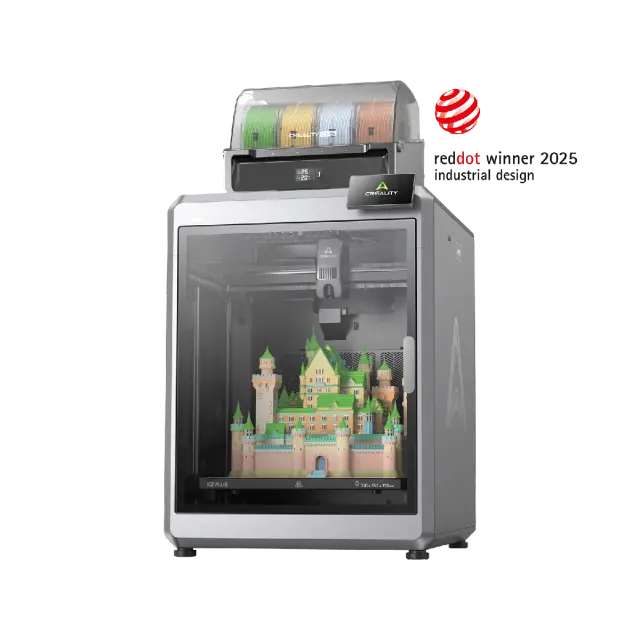
Prices checked November 16, 2026 at 3D Printing Canada: the H2C AMS Combo was CA$2,699 (RepRap Warehouse had it at CA$2,699.99), the H2D was CA$1,949 or CA$2,149 as a Combo, and the Creality K2 Plus Combo was CA$1,699. The H3C was CA$3,499 at all three Canadian sellers checked.
The H2C is the H3C's toughest rival. Same build volume, CA$800 less, and four drying slots, but slower swaps and the nozzle-dependent build area FauxHammer mentions. For occasional multi-colour work it's the better buy. The H2D Combo, at CA$1,350 less than the H3C, makes more sense if most of your jobs use two materials, like a part plus soluble or breakaway supports.
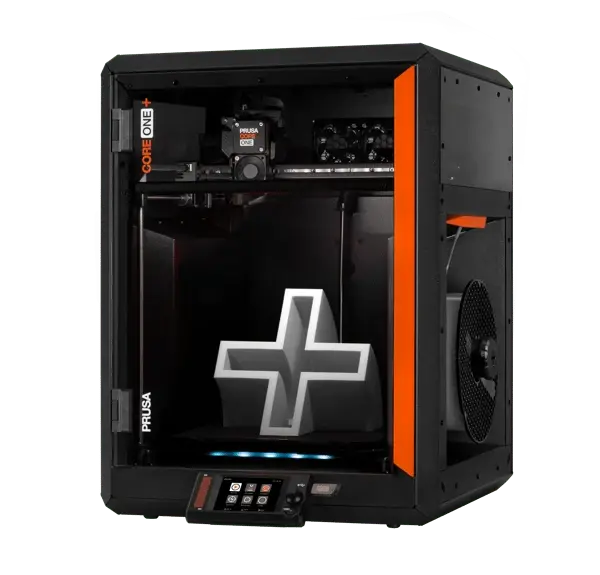
Prusa's CORE One INDX is the closest tool-changer rival. Tom's Hardware lists it at US$1,949 as a kit; a Canadian price couldn't be confirmed. It wasted far less purge in Tom's Hardware's comparison and suits people who want to stay off the cloud. Tech Standpoint's Prusa CORE One+ review notes its smaller 250 × 220 mm bed, which INDX shrinks further. The K2 Plus Combo is the budget big-bed route at about half the H3C's price. If you only need one nozzle, Tech Standpoint's hands-on Bambu P2S review covers a 256 mm cube with the AMS 2 Pro for far less.
Living with it: filament, cloud software and a two-year warranty
Nine slots invite nine spools, so expect your filament spending to climb. RFID filling only works with Bambu-branded spools; other brands have to be entered by hand on the touchscreen, says Tom's Hardware. Extra tools and nozzle sizes cost more, and the optional E1 air purifier came only in a US$3,049 premium combo at review time. The printer already has HEPA and activated carbon filtration built in, per Tom's Hardware.
Software is Bambu's usual ecosystem: Bambu Studio, the Bambu Handy app and MakerWorld, which reviewers praise. FauxHammer confirms a LAN-only mode. Bambu's spec table says third-party slicers that export standard G-code work but some advanced features may not, and it lists no Ethernet and no network kill switch. If your workplace or school needs wired networking or stricter control over cloud services, that's a real limit.
On cover, Bambu's Canadian store lists a two-year warranty and 30-day returns, plus 30-day price protection, which is handy right before Black Friday. Resellers set their own return terms, so check before you order from one. The long-term unknown is how a nine-tool rack holds up after a year of daily swaps. Nobody has had one that long yet.
Buy it for many materials, skip it for one
Buy the H3C if you regularly print five or more colours, want to combine soft TPU with rigid plastic, or run engineering filaments that need a heated chamber, and you have both the CA$3,499 and a low, wide spot for it. In that case it's likely the most capable printer you can buy in Canada right now without moving into industrial gear.
Skip it if most of your prints are one colour, your ceiling or shelf height is tight, you need Ethernet, or you'd rather stay out of Bambu's cloud. Buy the H2C at CA$2,699 for occasional multi-colour work, an H2D Combo at CA$2,149 for two-material jobs, or a single-nozzle P2S if you just want reliable everyday prints. If you're set on the H3C, waiting a firmware cycle or two isn't a bad idea.
The closest alternatives.
| Product | Standpoint Score | Best for | Price |
|---|---|---|---|
| Bambu Lab H3CThis review | 8.3Research | Makers and small studios who regularly print five or more colours, or mix flexible TPU with rigid plastics, and have the… | Amazon.ca ↗ |
| Bambu Lab P2S Combo (AMS 2 Pro) | 8.5Tested | Home makers and small workshops who want an enclosed printer that handles PLA and PETG with little fuss, especially… | Amazon.ca ↗ |
| Prusa CORE One+ (Gen 2) | 8.7Research | Frequent makers and small workshops seeking a serviceable enclosed printer with a well-documented local-network… | Amazon.ca ↗ |
| Creality K2 Plus | 8.1Research | Workshop users whose parts actually need a 350 mm build cube and who can accommodate a heavy enclosed printer. | Amazon.ca ↗ |
Compare scores within a category: Tested means our own use, Research means documentation and attributed outside testing. Price links are affiliate links. As an Amazon Associate, Tech Standpoint earns from qualifying purchases. Disclosure
Questions before checkout.
How much does the Bambu Lab H3C cost in Canada?
On November 16, 2026, the H3C AMS Combo was CA$3,499 at Bambu Lab's Canadian store, 3D Printing Canada and RepRap Warehouse. That's the only configuration sold. Bambu's store lists taxes as extra and shipping as free.
Will the H3C fit on a normal desk or workbench?
Probably not comfortably. Bambu recommends 1,306 mm of vertical space with the AMS 3H on top. Tom's Hardware needed a step stool on a standard shelf, so a low table or Bambu's rolling Bambu Station makes loading filament much easier.
Can I use my H2C or H2D build plates on the H3C?
FauxHammer reports that H2C plates and the A2L plate fit the H3C, but H2D and H2S plates don't. Check that before you count on reusing textured or specialty plates you already own.
Does the Bambu Lab H3C work without the cloud?
FauxHammer confirms a LAN-only mode that keeps the printer on your home network. It connects over Wi-Fi 6 only, since Bambu lists Ethernet as not available. You'll still lean on Bambu Studio and its ecosystem for the best experience.
Is it worth upgrading from an H2C to the H3C?
Only if print time is your bottleneck. Tom's Hardware's nine-colour test finished in about 15 hours on the H3C versus nearly 25 hours for five colours on the H2C. You'd give up two drying slots and possibly some build plates in exchange.
Can the H3C print regular 1.75 mm TPU, or only 2.85 mm?
Both. Tom's Hardware printed 95A TPU in 1.75 mm through the AMS bypass with a short Bowden piece, and ran 75A TPU in 2.85 mm through the dedicated tool. Soft TPU in either size needs manual loading through the bypass.
Sources & further reading.
These are the sources behind this research review. Manufacturer claims are not independent performance measurements. Community accounts, when cited, describe individual experiences.
- Bambu Lab H3C product page and specifications (Bambu Lab Canada store) ↗manufacturer
- Bambu Lab H3C 3D printer review: A nine-tool monster (Tom's Hardware, Denise Bertacchi) ↗independent review
- Bambu Lab H3C 3D printer review (TechRadar, Alastair Jennings) ↗independent review
- Bambu Lab H3C Review: My Best FDM Printer Yet, But Two Drying Slots? (FauxHammer) ↗independent review
- Bambu Lab H3C Combo listing (3D Printing Canada) ↗retailer
- Bambu Lab H3C listing (RepRap Warehouse) ↗retailer
- r/BambuLab: H3C vs H2C ↗Community discussion
- r/BambuLab: Hot take: the H2C is still the flagship of the Bambu lineup ↗Community discussion
- r/BambuLab: H3C and being vertically challenged ↗Community discussion
- r/BambuLab: It's soooo BIG ↗Community discussion
- r/BambuLab: H3C first print ↗Community discussion
- r/BambuLab: H3C, 50 hours in ↗Community discussion
Product software and regional bundles can change. Corrections and editorial disclosures.
Affiliate link. As an Amazon Associate, Tech Standpoint earns from qualifying purchases. It never changes our verdict or score. Disclosure