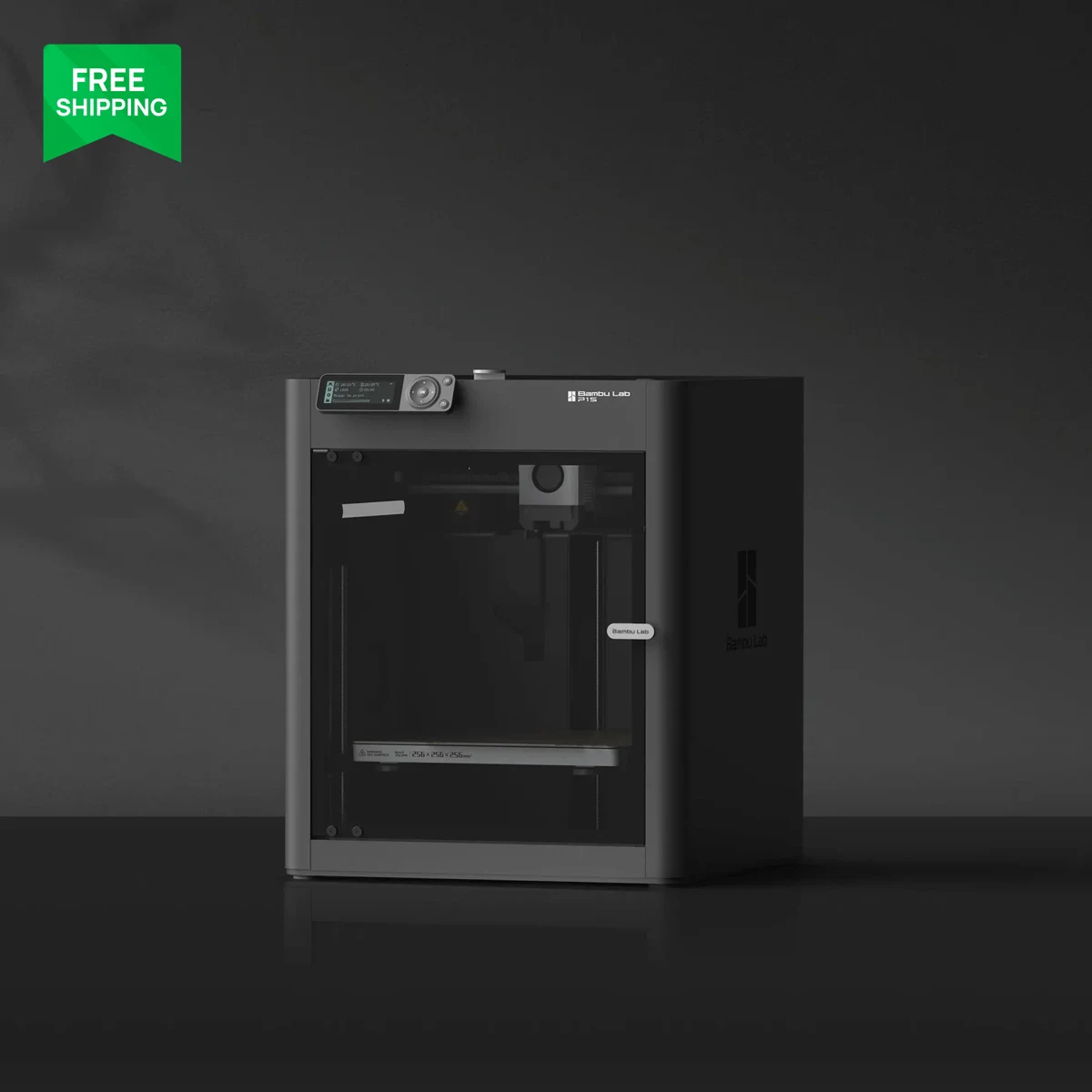
A rating from our own use of the product, weighed against its documentation and price.
Features & capability 30%8.8
Enclosed CoreXY, 1080p camera with AI detection, quick-swap hardened nozzle and four-spool drying feeder covered every job I ran. No heated chamber for engineering materials.
Compatibility & connectivity 20%8.2
App, Studio and RFID filament recognition worked seamlessly together. TPU cannot use the AMS, and the workflow favours Bambu's own ecosystem over third-party tools.
Ownership & upkeep 20%8.0
No maintenance problems in a month, but PETG needed drying, filament swaps create purge waste, and How-To Geek reports extruder replacements. Filtration needs checking.
Setup & everyday use 15%9.2
About 25 minutes from box to first print, quiet enough for my home office, and around 25 prints with very little intervention.
Documentation & support clarity 15%8.0
Guided on-screen setup and a detailed wiki helped, but Bambu's own description of filtration differs from independent reports and the warranty treats several parts as consumables.
Compare scores within the same product category. Small decimal differences should not override your needs or the evidence limits.
How the Standpoint Score works
We score five aspects of the documented product on a 0–10 scale, then calculate a weighted total:
- Features & capability30% of the total
- Compatibility & connectivity20% of the total
- Ownership & upkeep20% of the total
- Setup & everyday use15% of the total
- Documentation & support clarity15% of the total
This product’s 8.5/10 is a hands-on editorial assessment based on our own use and the linked documentation. It is not a laboratory measurement or a long-term reliability rating. Compare it with products in the same category, and read each criterion’s reasoning above.
Read the full rubric and score bands ↗The ownership case.
The P2S Combo earns its place for anyone who wants an enclosed, multi-material printer that mostly stays out of the way. Setup was quick, everyday printing has been quiet and dependable, and the AMS 2 Pro's built-in drying answers the one problem I actually hit. It is not a heated-chamber engineering machine, and Bambu's closed ecosystem and the filtration question deserve a look before you buy.
Reasons to consider it
- About 25 minutes from unboxing to my first print
- Quiet enough to run beside a desk during the working day
- AMS 2 Pro adds four-spool feeding and filament drying in one unit
- 1080p camera with AI failure detection, plus a 5-inch touchscreen
Go in knowing
- PETG strung noticeably when I skipped drying the spool
- No active chamber heater; high-temperature engineering materials belong on Bambu's H2 series
- Exhaust filtration is described differently by Bambu and by How-To Geek; check before printing ABS or ASA indoors
- How-To Geek replaced its servo extruder twice; one month of my use is too short to judge durability
The specification sheet.
Published specifications from the linked sources. Configurations and availability can differ by country.
- Build volume
- 256 × 256 × 256 mm (manufacturer)
- Motion system
- CoreXY, fully enclosed
- Nozzle
- Up to 300°C; 0.4 mm default, 0.2/0.6/0.8 mm supported; one-clip quick swap
- Extruder
- PMSM servo extruder; Bambu claims up to 8.5 kg extrusion force with clog and grinding detection
- Camera and detection
- 1080p live view; AI detection for spaghetti, nozzle blobs and air printing
- Screen
- 5-inch touchscreen, second-generation interface
- Chamber
- Adaptive Airflow System; no active chamber heater
- Filament system (Combo)
- AMS 2 Pro: four spools, active-vent drying, RFID material recognition
- Our unit
- Combo, bought at Best Buy Canada; firmware not recorded
Why we bought this printer
I bought the P2S Combo at Best Buy Canada about a month ago and have printed roughly 25 jobs on it since: seasonal decorations, organisers for my home office, parts for work and one long PETG mask. Bambu Lab did not supply the printer, has not seen this review and has no say in what I conclude.
The P2S sits in the middle of Bambu's line-up. It replaces the P1S as the enclosed, everyday machine, with a larger touchscreen, a much better camera, a new servo-driven extruder and a quick-swap nozzle. The Combo adds the AMS 2 Pro, a four-spool feeder that also dries filament. That last feature turned out to matter more in daily use than any headline specification.
Setup: about 25 minutes to the first print
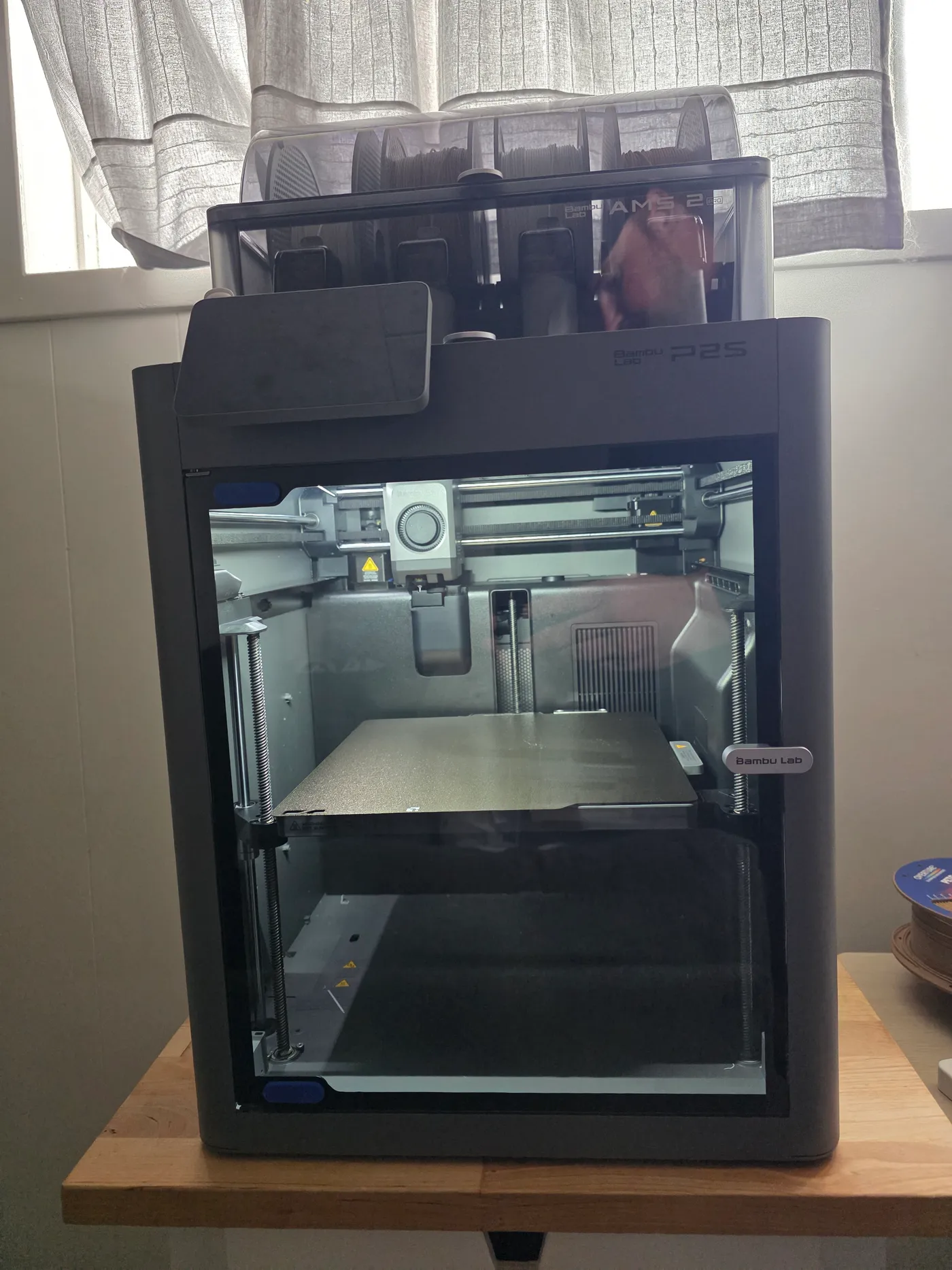
From opening the box to starting my first print took about 25 minutes. That includes removing the transport restraints, seating the AMS 2 Pro on top of the printer, loading spools and running the printer's own calibration. Nothing required a tool hunt or a forum search. How-To Geek reported a similar experience, printing within about 15 minutes, so a quick start seems typical rather than lucky.
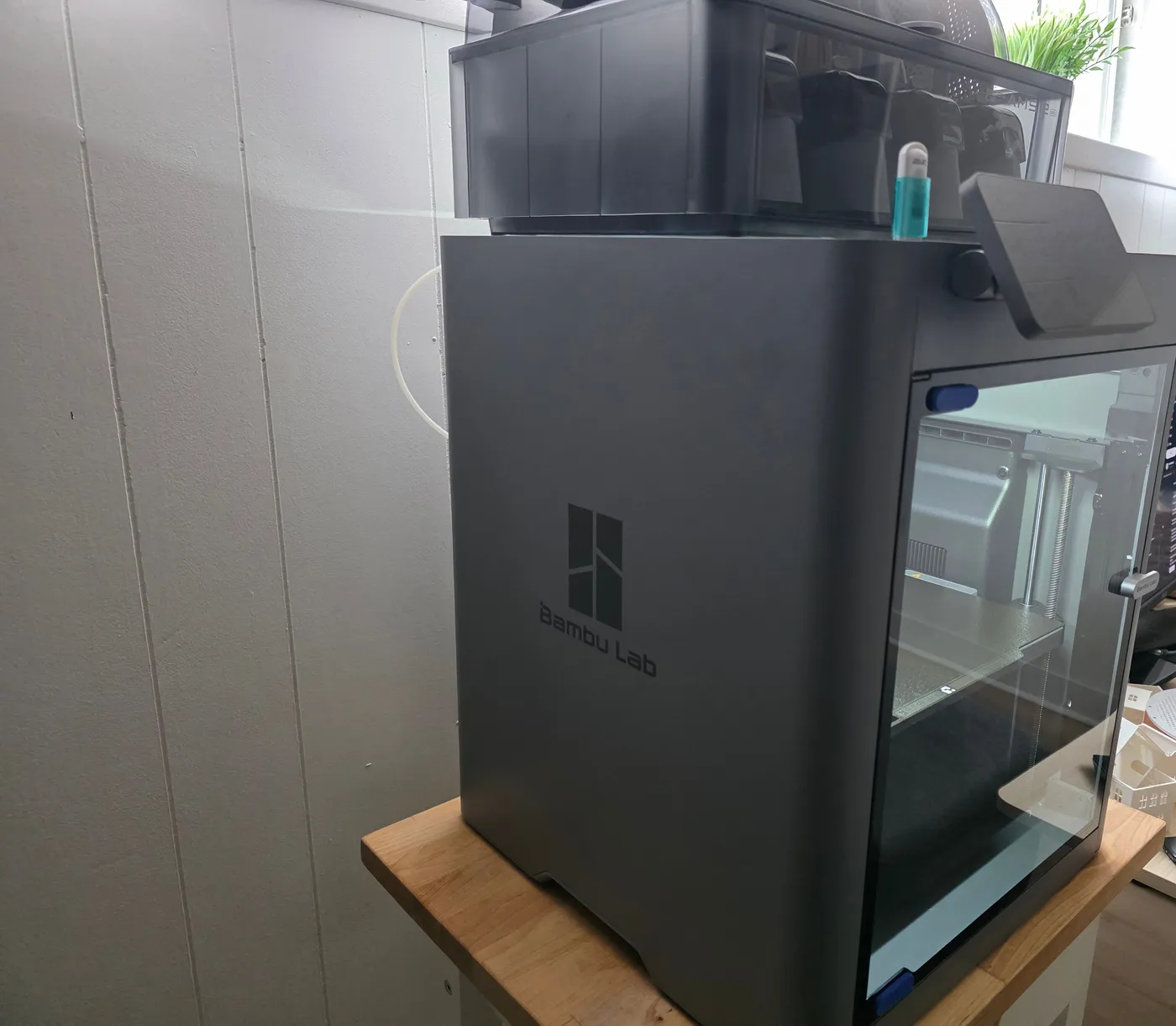
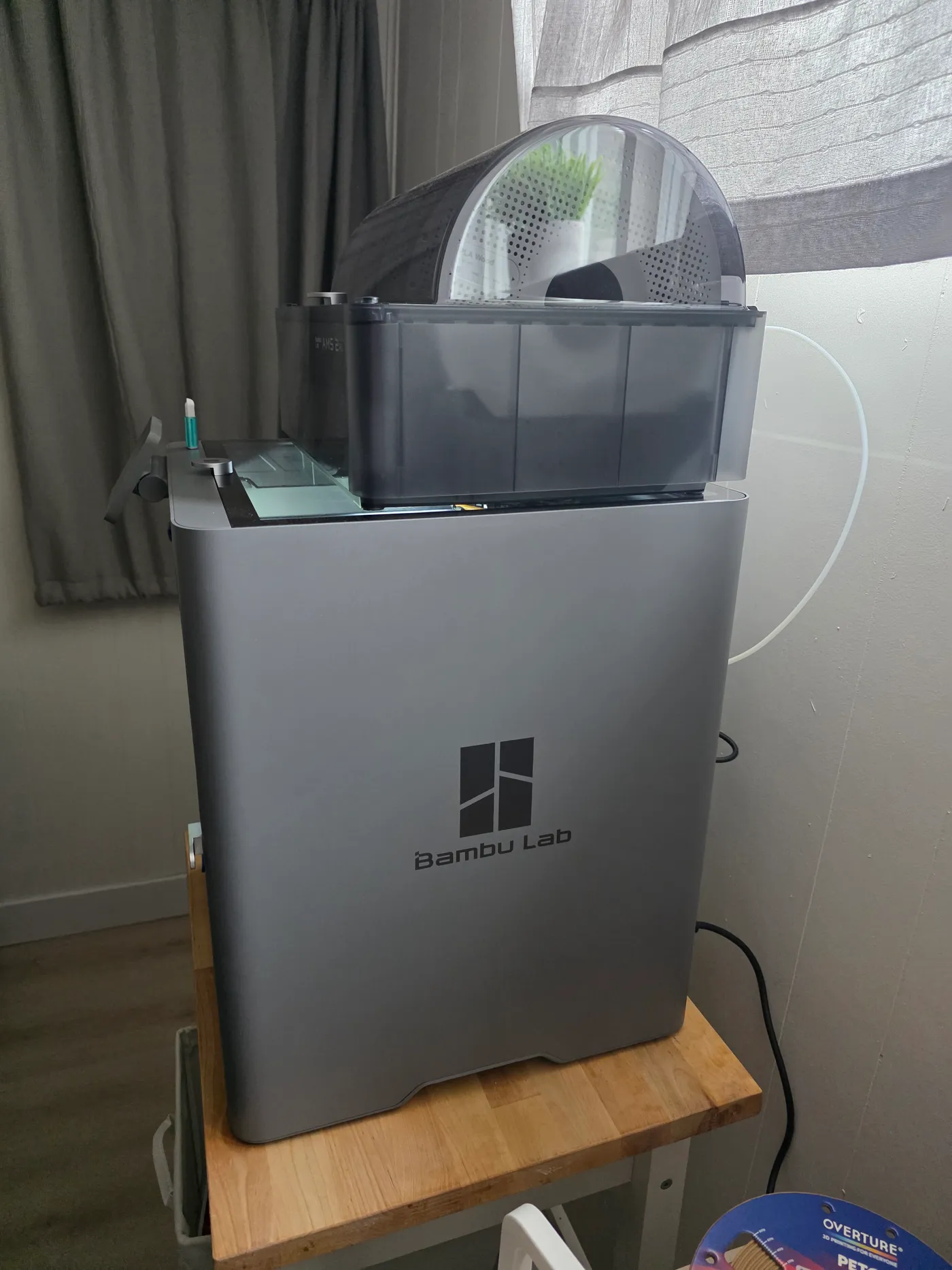
The AMS 2 Pro sits directly on the printer's lid in my setup, which keeps the footprint to roughly that of the printer itself. It does make the stack tall. On a standard side table the top of the AMS is above eye level for many people, so plan for a stable surface and room above it to open the AMS lid.
The 5-inch touchscreen is a clear step up from the P1S's small display and buttons. Guided steps on the printer itself, rather than only in the phone app, are a large part of why setup felt simple.
Living with it: quiet, simple and easy to forget about
The P2S shares my home office with my desktop PC, and it has been quiet enough to run during the working day. I have not measured decibels, and Bambu does not publish an official noise figure for this model, so treat that as an everyday impression rather than a number. Owners on Bambu's forum describe a higher-pitched fan note on some units; mine has not stood out.
The enclosure helps as much as the fans. Moving parts, the warm bed and any smell stay behind the glass door, and the printer sits more comfortably in a shared room than an open-frame machine would.
Day to day, the workflow is the reason to buy it. A job goes from Bambu Studio or the phone app to the printer, the AMS picks the right spool, and the camera lets you check progress from another room. In about 25 prints the printer has needed very little intervention. That simplicity is the first thing I'd tell a friend about this machine.
What we printed, and what came out
Most of my prints have been ordinary, useful objects: desk and drawer organisers, pumpkins and other seasonal pieces, flat parts in wood-fill PLA and a small white house model. These are the jobs a home printer actually does, and they have come off the plate cleanly with Bambu's default profiles and Bambu-branded filament.
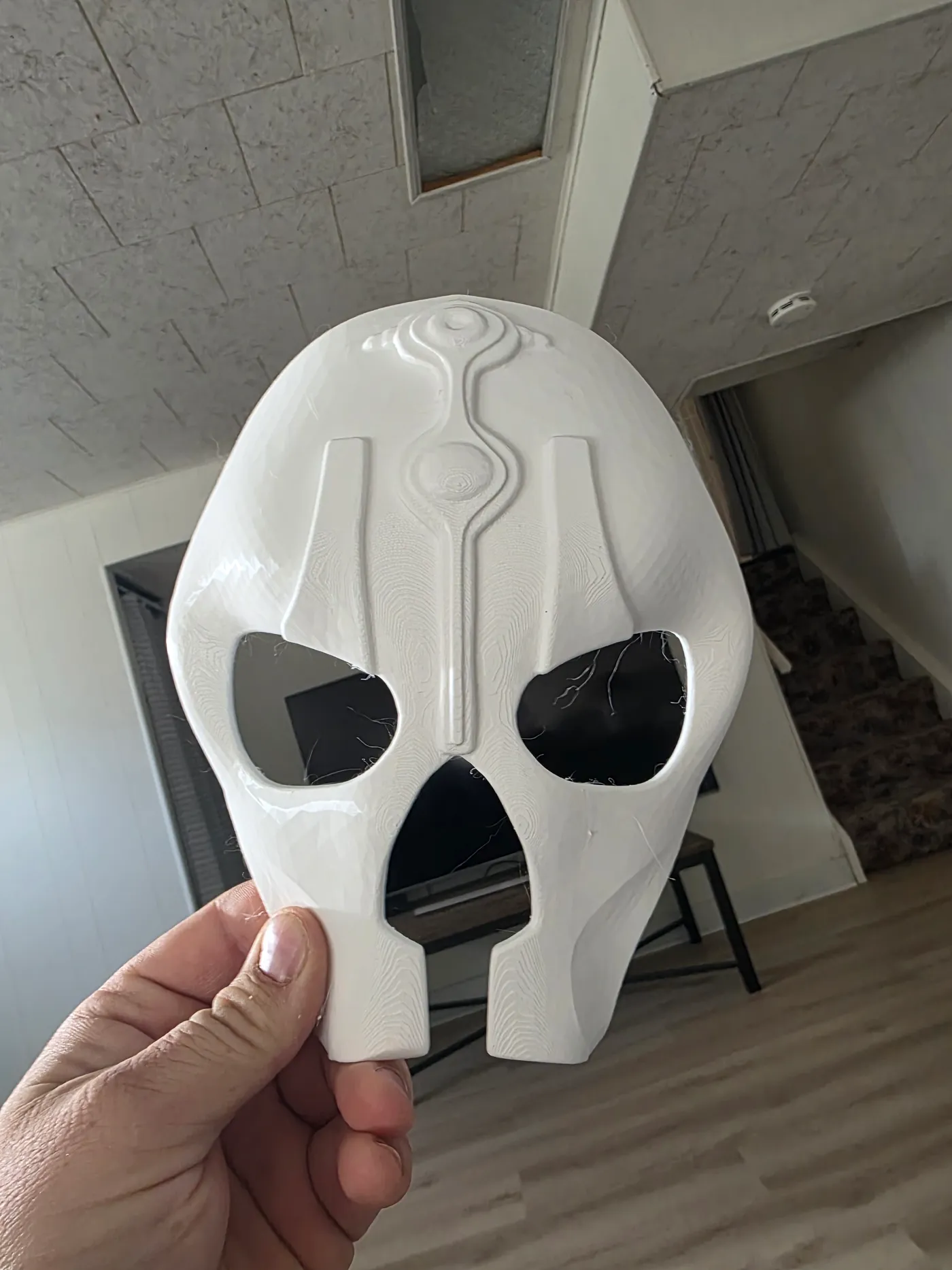
The most demanding job so far was a decorative mask printed in white PETG. I designed the model with help from an AI 3D-modelling tool, and it took about 16 hours to print. The raised ridges and the recessed channel down the centre came out crisp, which suggests good detail on vertical features. Layer lines are visible on the shallow curves of the forehead and cheeks, as you would expect from a standard layer height on a curved surface.
The mask also showed fine stringing: thin hairs across the eye and mouth openings and on some edges. They pulled away easily by hand. I had not dried the spool first, and PETG is known for absorbing moisture and stringing when it is wet. I am treating that as my mistake rather than the printer's, but it is a useful reminder: a fast, automated printer still depends on dry filament.
The AMS 2 Pro is the reason to buy the Combo
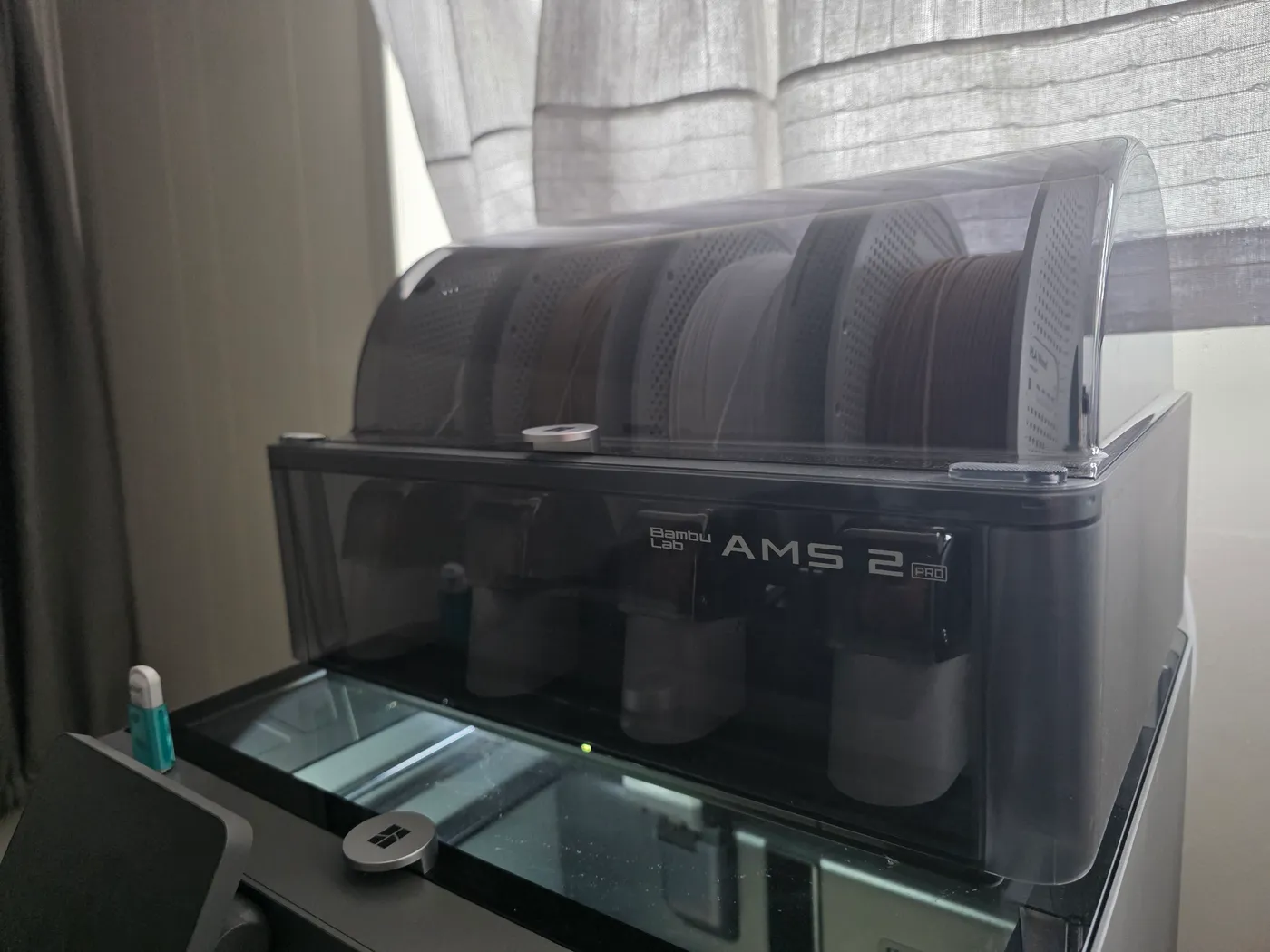
The AMS 2 Pro holds four spools, reads Bambu's RFID tags to set the material automatically, and can dry filament with heated, vented air while the spools rotate. Bambu says this dries about 30% faster than sealed heating. For multi-colour or multi-material prints it is close to essential; for single-colour printing its value is mostly the drying.
That drying is the direct answer to the stringing on my mask. Drying PETG in the AMS before a long print is now part of my routine. If you live somewhere humid or leave spools loaded for weeks, budget the time: drying cycles run for hours, not minutes.
Two practical notes. Filament-swap prints produce purge waste, and How-To Geek notes this has not changed from the previous generation. Flexible TPU cannot run through the AMS and needs the external spool path.
Where it stops: heat, filtration and a closed ecosystem
The P2S is enclosed but has no active chamber heater. Bambu positions its H2 series for engineering materials that need a hot chamber. For PLA, PETG and occasional ABS or ASA this is not a problem; for carbon-fibre nylons and similar materials it is a real limit.
Filtration is the one point where the sources disagree. Bambu's launch announcement describes a carbon filter as part of the Adaptive Airflow System. How-To Geek reported no built-in exhaust filtration on its unit and recommended a separate filter kit. I have printed only Bambu PLA and PETG so far and have not tested this. If you plan to print ABS or ASA in a living space, confirm what your unit includes before you rely on it.
How-To Geek also reported two servo extruder failures that needed replacement parts, while noting other owners had no such trouble, and it saw heat-related clogging in a warm room. I have had no extruder or clogging problems in a month of use. One month is not long enough to judge durability, and I will update this review if that changes.
Finally, the P2S works best inside Bambu's own software, filament and cloud. LAN-only mode exists, and Bambu added a Developer Mode after its 2025 firmware-authorization controversy over third-party control tools. Anyone who wants a fully open, tinker-first printer should weigh that before buying.
Price, warranty and who should buy it
I bought mine at Best Buy Canada. Canadian retailers including Canada Computers have listed the Combo at around $1,000 CAD; check current pricing, because Bambu has warned that prices can change. Buying from a Canadian retailer also gives you a local return path, which is worth more than a small discount on a printer this size.
Bambu's warranty treats some parts, including nozzles, as consumables with shorter or no coverage. Read the current Canadian or US policy before buying and keep your receipt.
Buy the P2S Combo if you want an enclosed printer that you will actually use every week, mostly for PLA and PETG, with multi-colour and drying built in. Skip it, or look at the H2 series, if you need a heated chamber for engineering materials. Look elsewhere if you prefer open firmware and third-party tools.
Questions before checkout.
How long does the P2S take to set up?
About 25 minutes from box to first print for me, including seating the AMS 2 Pro and loading filament. How-To Geek reported about 15 minutes.
Why did my PETG print string?
I had not dried the spool. PETG absorbs moisture and strings when wet. Drying it in the AMS 2 Pro before long prints is the fix I now use.
Can the P2S print engineering materials?
It handles PLA, PETG, ABS, ASA and some composites, but it has no active chamber heater. Bambu points buyers who need a hot chamber to its H2 series.
Sources & further reading.
The documentation and outside reporting referred to in this review. Specifications are manufacturer claims; everything else in the review is from our own use unless attributed.
- Bambu Lab — Meet the P2S (launch announcement and specifications) ↗manufacturer
- Bambu Lab — AMS 2 Pro product page ↗manufacturer
- Bambu Lab Wiki — Stringing and oozing ↗support
- Bambu Lab — Warranty policy ↗support
- How-To Geek — Bambu Lab P2S review ↗community
- Hackaday — Bambu Lab firmware authorization controversy (January 2025) ↗community
- Canada Computers — Bambu Lab P2S AMS Combo listing ↗community
Product software and regional bundles can change. Corrections and editorial disclosures.