An editorial assessment of documented capabilities and ownership trade-offs. This is not a hands-on test result or a measurement of reliability.
Task capability 30%8.5
Enclosed CoreXY platform supports a broader documented material range but needs abrasive-material upgrades.
Control & connectivity 20%8.1
Integrated software and wireless/media workflows; low-frame-rate camera limits diagnostic detail.
Ownership & upkeep 20%7.8
Accessory options and consumables add ownership complexity; stock material restrictions are explicit.
Setup & usability 15%8.4
Automatic leveling and compensation simplify setup; near-limit parts require volume guidance.
Documentation & support clarity 15%8.5
Detailed specifications and compatibility FAQ clarify stock versus upgraded capability.
Compare scores within the same product category. Small decimal differences should not override your needs or the evidence limits.
How the Standpoint Score works
We score five aspects of the documented product on a 0–10 scale, then calculate a weighted total:
- Task capability30% of the total
- Control & connectivity20% of the total
- Ownership & upkeep20% of the total
- Setup & usability15% of the total
- Documentation & support clarity15% of the total
This product’s 8.3/10 is a provisional research assessment. It does not claim measured performance, tested reliability or a verified customer satisfaction rate. Compare it with products in the same category, and read each criterion’s reasoning above.
Read the full rubric and score bands ↗The ownership case.
An appealing documented all-rounder for makers moving beyond open-frame PLA work, provided the buyer budgets correctly for hardened components, filtration needs and multicolor accessories.
Reasons to consider it
- Enclosed CoreXY layout within a compact square footprint
- Automatic bed leveling, vibration compensation and multiple file workflows
- Choice of standalone, AMS and AMS 2 Pro configurations
Go in knowing
- Stock hotend/extruder need the specified upgrade before abrasive fiber-filled work
- Camera is listed at only 0.5 fps
- Full nominal build volume involves documented clearance restrictions
The specification sheet.
Published specifications from the linked sources. Configurations and availability can differ by country.
- Build volume
- Nominal 256 × 256 × 256 mm; software defaults and clearance limits apply
- Thermal limits
- 300°C nozzle; 100°C bed
- Maximum motion
- 500 mm/s; 20,000 mm/s² acceleration
- Camera
- 1280 × 720 at 0.5 fps, manufacturer specification
- Enclosure
- Plastic and glass with activated-carbon filter
- Stock nozzle
- 0.4 mm stainless steel
Why this enclosed machine still makes sense
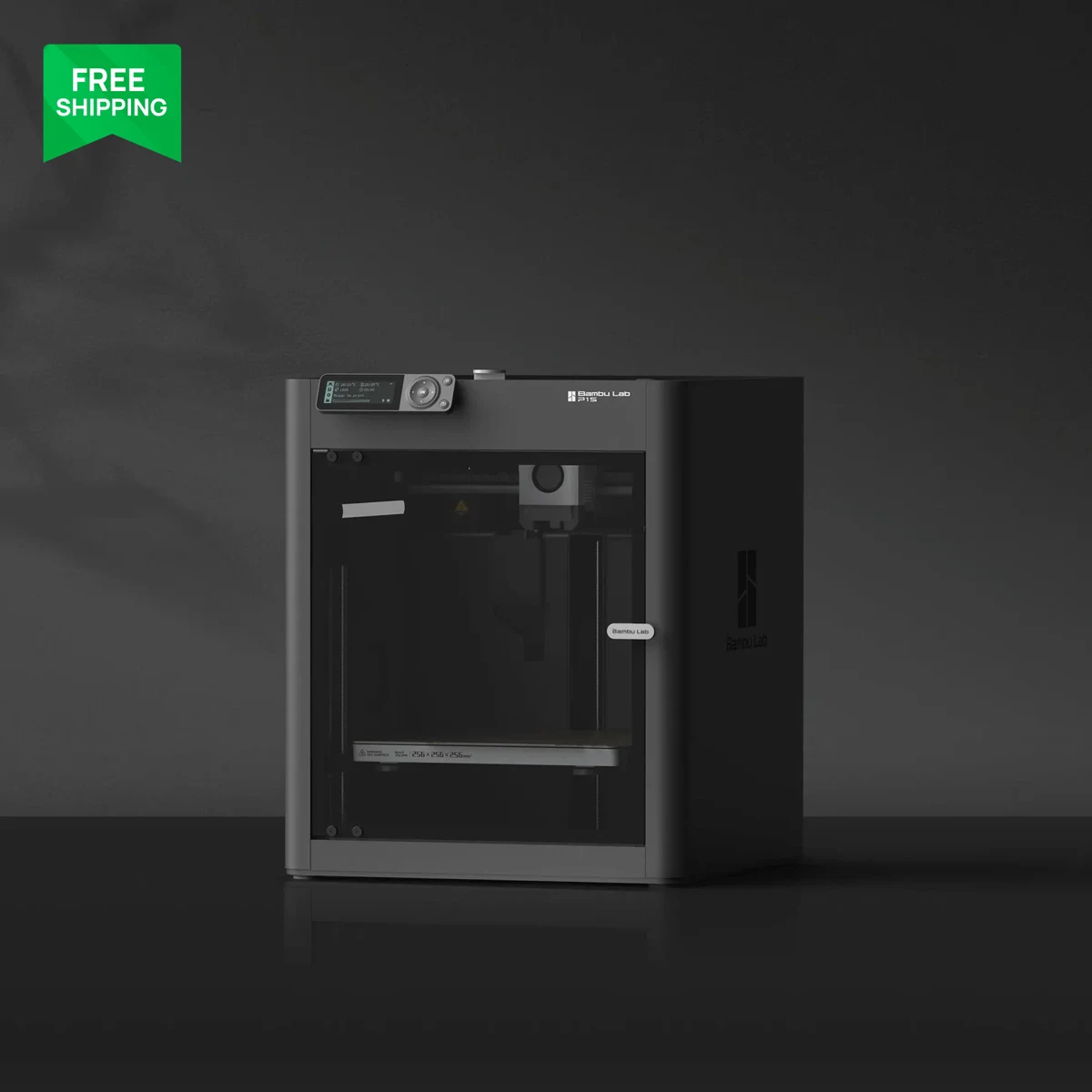
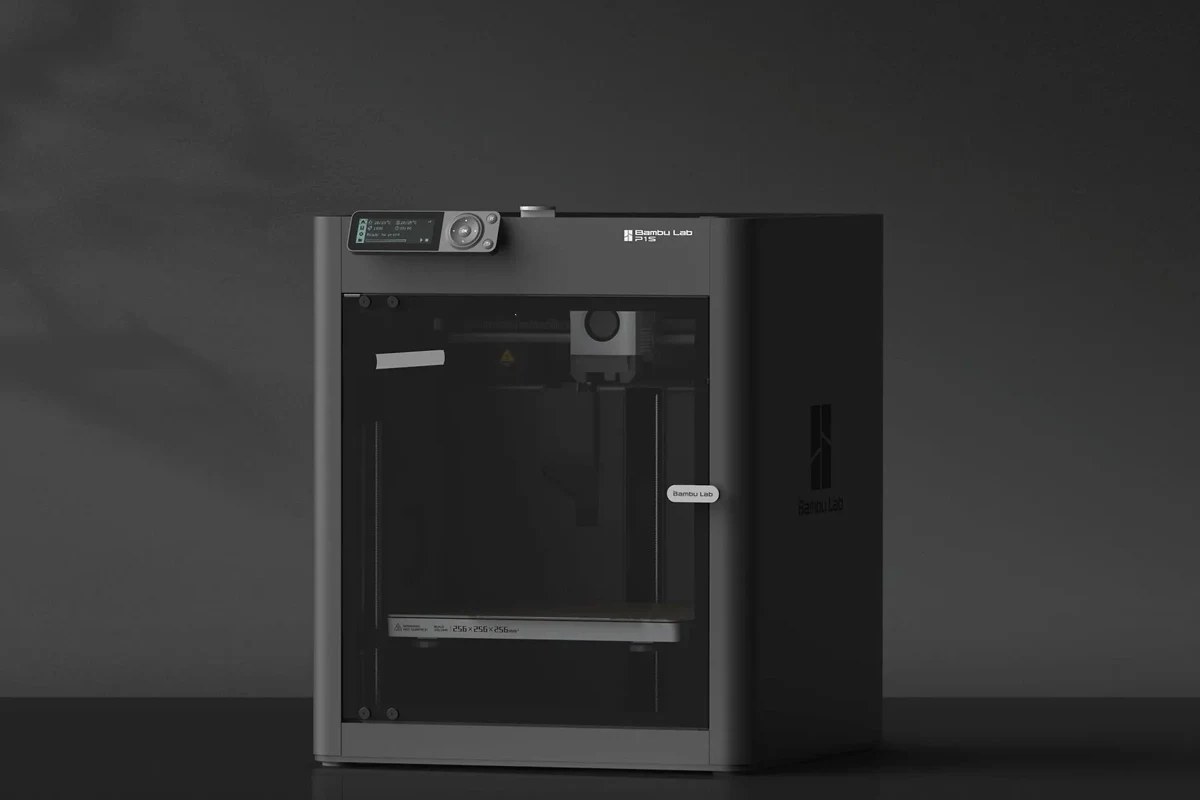
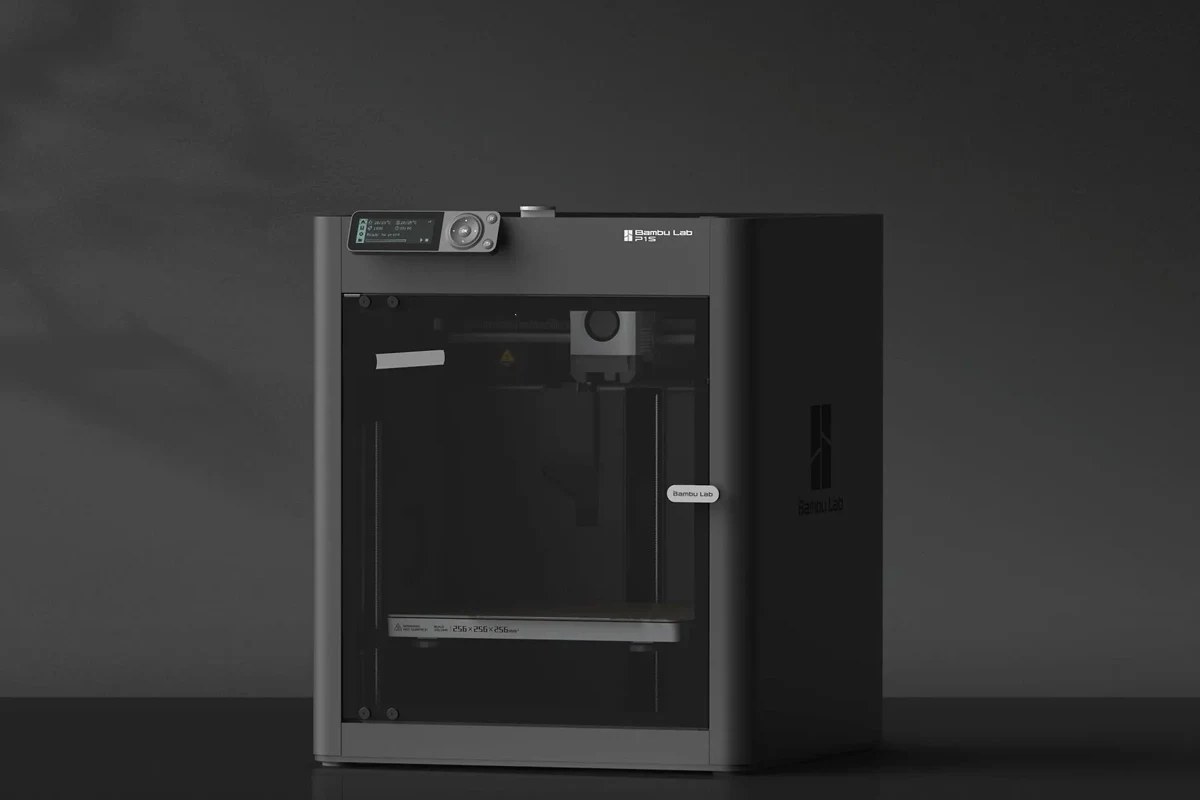
The P1S is a particularly clear example of buying a workflow rather than the longest specification list. Its enclosure, CoreXY mechanism, slicer integration and optional automated feeding are designed to work as a system. For a maker graduating from a printer that needs frequent manual setup, that combination can matter more than a slightly higher nozzle temperature. Our assessment concerns the documented design and buying tradeoffs. We have not run a P1S print farm, tested a sample for reliability or reproduced the manufacturer's speed demonstrations.
Its nominal 256 mm build cube places it in the useful middle of the desktop market. That is enough space for many storage components, functional brackets and display models without immediately demanding a large workshop bench. However, Bambu documents a default 250 mm printable height in Studio and a cutter-related area restriction. The last few millimeters are not free space to assume available. If one intended part nearly fills the advertised cube, load that exact model into the correct profile and read the manufacturer's volume guidance before making the printer purchase depend on it.
CoreXY and an enclosure solve particular problems
The P1S moves its printhead across the horizontal plane without repeatedly throwing the finished object forward and backward. That architecture is attractive for taller parts because their growing mass is not carried through every rapid lateral movement. It does not remove the need for adhesion, a rigid surface or sensible acceleration. A fine-featured model can spend much of its job slowing down, changing direction and cooling. The 500 mm/s maximum and 20,000 mm/s² acceleration figure therefore describe capability boundaries, not the average throughput a buyer should assign to every file.
The enclosure is the substantive difference for materials that are sensitive to drafts and rapid cooling. It also creates a new responsibility: an enclosure that is helpful for one filament can need different ventilation and settings for another. The documented chamber-regulator, auxiliary and control-board fans have separate jobs. Treat their behavior as part of the material profile rather than assuming that maximum fan speed always improves a print. We would judge the P1S on large flat parts and long consistent walls as well as small showcase objects, because those shapes expose the thermal and mechanical compromises more clearly.
Read the stock material specification carefully
Bambu lists a 300°C all-metal hotend with a stainless-steel nozzle, and specifically says the P1S needs extruder and hotend upgrades before directly printing fiber-reinforced filaments. This distinction matters because photographs of a dark composite-looking part can make an enclosed machine seem ready for every engineering spool. Abrasion resistance and thermal capability are separate properties. Plan the entire material path and the manufacturer's required hardened components before choosing carbon- or glass-filled stock. A nozzle upgrade alone should not be presumed to address every wear point identified in the official guidance.
The activated-carbon filter is a documented component, not a laboratory result from our publication. We would not treat its presence as proof that any filament can be printed in an occupied bedroom without further consideration of ventilation and the material supplier's instructions. Filter replacement also belongs in the maintenance budget. For a buyer whose principal projects remain ordinary PLA and PETG, the enclosure's value is more about workspace control and future flexibility than a requirement for those first few prints. Material ambition should be tied to actual projects, not a list collected for its own sake.
AMS choices change both cost and waste
The current regional storefront separates P1S, P1S AMS Combo and P1S AMS 2 Pro Combo. These are configurations of the same printer, not three different print engines. The accessory distinction is especially relevant because the newer feeder's drying features should not be attributed to an original AMS bundle. Check the complete contents, power accessories and supported materials for the selected combination. A promotion that changes the feeder can change the ownership experience more than a discount on the base machine, particularly for an owner storing moisture-sensitive filament beside the printer.
Multiple AMS units enable the advertised expansion to as many as sixteen colors, but more colors do not inherently improve a design. On a shared-nozzle printer, a color-intensive small object can spend a disproportionate amount of its time switching and purging. Printing several copies together may spread that transition overhead, provided the plate arrangement and failure risk make sense. Inspect both material consumption and time in the slicer. For functional components, a deliberate pause or separately printed insert may be a more efficient design choice than hundreds of automatic changes that add little practical value.
Useful connectivity, modest visual feedback
Bambu's published specification includes wireless operation, removable-media printing and its Studio and Handy software workflow. Decide early whether the printer will sit on a household network, a dedicated workshop network or a restricted environment. Network convenience has to be weighed against where model files and camera access are handled. A local test of the intended workflow is more useful than assuming every remote feature survives every privacy setting. Save the sliced project and the filament profile alongside important designs so a later software update does not erase the context of a successful job.
The P1S camera specification is unusually important to read: 1280 by 720 at 0.5 frames per second. That is a useful occasional view of progress, not smooth video for diagnosing fast motion. It can show that a part is still present but cannot verify its fit or reveal every extrusion defect. The control interface is also less ambitious than higher-end machines that emphasize richer on-device interaction. Buyers who mostly prepare jobs on a computer may accept that easily; owners who expect to perform every adjustment at the printer should try the interface before assuming a smartphone-like experience.
The maintenance and buying calculation
The most revealing ownership exercise is to price the likely working configuration: printer, appropriate feeder if needed, spare nozzle or hotend, build surface and material storage. Add the effort of cleaning the extrusion path, replacing worn cutters and wipers, and keeping the motion system maintained according to Bambu's instructions. None of those tasks makes the P1S a bad choice. They explain why an automated calibration sequence is only one part of unattended-looking printing. A saved baseline print can help distinguish a dirty plate or worn component from a slicer change before speculative adjustments accumulate.
The source storefront resolved to Canada and showed Canadian ordering and warranty terms; US terms should be verified in the US shop or with the actual reseller. This review does not promise cross-border warranty service or assume a particular promotional package. The P1S remains attractive where its enclosed layout and integrated tooling align with the owner's projects. Our priority tests would be full-plate consistency, long ABS or ASA geometries under the stated conditions, feeder recovery and filter service access. Until those are performed, the score recognizes documented capability and ownership clarity rather than claiming measured surface quality or production reliability.
Public owner reports add useful questions around the P1S: the AMS is often described as a convenient part of the colour and spool workflow, while noise, cardboard-spool fit, the basic camera and occasional maintenance come up as practical trade-offs. Independent reviews also treat AMS compatibility and the software workflow as central to the machine. These are separate accounts, not a measured reliability result.
Sources & further reading.
These are the sources behind this research review. Manufacturer claims are not independent performance measurements. Community accounts, when cited, describe individual experiences.
- Bambu P1S — current Canadian product page and detailed FAQ ↗manufacturer
- Bambu P1S technical specification PDF ↗manual
- Bambu print-volume limitations ↗support
- Reddit owner review: Bambu Lab P1S ↗community
- Reddit first-impressions discussion: P1S and AMS ↗community
- Tom's Hardware independent review: Bambu Lab P1S ↗independent review
- All3DP independent review: Bambu Lab P1S ↗independent review
- YouTube review: Bambu Lab P1S with AMS ↗video review
Documentation reviewed: 9 October 2026. Product software and regional bundles can change. Corrections and editorial disclosures.