An editorial assessment of documented capabilities and ownership trade-offs. This is not a hands-on test result or a measurement of reliability.
Task capability 30%8.0
Multiple supported tasks give the platform educational breadth.
Navigation & control 20%8.0
Software and I/O support original integrated activities.
Ownership & upkeep 20%7.0
Tool and mechanical care grow with the chosen configuration.
Setup & usability 15%6.8
Tool changes and process setup require guidance.
Documentation & support clarity 15%8.2
Official specifications clearly describe geometry and interfaces.
Compare scores within the same product category. Small decimal differences should not override your needs or the evidence limits.
How the Standpoint Score works
We score five aspects of the documented product on a 0–10 scale, then calculate a weighted total:
- Task capability30% of the total
- Navigation & control20% of the total
- Ownership & upkeep20% of the total
- Setup & usability15% of the total
- Documentation & support clarity15% of the total
This product’s 7.7/10 is a provisional research assessment. It does not claim measured performance, tested reliability or a verified customer satisfaction rate. Compare it with products in the same category, and read each criterion’s reasoning above.
Read the full rubric and score bands ↗The ownership case.
Magician is a credible option for structured robotics education that benefits from a four-axis arm and a deliberate progression through tools and interfaces.
Reasons to consider it
- Multiple tool options
- Graphical and code workflows
- Expansion interfaces
Go in knowing
- Accessories are not all included
- Four-axis orientation limits apply
- Printing and laser tools need separate process safeguards
The specification sheet.
Published specifications from the linked sources. Configurations and availability can differ by country.
- Axes
- 4
- Payload
- 500 g
- Reach
- 320 mm
- Repeatability
- ±0.2 mm, published specification
A multifunction teaching arm with clear geometry
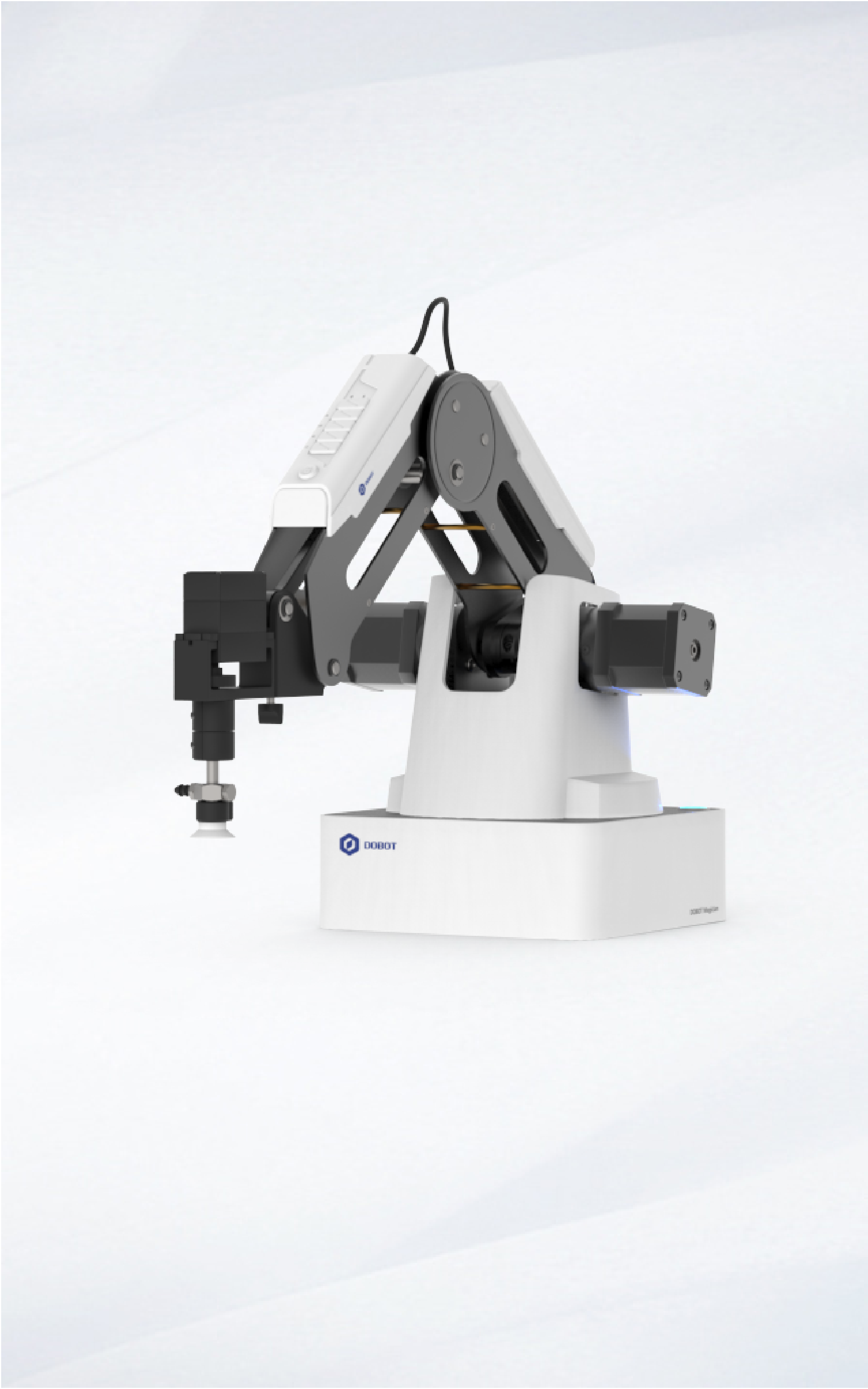
DOBOT Magician is a four-axis desktop arm designed around educational and demonstration tasks. The official page lists a 500g payload, 320mm maximum reach and a range of software and accessory options. It shows applications such as drawing, small-object manipulation, printing and engraving when equipped appropriately. Those are different configurations of a platform, not evidence that every accessory is included or that the arm replaces dedicated machines equally well. Its strongest case is a teaching environment where changing tools helps explain how robotics connects motion, control and a physical process. We have not operated Magician. This review assesses the documented platform and the work required to turn a versatile arm into a safe, repeatable project.
Four axes define the useful tasks
The Magician's geometry is well suited to many planar or top-down activities, but it does not provide arbitrary six-axis tool orientation. That distinction matters before choosing a task. Drawing on a flat surface, moving blocks between fixtures and demonstrating a small production sequence are natural examples. Approaching an object from a complicated angle may require another mechanism or a different arm. Map pickup, travel and placement poses before buying. A maximum reach does not describe every practical orientation or collision-free path. The educational benefit is that learners can see the constraints and design around them. A simpler arm can be more approachable than a more flexible one when its geometry matches the lesson rather than forcing awkward workarounds.
Payload and precision should be read together
The published 500g payload and repeatability figure describe aspects of the arm under specified conditions. They do not guarantee that a fully loaded custom tool can complete every path with the same process accuracy. Include grippers, mounts and cabling in the load assessment, then consider leverage and motion. Repeatability is not the same as absolute accuracy relative to a ruler or camera. A taught point can be repeatable while a tool offset remains wrong. We would test repeated approaches with the actual end-effector and fixture before relying on a tolerance-sensitive application. No such measurements were performed here. These distinctions are especially useful in education, where the robot can make an otherwise abstract specification understandable through experiments.
Tool changing is the educational opportunity
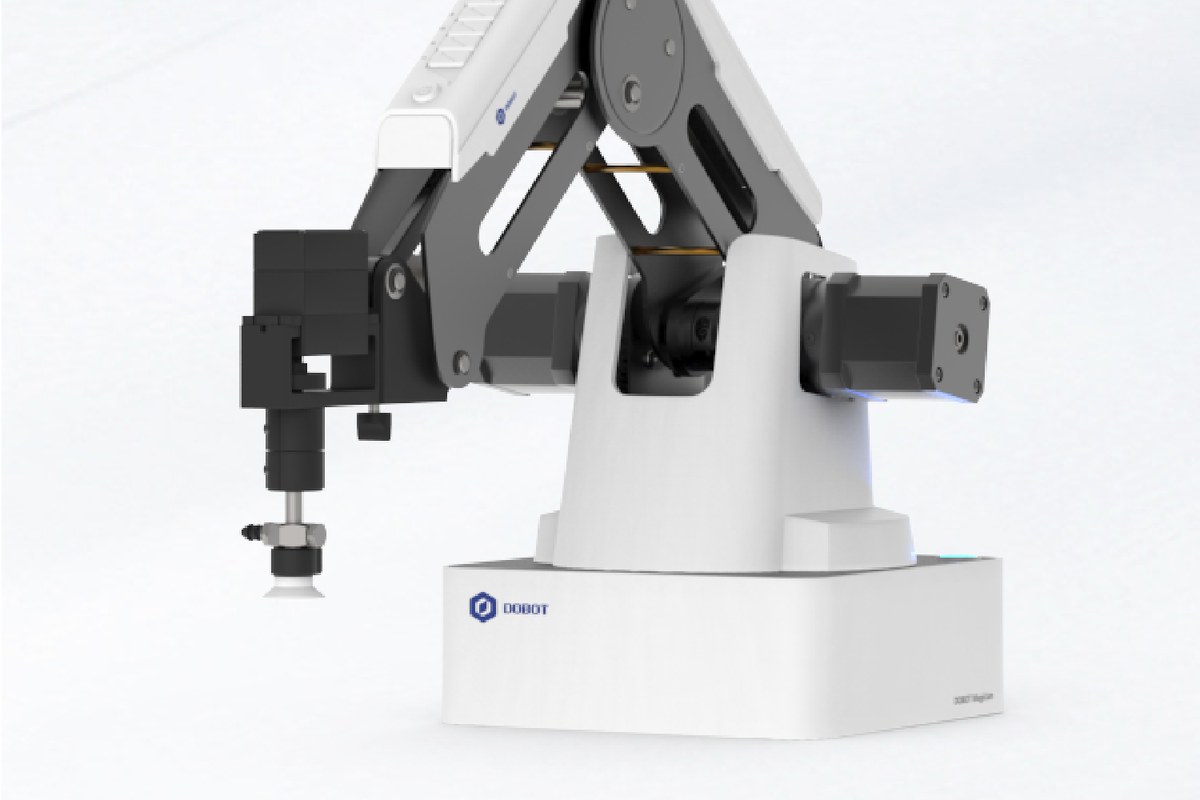
Magician's range of end-effectors can show that the same motion platform produces very different outcomes depending on the tool. A pen introduces contact height and surface alignment; a gripper introduces object geometry; suction introduces seal quality and pickup feedback. That variety is valuable when each change is accompanied by an explanation of the process. It can become distracting if accessories are purchased without a sequence of projects. Confirm the exact package contents and current compatibility before ordering. A product photograph may show an educational bundle rather than the basic arm. We would prioritise a few well-supported tools that map to intended lessons over the largest possible bundle of capabilities that the class may never explore.
Printing and engraving are separate commitments
The manufacturer's examples include printing and laser-related accessories, but adding a tool does not automatically create a complete, safely enclosed machine. Printing requires material handling, process calibration and appropriate supervision. Laser use requires controls suitable to the specific equipment and application, and should never be treated as a casual open-desk activity simply because the arm is small. Consult the official instructions and appropriate institutional requirements before selecting those accessories. We have not tested them or assessed an installation's safety. For many buyers, drawing and small-object manipulation may provide ample educational value with less process complexity. The platform's versatility is an option to investigate, not an obligation to use every tool shown in a demonstration.
Software should support explanation and recovery
DOBOT lists graphical and code-oriented software, SDK material and communication resources. Verify which current tools support the exact Magician revision and the computers available to the learners. A lesson should begin with a known configuration and a small motion that can be explained, then add tool control or sensing. Keep programme versions and coordinate conventions clear. The real challenge appears when a sequence is interrupted or an object is missing: the application needs a defined recovery path rather than blindly continuing. We have not tested the software stack. A useful educational platform makes those states visible enough to teach, while a practical application requires them to be handled reliably. Successful motion is the beginning of integration, not its completion.
Interfaces expand the project and its complexity
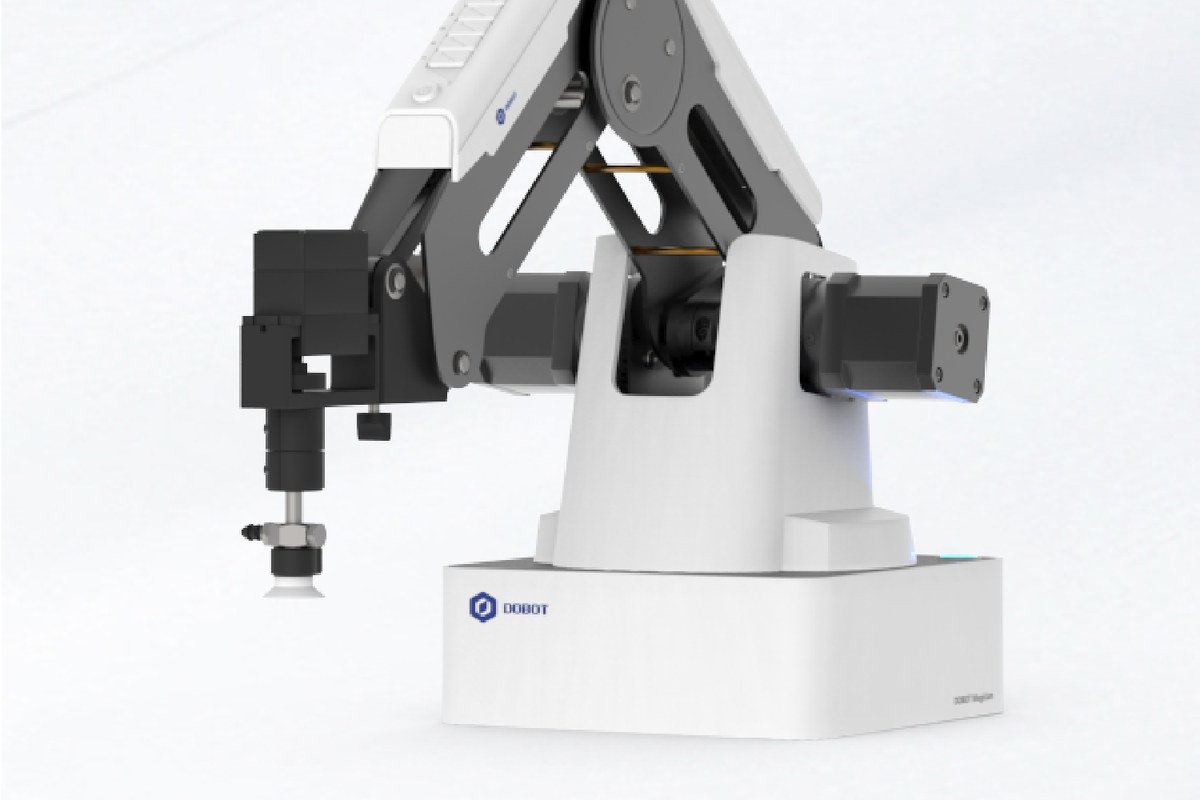
The official specification includes multiple I/O and expansion provisions, allowing the arm to interact with additional equipment. That can support a miniature production line, a fixture or a sensor-based task. It also requires attention to electrical limits, signal definitions and timing. Do not connect arbitrary equipment because a connector appears to fit. Use the documented interface and establish each external component independently before combining the system. A conveyor demonstration, for example, requires coordination between object arrival, robot motion and gripping, not merely an arm positioned beside a belt. The learning value is substantial when those relationships are made explicit. The cost and effort of accessories, wiring and control logic should be included in the project plan from the start.
The bench is still a robot work area
Secure the base and fixtures, maintain a clear motion envelope and establish a reliable stop procedure. Keep hands out of the path during movement and power down or enter the specified safe state before adjusting tools. A small arm can still pinch or strike, and the attached process can introduce additional hazards. Follow DOBOT's safety and handling guidance rather than interpreting educational branding as permission for unsupervised use. Inspect cables, fasteners and tools regularly. Ask about calibration, replacement parts and repair service before committing to several years of teaching. We have not established long-term durability or validated protective functions. A well-managed setup should teach safe habits alongside programming and mechanics, with supervision scaled to the learners and the tool in use.
Our research conclusion
Magician is a credible option for structured robotics education that benefits from a four-axis arm and a deliberate progression through tools and interfaces. It is less suitable when the task needs arbitrary orientation, industrial duty or a finished production machine with no integration work. A useful pilot would run a simple taught sequence, an original sensor-driven task and a controlled recovery after an interruption. We have not performed those tests. Compare the complete package with myPalletizer for smaller lightweight demonstrations and with six-axis platforms when orientation is essential. The strongest reason to choose Magician is a clear curriculum or prototype plan that uses its versatility thoughtfully, with tooling, safeguards and support included in the decision.
Sources & further reading.
These are the sources behind this research review. Manufacturer claims are not independent performance measurements. Community accounts, when cited, describe individual experiences.
- DOBOT Magician — official product information ↗manufacturer
Documentation reviewed: 9 October 2026. Product software and regional bundles can change. Corrections and editorial disclosures.