An editorial assessment of documented capabilities and ownership trade-offs. This is not a hands-on test result or a measurement of reliability.
Task capability 30%8.5
Enclosed build cube and hardened 350°C nozzle provide broad documented potential; whole-material conditions still matter.
Control & connectivity 20%8.1
USB and local-network printing are documented alongside optional online services.
Ownership & upkeep 20%7.7
Accessible cover and maintenance guidance help; feeder configuration and regional support add considerations.
Setup & usability 15%8.1
Automatic calibration supports onboarding, while CANVAS expands the physical setup.
Documentation & support clarity 15%8.0
Manual and product pages describe key functions, though bundle distinctions and conditional claims need careful reading.
Compare scores within the same product category. Small decimal differences should not override your needs or the evidence limits.
How the Standpoint Score works
We score five aspects of the documented product on a 0–10 scale, then calculate a weighted total:
- Task capability30% of the total
- Control & connectivity20% of the total
- Ownership & upkeep20% of the total
- Setup & usability15% of the total
- Documentation & support clarity15% of the total
This product’s 8.1/10 is a provisional research assessment. It does not claim measured performance, tested reliability or a verified customer satisfaction rate. Compare it with products in the same category, and read each criterion’s reasoning above.
Read the full rubric and score bands ↗The ownership case.
A well-equipped documented candidate for an enclosed everyday printer with room to expand. Verify the CANVAS and cover configuration, and evaluate the actual material profile rather than relying on the 350°C headline.
Reasons to consider it
- 350°C hardened-steel nozzle is documented
- USB and LAN printing are described in the manual
- Automatic calibration, accessible printhead cover and optional CANVAS expansion
Go in knowing
- Base printer does not include CANVAS
- Combo and cover options change footprint and material setup
- Published noise result uses Silent Mode with an auxiliary fan off
The specification sheet.
Published specifications from the linked sources. Configurations and availability can differ by country.
- Build volume
- 256 × 256 × 256 mm
- Maximum temperatures
- 350°C nozzle; 110°C bed
- Maximum motion
- 500 mm/s; 20,000 mm/s² acceleration
- Included nozzle
- 0.4 mm; hardened steel stated on product page
- Connections
- USB drive and Wi-Fi; local-network workflow documented
- Color option
- CANVAS accessory / Combo configuration; not included with base machine
The exact configuration comes first
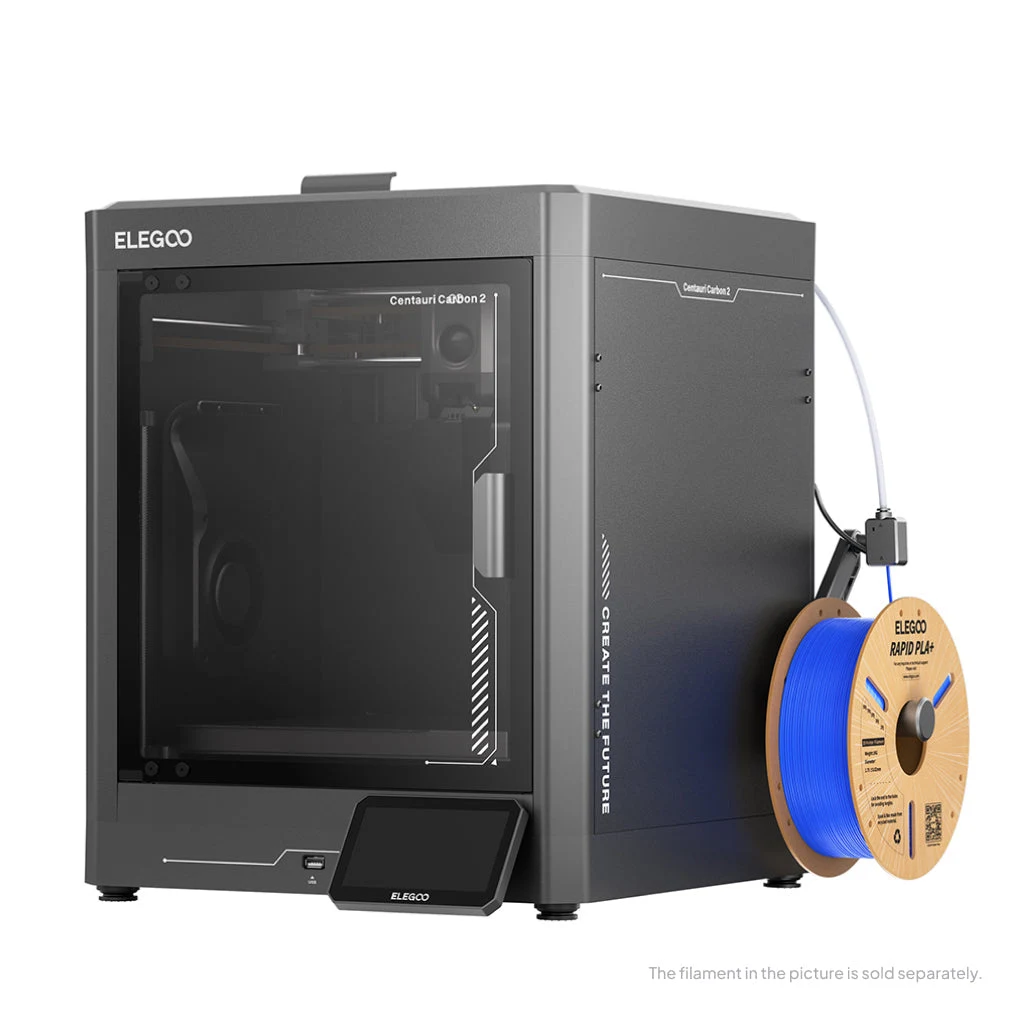
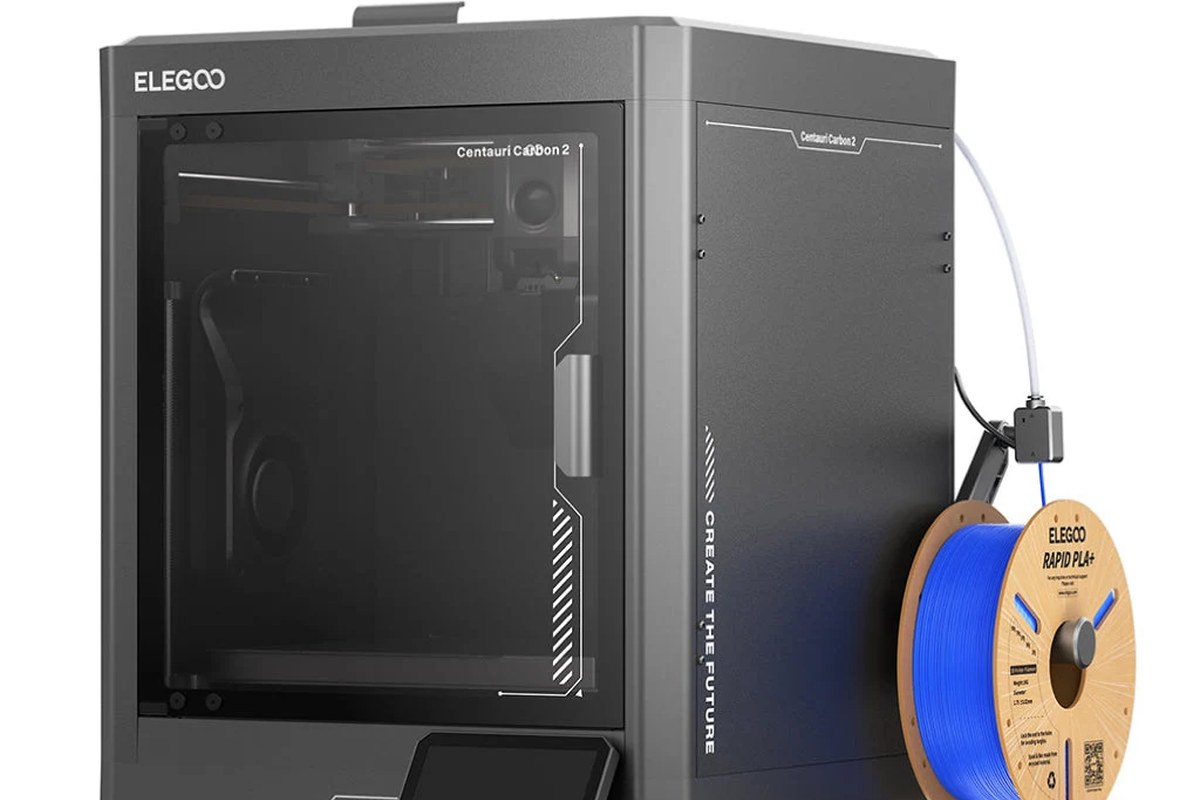
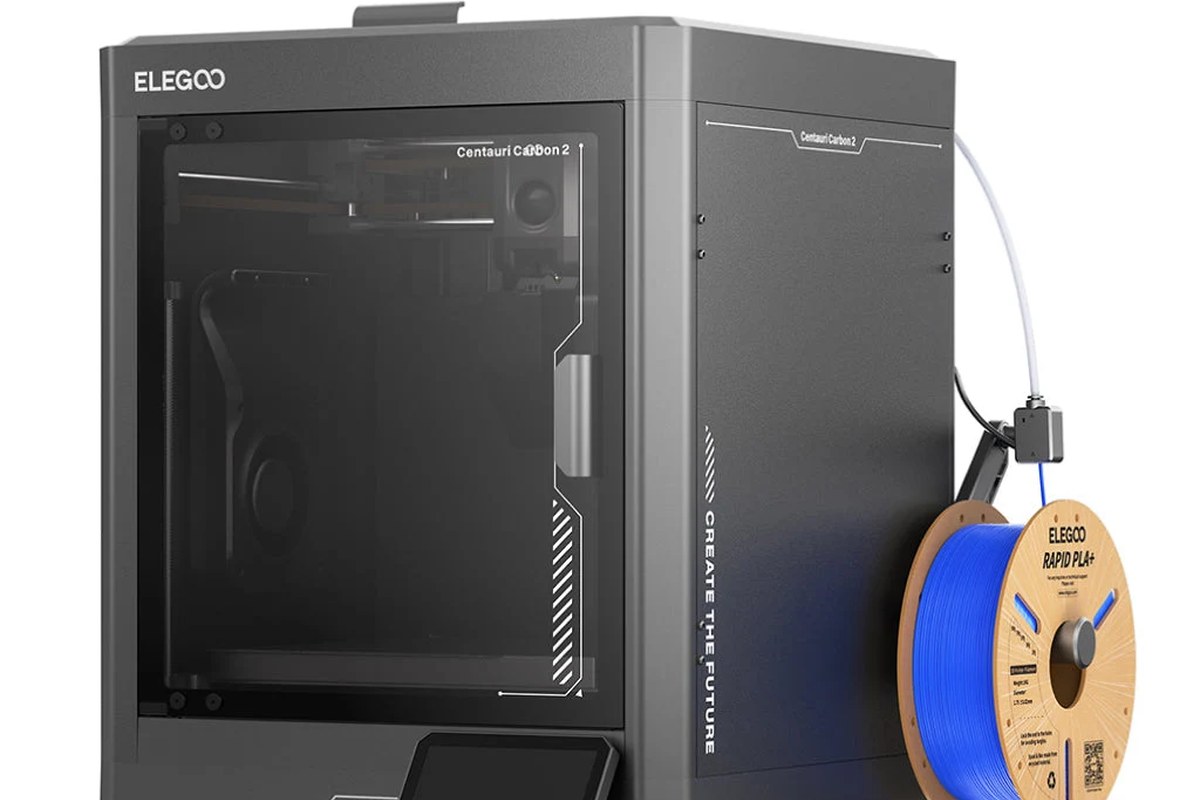
Centauri Carbon 2 is the current product reviewed here, not the original Centauri Carbon. That distinction matters because search results and accessory names can mix generations. The base machine is an enclosed CoreXY printer, while CANVAS adds the multicolor workflow. The manufacturer also offers different accessory and cover combinations. Before comparing prices, write down the printer version and everything included. A photograph showing four spools is not evidence that the cheapest selectable option contains the feeder, cover and mounts visible in that picture.
The core proposition is attractive on paper: a useful 256 mm cube, automated setup and a nozzle specification that reaches beyond ordinary PLA temperatures. Its success for an individual owner still depends on the entire material workflow. Our review is based on Elegoo's current product pages and manual, not a purchased sample or laboratory prints. We have not verified its noise, dimensional accuracy or advertised flow rate. The score recognizes documented functions and ownership tradeoffs while leaving those performance questions open for a later test.
A hot nozzle is one part of material control
Elegoo specifies a hardened-steel nozzle up to 350°C and a bed up to 110°C. The hardened nozzle is relevant when abrasive fillers would wear a softer nozzle, but temperature and wear resistance do not establish that every engineering filament will print successfully. A material may also require drying, an appropriate plate, different cooling and a stable environment around the part. A large dense shape can behave very differently from a small sample. Choose the intended filament and geometry first, then check whether their requirements match the full printer configuration.
The enclosure uses an automatically controlled grille in the manufacturer's description. That is a form of environment management, and should not be relabeled as a separately specified active chamber heater. The distinction is particularly important when comparing the Carbon 2 with a machine that advertises a controlled heated chamber temperature. We would test large corners, broad flat panels and tall walls under the actual room conditions. A successful high-temperature extrusion demonstration would not settle whether those geometries stay dimensionally useful across a lengthy build.
What speed and calibration can realistically offer
The 500 mm/s motion ceiling and 20,000 mm/s² acceleration claim put the Carbon 2 in the modern fast-desktop category, but neither gives a reliable completion estimate for a particular design. Small curves, overhangs and thin walls often demand different settings from long infill paths. The right comparison is the same model, material and quality objective in the slicer, followed by inspection of the result. A faster nominal setting is not a gain if it produces rough mating surfaces that need extra finishing or a failed part that must be repeated.
Automatic leveling, Z-offset and pressure-advance calibration address common startup variables. They reduce the number of adjustments a newcomer must understand immediately, but a dirty plate or incorrectly described filament can still defeat an otherwise sensible profile. The flexible plate is convenient for removal; Elegoo's manual also describes plate cleaning as routine care. Build a repeatable first-layer check into the first week of ownership and save a known-good profile. That baseline is useful when changing a nozzle or filament rather than treating every later adhesion problem as a reason to alter unrelated settings.
CANVAS is useful when the project justifies it
CANVAS turns the Carbon 2 into a different material-handling proposition. The Combo manual documents the feeder, four spool-holder modules, tubing and cover arrangement, which makes clear that multicolor adds a physical installation as well as a software checkbox. Plan the full operating height and access to each spool before choosing an enclosed shelf. The base printer's outline is not an adequate measure of the expanded setup. Check which cover is included, because Elegoo now distinguishes covered and uncovered accessory packages for different working needs.
A multicolor feeder is most valuable when it removes a repeated manual task or enables a design that is awkward to assemble from separately printed pieces. It is less automatically beneficial for a tiny decorative object that changes color many times per layer. Inspect purge volume, transition time and the arrangement of colors in the sliced job. RFID recognition of supported branded spools can reduce entry mistakes, but the owner still needs to match the actual material and slot assignment. Mixed materials require compatible temperatures and adhesion behavior; a shared feeder does not make arbitrary polymers a sound combination.
Controls, local printing and the noise claim
The manual describes exporting G-code to USB for offline printing and connecting the printer and computer to the same local network through ElegooSlicer. This is useful evidence for an owner who wants a direct workshop workflow. The broader product page also promotes Nexprint and the Matrix app, but those services should be considered separately from the documented local route. Try the intended workflow with a simple file first and decide where designs and camera access should be handled. A convenient model library is not a substitute for reviewing the geometry and print settings before starting an unfamiliar job.
Elegoo's quietness claim comes with a significant condition: the cited test used PLA in Silent Mode with the auxiliary part-cooling fan switched off. That should not be read as the sound of every material at maximum speed. A different cooling profile can change both acoustic behavior and print requirements. For a shared study or living area, we would evaluate a representative long job rather than a brief quiet demonstration. The enclosed body and camera can make observation more convenient, but they do not make a printer an appliance that should be placed anywhere without considering heat, access and the work taking place around it.
Maintenance and the regional support decision
The magnetic printhead cover and nozzle wiper are practical ownership details because they affect access and the cleanliness of print starts. They also identify parts that deserve inspection as use accumulates. The manual calls for regular fan cleaning and maintenance of the Z-axis mechanism; follow the model-specific instructions rather than treating all rods and surfaces alike. Keep the hotend area free of accumulated filament and watch for changes in feed behavior before a small obstruction becomes a long failed print. Budget for wear items and filament preparation alongside the machine and CANVAS purchase.
The US product page explicitly limits that storefront's shipping to the United States and describes service within the original purchase region. Canadian readers should obtain a Canadian or otherwise authorized regional offer and confirm its coverage before ordering across the border. The documented return conditions also make it worth retaining packaging and inspecting the delivery promptly. The Carbon 2 deserves consideration for its equipment and local workflow, but we would reserve a stronger verdict for tests of repeated first layers, feeder recovery, demanding materials and maintenance access. Those ownership results matter more than whether the specification list initially appears unusually generous.
Sources & further reading.
These are the sources behind this research review. Manufacturer claims are not independent performance measurements. Community accounts, when cited, describe individual experiences.
- Centauri Carbon 2 — official US product page ↗manufacturer
- Centauri Carbon 2 Combo — official configuration details ↗manufacturer
- Centauri Carbon 2 Combo user manual, V1.3 ↗manual
- CANVAS for Centauri Carbon 2 — package choices ↗manufacturer
Documentation reviewed: 9 October 2026. Product software and regional bundles can change. Corrections and editorial disclosures.