Not tested. This is a research score for the documented features, compatibility and ownership trade-offs discussed in this review, not a performance measurement.
Features & capability 30%8.8
Tom's Hardware measured 709 nits and 114.3% sRGB, battery tests ran 16 to 22 hours, and Arc B390 graphics nearly double a Ryzen Laptop 13 in Time Spy, but multi-core trails the XPS 14 and MacBook Pro and the webcam is weak.
Compatibility & connectivity 20%8.6
Four Thunderbolt 4 slots on Intel, swappable Expansion Cards, Wi-Fi 7 and certified Ubuntu support; held back by AMD rear-slot limits, a third-party charger that capped power in Phoronix's testing and no IR camera.
Ownership & upkeep 20%7.0
Still the most repairable premium laptop, with removable LPCAMM2 and a mainboard upgrade path, but Canadian prices run $380 over a 32GB MacBook Pro M6, LPCAMM2 is scarce and costly, and the warranty is one year.
Setup & everyday use 15%8.2
Reviewers praise the keyboard, haptic trackpad and quiet fans, and DIY assembly is easy, but Gizmodo hit an Ubuntu suspend bug, the X9 throttles under one fan and nothing ships before January.
Documentation & support clarity 15%7.5
Framework's specs, guides and blog updates on memory pricing are detailed and candid, but prices changed several times in four months with no end dates, and the Canadian store doesn't label its currency.
Compare scores within the same product category. Small decimal differences should not override your needs or the evidence limits.
How the Standpoint Score works
We score five aspects of the documented product on a 0–10 scale, then calculate a weighted total:
- Features & capability30% of the total
- Compatibility & connectivity20% of the total
- Ownership & upkeep20% of the total
- Setup & everyday use15% of the total
- Documentation & support clarity15% of the total
This product’s 8.1/10 is an editorial research assessment. It does not claim measured performance, tested reliability or a verified customer satisfaction rate. Compare it with products in the same category, and read each criterion’s reasoning above.
Read the full rubric and score bands ↗From a tech standpoint.
The Framework Laptop 13 Pro is the best laptop Framework has made, and outside reviews back that up: a sturdy aluminium body, a bright 120 Hz touchscreen, a good haptic trackpad and battery life that finally rivals the best Windows machines. The problem is money. Memory costs pushed the Canadian price to $2,239 for the base pre-built and $3,779 for the 32GB X7 model, which is $380 more than a 32GB M6 MacBook Pro at Best Buy Canada. Buy the base Core Ultra 5 if repairability and Linux matter to you and 16GB is enough. Skip the 32GB and 64GB configurations until memory prices come down, or buy a MacBook Pro or Dell XPS 14 if you just want the most laptop for the money.
Reasons to consider it
- Battery life is finally top tier: Tom's Guide got 16 hours 48 minutes and PCWorld 22 hours 8 minutes on the Core Ultra 5 model
- The 13.5-inch 120 Hz screen is very bright, measuring 709 nits and 114.3% sRGB at Tom's Hardware, brighter than the MacBook Pro's
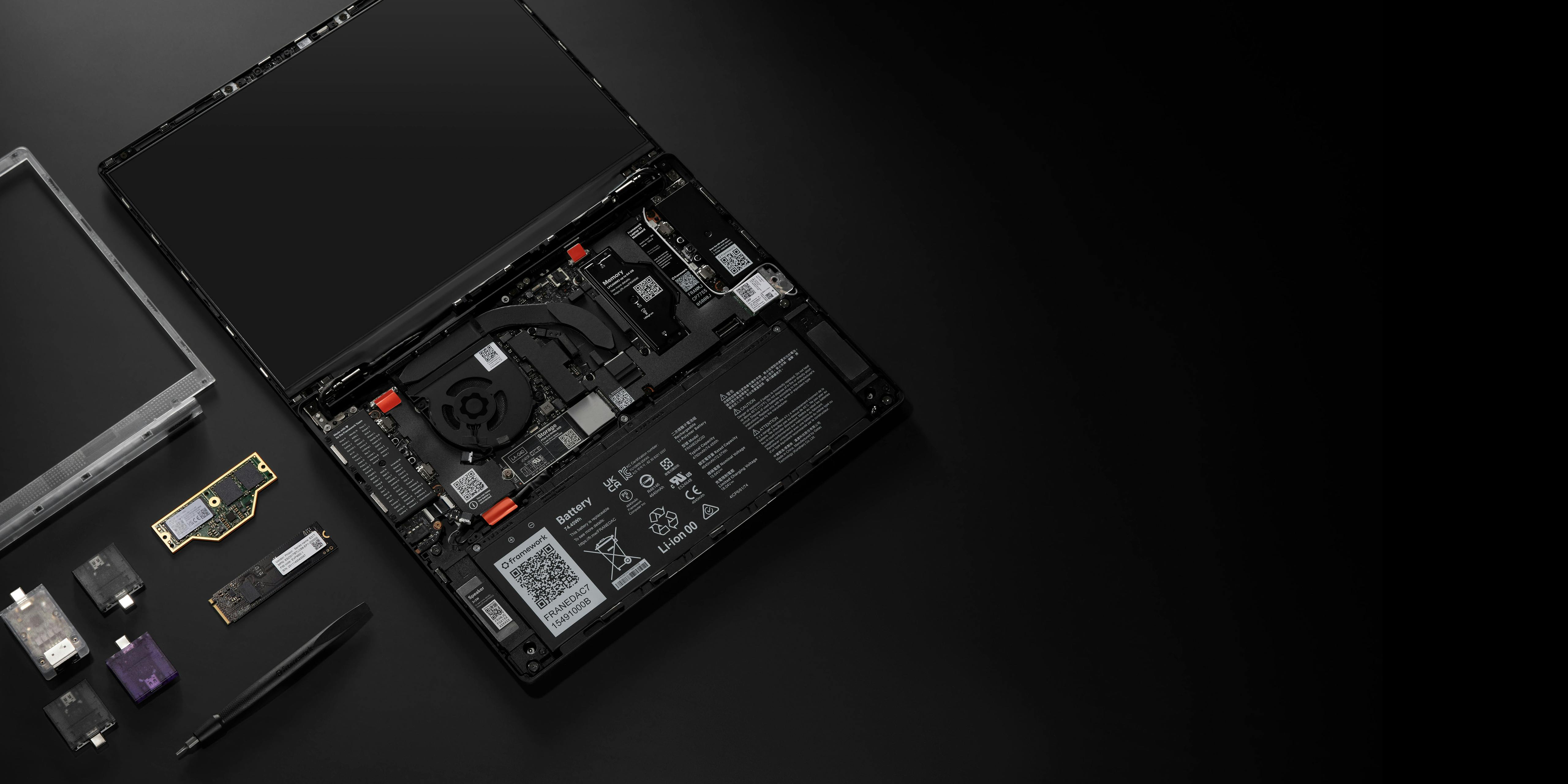
- Every major part is still user-replaceable, including LPCAMM2 memory and the mainboard, with parts and guides from Framework
- Arc B390 graphics nearly double the Time Spy score of a Ryzen AI 9 HX 370 Laptop 13 in PC Gamer's test, and the laptop stays quiet
Go in knowing
- Memory pricing pushed the 32GB X7 pre-built to $3,779 in Canada, $380 more than a 32GB MacBook Pro M6 at Best Buy Canada
- Only Framework sells it in Canada, and every configuration was a pre-order shipping in January on November 22
- One fan struggles with the X9: Tom's Hardware saw 90.1°C averages and throttling under sustained load
- Grainy webcam, no Windows Hello face login, a plastic magnetic bezel and a touchscreen with little use since the hinge doesn't fold back
Affiliate link. As an Amazon Associate, Tech Standpoint earns from qualifying purchases. It never changes our verdict or score. Disclosure
The specification sheet.
Published specifications from the linked sources. Configurations and availability can differ by country.
- Canadian price (Nov 22, 2026)
- Sold only by Framework (frame.work/ca). Pre-built: $2,239 (Core Ultra 5 325, 16GB, 512GB); $3,779 (Core Ultra X7 358H, 32GB, 1TB). DIY Edition without memory, storage or OS: $1,679 (Ultra 5), $2,379 (X7), $2,659 (X9, limited batch); AMD DIY $1,959 (Ryzen AI 7 350), $2,309 (Ryzen AI 9 HX 370). All pre-orders shipping in January
- Processor options
- Intel Core Ultra 5 325, Core Ultra X7 358H, Core Ultra X9 388H (DIY only), all with Arc B390 graphics; or AMD Ryzen AI 7 350 / Ryzen AI 9 HX 370
- Memory and storage
- Intel: LPCAMM2 LPDDR5X up to 64GB (6,800 MT/s on Ultra 5, 7,467 MT/s on X7 and X9). AMD: DDR5-5600 SO-DIMM up to 96GB. One M.2 2280 PCIe 5.0 NVMe slot, up to 8TB
- Display
- 13.5-inch 3:2 touchscreen, 2880 x 1920, 30 to 120 Hz, matte, rated 700 nits
- Battery and charging
- 74 Wh, user-replaceable; 100W GaN USB-C charger (optional on DIY); Framework rates about 20 h 4K Netflix and 17 h web browsing
- Ports
- Four Expansion Card slots plus 3.5 mm jack. Intel: all four Thunderbolt 4, DisplayPort 2.1, USB-PD up to 140W. AMD: rear two USB4, front two USB 3.2
- Wireless
- Wi-Fi 7 (Intel BE211 or AMD RZ717 card); Bluetooth 6 on the Intel model per Tom's Hardware
- Size and weight
- 296.63 x 228.98 x 15.85 mm; 1.4 kg; CNC-machined 6063 aluminium
- Webcam and security
- 1080p30 webcam (9.2MP sensor) with hardware privacy switches; fingerprint reader; no IR camera
- Warranty (Canada)
- One-year limited warranty, optional three-year extension; returns within 30 days of delivery per Framework's terms of sale
A new body and a bigger battery, but old owners can't just drop it in
Almost everything you touch is new. Framework machines the top, keyboard deck and bottom from 6063 aluminium, and Tom's Hardware says it flexes far less than the old chassis, which could bend in one hand. The battery grows from 61 Wh to 74.45 Wh, according to Gizmodo. The screen is Framework's first custom panel and the first touchscreen on a 13-inch Framework. The trackpad is haptic, driven by four piezo actuators, and the speakers now fire out the sides instead of the bottom. Memory moves to LPCAMM2 modules on Intel models, which are faster than the old SO-DIMMs but still removable.
Some things didn't improve. The bezel around the screen is still plastic and held on by magnets, and Tom's Hardware calls it the one part that doesn't feel premium. The 1080p webcam was grainy in every review, and there's still no infrared camera for Windows Hello, only a fingerprint reader. At 1.4 kg, it's not light for a 13-inch laptop.
If you own an older Laptop 13, think before you upgrade. Framework keeps the new mainboard and display compatible with older chassis, and Tom's Hardware calls the new screen the one upgrade old owners should consider. But the bigger battery only fits with the new bottom cover and keyboard deck, per Gizmodo and Engadget. If your current Framework works and the battery still lasts the day, a new display kit is the smart move, not a whole new laptop.
Sixteen hours on Windows, which used to be Framework's weak spot
Battery life was the classic complaint about Framework laptops. That's over. Tom's Guide ran its web, video and light graphics test on the Core Ultra X7 model under Windows 11 and got 16 hours 48 minutes. That beat a Samsung Galaxy Book 6 Ultra at 15:11 but trailed a MacBook Pro M5 Pro at 21:10. Tom's Hardware got 15 hours 55 minutes from the top Core Ultra X9 model at 150 nits, ahead of its other Windows laptops and behind only the MacBook Pro at 18:14. Engadget's rundown lasted 16 hours 5 minutes.
The entry chip goes further. PCWorld reviewed the Core Ultra 5 325 DIY Edition and its battery test ran 22 hours 8 minutes. Framework rates the laptop at about 20 hours of 4K Netflix and 17 hours of active web use, and the outside numbers say those claims aren't far off.
Real work is a different story. Gizmodo ran it on Ubuntu in balanced mode with the screen always on and got a little over five hours of constant work. That's the honest range: two days of light browsing on the Core Ultra 5, or a long workday under heavier loads. Either way, it's a big step up from older Frameworks, and Phoronix said it lasted several hours longer than its Ryzen-based Laptop 13s.
A matte 709-nit screen you can read in direct sun
The display is the other big reason to buy this over an older Framework. It's a 13.5-inch 3:2 panel at 2880 x 1920, with a refresh rate that drops to 30 Hz on static content to save power and climbs to 120 Hz when you scroll. It's matte and it's a touchscreen. Framework rates it at 700 nits.
Outside testing beat that rating. Tom's Hardware measured 709 nits, ahead of the 558 nits it got from the MacBook Pro in its comparison, and colour coverage of 114.3% sRGB and 81% DCI-P3, a fraction behind the MacBook. PCWorld measured about 704 nits. Engadget found it unbothered by glare in bright sun, and Gizmodo could read it in direct sunlight. The tall 3:2 shape is great for documents and code.
It isn't perfect. PC Gamer saw slight ghosting in motion, since this is an LCD, not OLED, and Framework doesn't pitch it as a gaming panel. The touchscreen has limited use too, because the hinge doesn't fold back into a tablet. Engadget and Gizmodo both called touch something you can take or leave. For writing, coding and working outdoors, though, this is one of the best laptop screens in its size.
Fast and quiet, until you ask one fan to cool the X9
Panther Lake is the right chip for this laptop. Tom's Guide measured the Core Ultra X7 358H at 2,836 single-core and 14,715 multi-core in Geekbench 6. That's level with the Dell XPS 14 on single-core, but the XPS 14 scored 16,927 multi-core and a 14-inch M5 MacBook Pro scored 17,926. Gizmodo also found the XPS 14 about 14% faster in multi-core work. The Arc B390 graphics are the surprise. PC Gamer's 3DMark Time Spy score of 5,766 nearly doubles the 3,480 from a Ryzen AI 9 HX 370 Laptop 13, and Gizmodo got Cyberpunk 2077 just under 30 fps at 1080p with upscaling.
Noise is a strength. Engadget found it nearly silent in normal use, even during a heatwave, and only Cyberpunk pushed the fans to full speed. PC Gamer also singled out how quiet it stays under load.
Heat is the catch at the top end. Framework cools every Intel chip with a single fan, and Tom's Hardware saw the Core Ultra X9 388H average 90.1°C and throttle through much of a long Cinebench run. The keyboard hit 110°F and the bottom 117°F. Asus's Zenbook Duo with the same chip scored 15.49% higher in multi-core, likely from better cooling. Our take: the X9 isn't worth its premium in this chassis. The X7 or the Ultra 5 makes more sense.
LPCAMM2 is why the price keeps moving
Intel models use LPCAMM2, a newer removable memory format that runs at up to 7,467 MT/s. It's a real step forward from soldered memory, but few companies sell it. On July 22, 2026, Framework said its supplier had more than doubled its cost. Tom's Guide reported US prices of US$800 for 32GB and US$1,600 for 64GB, and Tom's Hardware saw 64GB jump from US$849 to US$1,600 during its review. Framework moved some pending orders down a memory tier at the old price, and raised the price of its X7 and X9 chips for new orders.
Things have improved since. On September 8 and September 29, Framework's blog said it had found cheaper Micron modules, refunded the difference to people who'd already paid the higher price, and lowered 32GB and 64GB pricing for new pre-orders. It also warned that prices will rise again once that stock runs out, and it gives no end date. Engadget reported that Framework offered full refunds to buyers who didn't accept the new prices.
That makes the DIY Edition less of a bargain than usual. With SO-DIMMs, lots of people have spare sticks or can find one on sale. Tom's Hardware points out that LPCAMM2 is much harder to source anywhere but Framework. The AMD Ryzen AI 300 version avoids this, since Framework's specs list it with standard DDR5-5600 SO-DIMMs up to 96GB. That's the route to take if you already own memory.
MacBook Pro M6 and Dell XPS 14 at Canadian prices
On November 22, Best Buy Canada had the 14-inch MacBook Pro with M6 at $2,799.99 with 16GB and 1TB, and $3,399.99 with 32GB and 1TB. Framework's 32GB X7 pre-built with 1TB is $3,779. That's $380 more for a machine that scored lower in multi-core than even last year's M5 MacBook Pro in Tom's Guide's tests. Our MacBook Pro M6 review scores it 8.3 and notes it lasted 19 hours in Tom's Guide's battery test. The Framework's base 16GB pre-built at $2,239 is $560 cheaper than the MacBook, but it has half the storage at 512GB.
Dell.ca listed the 2026 XPS 14 at $3,479.99 on sale with a Core Ultra 7 358H, 32GB, 1TB and a 2880 x 1800 touchscreen, regularly $4,679.99. A Core Ultra 7 355 model with 16GB, 512GB and a 1920 x 1200 screen was $2,729.99. With the same chip and memory, the XPS 14 is $300 cheaper and faster in multi-core tests. But its memory is soldered, and Framework's is not.
The cheaper rivals are worth a look too. Framework's older Laptop 13 with AMD Ryzen AI 300 starts at $1,189 as a DIY Edition and ships within five business days, though it has the 61 Wh battery and none of the new body. Our Dell XPS 13 review listed it from $949.99 on Dell.ca in October. For pure value, the MacBook Pro wins. For a Windows or Linux laptop you can still fix in 2032, nothing else here competes.
Living with it: January shipping, one-year warranty, 30-day returns
Repairs are where the Laptop 13 Pro pays you back. You can replace the battery, screen, keyboard, ports and mainboard yourself, and Framework publishes guides and sells parts. Framework says the new parts follow the same form factors as older models, so a future mainboard should drop in. Firmware updates come through LVFS on Linux, which Phoronix credits. Ubuntu is certified and offered pre-installed. Gizmodo did hit an Ubuntu suspend bug that left the laptop hot in a bag, so check that sleep works before you trust it.
Framework's Canadian pre-built page lists a one-year limited warranty, with an optional three-year extension. Tom's Hardware reports the extension's price scales with the cost of the system. Framework's terms of sale allow returns within 30 days of delivery, in original packaging with every part. You pay return shipping unless it's a covered defect, and original shipping isn't refunded. Canadian orders ship Delivered Duty Paid, so Framework handles duties and taxes at checkout rather than a courier billing you at the door.
Two small warnings. Phoronix found a 150 W Anker USB-C charger capped the chip at about 6 W, and performance only returned with Framework's own 100 W charger, which is optional on DIY orders. And on AMD models, Tom's Hardware says USB-A cards shouldn't go in the rear slots. The bigger long-term risk is price: Framework's blog says memory pricing will follow supplier costs, up or down.
Buy the base model, wait on the rest
Buy the Laptop 13 Pro with the Core Ultra 5 325 and 16GB if you run Linux, value repairs you can do yourself, and want a laptop that will take new boards for years. At $2,239 pre-built, PCWorld's 22-hour battery result and the 704-nit screen make it a strong machine, and you skip the worst of the memory price hike. Linux developers who've been waiting for a premium Framework should get one.
Skip the 32GB X7 and the X9 for now. At $3,779 and up, you're paying a memory penalty that a MacBook Pro M6 at $3,399.99 or an XPS 14 at $3,479.99 doesn't carry. The XPS 14 and even an older M5 MacBook Pro outscored it in multi-core tests. If you already own DDR5 memory, the AMD DIY Edition from $1,959 is the smarter Pro. And if you need a laptop before January, buy something you can pick up this week.
The closest alternatives.
| Product | Standpoint Score | Best for | Price |
|---|---|---|---|
| Framework Laptop 13 ProThis review | 8.1Research | Linux users, developers and tinkerers who want a premium 13-inch laptop they can open, repair and upgrade for years, and… | Amazon.ca ↗ |
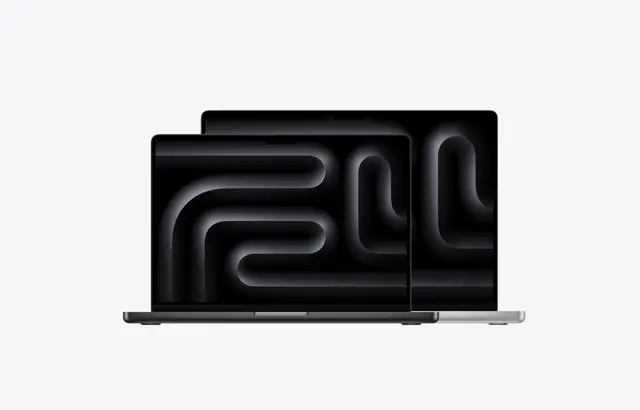
| Apple MacBook Pro 14-inch (M6, 2026) | 8.3Research | Photo, video and code work on a Mac where long battery life and real ports matter, and where the buyer is coming from an… | Amazon.ca ↗ |
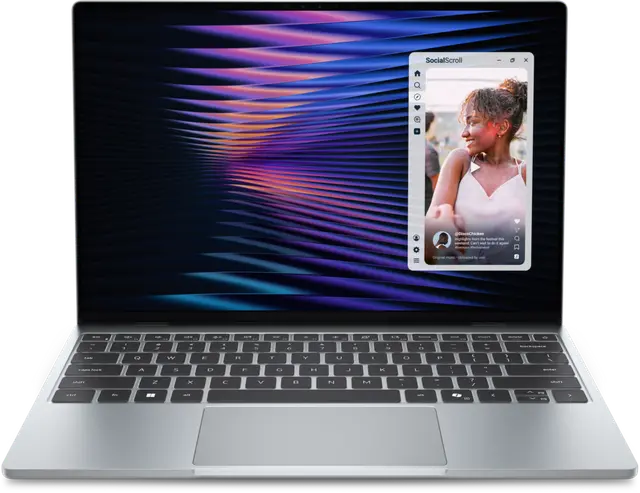
| Dell XPS 13 (2026) | 7.6Research | Windows users who want a light, well-built laptop with all-day battery for school, travel and office work, and who'll… | Amazon.ca ↗ |
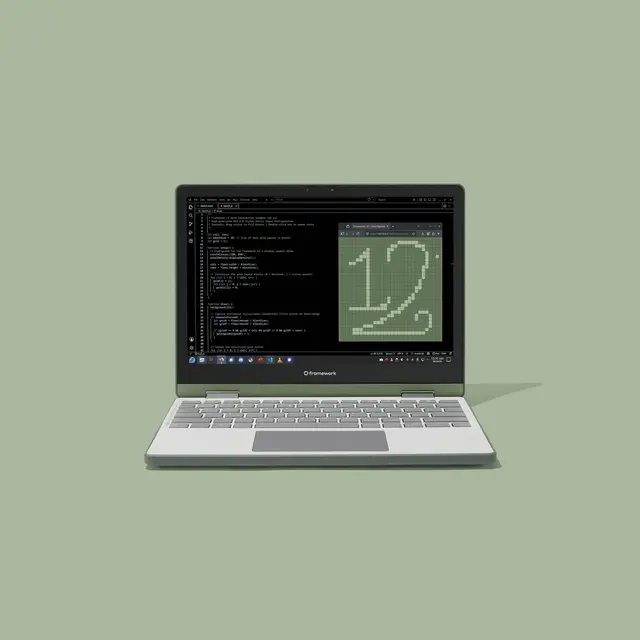
| Framework Laptop 12 (2026) | 7.7Research | Students and Linux users who want a small touchscreen 2-in-1 they can open, upgrade and fix themselves, and who already… | Amazon.ca ↗ |
Compare scores within a category: Tested means our own use, Research means documentation and attributed outside testing. Price links are affiliate links. As an Amazon Associate, Tech Standpoint earns from qualifying purchases. Disclosure
Questions before checkout.
How much does the Framework Laptop 13 Pro cost in Canada?
On November 22, 2026, Framework's Canadian store listed the pre-built at $2,239 (Core Ultra 5, 16GB, 512GB) and $3,779 (Core Ultra X7, 32GB, 1TB). The DIY Edition starts at $1,679 before memory, storage and an operating system, and the AMD DIY starts at $1,959.
Can I buy the Framework Laptop 13 Pro at Best Buy or Amazon.ca?
No. Framework sells it only through its own website, as PCWorld notes, and Best Buy Canada's catalogue had no listing on November 22. Canadian orders ship Delivered Duty Paid, so Framework handles duties and taxes at checkout.
Why did the Framework Laptop 13 Pro get more expensive?
Framework said in July 2026 that its LPCAMM2 memory supplier more than doubled its cost. The 32GB and 64GB configurations jumped the most, while the 16GB model rose about US$100. Framework lowered 32GB and 64GB prices again in September after finding cheaper modules, but warned prices will rise once that stock runs out.
How long does the Framework Laptop 13 Pro battery last?
Outside tests landed between about 16 and 22 hours of light use. Tom's Guide got 16:48 on the X7, Tom's Hardware 15:55 on the X9 and PCWorld 22:08 on the Core Ultra 5. Gizmodo got a little over five hours of constant work on Ubuntu.
Can I upgrade my old Framework Laptop 13 to the Pro?
Partly. The new Panther Lake mainboard and the 2.8K touchscreen fit older Laptop 13 chassis, according to Phoronix and Framework. The bigger 74 Wh battery needs the new bottom cover and keyboard deck, so getting the full Pro means replacing most of the body.
Should I get the Intel or AMD version?
Intel for battery life, Thunderbolt 4 on all four ports and the faster Arc B390 graphics. AMD if you already own DDR5 SO-DIMM memory, since it avoids expensive LPCAMM2 modules. Tom's Hardware notes AMD models shouldn't use USB-A cards in the rear slots.
Sources & further reading.
These are the sources behind this research review. Manufacturer claims are not independent performance measurements. Community accounts, when cited, describe individual experiences.
- Framework Laptop 13 Pro product page and specs, Canadian store ↗manufacturer
- Framework Laptop 13 Pro pre-built comparison, Canadian store ↗manufacturer
- Framework Laptop 13 Pro DIY Edition (Intel) comparison, Canadian store ↗manufacturer
- Framework Laptop 13 Pro DIY Edition (AMD) comparison, Canadian store ↗manufacturer
- Framework blog: updates on memory and storage pricing ↗manufacturer
- Framework Terms of Sale, Canadian store ↗manufacturer
- Engadget: Framework Laptop 13 Pro review ↗independent review
- Tom's Hardware: Framework Laptop 13 Pro review ↗independent testing
- Tom's Guide: Framework Laptop 13 Pro review ↗independent testing
- PCWorld: Framework Laptop 13 Pro review ↗independent testing
- PC Gamer: Framework 13 Pro review ↗independent testing
- Gizmodo: Framework Laptop 13 Pro review ↗independent review
- Phoronix: Framework Laptop 13 Pro Linux review ↗independent review
- Best Buy Canada: Apple MacBook Pro 14-inch (M6, 32GB, 1TB) ↗retailer
- Dell Canada: XPS 14 (2026) DA14260 ↗retailer
- Framework Laptop 13 DIY Edition (AMD Ryzen AI 300) comparison, Canadian store ↗manufacturer
Product software and regional bundles can change. Corrections and editorial disclosures.
Affiliate link. As an Amazon Associate, Tech Standpoint earns from qualifying purchases. It never changes our verdict or score. Disclosure