Not tested. This is a research score for the documented features, compatibility and ownership trade-offs discussed in this review, not a performance measurement.
Features & capability 30%8.4
Activity, sleep and recovery functions form a useful daily record, with attributed GPS and heart-rate findings and clear measurement limits.
Compatibility & connectivity 20%8.1
Android and iPhone support is broad, but reply features differ and calling and safety messaging depend on the phone.
Ownership & upkeep 20%8.4
Documented display and GPS battery modes offer flexibility; dry charging contacts, band care and used-battery condition still matter.
Setup & everyday use 15%8.5
The AMOLED screen, buttons and wheelchair profile suit varied routines; case fit and configured metrics need individual attention.
Documentation & support clarity 15%8.3
Current manuals explain free versus paid services, safety prerequisites and mode-specific restrictions in detail.
Compare scores within the same product category. Small decimal differences should not override your needs or the evidence limits.
How the Standpoint Score works
We score five aspects of the documented product on a 0–10 scale, then calculate a weighted total:
- Features & capability30% of the total
- Compatibility & connectivity20% of the total
- Ownership & upkeep20% of the total
- Setup & everyday use15% of the total
- Documentation & support clarity15% of the total
This product’s 8.3/10 is an editorial research assessment. It does not claim measured performance, tested reliability or a verified customer satisfaction rate. Compare it with products in the same category, and read each criterion’s reasoning above.
Read the full rubric and score bands ↗From a tech standpoint.
Buy it if you want an everyday fitness watch with a readable AMOLED screen, days between charges, solid sleep and recovery records on a free Garmin Connect account, and a properly built wheelchair mode. Make sure the 45 mm case suits your wrist and the price reflects how long it has been on sale. Look elsewhere if you need dual-frequency positioning, specialist training analysis or iPhone text replies; a dedicated sports watch or a more app-focused smartwatch will serve you better.
Reasons to consider it
- Garmin's battery table spells out the trade: 14 days in smartwatch mode, 5 with always-on, 26 in battery saver
- Activity, sleep, HRV-informed Sleep Coach and recovery records on a free Garmin Connect account
- A wheelchair mode that counts pushes, adds push and handcycling activities, and changes the glances
Go in knowing
- Calls, safety messaging and text replies all lean on a connected compatible phone
- Turning on always-on display cuts the smartwatch maximum from 14 days to 5
- All Systems GNSS is not dual-frequency positioning, and Michael Hicks saw some route drift
Affiliate link. As an Amazon Associate, Tech Standpoint earns from qualifying purchases. It never changes our verdict or score. Disclosure
The specification sheet.
Published specifications from the linked sources. Configurations and availability can differ by country.
- Case / included-band mass
- 45 × 45 × 12 mm; 47 g with supplied band
- Display
- 1.4-inch AMOLED; 454 × 454 pixels
- Smartwatch maxima
- 14 days normal; 5 days always-on display; 26 days battery saver
- Activity maxima
- 26 hours GPS-only; 20 hours All Systems; 11 hours All Systems with music
- Band / water rating
- 22 mm quick-release; 5 ATM
- Phone connection
- Garmin Connect on compatible Android or iPhone; Bluetooth-dependent calls
Built for the hours between workouts
Venu 3 makes its best case to someone who wants a watch that stays on through ordinary life, not one that only comes out for the weekend run. A readable screen, fewer charging breaks and a steady history of activity and sleep add up to a useful package. It gets less convincing if you expect every sports-analysis tool in Garmin's range or a phone-sized app catalogue. Pick the two or three things that would make you glance at it every day, and compare on those, not on menu length.
This review combines Garmin's model-specific instructions with Michael Hicks' named testing for Android Central; Tech Standpoint has not run its own Venu 3 accuracy trial. That matters, because a feature existing is not the same as it measuring reliably for every wearer and activity. Software has also moved on since launch, so current instructions beat an old feature list. The recommendation is for a balanced daily fitness watch at a fair price, with your phone, your wrist and your routine weighed first.
Big screen, big case
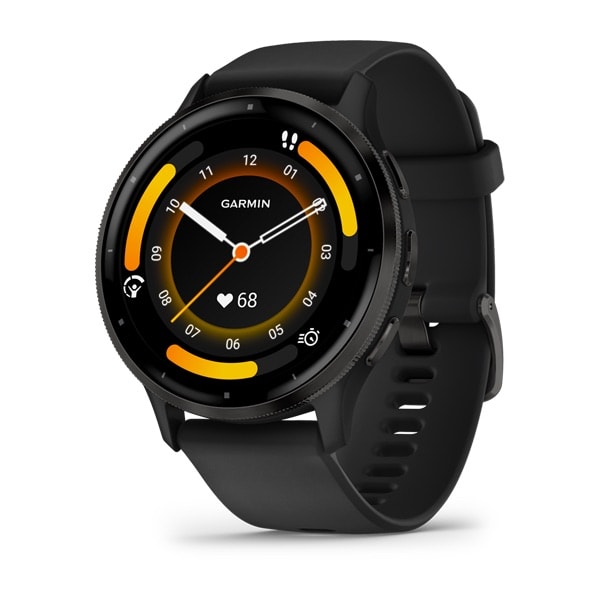
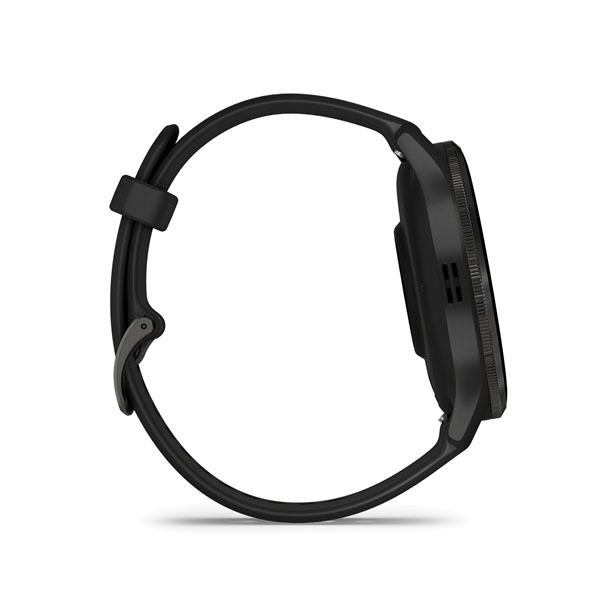
The 45 mm case carries a 1.4-inch AMOLED display and weighs 47 g on Garmin's included band. A 22 mm quick-release connection makes swapping a worn or uncomfortable strap easy. Those numbers are for the larger Venu 3, not the Venu 3S. Try screen and case together: a gorgeous display loses its shine if the watch snags a cuff or digs in at night. Choosing the bigger model purely for its longer battery claim is a poor trade on a small wrist.
You get both touch controls and physical buttons. Learn the activity and back controls before you exercise with it, because hunting for the right screen mid-workout is no fun. Garmin's app list also includes a flashlight that lights up the AMOLED screen. That is not the same as a built-in LED torch. It will help you find a dropped key; it is not a reason to buy the watch for dark outdoor sessions. A familiar face with a few useful fields usually beats one crammed with every number available.
Fourteen days, or five with the screen always on
Garmin rates the Venu 3 for up to fourteen days in normal smartwatch mode and five with the display always on. The twenty-six-day battery-saver figure is yet another configuration. Do not mix them up. If you want the time and your metrics visible constantly, plan around five days, not the biggest headline. None of these are Tech Standpoint endurance measurements, and notifications, sensors and conditions all move the number.
Activity recording has its own table: up to twenty-six hours with GPS only, twenty with All Systems and eleven with All Systems plus music. Several long sessions a week call for a different charging plan from a life of notifications and step counts. The upside is flexibility. Pick a predictable daytime charge to protect overnight tracking, and still pack the cable for a trip. On a used unit, judge real battery behaviour; a high percentage on the menu says nothing about how much original capacity is left.
All Systems does not mean dual-frequency
The current manual offers GPS Only and All Systems modes; the latter uses multiple satellite systems and draws more power. Do not read the name as dual-frequency GPS. Hicks specifically distinguishes the Venu 3 from dual-frequency models in his review. On his hour-long comparison run it reported 0.04 miles more than his reference setup and showed some route drift. That is a useful attributed result from one outing, not a guarantee for a Canadian downtown core, a dense forest or your own route.
For everyday run and walk logs, the question is simply whether the track and distance are good enough for what you do with them. If precise positioning in difficult surroundings is the main reason you are buying, compare receiver capabilities directly before you pay. Wait for a position lock before starting outdoors, and stick with one mode when comparing routes. Switching modes and then calling a small distance difference a fitness gain mixes up two separate questions. A tidy map afterwards is context, not navigation certainty at every point.
Close on heart rate, slower on surges
Against a COROS heart-rate accessory, Hicks found the Venu 3 generally close across the session, with some lag around sudden changes. That supports realistic expectations for everyday fitness, not a promise that the wrist sensor catches every surge. Cyclists, lifters and runners create very different movement and contact conditions. If short efforts and exact heart-rate response drive your training, budget for a compatible external sensor and confirm the data you need gets recorded.
Garmin's recovery-time instructions stress completing your user profile and setting maximum heart rate. Get those inputs right before you trust the output. A recommendation after one workout should be weighed against how you feel, what the next session involves and the rest of your week. The watch makes recovery information easier to check; it cannot see every source of fatigue outside the activity log. Buying it as a general activity record is straightforward. Buying it to replace judgement in a demanding training plan is not. Check any advanced analysis you need by name in the current specification.
Strength logging still needs a pencil-pusher
The strength-training guide describes automatic rep counting and lets you correct the count and add the weight used. It also warns that leg exercises may not be counted. Think of it as a session log you tidy between sets, not an invisible coach that understands every movement. Finish a set before changing the exercise, and keep your attention on form while you lift. If the count is wrong, edit the log; do not do extra reps to please the screen.
The value is in consistency over weeks. If you already track sets and loads reliably somewhere else, ask whether moving that habit to your wrist really saves effort. If your current record is scattered or nonexistent, the prompts may provide welcome structure. The same thinking applies to other activity profiles: choose the ones that match what you actually do, and look at their data fields before assuming equal detail. A long sports list does not mean the watch is judging your technique in each one.
Sleep Coach rewards consistent wear
Garmin's sleep instructions work from the normal sleep hours set in the app or watch, and describe totals, stages, movement and a sleep score. Sleep Coach folds in activity and sleep history, HRV status and naps. Keep the schedule current and wear the watch every night if those trends are why you are buying it. A missed night or a very late bedtime should not be read as if the watch saw your normal routine. The real test is whether the record helps you spot a pattern you can act on.
The current manual also describes breathing-variation information when overnight Pulse Ox tracking is on, and Garmin explicitly positions it as general wellness information, not medical diagnosis or monitoring. An ECG feature is listed for selected regions and eligible users, with software and setup requirements; check the current model and region list before buying for it in Canada or the US. A regional product-page badge does not confirm that every imported unit and account can use it. A worrying symptom needs direct attention, whatever reassuring score the watch shows.
A wheelchair mode with real thought behind it
The wheelchair profile records pushes instead of steps and changes the available activities and glances. Garmin describes indoor and outdoor push and handcycling activities, with sensor options for distance and speed. That is a far better starting point than asking a wheelchair user to translate a walking target that does not fit. Setup includes an exercise-frequency choice, so configure the profile properly instead of clicking through defaults during first pairing.
The limits matter as much as the inclusion. The manual says VO2 max does not update in wheelchair mode and incident detection is switched off. An optional speed sensor is not required to record an indoor activity, even if the watch prompts for one. Know those details before choosing it for a specific exercise or safety routine; the right question is whether the supported activities and data fit the person using it. The promotional photo below is Garmin's illustration of intended use, not evidence of a Tech Standpoint wheelchair trial.

Calling is a phone extension
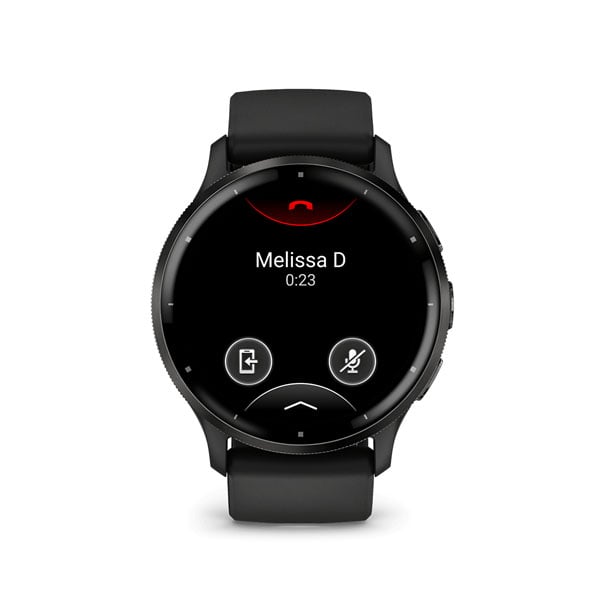
The calling guide requires a compatible phone connected over Bluetooth. You can dial or pick contacts from the watch, but the watch's recent-call list does not sync with the phone's. Great when the phone is close but awkward to reach. Useless on a run where the phone stays home, because there is no standalone cellular calling. Keep that in mind when comparing with watches sold in cellular versions.
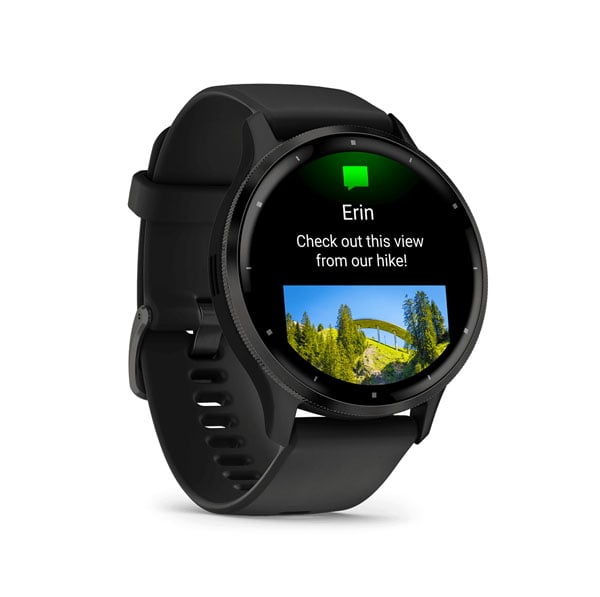
Custom text replies from the notification screen are documented for Android-connected use, with the phone actually sending the message. So iPhone compatibility is not feature-for-feature parity, and Garmin's regional specifications also mark image notifications as Android only. Decide how much those small interactions matter. Reading a message and handling it later may be fine; replying from your wrist all day might justify another platform. The microphone and speaker add convenience, but no call-quality result in traffic or wind is claimed here. Try your own phone and usual calling spots within the return window.
Music and Garmin Pay need prep work
The manual separates music stored on the watch from controlling playback on the phone. Supported third-party providers need a connection and content downloaded over Wi-Fi before you go offline, with Bluetooth headphones as needed. Downloading can drain enough battery that you will want external power. Build the playlist before you leave; pairing a service does not mean your tracks are already on the watch. Check the provider's regional support and account requirements as part of the purchase.
Garmin Pay depends on a participating financial institution and eligible card, plus a participating payment location. Canadian buyers should check their exact bank and card rather than assume a contactless card works in every watch wallet. These features can simplify a short outing, but each solves a specific task, and none make phone-dependent calls or assistance work without the phone. Break your ideal outing into pieces: route recording, music, payment and communication each have a different dependency.
Free Connect, paid Connect+, and safety prerequisites
Garmin's manual describes a free Connect account for storing activities, reviewing detailed records and managing settings. A separate Connect+ subscription adds features such as enhanced dashboards, guidance and LiveTrack options. Start by seeing whether the free record answers your questions. Extra charts are worth little before you have built a consistent recording habit. Check the current plan rather than trusting an old claim that every present and future Garmin service is included.
Safety messaging needs a precise description. The watch must connect to Garmin Connect over Bluetooth, and the phone needs a data plan and coverage. Assistance and incident-detection messages go to your configured emergency contacts; Garmin Connect does not call emergency services for you. Incident detection only covers supported outdoor activities and is disabled in wheelchair mode. LiveTrack shares an activity with invited followers, but it is no substitute for a plan when heading beyond mobile coverage. Useful additions when the prerequisites are met, not a reason to drop ordinary precautions.
What a used Venu 3 is really worth
The 5 ATM rating comes with care instructions, not immunity. Garmin says not to press buttons underwater, to rinse after contact with chlorine, salt water and sunscreen, and to let the watch dry before charging. Sweat or moisture at the contacts can cause corrosion. A silicone band suits water use better than leather, and skin irritation means taking the watch off and sorting out fit and cleanliness. None of this is hard, but repeated neglect makes charging and daily wear a chore.
On a used Venu 3, inspect the lens, buttons, contacts and band connection, and factor a suitable charging cable into the price. Check battery behaviour in the display mode you plan to use, not the seller's favourite power-saving setup. A sensible discount leaves room for a new band and the unknowns of a sealed battery. The 8.3 Standpoint Score rewards a well-documented mix of daily fitness features and charging flexibility, minus points for phone dependence and measurement limits. It is an editorial research score. Buy the comfortable watch that records what you actually do, not a bargain picked for imagined capabilities.
The closest alternatives.
| Product | Standpoint Score | Best for | Price |
|---|---|---|---|
| Garmin Venu 3This review | 8.3Research | People who want everyday activity and sleep tracking with a longer charging interval, and who can keep a compatible… | Amazon.ca ↗ |
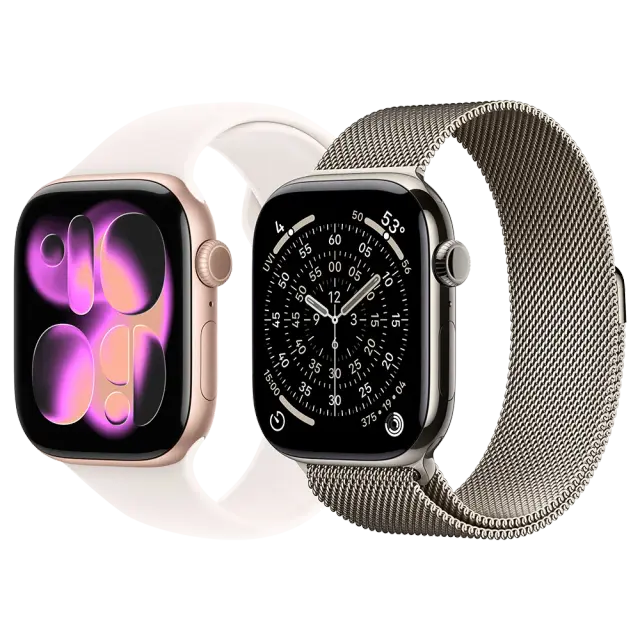
| Apple Watch Series 11 | 8.5Research | An iPhone household that wants a versatile everyday smartwatch rather than a dedicated endurance instrument. | Amazon.ca ↗ |
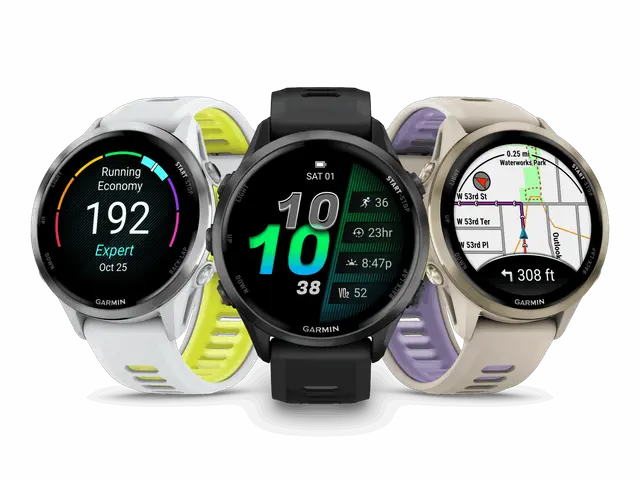
| Garmin Forerunner 970 | 8.6Research | Runners and multisport athletes who want route guidance, detailed training history and physical workout controls. | Amazon.ca ↗ |
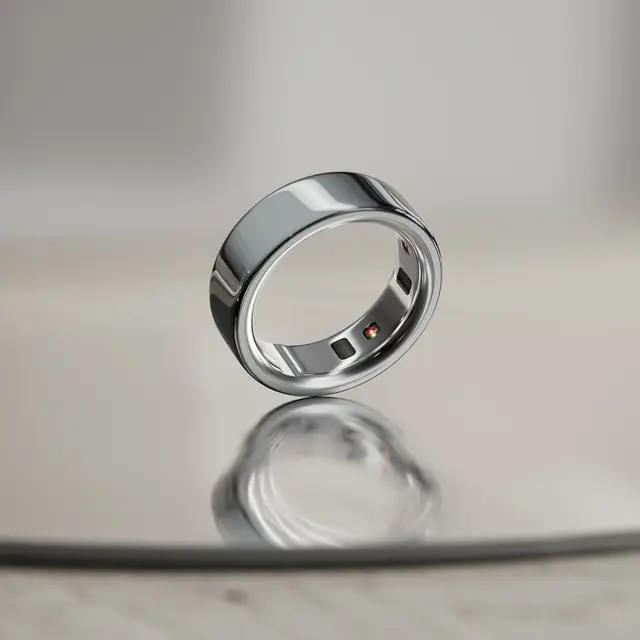
| Oura Ring 4 | 7.8Research | People who want sleep and daily trends without a wrist screen, accept the ongoing membership cost and will take the time… | Amazon.ca ↗ |
Compare scores within a category: Tested means our own use, Research means documentation and attributed outside testing. Price links are affiliate links. As an Amazon Associate, Tech Standpoint earns from qualifying purchases. Disclosure
Sources & further reading.
These are the sources behind this research review. Manufacturer claims are not independent performance measurements. Community accounts, when cited, describe individual experiences.
- Garmin Venu 3 regional specifications and supplier imagery ↗manufacturer
- Battery mode table ↗manual
- GPS mode options ↗manual
- Recovery time inputs ↗manual
- Strength activity recording ↗manual
- Sleep tracking and breathing variations ↗manual
- Wheelchair mode ↗manual
- Phone calling ↗manual
- Android text replies ↗manual
- Music downloads ↗manual
- Garmin Pay requirements ↗manual
- Free Connect account ↗manual
- Connect+ subscription ↗manual
- Safety-feature prerequisites ↗manual
- Device care ↗manual
- Apps and screen flashlight ↗manual
- Michael Hicks’ Venu 3 testing ↗independent
Product software and regional bundles can change. Corrections and editorial disclosures.
Affiliate link. As an Amazon Associate, Tech Standpoint earns from qualifying purchases. It never changes our verdict or score. Disclosure