Not tested. This is a research score for the documented features, compatibility and ownership trade-offs discussed in this review, not a performance measurement.
Features & capability 30%8.2
ProMotion, dedicated telephoto, macro and editing formats offer supported specialist capability with distinct recording limits.
Compatibility & connectivity 20%7.5
Lightning and compatible sharing routes need planning for larger files; current software features have separate hardware eligibility.
Ownership & upkeep 20%6.5
Older battery condition, premium component repairs and fixed storage weigh materially on the used purchase.
Setup & everyday use 15%7.8
Smaller Pro format and adaptive interaction are useful, while weight, macro switching and format choices require a trial.
Documentation & support clarity 15%8.8
Apple states storage-dependent ProRes restrictions and provides precise RAW, macro and battery instructions.
Compare scores within the same product category. Small decimal differences should not override your needs or the evidence limits.
How the Standpoint Score works
We score five aspects of the documented product on a 0–10 scale, then calculate a weighted total:
- Features & capability30% of the total
- Compatibility & connectivity20% of the total
- Ownership & upkeep20% of the total
- Setup & everyday use15% of the total
- Documentation & support clarity15% of the total
This product’s 7.8/10 is an editorial research assessment. It does not claim measured performance, tested reliability or a verified customer satisfaction rate. Compare it with products in the same category, and read each criterion’s reasoning above.
Read the full rubric and score bands ↗From a tech standpoint.
Shortlist it for a healthy display and the camera tools you will actually use. Jordan Palmer's Tom's Guide evaluation backs up the smooth interaction and useful photographic results; Apple's own documentation sets the recording limits that an old listing can hide. Our 7.8 Standpoint Score credits that capability while weighing battery and repair exposure, Lightning file transfers and the absence of Apple Intelligence. It is an editorial research score, not a camera or endurance measurement.
Reasons to consider it
- 6.1-inch ProMotion display up to 120 Hz, with Tom's Guide noting smoother scrolling than the 12 Pro
- Dedicated 3× telephoto and ultrawide-based macro focusing to two centimetres
- ProRAW editing and ProRes recording, with the limits clearly documented by Apple
Go in knowing
- 128 GB model is capped at 1080p/30 ProRes; Cinematic is 1080p/30 on every capacity
- Lightning and large creative files need a transfer and backup routine
- Battery and repaired-component condition matter, and there is no Apple Intelligence eligibility
Affiliate link. As an Amazon Associate, Tech Standpoint earns from qualifying purchases. It never changes our verdict or score. Disclosure
The specification sheet.
Published specifications from the linked sources. Configurations and availability can differ by country.
- Display
- 6.1-inch OLED; adaptive refresh up to 120 Hz
- Processor
- A15 Bionic; five-core GPU
- Cameras
- Three 12 MP cameras; 3× telephoto and macro capability
- Storage
- 128 GB, 256 GB, 512 GB or 1 TB
- ProRes limit
- Up to 4K/30; 128 GB configuration limited to 1080p/30
- Weight
- 204 g
Start with the feature that earns the premium
The iPhone 13 Pro has concrete reasons to pick it over an ordinary older iPhone: an adaptive-refresh display, a separate telephoto camera and close-focus photography. Those beat the badge. If you use one or more of them regularly, you have a rational comparison to make. If you mostly message, browse and take the occasional wide shot, you gain less and inherit the repair risks of an older premium phone.
This assessment combines Apple's model specifications and support instructions with Jordan Palmer's Tom's Guide evaluation; Tech Standpoint has not handled a 13 Pro sample, and the outside observations are attributed as such. Original price does not prove present superiority, and a used example need not match a launch review unit. Storage, battery health and your editing workflow belong in the comparison from the start.
ProMotion is an interaction feature
Apple specifies adaptive refresh up to 120 Hz on the 6.1-inch OLED. Palmer's Tom's Guide evaluation describes noticeably smoother scrolling and animations than the 12 Pro. That is an outside observation, not a side-by-side trial of ours. The attraction is supported interaction, not a promise that every app runs at the maximum rate all the time. Try the reading, messaging and gaming apps you use before you pay a premium for it.
On a refurbished unit the display has to be healthy first. Inspect neutral colours, low brightness and touch response across the whole surface. A replacement panel deserves questions about what was installed and whether it behaves as expected. ProMotion on paper is worth nothing if the actual screen is compromised. The body also deserves a handling check: its listed 204 grams means the smaller screen does not make it an especially light phone.
The telephoto is useful at a particular distance
The dedicated 3× telephoto gives you a framing option the main camera cannot. It helps isolate a portrait, a detail on a building or a subject you cannot conveniently approach. It is not unlimited optical reach. Think about the distances in your actual photography and compare examples at those distances rather than trusting a maximum digital-zoom figure.
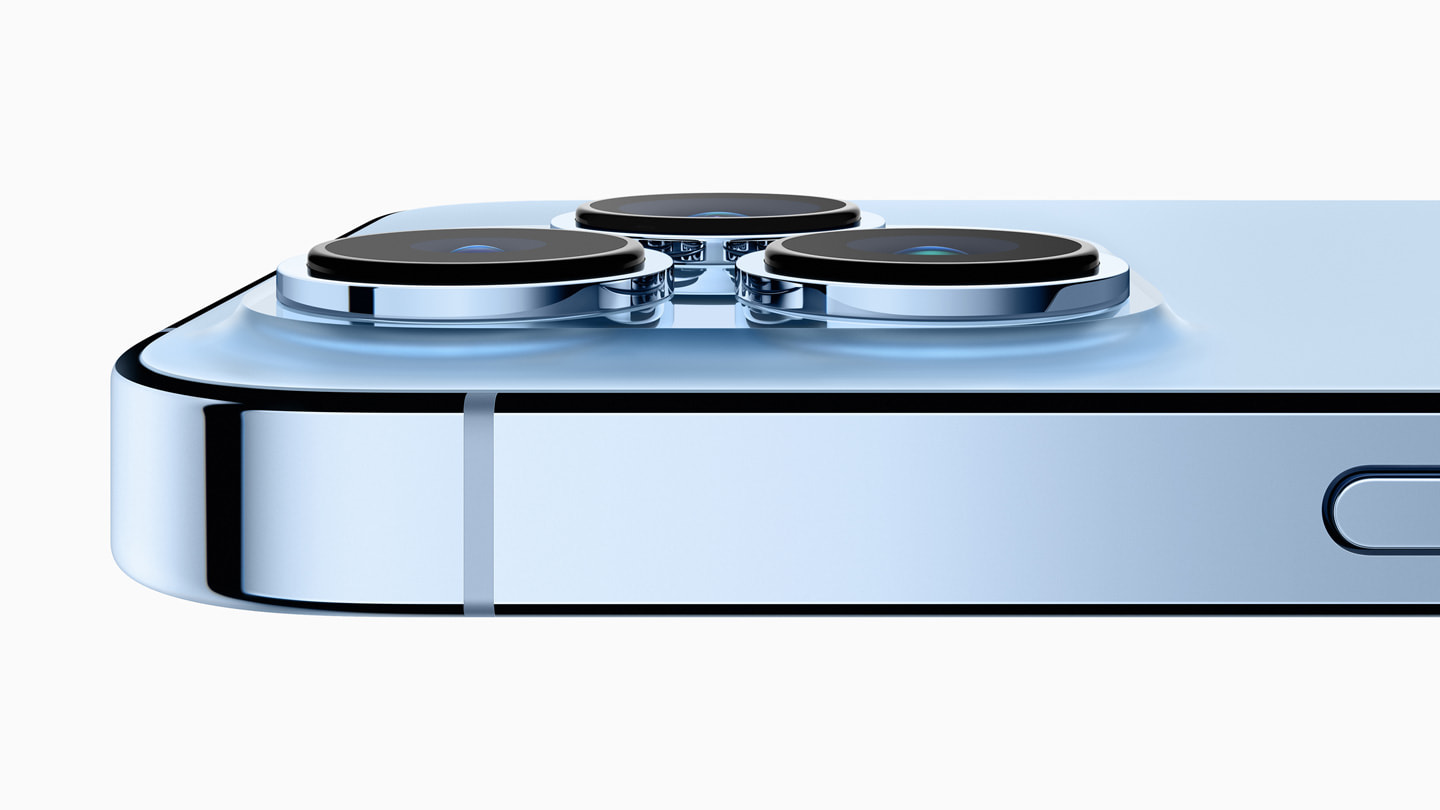
Inspect the telephoto separately from the main and ultrawide cameras. Shoot a detailed subject in good light, then an indoor scene that matches your use, and look at the saved files for focus or stabilization trouble. Tom's Guide found sharp focus and natural colour in its ultrawide pumpkin example, and stronger portrait blur with an unflattering reddish face in another. Those scene-specific notes are more useful than assuming every mode succeeds equally. The camera close-up below shows the hardware; it is not a Tech Standpoint inspection of a sample.
Macro invites a different style of photography
Apple's launch explanation identifies the autofocus ultrawide as the basis for macro, with a minimum focus distance of two centimetres. Its current user guide explains the automatic switch when you move close and the Macro Control option for managing it. Macro is a different camera use, not the main lens focusing closer. The red-flower photograph below is Apple's selected macro example, not a picture taken here or a controlled comparison.
Try an object with fine detail and see how easily you can position the phone without blocking the light. Check the edges of the frame and make sure the part you care about is sharp. This doubles as an inspection of the relevant camera: close work exposes a damaged lens cover or focus fault that a distant landscape hides. The feature is worth paying for when it supports repeatable documentation, not when it is one more mode to try once. If the framing change bothers you, learn the Macro Control setting before diagnosing a lens fault. Apple also documents keeping the Macro Control preference between sessions, so use consistent lighting and placement when checking whether the mode suits records of small objects.

ProRAW is an editing choice, not a quality switch
Apple describes ProRAW as combining RAW data with its image processing, giving more latitude for exposure, colour and white-balance edits. Its support guide puts a 12 MP ProRAW image at roughly 25 MB and names DNG as the format. The 13 Pro's cameras are 12 MP; the later 48 MP ProRAW options do not apply here.
That extra latitude is useful when you intend to adjust the photo and keep the original. It is wasted on a stream of casual images that get sent and never revisited. Open an original DNG in the editor you actually use, make a modest adjustment and export to the intended recipient. Opening the file is only step one; what the other person receives may differ from the original you wanted to preserve.
Apple excludes ProRAW from Live Photos, Portrait mode and video. Keep those modes separate in your head rather than expecting every camera option to stack. Choose a capture format before a session, check the result and decide how you will archive it. Saving every frame in a larger format makes an ordinary library harder to manage without improving most photos. A small set of deliberately edited images is a far better reason to buy this capability than the presence of a RAW button.
ProRes has a configuration trap
Apple explicitly limits ProRes on the 128 GB configuration to 1080p at 30 frames per second; higher capacities get the listed 4K option. That is a material buying detail for anyone choosing a 13 Pro for video. Two listings with the same model name are not equivalent for that workflow. Verify the actual capacity on the device before paying.
Apple's current ProRes guide requires at least ten percent of storage free and warns that ProRes files can be up to thirty times larger than HEVC. It also excludes ProRes from Cinematic, slow-motion and time-lapse. Take those limits seriously before treating the phone as equipment for a paid job. Record a short clip, transfer it and finish an editing round trip. For a quick family message, ordinary video avoids a lot of storage and processing work for no visible gain.
Cinematic and ordinary 4K have different purposes
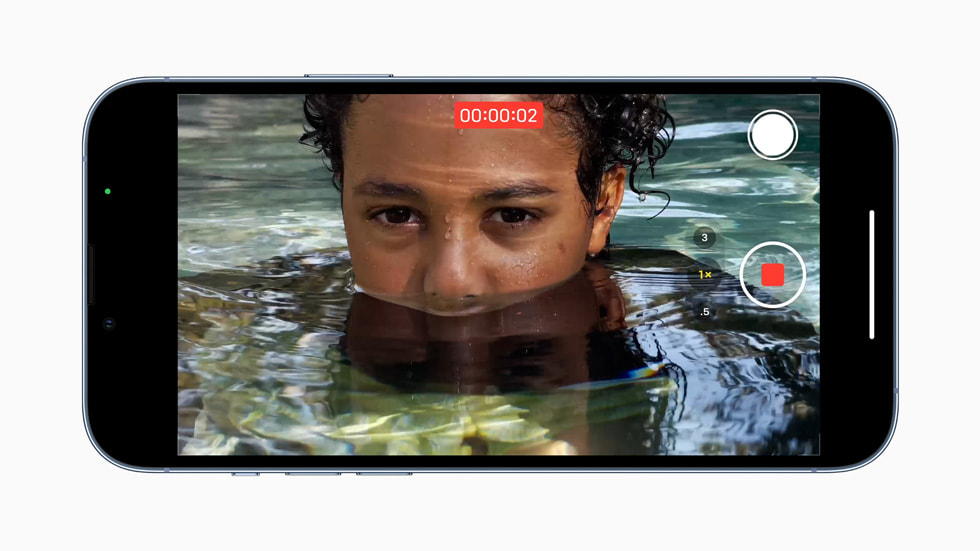
The specifications put Cinematic mode at 1080p and 30 fps, while ordinary Dolby Vision video reaches 4K at 60 fps. Wanting shallow-looking background blur and wanting higher-resolution motion are different choices on this generation. The camera-interface illustration below is Apple's promotional recording context; it does not represent stabilization, focus or audio testing by this publication.
Try Cinematic with the movement and number of subjects in your own clips. Watch where the focus changes and whether the effect holds when an edge crosses the background. A mode that flatters one staged scene need not suit an unpredictable pet or a busy family gathering. Ordinary video is often the safer pick when the event matters more than the effect.
Decide on the delivery route before committing to a recording mode. Check the editor, the receiving display and the final export, including how HDR is handled. Keep a second copy of important originals before freeing phone storage. The 13 Pro gives you useful recording tools, but the result includes transfer and playback. An unfamiliar format should prove itself on a sample workflow before you trust it with footage you cannot reshoot.
Creative storage needs a routine behind it
The range goes up to 1 TB, but buying the biggest capacity is not a substitute for organising and backing up your work. Decide how photos and clips will leave the phone, where they will live and how you will find them later. A large local library makes a phone seem self-sufficient while raising the cost of loss or failure. A reliable routine matters more than postponing the day the storage fills.
Lightning is the wired connection on this generation. Test your intended cable and transfer process with representative files, particularly if video is the point of the purchase. Wireless sharing is convenient in some setups but should be judged against the real volume of material. Count the computer, storage and subscriptions as part of the cost. A discounted creative phone loses its appeal if the workflow around it demands unexpected spending or constant manual effort.
Battery information has to describe this phone
Apple's battery guidance for iPhone 13 puts health and replacement information in Settings → Battery → Battery Health & Charging. It explains that ageing can affect app launch times, frame rates and other tasks. Do not assume the newer iPhone 15 cycle-information screen applies to this model. Ask for what the actual phone displays, along with any battery-replacement record.
A capacity percentage frames the purchase, but it is not an endurance trial. During the return window, use a normal mix of camera, mobile data and navigation and notice whether the phone lasts the hours you need away from power. Test the charging route you will keep. A phone that only charges intermittently through Lightning needs investigation even if wireless charging appears fine.
Get a current local battery-service quote when replacement looks likely enough to affect the price. A cheaper phone that needs work immediately should be compared on the resulting total, including time without your main device. Do not let telephoto and macro distract from dependable calls and charging. Creative tools are far less useful when battery anxiety stops you using them during the day.
The old Pro badge does not unlock every current feature
Apple's current Intelligence eligibility starts with newer hardware and includes the 15 Pro family, not the iPhone 13 Pro. A compatible operating-system release and a feature's hardware eligibility are separate questions. If those built-in functions are why you are replacing your phone, start with eligible devices rather than relying on the Pro name.
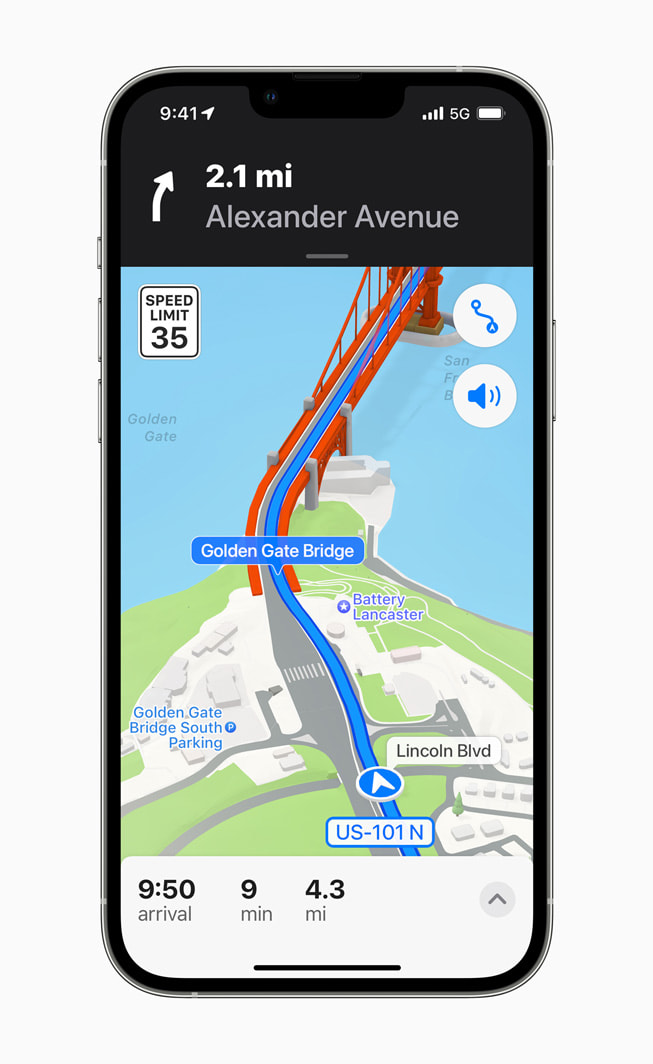
Apple's Maps illustration below shows the launch-era interface. It is not a promise that every displayed function is available in every Canadian or US location, and current software may look different. Check the navigation, work and accessibility apps that matter to you directly. Do not assume a fixed number of remaining support years that Apple has not promised for this purchase.
For a resold phone, Apple's preowned guide explicitly advises against buying an Activation Locked device. A seller showing a Hello screen has not shown that activation will complete. Resolve the prior account, verify setup and ask about Parts and Service History. The recommendation is for a usable, healthy phone with the capabilities you want; a cosmetic grade or a former flagship label cannot stand in for those checks.
Inspect the basics as carefully as the cameras
Premium features do not make ordinary checks less important. Confirm Face ID works, the previous account is gone and normal activation completes. Make a call, record speech and test both wired and your intended wireless charging. Ask for battery and repair information, including any screen or camera replacement. An impressive phone with unresolved basic faults is a frustrating thing to depend on.
Check the exact regional model against your carrier and verify current software and app requirements. A15 does not guarantee indefinite compatibility, and an employer's device policy may be narrower than a consumer app's. Get a battery-service quote if the example looks likely to need one. Written return terms belong in the decision, because a short inspection cannot reproduce every connection, camera and charging situation you will meet in normal life.
A worthwhile older Pro for a defined workflow
The 13 Pro is most compelling when you can name the feature that makes it preferable: smoother supported interaction, a telephoto perspective, close-focus work or a specific editing format. Then it has a clearer purpose than an ordinary older phone. It is far less convincing when those capabilities stay hypothetical and the real draw is a former flagship's prestige.
Our 7.8 Standpoint Score favours a documented, healthy configuration over the cheapest listing. It credits useful photographic and display capability backed by outside observations, while weighing an older battery, repaired components and a demanding file workflow. Add battery work, accessories and storage needs, then ask whether another phone would do the same job more simply. The tools remain substantial; the discipline is confirming that the actual device and the workflow around it let you use them without expensive surprises.
The closest alternatives.
| Product | Standpoint Score | Best for | Price |
|---|---|---|---|
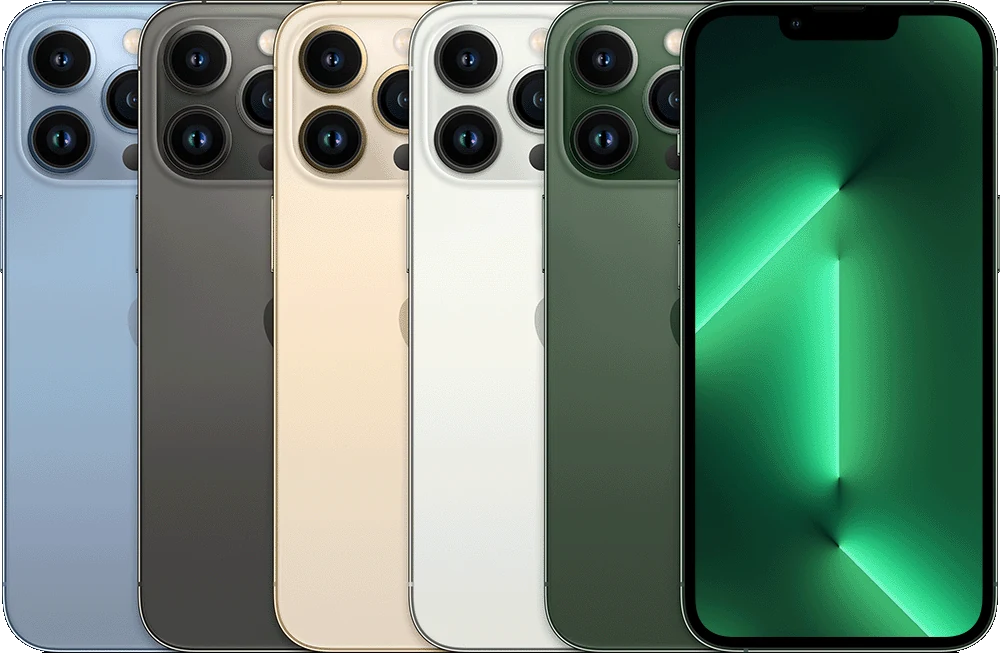
| Apple iPhone 13 ProThis review | 7.8Research | An iPhone photographer who wants telephoto and macro in the smaller Pro body and already has an editing workflow for the… | Amazon.ca ↗ |
| Apple iPhone 18 Pro | 8.3Research | An iPhone creator who will actually use aperture, shutter and white-balance controls and has a plan for storage and… | Amazon.ca ↗ |
| Google Pixel 11 Pro | 8.3Research | An Android buyer who wants a compact flagship with wide, ultrawide and 5x cameras and a long, published software… | Amazon.ca ↗ |
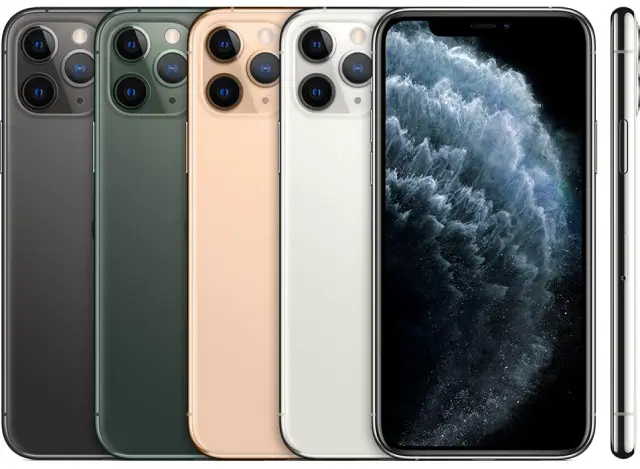
| Apple iPhone 11 Pro | 6.9Research | An iPhone user who wants a compact body and a genuine 2× telephoto for everyday framing, and who will inspect a used… | Amazon.ca ↗ |
Compare scores within a category: Tested means our own use, Research means documentation and attributed outside testing. Price links are affiliate links. As an Amazon Associate, Tech Standpoint earns from qualifying purchases. Disclosure
Sources & further reading.
These are the sources behind this research review. Manufacturer claims are not independent performance measurements. Community accounts, when cited, describe individual experiences.
- Apple iPhone 13 Pro technical specifications ↗manufacturer
- Apple launch camera explanation and supplied imagery ↗manufacturer
- Jordan Palmer’s Tom’s Guide iPhone 13 Pro evaluation ↗independent
- Apple ProRes storage, mode and transfer requirements ↗support
- Apple ProRAW formats and editing requirements ↗support
- Apple macro switching and Macro Control guide ↗support
- Apple battery ageing and health information ↗support
- Apple preowned-phone inspection and Activation Lock guidance ↗support
- Apple Intelligence eligible hardware ↗support
Product software and regional bundles can change. Corrections and editorial disclosures.
Affiliate link. As an Amazon Associate, Tech Standpoint earns from qualifying purchases. It never changes our verdict or score. Disclosure