Not tested. This is a research score for the documented features, compatibility and ownership trade-offs discussed in this review, not a performance measurement.
Features & capability 30%7.8
Large viewing area and documented camera modes offer a clear everyday role, with a 60 Hz screen and no dedicated telephoto.
Compatibility & connectivity 20%7.4
Lightning and region-specific SIM arrangements require planning; Apple Intelligence hardware eligibility excludes this model.
Ownership & upkeep 20%7.0
Battery and panel condition matter, with a particular rear-camera service window to verify on affected examples.
Setup & everyday use 15%7.8
Extra room for reading and viewing is useful when the broad body suits the buyer’s grip and routine.
Documentation & support clarity 15%8.7
Apple specifies video limits, identifies regional models and provides an explicit serial-check route for the camera programme.
Compare scores within the same product category. Small decimal differences should not override your needs or the evidence limits.
How the Standpoint Score works
We score five aspects of the documented product on a 0–10 scale, then calculate a weighted total:
- Features & capability30% of the total
- Compatibility & connectivity20% of the total
- Ownership & upkeep20% of the total
- Setup & everyday use15% of the total
- Documentation & support clarity15% of the total
This product’s 7.7/10 is an editorial research assessment. It does not claim measured performance, tested reliability or a verified customer satisfaction rate. Compare it with products in the same category, and read each criterion’s reasoning above.
Read the full rubric and score bands ↗From a tech standpoint.
A credible large-screen choice for anyone who wants more room for text, maps and video and can live without ProMotion and a telephoto. Mark Spoonauer's Tom's Guide battery test supports the endurance case, though it says nothing about the battery in a resold phone. Our 7.7 Standpoint Score also weighs regional SIM differences, camera-service eligibility and the missing Apple Intelligence support. Buy a sound example for the format; do not buy it as a discounted Pro Max.
Reasons to consider it
- 6.7-inch OLED with a clear everyday purpose
- Tom's Guide measured 11 hours 57 minutes of 5G browsing at 150 nits, not just a manufacturer claim
- Cinematic 4K HDR/30 and Action 2.8K/60 with the limits documented
Go in knowing
- 60 Hz display, no telephoto, no Apple Intelligence
- Lightning accessories and a 78.1 mm body have to fit your routine
- Rear-camera faults on eligible units have a three-year service window; US models are eSIM-only
Affiliate link. As an Amazon Associate, Tech Standpoint earns from qualifying purchases. It never changes our verdict or score. Disclosure
The specification sheet.
Published specifications from the linked sources. Configurations and availability can differ by country.
- Display
- 6.7-inch OLED; 2778 × 1284
- Chip
- A15 Bionic; five-core GPU
- Rear cameras
- 12 MP main and ultrawide
- Storage
- 128, 256 or 512 GB
- Weight
- 203 g
- Video
- Cinematic up to 4K HDR/30; Action up to 2.8K/60
More room for the things you already do
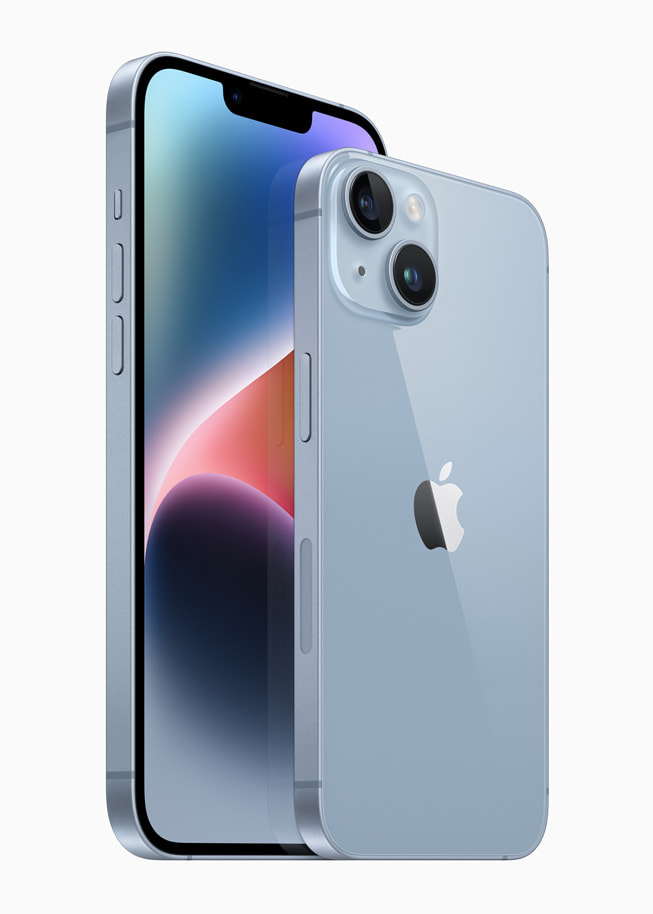
The 14 Plus earns its place with something unglamorous: you open a long message and can read it comfortably. A map or a paused video is easier to inspect too. That is a much better reason to buy one than the idea of getting a former flagship on the cheap. The Plus has its own priorities, and the purchase works when those priorities match how you use a phone.
Start at your preferred text size rather than shrinking everything to show how much fits. Read a few paragraphs, open a calendar entry and look at the keyboard while holding the phone normally. Someone who enlarges text values the space differently from someone who wants more small text at once. Both are legitimate; neither is settled by a product photo.
This assessment combines Apple's documentation with Mark Spoonauer's Tom's Guide evaluation and buying analysis; Tech Standpoint has not handled a sample. Outside findings show what the model can offer. The condition of an older unit is a separate purchase question, and a launch review cannot certify a seller's refurbished phone.
The wide body is part of the deal
Apple lists a width of 78.1 millimetres and a weight of 203 grams. Those numbers make the handling decision more tangible than the screen diagonal. Reaching the far side of the keyboard, keeping a secure grip and sliding it into a pocket all deserve a thought. Put on the case you will actually use before deciding the bare phone is manageable.
On a stand at a desk, the format is a pleasure for reading. Replying to a message while carrying shopping, the same width is awkward. Consider where you use the phone most and whether a second hand is usually free. A big screen is only an advantage when the body around it lets you use the space comfortably.
There is an inspection consequence too: a wide screen with unreliable touch near an edge is uniquely annoying. Type across the whole keyboard and drag a control through the areas you need. A cosmetic grade tells you less than a short functional trial. If the seller discloses a display replacement, ask what it involved.
Big does not mean ProMotion
Tom's Guide identifies the screen as 60 Hz. That matters if you are coming from a high-refresh phone: size alone will not reproduce the scrolling you are used to. Read and scroll the material you normally use before treating the Plus as a display upgrade. Screen area and motion presentation are separate qualities.
For films and stills, the draw is room to see the content. For rapid scrolling, a preference for smoother motion may send you elsewhere. There is no universal rule about which panel is better; what matters is what you notice in ordinary use. If you have never thought about refresh rate, do not pay for it because a comparison table makes it look compulsory.
On a used unit, look past a bright wallpaper. Pull up a pale background, check for persistent outlines and examine the corners. Try your text size by a window as well as indoors. No brightness or colour measurements of our own are attached to the score; the condition of the actual panel is more useful to the purchase than an assumed result.
Main and ultrawide have a defined reach
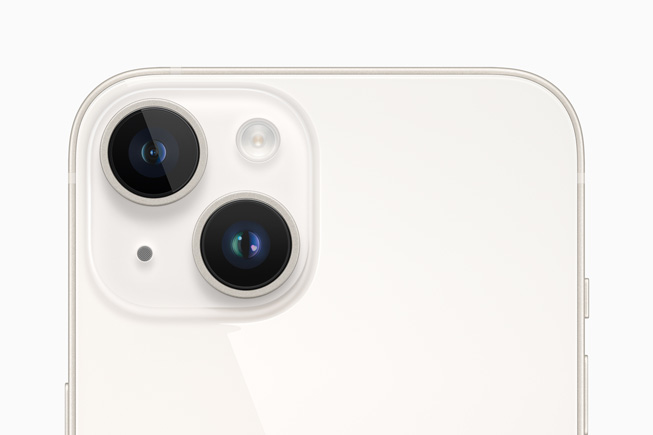
The cameras are main and ultrawide on the back and an autofocus front camera. There is no telephoto. That suits rooms, groups and ordinary trip photos more than distant stage detail. Digitally enlarging a far subject is not the same as having another optical lens.
Spoonauer's Tom's Guide comparison found more visible texture in the iPhone's market-pepper photo, while a separate pumpkin scene favoured the Galaxy S22 for shadow detail despite more accurate iPhone colours. Those are attributed scene observations, not a promise that one camera wins everywhere. They argue for looking at both detail and tonal treatment rather than judging by vivid colour alone.
Apple's supplied ultrawide example below shows the perspective it chose to promote for this family. It is not our image or a controlled comparison. Ask whether that perspective suits your subjects. If most of your photos are distant people, the big display does not fix the lens limitation. If they are interiors or nearby groups, the available views are a close match.
A missing camera preview has a specific service route
Apple identifies a rear-camera issue in a small subset of 14 Plus units manufactured between April 10, 2023 and April 28, 2024. The symptom is an absent preview. The programme uses a serial-number eligibility check and covers eligible units for three years after first retail sale. It is not blanket free repair for every 14 Plus or every camera fault.
Apple says obstructing damage may need paid repair first, and service can be limited to the original purchase country or region. Check the linked programme yourself with the serial number and purchase information. A seller saying Apple will fix it is not an eligibility confirmation. The deadline follows the unit, not the day you buy it used.
Before accepting a listing with a camera problem, establish the diagnosis and the service arrangement. Otherwise the attractive price hides time without a phone and an uncertain bill. For a working example, verify both rear views and ask for any repair record. The programme is useful model-specific support information; it never replaces checking that the device you are paying for works.
Three video modes, three intentions
Apple lists Cinematic recording up to 4K HDR at 30 fps, Action up to 2.8K at 60 fps and ordinary Dolby Vision video up to 4K at 60 fps. Those are distinct options, not one maximum. Choose by whether the clip needs a depth effect, a movement-oriented mode or plain higher-resolution recording.
For a family event, the safest workflow is one you have already run. Record a short example, play it on the receiving device and open it in your editor. Watch focus changes and subject edges before choosing a depth effect for something irreplaceable. A feature that looks lovely in a staged demo may be the wrong choice for several people moving through a scene.
The Plus screen gives you room to review a clip, but it does not remove storage and transfer work. Keep a second copy of important originals before clearing the phone. A completed export and a successful playback are better evidence of a workable setup than a resolution label. Use the special modes when the result justifies the extra decisions.

The independent battery result is useful, within limits
Tom's Guide reports 11 hours and 57 minutes of continuous web browsing over 5G with the display at 150 nits, and 46 percent charge after thirty minutes on a 20 W adapter. Those are identified test conditions and results from another publication, not our measurements or a forecast for a refurbished example.
The endurance finding gives the Plus a stronger buying case than a battery slogan. It does not tell you how a particular resold battery copes with navigation, video capture or weak reception. Do not convert browsing time into a guaranteed working day. Your use may be easier or harder on the battery, and the unit may have accumulated a lot of wear since the review sample was tested.
Apple's preowned-phone guide points to Battery Health & Charging for capacity and important messages. Ask for that information alongside any replacement record. During the return window, run a representative mix of tasks and note whether you need an unwanted midday charge. When a replacement looks likely, compare on the total cost after service rather than the sticker.
Lightning needs a deliberate accessory plan
The wired connector is Lightning; MagSafe is the other documented charging option. That matters if the rest of your gear has moved to USB-C. Check what cable and power supply actually come with the listing, and what you will keep at home, in the car and in a travel bag. A cheap handset can still generate several small accessory purchases.
The wired connection also has to work for how you manage files. Try a real transfer to the computer you intend to use rather than checking charging alone. Large video clips are a reason to settle that routine early. If your plan is wireless sharing or cloud storage, include the account, capacity and network availability in the decision.
The charging result above is not evidence that every charger reaches the same level. Use a dependable compatible setup and watch whether the socket holds the connection normally. Wireless charging is convenient, but it must not become an excuse to ignore an intermittent port. Resolve that while the seller is still responsible for the condition represented.
Canadian and US listings are not interchangeable
Apple's model-identification guide lists A2632 for the United States and Puerto Rico, and A2885 for the group that includes Canada. It notes no SIM tray on US units and a nano-SIM tray elsewhere. Use the actual model number when assessing an import; a seller's location does not tell you where the handset originated.
If you swap physical SIMs while travelling, the US version changes a familiar routine. Confirm that your carrier and travel service can activate the device the required way. Carrier unlocking and regional hardware are separate questions, and one does not answer the other.
Apple advises against buying an Activation Locked phone. Its preowned guide also explains that a Hello screen means an erased device that still needs setup and activation. Finish that step before treating the phone as ready. A polished case and clean packaging are easy to show; successful activation, calls and mobile data are the consequential part of the purchase.
Useful software is broader than the newest badge
The 14 Plus is absent from Apple's current Intelligence hardware eligibility list. If those built-in features are why you are changing phones, choose from eligible hardware rather than assuming an operating-system update will add them. Installing software and being eligible for a specific feature are different things.
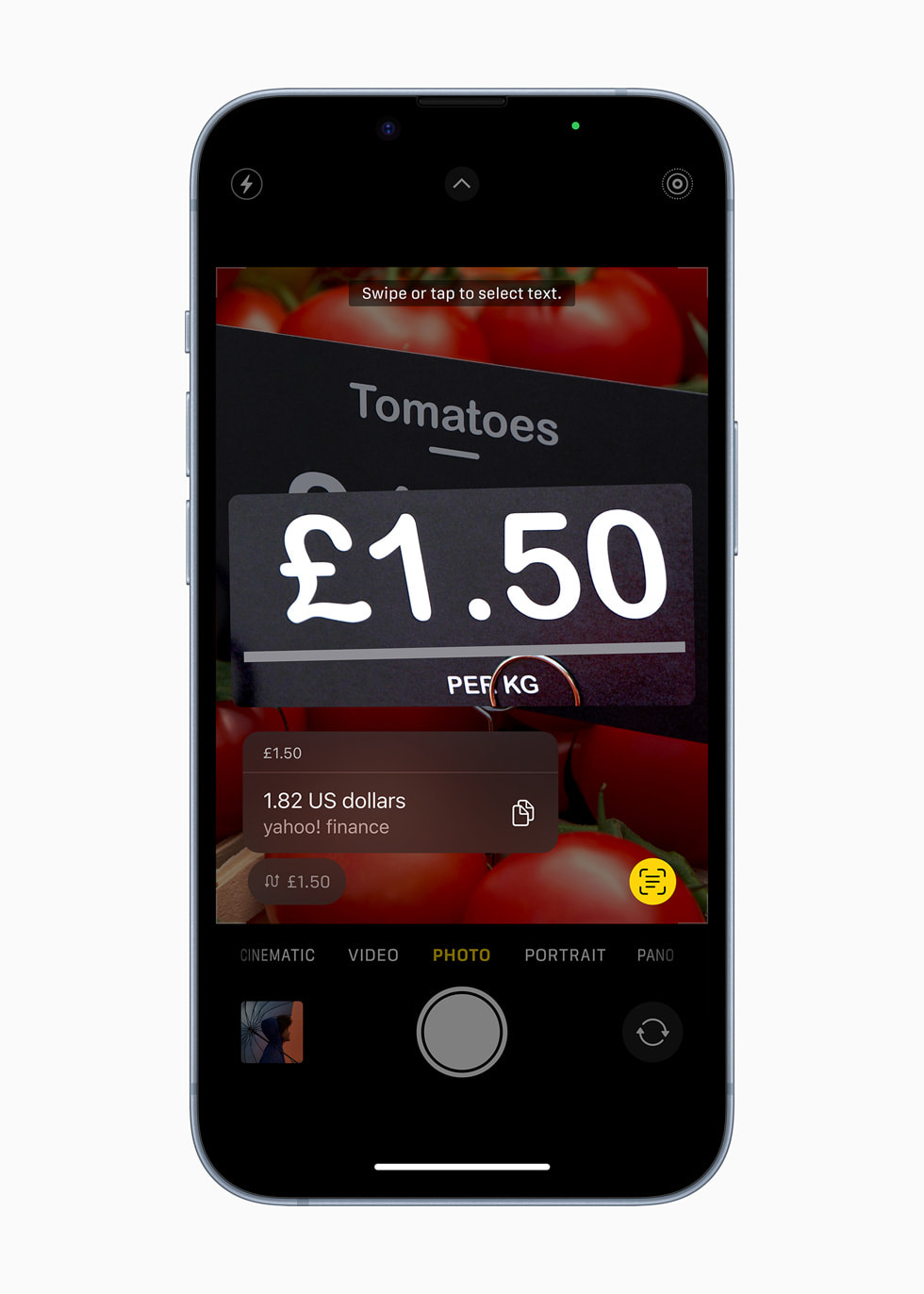
Apple's supplied launch illustration below shows Live Text on the iPhone 14 family. It depicts an example currency conversion, not a current exchange-rate quote, and the interface may look different today. It is useful context for the kind of everyday information task a larger screen handles well, not evidence of testing and not an illustration of Apple Intelligence.
Make a short list of the apps and accessibility settings you actually require. Check current compatibility, then try the most important interaction on the intended device. Do not pay a premium for imagined future support years that nobody has promised. Equally, do not dismiss a suitable older phone because its useful tasks get less attention in launch advertising than newer features.
Buy the larger format on its own terms
Our 7.7 Standpoint Score favours the clear everyday purpose and the documented camera modes, with identified outside endurance evidence behind the battery appeal. It also accounts for the refresh limitation, Lightning, regional activation decisions and ownership exposure. The score is an editorial research assessment, not a measured camera, durability or battery score from this publication.
Compare listings with the same storage, an understandable return policy and a realistic battery condition. Include any necessary service and accessories. If one example has an unresolved rear-camera issue, its service eligibility must be established before it belongs beside a working phone in the comparison. The cheapest number is not necessarily the lowest cost of getting a dependable device into use.
The best Plus buyer can say what the space will improve: larger text in messages, easier viewing of a route, a more comfortable video canvas. The less convincing buyer wants a Pro experience and is distracted by the diagonal. Keep those aims separate and the 14 Plus becomes easy to judge: a practical older phone with one particular strength and clearly defined compromises.
The closest alternatives.
| Product | Standpoint Score | Best for | Price |
|---|---|---|---|
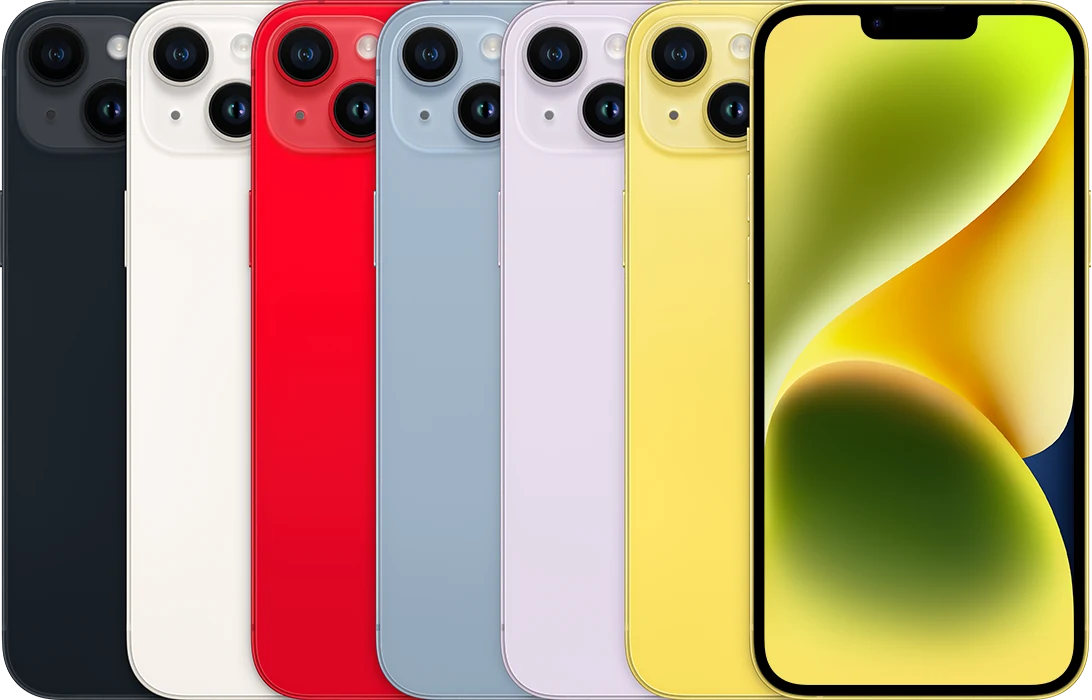
| Apple iPhone 14 PlusThis review | 7.7Research | An iPhone user who wants a 6.7-inch screen for reading, maps and video with ordinary main and ultrawide photography, and… | Amazon.ca ↗ |
| Apple iPhone 18 Pro | 8.3Research | An iPhone creator who will actually use aperture, shutter and white-balance controls and has a plan for storage and… | Amazon.ca ↗ |
| Google Pixel 11 Pro | 8.3Research | An Android buyer who wants a compact flagship with wide, ultrawide and 5x cameras and a long, published software… | Amazon.ca ↗ |
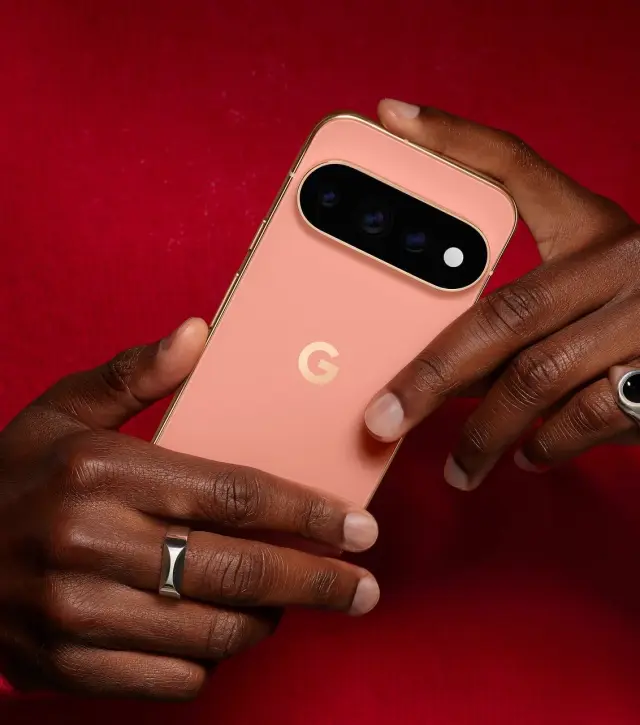
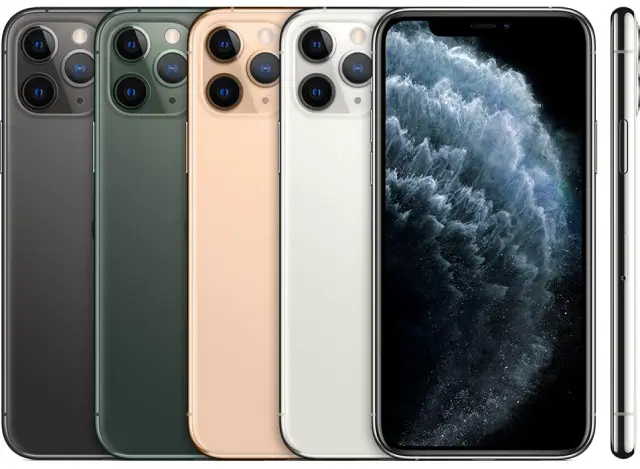
| Apple iPhone 11 Pro | 6.9Research | An iPhone user who wants a compact body and a genuine 2× telephoto for everyday framing, and who will inspect a used… | Amazon.ca ↗ |
Compare scores within a category: Tested means our own use, Research means documentation and attributed outside testing. Price links are affiliate links. As an Amazon Associate, Tech Standpoint earns from qualifying purchases. Disclosure
Sources & further reading.
These are the sources behind this research review. Manufacturer claims are not independent performance measurements. Community accounts, when cited, describe individual experiences.
- Apple iPhone 14 Plus technical specifications ↗manufacturer
- Mark Spoonauer’s Tom’s Guide iPhone 14 Plus evaluation ↗independent
- Apple rear-camera service programme and serial eligibility ↗support
- Apple regional iPhone model identification ↗support
- Apple preowned inspection, battery health and activation guidance ↗support
- Apple Intelligence hardware eligibility ↗support
- Apple iPhone 14 family launch explanation and supplied imagery ↗manufacturer
Product software and regional bundles can change. Corrections and editorial disclosures.
Affiliate link. As an Amazon Associate, Tech Standpoint earns from qualifying purchases. It never changes our verdict or score. Disclosure