Not tested. This is a research score for the documented features, compatibility and ownership trade-offs discussed in this review, not a performance measurement.
Features & capability 30%7.9
Action mode, upgraded Cinematic recording and autofocus front capture expand ordinary creative use.
Compatibility & connectivity 20%7.4
5G and MagSafe are useful, but regional SIM differences can complicate a used purchase.
Ownership & upkeep 20%7.0
Age and repair history still matter, with storage choices that start at a practical capacity.
Setup & everyday use 15%8.0
The conventional format supports familiar use once activation requirements are settled.
Documentation & support clarity 15%8.7
Apple clearly identifies video limits and the absence of a SIM tray on US models.
Compare scores within the same product category. Small decimal differences should not override your needs or the evidence limits.
How the Standpoint Score works
We score five aspects of the documented product on a 0–10 scale, then calculate a weighted total:
- Features & capability30% of the total
- Compatibility & connectivity20% of the total
- Ownership & upkeep20% of the total
- Setup & everyday use15% of the total
- Documentation & support clarity15% of the total
This product’s 7.8/10 is an editorial research assessment. It does not claim measured performance, tested reliability or a verified customer satisfaction rate. Compare it with products in the same category, and read each criterion’s reasoning above.
Read the full rubric and score bands ↗From a tech standpoint.
A sensible conventional iPhone when priced for its condition and configuration. Buy it if the video additions will get used and your carrier can activate the exact regional model. Compare it with the 13 when your tasks are modest, and with a newer USB-C model if cable consolidation matters; the model number change is smaller than either of those questions.
Reasons to consider it
- Cinematic up to 4K HDR/30 and Action mode up to 2.8K/60
- Autofocus front camera
- Familiar 6.1-inch size with 128 GB base storage
Go in knowing
- US imports are eSIM-only and need a compatible plan
- No telephoto and no ProMotion
- Satellite features depend on current regional conditions
Affiliate link. As an Amazon Associate, Tech Standpoint earns from qualifying purchases. It never changes our verdict or score. Disclosure
The specification sheet.
Published specifications from the linked sources. Configurations and availability can differ by country.
- Display
- 6.1-inch OLED; 2532 × 1170
- Processor
- A15 Bionic; five-core GPU
- Rear cameras
- 12 MP main and ultrawide
- Video modes
- Cinematic up to 4K HDR/30; Action up to 2.8K/60
- Storage
- 128, 256 or 512 GB
- US SIM arrangement
- eSIM-only on models purchased in the United States
The regional model belongs at the top of the listing
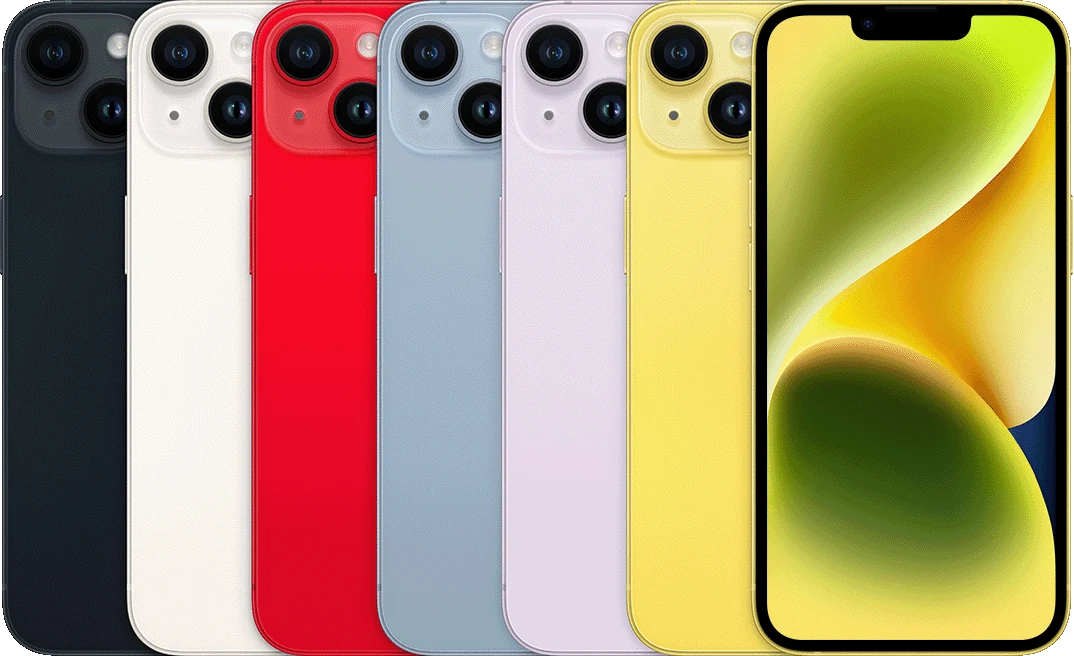
For a Canadian or American buyer looking at a used iPhone 14, the first important detail may be where the phone was originally sold. Apple's documentation identifies the absence of a physical SIM tray on US models. That makes an imported bargain a more specific proposition than a generic unlocked iPhone. Before comparing colours or cosmetic grades, confirm that your carrier and account can activate the exact device through the required arrangement.
This is not an argument against eSIM. It is an argument for matching the hardware to your service and travel habits. If you depend on inserting a physical local SIM abroad, resolve that before buying. The documented model and the ownership questions around it are covered here; no assumption is made that every regional version is interchangeable or that a seller has checked your carrier's needs.
A familiar screen is still a used component
The 6.1-inch OLED at 2532 × 1170 keeps the standard model in a conventional middle size. That helps anyone replacing an older ordinary iPhone without wanting a radically different physical experience. Open your usual apps and set the text to your preferred size. The useful test is whether reading, typing and navigation are comfortable with your intended case, not whether the spec looks good beside a bigger phone.
Inspect the panel for uneven tones, retained outlines and dead touch areas. A replacement screen should be described clearly in the service history, especially if the listing promises original-equivalent function. Edge wear matters less than a display that behaves reliably across normal brightness. A seller's grade is a starting description; you need enough return time to find out whether the phone's main interface works comfortably in daily use.
The everyday camera arrangement stays simple
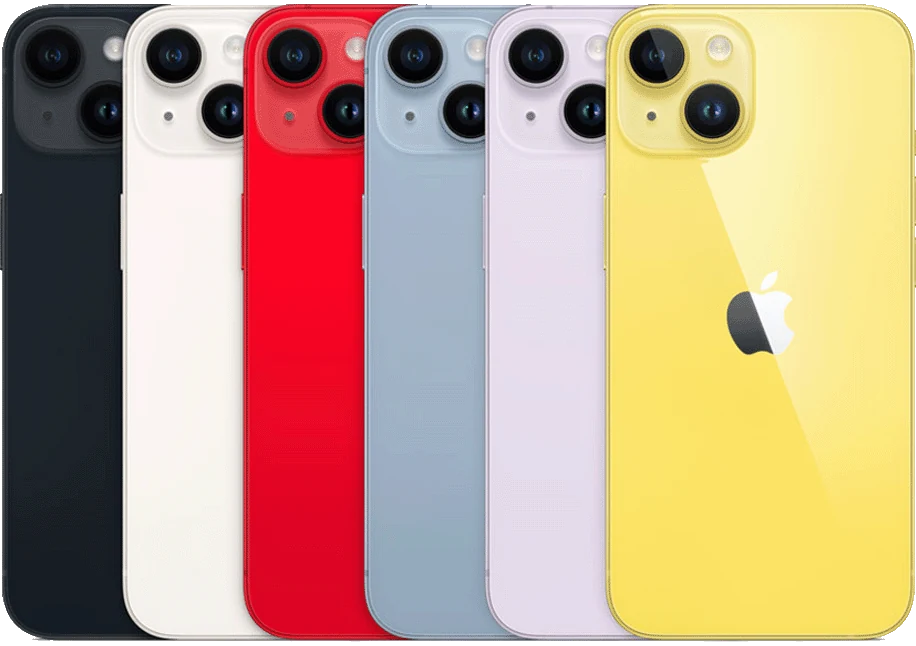
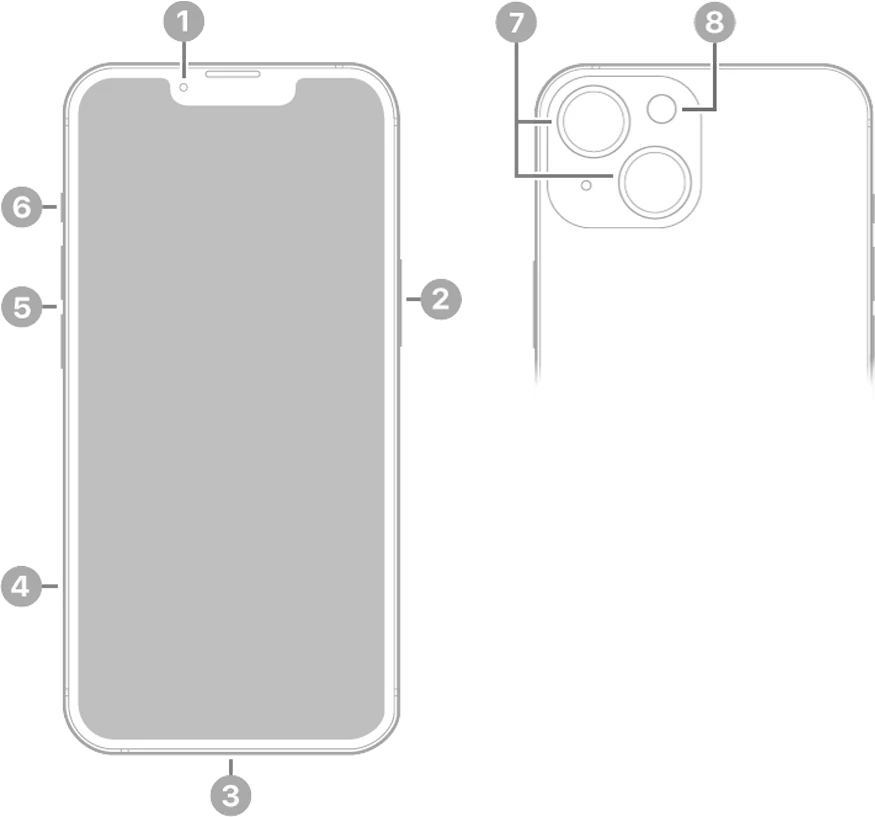
The main and ultrawide cameras cover ordinary subjects and wider scenes, and the front camera includes autofocus. That combination suits someone alternating family photos, video calls and short recordings. It does not add a telephoto, so if distant framing is your main frustration, compare a different camera arrangement rather than expecting the model number to solve it.
Test the front and rear cameras separately. A video call or a selfie can reveal a different fault from a rear-camera landscape. Check focus on a near and a farther subject, then listen to the saved recording. No image-quality ranking is assigned from the spec sheet. The documented tools are useful, but the condition of the specific cameras and their fit for your subjects still need practical confirmation.
Action mode asks what kind of movement you record
Action mode is listed up to 2.8K at 60 frames per second. Its value depends on the footage you make, not on being a newer feature. If you record movement, compare a sample against ordinary video and look at the resulting framing, detail and usability. The right setting is the one that delivers the clip you wanted without surprises in the conditions where you use it.
Try a modest real scenario during the return window, such as following someone walking in available light. Review the file on a larger screen and listen to the audio. A movement-oriented mode does not excuse careless handling or guarantee that every scene looks smooth. Stabilization effectiveness and low-light behaviour are not measured here; the score credits the option while leaving its consistency for you to test.
Cinematic gains room but needs an editing plan
The iPhone 14's Cinematic mode reaches 4K HDR at 30 frames per second. That is a meaningful change for anyone who wants the mode in a higher-resolution workflow. It is not a reason to put a depth effect on every recording. Consider the audience, the subject and whether the result still convinces at its final viewing size.
Run a small editing and sharing test before relying on the phone for an important project. Record, transfer, trim and export a representative clip with the actual software and receiving device. That reveals friction more usefully than a menu of resolutions. Choose storage with video in mind too. A format can be supported and still be inconvenient if files are hard to move, the editor balks or the local library is already nearly full.
Satellite features need current conditions, not assumptions
Apple lists satellite-related features and Crash Detection among the model's capabilities. Read the current regional availability and service conditions yourself before giving them any weight. Country, software, activation and the specific feature can all matter. A used listing cannot turn an original launch offer or a broad marketing line into a promise about what a new owner gets today.
For ordinary ownership, learn where the relevant settings and demonstrations are, and keep normal communication and travel planning in place. Emergency performance is not tested here, and no assurance about an outcome in a bad situation is offered. The buying point is narrower: these additions distinguish the generation, but they are services with conditions, not a substitute for verifying ordinary cellular operation, account status and current software.
Battery and Lightning are everyday realities
The iPhone 14 still uses Lightning for its wired connection. If your household already has the gear, replacement is simple. If everything else has moved to USB-C, budget for an extra cable and any adapter. MagSafe can simplify a desk or bedside routine, but inspect wired charging as well. A working wireless demo does not prove the socket or data connection is healthy.
Ask for battery and repair details, then compare a service-ready example with one needing immediate work. Check current software availability and essential app requirements before moving important accounts. A15 does not mean every later software feature is included. Complete account removal and normal activation while the deal is still reversible, and keep the return policy in writing. Those dull steps matter more than any of the newer recording modes.
Buy the additions you will actually use
The ordinary iPhone 14 is a plausible used choice for someone who values its video options and wants a familiar-sized iPhone. Compare it with the 13 when the daily tasks are modest, and with newer USB-C models when cable consolidation matters. The right answer depends on the complete price, including battery condition, storage and seller protection, not on the original launch hierarchy.
The verdict favours a healthy, correctly matched regional version, with no claim of measured endurance or camera superiority. Establish carrier activation first, then inspect the screen, cameras and charging. If the video additions will be used, they give this generation a concrete purpose. If not, let condition and total ownership cost decide whether it is genuinely the best phone for the budget.
The closest alternatives.
| Product | Standpoint Score | Best for | Price |
|---|---|---|---|
| Apple iPhone 14This review | 7.8Research | An everyday iPhone buyer who wants a familiar size with newer video modes and can confirm the right regional activation… | Amazon.ca ↗ |
| Apple iPhone 18 Pro | 8.3Research | An iPhone creator who will actually use aperture, shutter and white-balance controls and has a plan for storage and… | Amazon.ca ↗ |
| Google Pixel 11 Pro | 8.3Research | An Android buyer who wants a compact flagship with wide, ultrawide and 5x cameras and a long, published software… | Amazon.ca ↗ |
| Apple iPhone 11 Pro | 6.9Research | An iPhone user who wants a compact body and a genuine 2× telephoto for everyday framing, and who will inspect a used… | Amazon.ca ↗ |
Compare scores within a category: Tested means our own use, Research means documentation and attributed outside testing. Price links are affiliate links. As an Amazon Associate, Tech Standpoint earns from qualifying purchases. Disclosure
Sources & further reading.
These are the sources behind this research review. Manufacturer claims are not independent performance measurements. Community accounts, when cited, describe individual experiences.
- iPhone 14 - Tech Specs - Apple Support ↗manufacturer
Product software and regional bundles can change. Corrections and editorial disclosures.
Affiliate link. As an Amazon Associate, Tech Standpoint earns from qualifying purchases. It never changes our verdict or score. Disclosure