Not tested. This is a research score for the documented features, compatibility and ownership trade-offs discussed in this review, not a performance measurement.
Features & capability 30%8.1
Main-camera options and attributed test evidence support everyday photography, with no dedicated telephoto or Apple Intelligence.
Compatibility & connectivity 20%8.1
USB-C provides accessory and display functions; USB 2 transfers and regional eSIM requirements remain limits.
Ownership & upkeep 20%7.4
Documented battery information helps assess a used unit, while storage is fixed and condition and repair history matter.
Setup & everyday use 15%8.3
Standard-size use and Dynamic Island are practical; 60 Hz interaction and charging settings should fit the routine.
Documentation & support clarity 15%8.8
Apple specifies modes and transfer limits and provides model-specific battery and accessory guidance.
Compare scores within the same product category. Small decimal differences should not override your needs or the evidence limits.
How the Standpoint Score works
We score five aspects of the documented product on a 0–10 scale, then calculate a weighted total:
- Features & capability30% of the total
- Compatibility & connectivity20% of the total
- Ownership & upkeep20% of the total
- Setup & everyday use15% of the total
- Documentation & support clarity15% of the total
This product’s 8.1/10 is an editorial research assessment. It does not claim measured performance, tested reliability or a verified customer satisfaction rate. Compare it with products in the same category, and read each criterion’s reasoning above.
Read the full rubric and score bands ↗From a tech standpoint.
A sound older-model shortlist pick when USB-C and straightforward photography are the priorities. John Velasco's Tom's Guide testing supports useful endurance and main-camera performance; a used purchase still needs its own condition check. The 8.1 Standpoint Score weighs those documented strengths against a 60 Hz display, USB 2 transfers and no Apple Intelligence. It is an editorial research assessment, not a phone test of ours.
Reasons to consider it
- USB-C handles charging, audio, DisplayPort output and compatible accessories
- 48 MP main camera with 24 MP capture and a sensor-derived 2× view
- Tom's Guide reports 11 hours 5 minutes in its battery test
Go in knowing
- 60 Hz display and no Always-On
- USB-C data is USB 2, up to 480 Mb/s
- The standard iPhone 15 is not eligible for Apple Intelligence
Affiliate link. As an Amazon Associate, Tech Standpoint earns from qualifying purchases. It never changes our verdict or score. Disclosure
The specification sheet.
Published specifications from the linked sources. Configurations and availability can differ by country.
- Display
- 6.1-inch OLED with Dynamic Island
- Processor
- A16 Bionic
- Main camera
- 48 MP; 24 MP and 48 MP capture options
- Other rear camera
- 12 MP ultrawide
- Wired data
- USB-C connector; USB 2 up to 480 Mb/s
- Storage
- 128, 256 or 512 GB
USB-C can matter more than a benchmark
For an everyday buyer, the most persuasive reason to consider the iPhone 15 may be the charging connector. A household already using USB-C for laptops, tablets and accessories can cut the number of cable types it keeps. That is a small thing on paper and a daily convenience in practice. It is also a more concrete reason to upgrade than a processor comparison that has little to do with ordinary tasks.
The connector does not make every USB-C cable or accessory equivalent, and it does not give the ordinary 15 the Pro's data interface. Those details matter before buying. This assessment combines Apple's specifications and support guidance with John Velasco's Tom's Guide evaluation; Tech Standpoint has not handled an iPhone 15 sample, outside measurements are attributed, and the condition of an individual refurbished phone remains a separate matter.
Read the USB spec past the socket shape
Apple lists USB 2 data speeds up to 480 megabits per second for this model. The USB-C connector is a useful compatibility change without being a promise of fast wired transfers. If you routinely move large video libraries, compare the whole workflow with other models. If you mostly charge and occasionally copy photos, the limit matters far less.
Test your cable, computer and any important accessory during the return period. A cable that charges has not demonstrated the data function you need. Inspect the socket for a secure connection and do not let wireless charging stand in for a faulty port. The practical value of USB-C is fewer awkward exceptions in daily life. That value disappears if you assume capabilities the spec does not provide.
USB-C does more than charge, with separate requirements
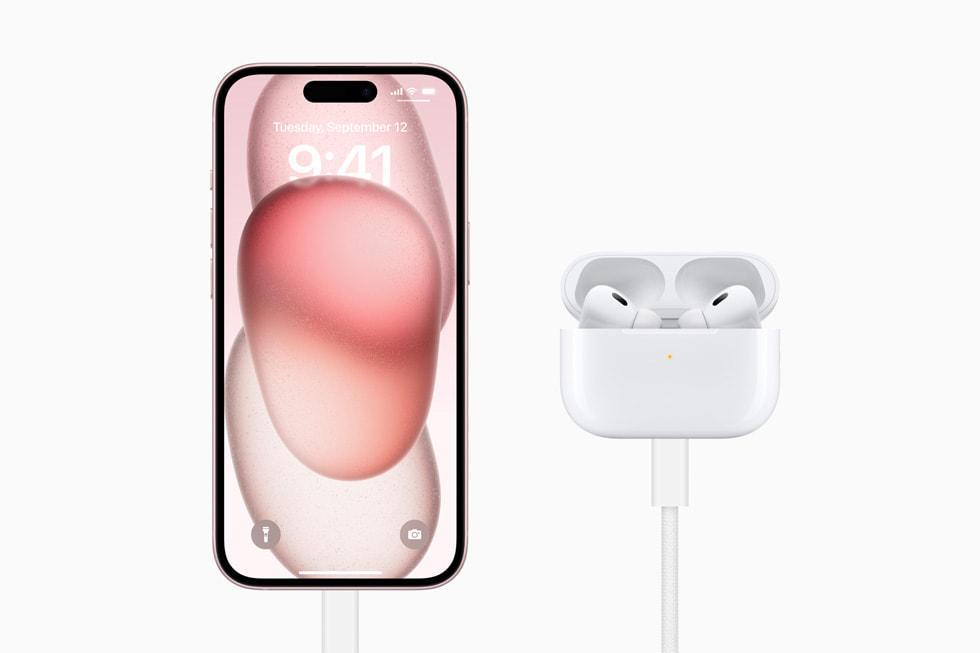
Apple's USB-C guide describes charging small USB Power Delivery devices from an iPhone 15 at up to 4.5 W. Its supplied photo below shows a USB-C AirPods Pro case connected to the phone. That is a documented accessory use, not a claim that every peripheral is powered or that it replaces a dedicated battery pack efficiently. Topping up an accessory also spends energy you may need for the phone.
The same guide supports external displays through DisplayPort at up to 4K and 60 Hz with a suitable video-capable cable. Ordinary output mirrors the phone unless the app offers a second-screen experience. That display capability is separate from the USB 2 transfer limit. A cable that charges the phone has not shown it supports video. If you want photos on a monitor or an HDMI adapter for a presentation, verify the complete combination first.
For audio, Apple documents USB-C headphones and compatible adapters rather than a 3.5 mm socket. Inventory your existing accessories before buying: a Lightning lead, a car connection or a microphone may need a different route. Cable consolidation is valuable when the resulting setup is actually simpler. Buying several adapters to preserve a specialised arrangement erodes that benefit. Test charging, data and any display or audio function individually rather than assuming one successful connection covers them all.
The main camera offers choices inside a simple system
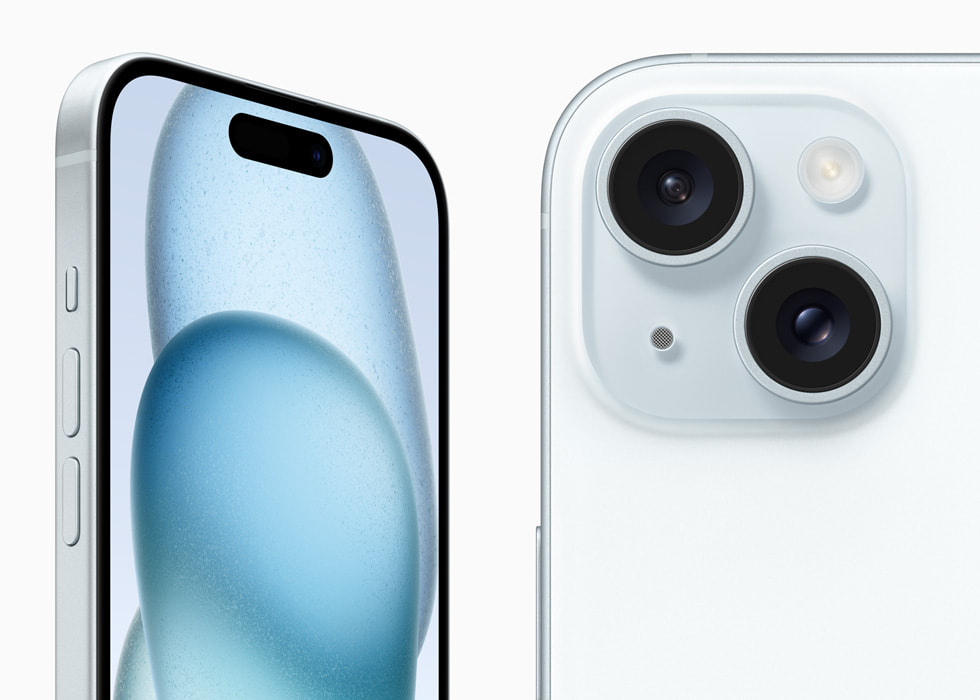
Apple documents a 48 MP main camera with 24 MP and 48 MP capture options and a 12 MP 2× view derived from the main sensor. The rear system has two physical cameras, including a 12 MP ultrawide; selecting 2× does not engage a third telephoto lens. John Velasco's Tom's Guide evaluation praised main-camera detail and found the 2× results useful. That is a reason to take the system seriously for ordinary photography without claiming the hardware or versatility of every Pro.
Choose the mode for the picture's purpose. A detailed record meant for editing is different from a quick image sent in a message. Look at focus, movement and lighting rather than assuming the largest pixel count is automatically best. On a used phone, take fresh images with the main and ultrawide cameras and review the saved files. The spec lists the options; it does not prove every camera module in a resold device is healthy.

Portrait editing adds flexibility after the shutter
Apple's launch explanation says the phone can keep depth information when it detects a person, dog or cat, or when you tap to focus, allowing a portrait effect to be applied later in Photos. Focus can also be changed after capture. The dog image below is Apple's promotional camera example, not a photograph taken here or an independent comparison of portrait accuracy.
That flexibility suits an ordinary moment where switching modes first would cost you the expression. The finished image still deserves scrutiny: hair, fur and fine edges show where an effect does not suit the subject. Keep a version with less blur if it tells the scene better. A later editing option gives you one more decision; it does not make every frame a better portrait.
Apple's landscape sample shows the advertised main camera in a very different scene. It is a useful visual example, but a manufacturer-selected photo cannot establish repeatability in poor light or with moving subjects. During a buying trial, shoot the actual people, pets and indoor conditions you photograph, and review exported files on the screen where they will live rather than only on the phone.

Dynamic Island should serve real habits
The standard iPhone 15 includes Dynamic Island in its 6.1-inch OLED. Its usefulness depends on the activities and apps that put information there. Try the functions you actually use, such as ongoing media or supported activity updates, and decide whether they reduce screen-hopping. A prominent interface feature is worth something when it makes an ordinary task clearer, not because it makes the phone look newer.
Tom's Guide identifies the display as 60 Hz with no Always-On mode and reports a 1,401-nit maximum in its indoor HDR test. That measurement has different conditions from an outdoor peak-brightness claim. For the buyer, fluid scrolling and readable content are separate priorities, so compare familiar apps against a high-refresh alternative if the difference matters. On a used example, confirm consistent touch response and look for persistent marks or uneven colour at your intended text size; the Dynamic Island shape does not prove a replacement panel is sound.
Video needs an output plan
Apple specifies Dolby Vision 4K recording up to 60 fps, Cinematic mode up to 4K HDR at 30 fps and Action mode up to 2.8K at 60 fps. Those modes have different ceilings, so Action is not another 4K option. A short family clip, a moving subject and a deliberately edited scene are different tasks. Record the kind of material you make and push it through the sharing or editing route you intend to keep.
Let the storage configuration follow that routine. Higher-quality recording builds a substantial local library, and the phone is not an unlimited archive. Decide how often footage moves off and where a second copy lives. Test playback after export, including how the receiving device handles the chosen format. The score credits the breadth of documented options while leaving recording heat, stabilization consistency and microphone performance to a hands-on evaluation.
Regional SIM rules still affect an imported bargain
A Canadian buyer eyeing US stock should check the exact model, because US versions are eSIM-only. That can work perfectly with the right carrier and account, but it is not equivalent to a physical tray for every travel or service scenario. Resolve activation and roaming before completing the deal. A seller's unlocked claim should come with a working setup and clear model information.
Check calls, mobile data and the car or headphone connections you use. Verify current software requirements for work and essential apps. A compatible iOS release does not imply access to every feature advertised for later hardware. If satellite services matter, consult their current regional conditions directly instead of treating a launch description as a guarantee. Sort out model identification, activation and the functions you need before an imported bargain becomes your only phone.
Independent endurance is a reference, not a used-phone promise
Tom's Guide reports 11 hours and five minutes in its battery test and 53 percent charge after 30 minutes with a 20 W adapter. Those results describe its sample and procedure. They do not measure the remaining endurance of a resold phone, and your mix of navigation, camera work and reception conditions need not reproduce them.
On iPhone 15 with iOS 17.4 or later, Apple's battery guidance documents maximum capacity, cycle count, first-use and manufacturing information in Settings → Battery → Battery Health. Read them together and look for a replacement recommendation. Neither the cycle number nor one high capacity reading tells you whether the phone lasts your particular day. Run a normal session, including the tasks that used to send you to a charger, rather than extrapolating from ten quiet minutes on Wi-Fi.
Apple's current charging guide offers limits from 80 to 100 percent in five-percent steps on iPhone 15 models, with Optimized Battery Charging available at the 100 percent limit. The phone may occasionally charge fully even with a lower limit set, to maintain its estimate. Understand a deliberate limit before diagnosing incomplete charging as a fault. Pick the setting around the hours you need away from power; a lower cap is no help if it keeps leaving you short. These controls manage charging; they do not restore a worn battery.
Apple Intelligence is a hardware line
Apple's current device requirements include iPhone 15 Pro and Pro Max but not the ordinary iPhone 15. Do not buy this A16 model expecting an update to add Apple Intelligence because the name shares a generation. Eligibility and the availability of a particular app are different questions; third-party services have their own compatibility and account rules.
Decide whether those built-in features are part of why you are changing phones. If they are, shortlist eligible hardware first and then compare condition, storage and total cost. If the requirement is messaging, maps, photos and existing apps, their absence may be an acceptable trade. The favourable everyday assessment does not erase the distinction. Verify essential work-app support directly and do not assume a specific number of remaining update years that Apple has not promised.
A newer generation can still have a bad history
Apple's preowned-phone guide tells buyers to inspect condition, battery information and Parts and Service History, and it explicitly warns against buying an Activation Locked phone. A Hello screen is not proof that activation will succeed. Have the previous owner clear their account, then complete setup far enough to establish the phone is usable. Check Face ID separately from taking a front-camera photo, and keep the invoice and return terms. A newer model number says nothing about how a particular phone was treated.
Compare a service-ready phone with a cheaper one that needs work using current local repair quotes. Cosmetic wear is acceptable if function is sound; a pristine exterior can hide an inconvenient fault. You want a predictable ordinary phone, not a restoration project. A seller who describes real testing and stands behind it offers more than an attractive grade with vague battery expectations and narrow exclusions buried in the return policy.
A practical upgrade when its distinctions matter
The iPhone 15 makes a strong case for an owner who wants USB-C, a useful main-camera update and the familiar standard size. Its appeal depends less on specialist creative work than an older Pro's does. It should still be compared on equal terms: storage, battery condition, service history and seller protection all belong in the final price.
Our 8.1 Standpoint Score favours the coherent everyday package, with particular credit for useful USB-C functions and the supporting outside camera and battery observations. Any specific listing still needs its screen, cameras, port and activation verified before it deserves a recommendation. Keep the transfer limit, the sensor-based 2× view, the 60 Hz display and the lack of Apple Intelligence in mind, then decide which of those touch your routine. A well-chosen 15 simplifies ownership; buying on assumptions about the Pro's capabilities creates avoidable disappointment.
The closest alternatives.
| Product | Standpoint Score | Best for | Price |
|---|---|---|---|
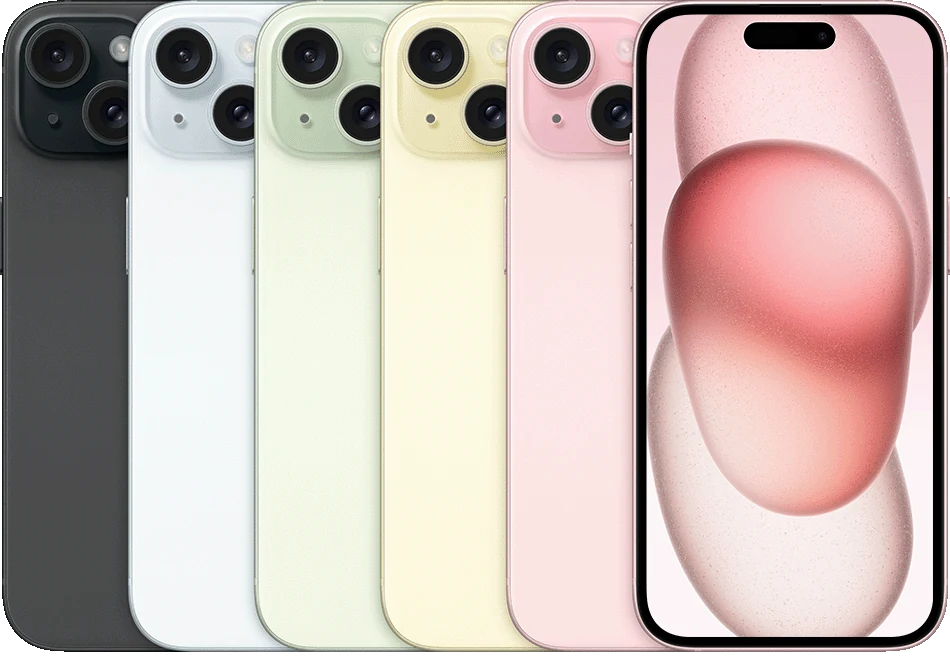
| Apple iPhone 15This review | 8.1Research | An everyday iPhone user moving to USB-C who does not need the Pro's specialist video and telephoto hardware. | Amazon.ca ↗ |
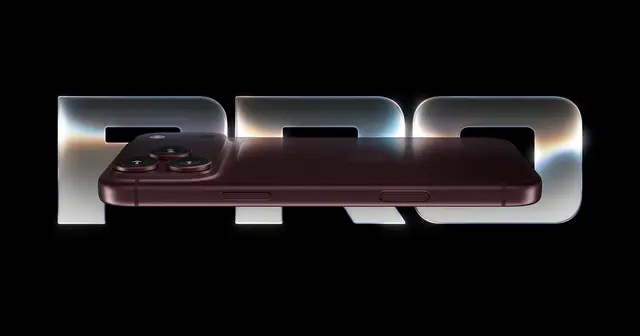
| Apple iPhone 18 Pro | 8.3Research | An iPhone creator who will actually use aperture, shutter and white-balance controls and has a plan for storage and… | Amazon.ca ↗ |
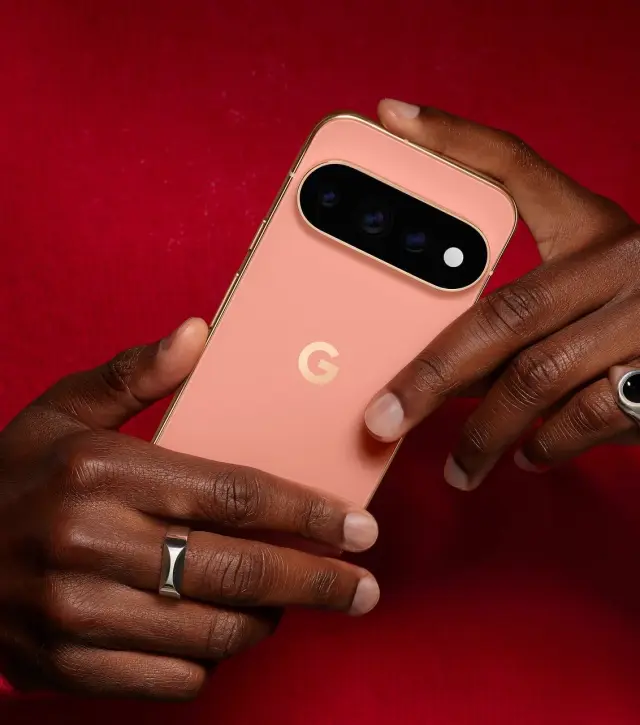
| Google Pixel 11 Pro | 8.3Research | An Android buyer who wants a compact flagship with wide, ultrawide and 5x cameras and a long, published software… | Amazon.ca ↗ |
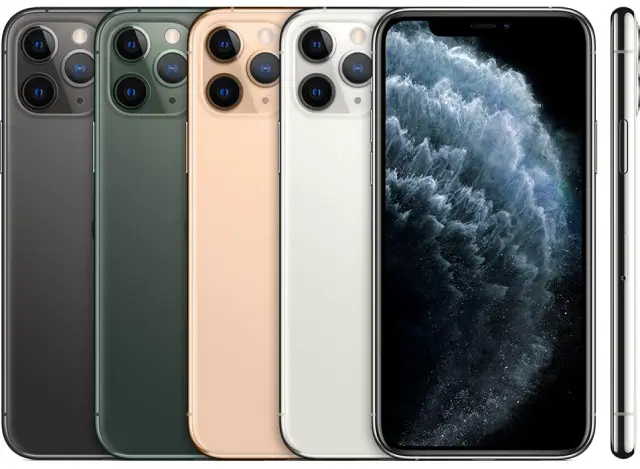
| Apple iPhone 11 Pro | 6.9Research | An iPhone user who wants a compact body and a genuine 2× telephoto for everyday framing, and who will inspect a used… | Amazon.ca ↗ |
Compare scores within a category: Tested means our own use, Research means documentation and attributed outside testing. Price links are affiliate links. As an Amazon Associate, Tech Standpoint earns from qualifying purchases. Disclosure
Sources & further reading.
These are the sources behind this research review. Manufacturer claims are not independent performance measurements. Community accounts, when cited, describe individual experiences.
- Apple iPhone 15 technical specifications ↗manufacturer
- Apple launch explanation and supplied product/camera images ↗manufacturer
- John Velasco’s Tom’s Guide iPhone 15 evaluation ↗independent
- Apple USB-C power, audio and external-display guidance ↗support
- Apple battery information and ageing guidance ↗support
- Apple Charge Limit and Optimized Battery Charging ↗support
- Apple Intelligence eligible hardware ↗support
- Apple preowned-phone inspection and Activation Lock guidance ↗support
Product software and regional bundles can change. Corrections and editorial disclosures.
Affiliate link. As an Amazon Associate, Tech Standpoint earns from qualifying purchases. It never changes our verdict or score. Disclosure