An editorial assessment of documented capabilities and ownership trade-offs. This is not a hands-on test result or a measurement of reliability.
Features & capability 30%8.2
M2 media capability, a larger screen and a better-specified camera broaden the everyday role.
Compatibility & connectivity 20%7.8
MagSafe improves port availability, while the native single-display limit still constrains desks.
Ownership & upkeep 20%7.4
Fixed purchase configuration and used battery health remain important, with flexible charging options.
Setup & everyday use 15%8.6
The lighter fanless redesign and dedicated power connection simplify mobile work.
Documentation & support clarity 15%8.9
Apple clearly specifies memory options, display support and charging requirements.
Compare scores within the same product category. Small decimal differences should not override your needs or the evidence limits.
How the Standpoint Score works
We score five aspects of the documented product on a 0–10 scale, then calculate a weighted total:
- Features & capability30% of the total
- Compatibility & connectivity20% of the total
- Ownership & upkeep20% of the total
- Setup & everyday use15% of the total
- Documentation & support clarity15% of the total
This product’s 8.1/10 is a provisional research assessment. It does not claim measured performance, tested reliability or a verified customer satisfaction rate. Compare it with products in the same category, and read each criterion’s reasoning above.
Read the full rubric and score bands ↗The ownership case.
A convincing older lightweight Mac when configured for the actual workload. Its single native external-display limit and installed memory still need to be accepted before buying.
Reasons to consider it
- Dedicated MagSafe charging leaves USB-C ports available
- Fanless design
- Larger display and improved camera specification
Go in knowing
- One native external display remains the limit
- Memory configuration must be chosen carefully
- Charger and cable package varies between listings
The specification sheet.
Published specifications from the linked sources. Configurations and availability can differ by country.
- Processor
- Apple M2; eight-core CPU, eight- or ten-core GPU
- Display
- 13.6-inch IPS; 2560 × 1664
- Memory
- 8, 16 or 24 GB configurations
- Storage
- 256 GB to 2 TB SSD configurations
- Connections
- MagSafe 3, two Thunderbolt / USB 4 ports, headphone jack
- Camera
- 1080p FaceTime HD
- Weight
- 1.24 kg
The redesign matters beyond the chip
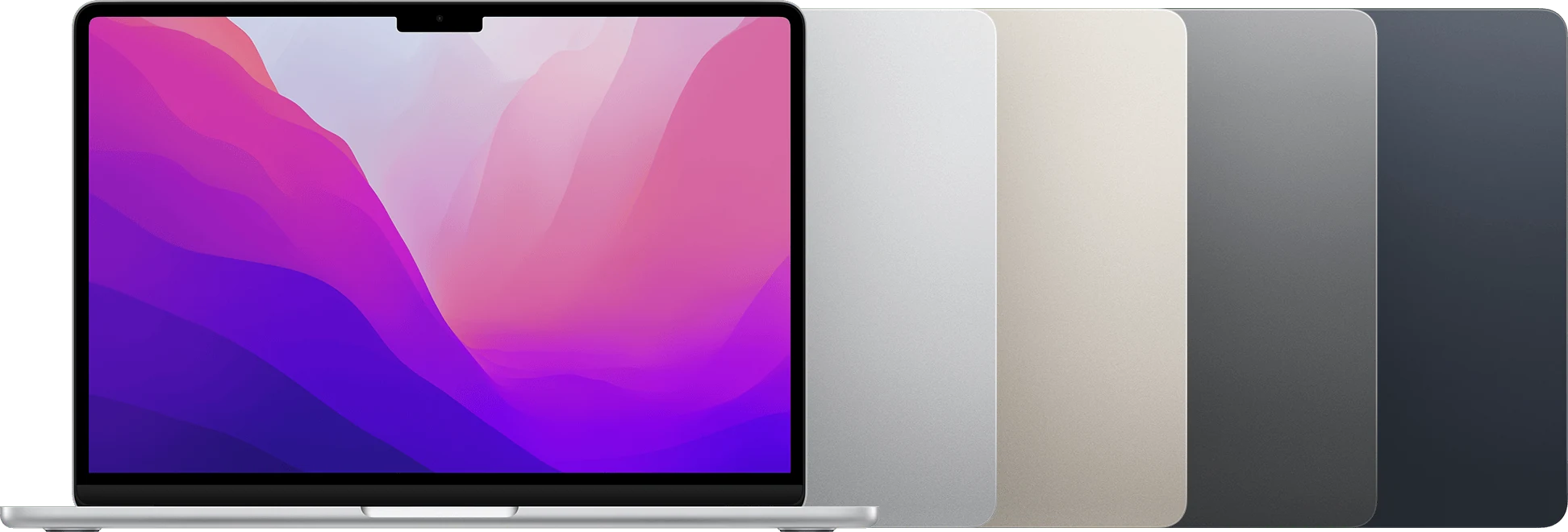
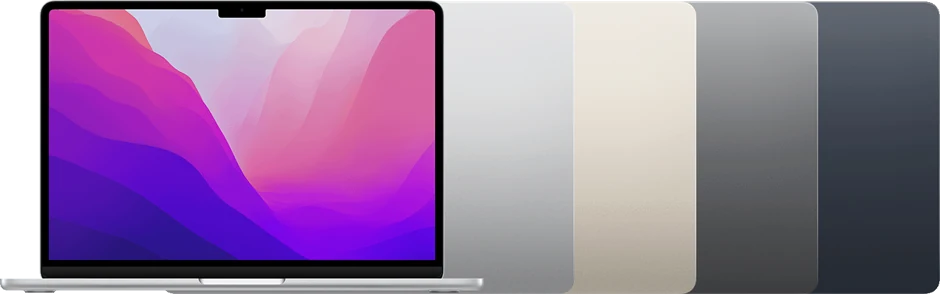
The 2022 M2 MacBook Air is worth considering for the changes surrounding its processor. A dedicated charging connection, a larger built-in screen and a better-specified camera can influence ordinary work more often than a demanding benchmark. Those are concrete reasons to prefer it over an older Air when the price and condition make sense. The purchase should begin with the daily routine rather than an assumption that M2 is automatically the right answer for every user.
Think about where the laptop will be used: a desk, classrooms, travel or a mixture. Then identify the applications, external displays and accessories that must work. Our assessment uses Apple's documentation to evaluate that fit. It does not claim measured endurance, sustained rendering speed or the condition of a refurbished unit, and it treats the installed configuration as part of the product rather than a minor listing detail.
MagSafe changes the two-port calculation
MagSafe 3 gives the Air a dedicated way to charge, leaving its two Thunderbolt / USB 4 ports available for other uses. That can simplify a desk with a display and storage device, or a travel setup that otherwise needs a hub simply to connect power and peripherals. The benefit is practical port availability. It does not remove the need to check what the attached equipment actually requires.
Used listings may include different chargers or omit the MagSafe cable, so price the complete package. Inspect the connector and cable, test charging and verify both USB-C ports with data devices. If fast charging matters, consult the current manufacturer requirements for the power supply and cable rather than relying on a seller's generic wattage claim. A dedicated charging feature is most useful when the included equipment allows it to work predictably.
A larger display without turning into a large laptop
The 13.6-inch panel offers a little more built-in workspace in a body listed at 1.24 kilograms. That may help with document reading, two modest windows or a video meeting alongside notes. It does not turn the Air into a spacious workstation for every task. Try the text scaling and application layout you prefer, especially if the laptop will be used away from an external monitor most of the time.
Inspect the screen for bright pressure marks, coating damage and uneven illumination. Test the hinge and look for signs that the lid has been twisted or struck. The keyboard and trackpad should receive a real typing session rather than a few taps. An attractive thin design can be pleasant to carry, but the actual condition of the work surface decides whether it is comfortable to use for several hours at a time.
Fanless operation has a clear role
Apple describes the M2 Air as fanless. That physical characteristic can suit quiet writing, study and calls, because there is no cooling fan to enter the acoustic environment. It should not be inflated into a claim about unlimited sustained performance. A compact passive-cooling design and a long demanding export are still a combination worth evaluating rather than assuming away.
Use representative work to judge whether the laptop is appropriate. A small document, a large photo library and a complex creative project are different demands. If sustained processing dominates the day, compare an actively cooled model configured with suitable memory. The Air's appeal is not that it replaces every larger computer. It is that a suitable workload can fit into a light, relatively simple machine without adding hardware complexity the owner does not need.
Memory and storage deserve priority over cosmetic finish
The documented memory configurations range from 8 to 24 GB, and used examples should be compared with that difference in mind. Count the applications and browser services normally open together, including background tools and creative plug-ins. Choose a configuration that fits the working set rather than planning to compensate for limited memory by continually closing things. Treat the installed amount as a decision to settle at purchase.
Storage needs the same discipline. Include project files, local libraries, applications and room for updates. An external drive can be useful, but it changes the portable setup and requires a backup plan of its own. Paying for an appropriate configuration can be more valuable than paying for a preferred finish. A laptop intended to reduce daily friction should not begin ownership with an avoidable capacity constraint that repeatedly interrupts the work it was bought to support.
The single-display limit remains important
The M2 Air's native external-display support is one display within Apple's stated resolution and refresh limits. MagSafe frees a port, but it does not change that display count. Someone planning a dual-external-monitor desk needs to resolve this before purchasing a dock. Multiple video sockets on an accessory are not evidence that the computer can drive the desired arrangement natively.
For a single-monitor setup, test the intended screen, cable, dock and power configuration together. Confirm waking, reconnecting and the resolution used in normal work. If considering a separate software-based display approach, investigate its requirements and trade-offs explicitly. The goal is a dependable desk, not a collection of accessories purchased on assumptions. The Air can be an excellent fit for a mobile workflow while remaining a poor fit for a particular stationary multi-screen requirement.

Meetings, batteries and previous ownership
The documented 1080p camera is a useful generational change for a meeting-heavy brief, but a resolution number alone does not describe a complete call. Test the camera, microphones, speakers and actual conferencing software under ordinary lighting. Check that the wireless connection remains comfortable where the computer will be used. A laptop's communication role depends on the whole chain, including the environment and application settings.
Inspect battery condition and ask for service records. Original endurance claims should not be assigned to a used battery without qualification. Require proper removal of the previous account and any organizational management, then complete normal setup. Verify current operating-system and application compatibility, including specialist peripherals. Keep the invoice and return terms, and allow time to test sleep, waking and charging. A healthy used machine should not require accepting unresolved ownership restrictions or basic hardware exceptions.
A coherent portable Mac when configured correctly
The M2 Air is attractive for a buyer who values the redesigned working experience: dedicated charging, a light fanless body and a useful built-in screen. It is most convincing when the memory and storage fit the workload and the single native external display is sufficient. Those conditions matter more than treating every M2 listing as an interchangeable bargain.
Our provisional score rewards the documented everyday improvements while leaving measured performance and reliability open. Compare the total purchase with newer alternatives, including the correct charger, cable, any dock and likely battery service. We would favor a suitable configuration with a clear history over a cosmetically pristine but underspecified example. The best reason to choose this Air is that the whole arrangement makes work simpler, rather than that its processor name sits one step above another in a product timeline.
Sources & further reading.
These are the sources behind this research review. Manufacturer claims are not independent performance measurements. Community accounts, when cited, describe individual experiences.
- MacBook Air (M2, 2022) - Tech Specs - Apple Support ↗manufacturer
- Apple's M2 Air availability announcement — fanless design and MagSafe ↗manufacturer
Documentation reviewed: 9 October 2026. Product software and regional bundles can change. Corrections and editorial disclosures.