Not tested. This is a research score for the documented features, compatibility and ownership trade-offs discussed in this review, not a performance measurement.
Features & capability 30%7.9
The actively cooled M1 platform supports a defined compact-workstation role.
Compatibility & connectivity 20%7.3
Thunderbolt / USB 4 is useful, but port count and native display support are restricted.
Ownership & upkeep 20%6.8
Battery condition, installed memory and Touch Bar health add purchase considerations.
Setup & everyday use 15%7.7
Familiar keyboard and trackpad coexist with a Touch Bar that will not suit every workflow.
Documentation & support clarity 15%8.8
Apple explicitly documents display support, configurations and cooling in its launch material.
Compare scores within the same product category. Small decimal differences should not override your needs or the evidence limits.
How the Standpoint Score works
We score five aspects of the documented product on a 0–10 scale, then calculate a weighted total:
- Features & capability30% of the total
- Compatibility & connectivity20% of the total
- Ownership & upkeep20% of the total
- Setup & everyday use15% of the total
- Documentation & support clarity15% of the total
This product’s 7.7/10 is an editorial research assessment. It does not claim measured performance, tested reliability or a verified customer satisfaction rate. Compare it with products in the same category, and read each criterion’s reasoning above.
Read the full rubric and score bands ↗From a tech standpoint.
Worth considering for a compatible workload that benefits from the actively cooled M1 design, if you are fine with the Touch Bar and need only one external display. Compare it closely with both the M1 Air, which covers the same ordinary tasks more simply, and the 14-inch Pro, which adds the ports and monitors the Pro name implies. Buy the configuration and condition, not the family name.
Reasons to consider it
- Active cooling, unlike the fanless M1 Air
- Compact 13.3-inch body with a 500-nit display
- M1 with an eight-core GPU for compatible applications
Go in knowing
- One native external display despite the Pro name
- The Touch Bar is a preference and one more part to inspect
- Two USB-C ports, one of which charges the laptop
Affiliate link. As an Amazon Associate, Tech Standpoint earns from qualifying purchases. It never changes our verdict or score. Disclosure
The specification sheet.
Published specifications from the linked sources. Configurations and availability can differ by country.
- Processor
- M1; eight-core CPU and eight-core GPU
- Display
- 13.3-inch IPS; 2560 × 1600; 500 nits specified
- Memory
- 8 or 16 GB unified memory
- Storage
- 256 GB to 2 TB SSD configurations
- Ports
- Two Thunderbolt / USB 4 ports; headphone jack
- Native external display
- One, up to 6K at 60 Hz
- Controls
- Magic Keyboard, Touch Bar and Touch ID
Translate the Pro name into specifics
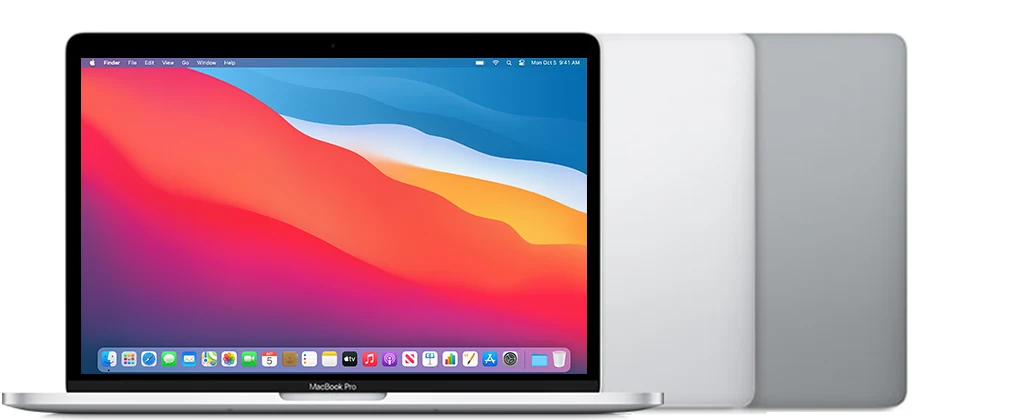
The 13-inch M1 MacBook Pro sits in a particular spot among older Macs. It uses the M1 in a compact body with active cooling and a Touch Bar, while keeping a limited set of connections. That is a different proposition from the later 14-inch Pro, even though both get described casually as an Apple-silicon MacBook Pro. Identify the exact size, year and chip before comparing prices.
The sensible question is what this version adds to the M1 Air for your work. A defined sustained task justifies looking at the cooling arrangement. Someone who mainly writes and browses will find the Air's simpler format more appealing. The documented design choices and their ownership consequences are covered here; export speed, acoustics and the condition of a seller's refurbished machine are for you to verify.
Match the fan to the actual work
Apple describes an active cooling system in the M1 13-inch Pro. That gives it a different thermal design from the fanless Air, but a fan on its own does not establish a benefit for every application. A short task, a long export and a repeated compile make different demands. Test the work that motivates the purchase rather than trusting a generic performance label.
On a used inspection, listen for abnormal mechanical noise and confirm the machine stays stable through a representative session. Do not treat the fan running as a defect; investigate unexpected behaviour in context. Temperatures and sustained throughput are not measured here. The assessment credits the design's purpose and leaves the size of any practical advantage to application-specific evidence rather than an assumption drawn from the word Pro.
The Touch Bar is a usability decision
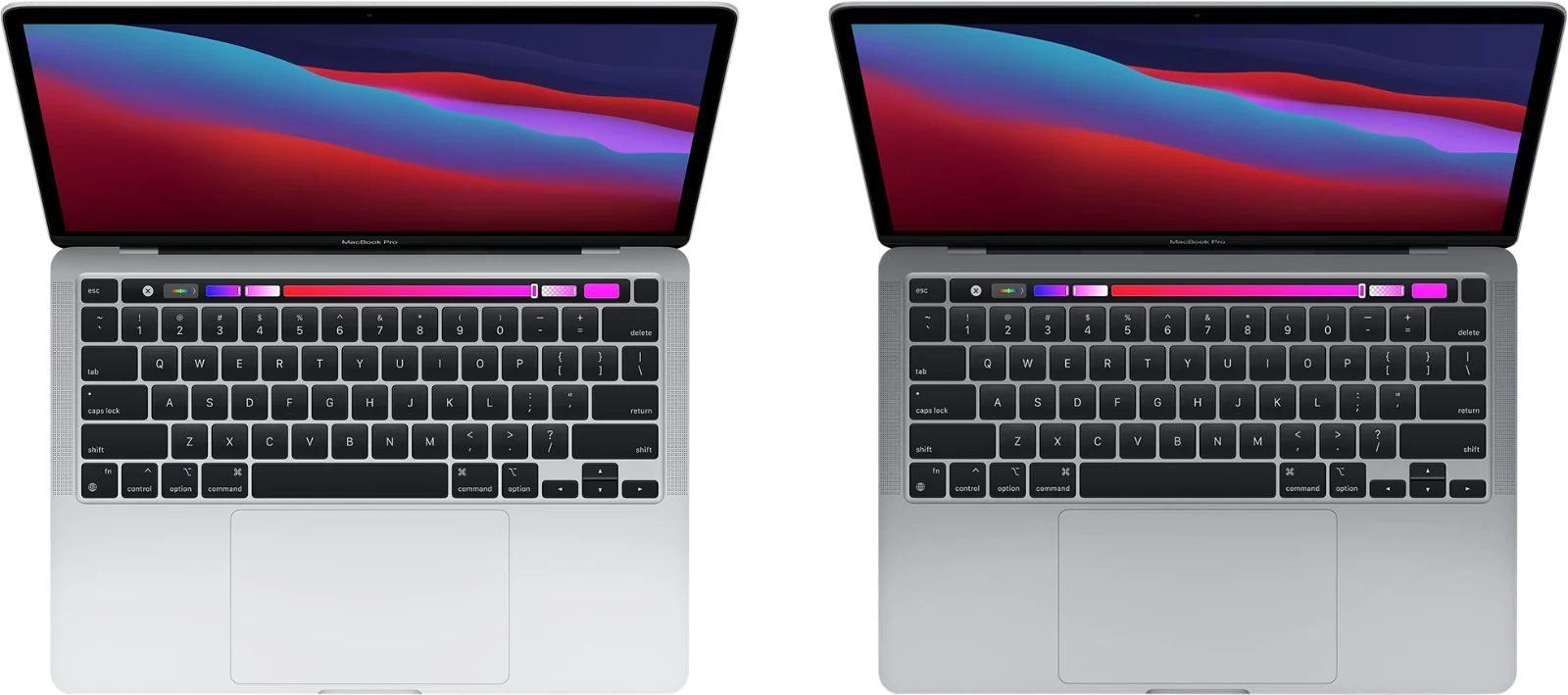
The Touch Bar replaces a row of physical function keys with a touch strip. It may fit your habits or sit there as an unnecessary intermediary. Try the shortcuts you use daily, including volume, brightness and app-specific commands. If you rely on tactile function keys, settle that preference before choosing this laptop rather than hoping familiarity will eventually remove the annoyance.
On a used machine, inspect the whole strip for consistent display and touch behaviour. Test the keyboard separately, including every key and common shortcuts, then check Touch ID. They are different functions sharing a small area. Ask about repairs and signs of liquid exposure. A computer bought for productive work should not require tolerating a damaged input component because the processor and main screen still function.
The display limit is easy to miss
Apple specifies one native external display, up to 6K at 60 Hz. The Pro name does not bring the multi-monitor flexibility of the later M1 Pro and M1 Max machines. That is a significant distinction for anyone planning a desk with two external screens. Count the displays you need and verify the connection method before buying the laptop or a dock.
An accessory with several video ports cannot change the computer's native display capability. Software-based display systems bring their own compatibility and usability questions and deserve research as a separate solution. For an ordinary single-monitor desk, test the intended display, cable and power arrangement together. The goal is a setup that reconnects reliably and fits the work, not a pile of adapters bought on an assumption about the badge.
Memory and storage define the listing
The 8 and 16 GB memory configurations are meaningfully different purchases. Consider the whole working set, including browser services, background tools and any creative apps used at once. A computer that can open an app is not automatically comfortable with your project size. Choose the installed memory correctly now; there is no later upgrade.
Storage needs room for apps, local files and working space. Production use eats capacity quickly through caches and intermediate exports. Decide what stays internal and what can live on an external drive, then budget backup equipment. The most attractive used configuration supports the work without constant rearranging. A cheap low-capacity example can cost time every week even when the initial price looks economical.
Two ports need a complete connection plan
Both Thunderbolt / USB 4 ports are capable, but there are only two and charging takes one. A display, storage, an audio interface and the power supply have to be planned together. Check any dock's specifications and test the exact combination. One peripheral working is not proof that a whole editing or office setup behaves.
Inspect each port for a stable connection and verify data transfer as well as charging. Check the headphone jack if wired audio matters. Include the right power adapter and cable in the price comparison, especially when buying a bare machine. Port limits are manageable when planned and frustrating when discovered afterward. The smaller Pro is a compact computer with a deliberate accessory arrangement, not an unlimited workstation behind two sockets.
Screen, meetings and battery matter every day
Check the 13.3-inch 2560 × 1600 display with documents and neutral backgrounds, not just a colourful desktop. Look for bright marks, dead pixels and uneven backlighting, and make sure the hinge holds position. The documented camera is 720p, so a meeting-heavy buyer should try the actual conferencing workflow and consider lighting, microphones and framing together. A resolution label alone cannot predict a whole call.
Ask about battery condition and service history, then run an ordinary session away from the adapter where practical. Original manufacturer runtime claims are not evidence about a used battery. Confirm proper account removal, release from organisational management and normal setup. Check current app and peripheral requirements before migrating, including specialist plug-ins. A clean, usable transfer is part of what you are buying, not an administrative chore to postpone.
Choose it for the particular compact-Pro balance
The 13-inch M1 Pro fits when you want its actively cooled platform, accept the Touch Bar and need only the documented external-display arrangement. It is less compelling when the price creeps toward a more suitable 14-inch Pro or when an M1 Air covers the same ordinary tasks more simply. Compare configurations and condition, not product-family names.
The verdict stays conditional on a healthy keyboard, Touch Bar, battery and ports, and on your own test of the real sustained workload and complete desk setup before the computer takes on important work. No measured performance ranking is implied by the score. The model is most convincing when its specific advantages are useful and its restrictions already accounted for, leaving a predictable tool rather than a series of discoveries about what Pro does not mean.
The closest alternatives.
| Product | Standpoint Score | Best for | Price |
|---|---|---|---|
| Apple MacBook Pro 13-inch (M1, 2020)This review | 7.7Research | A Mac user who wants the compact M1 format for a verified sustained workload and is comfortable with Touch Bar controls. | Amazon.ca ↗ |
| Apple MacBook Air 13-inch (M5) | 8.4Research | A mobile writer, student or mixed-workload Mac user who values portability and can plan the configuration up front. | Amazon.ca ↗ |
| Apple iPad Air (M4) | 8.1Research | Someone who needs a tablet for drawing, documents and travel, not someone assuming every laptop task will transfer. | Amazon.ca ↗ |
| Apple MacBook Air (Intel, 2020) | 6.4Research | A buyer with a verified Intel-specific application or peripheral requirement, or a two-monitor desk, and realistic… | Amazon.ca ↗ |
Compare scores within a category: Tested means our own use, Research means documentation and attributed outside testing. Price links are affiliate links. As an Amazon Associate, Tech Standpoint earns from qualifying purchases. Disclosure
Sources & further reading.
These are the sources behind this research review. Manufacturer claims are not independent performance measurements. Community accounts, when cited, describe individual experiences.
- MacBook Pro (13-inch, M1, 2020) - Tech Specs - Apple Support ↗manufacturer
- Apple's M1 Mac announcement — actively cooled 13-inch Pro ↗manufacturer
Product software and regional bundles can change. Corrections and editorial disclosures.
Affiliate link. As an Amazon Associate, Tech Standpoint earns from qualifying purchases. It never changes our verdict or score. Disclosure