Combined early-use editorial assessment from a few days with Nanoleaf-provided review units, plus documentation. Not laboratory measurements or individual product ratings.
Features & capability 30%8.5
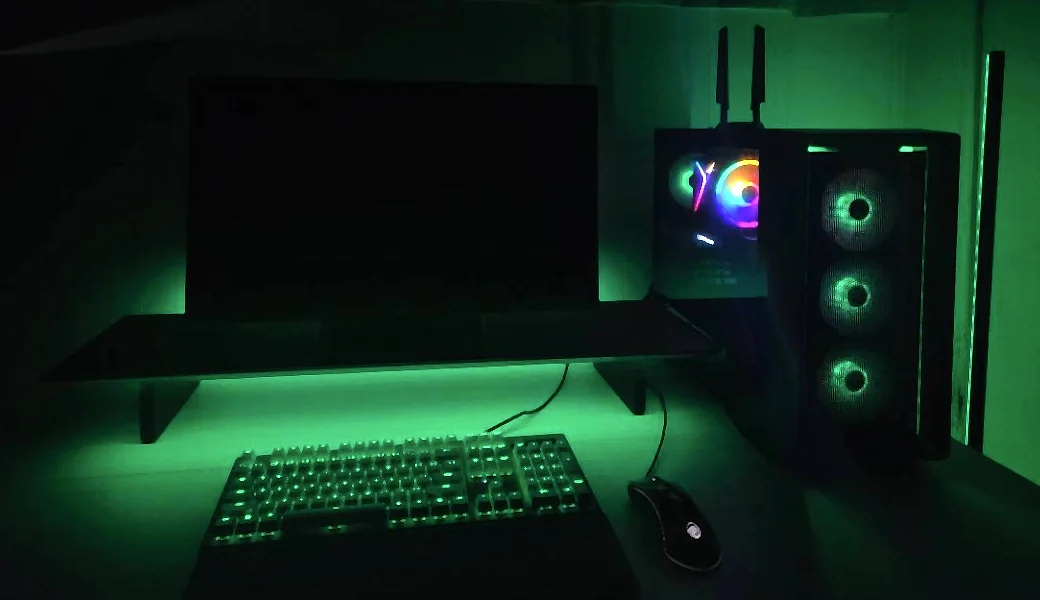
The riser, desk lighting and floor lamp make a useful combined setup, and both lights synchronized successfully with my keyboard. Brightness and load capacity are manufacturer claims, not my measurements.
Compatibility & connectivity 20%8.5
Both products were easy to control in the Nanoleaf app and worked with my Razer keyboard. Documented Matter support broadens the options, but I have not tested the other ecosystems and the desktop software requirements matter.
Ownership & upkeep 20%7.5
I am happy with the supplied units' quality and packaging, but the separate Canadian prices total C$329.98. A few days provides no evidence of long-term durability or future support experience.
Setup & everyday use 15%8.5
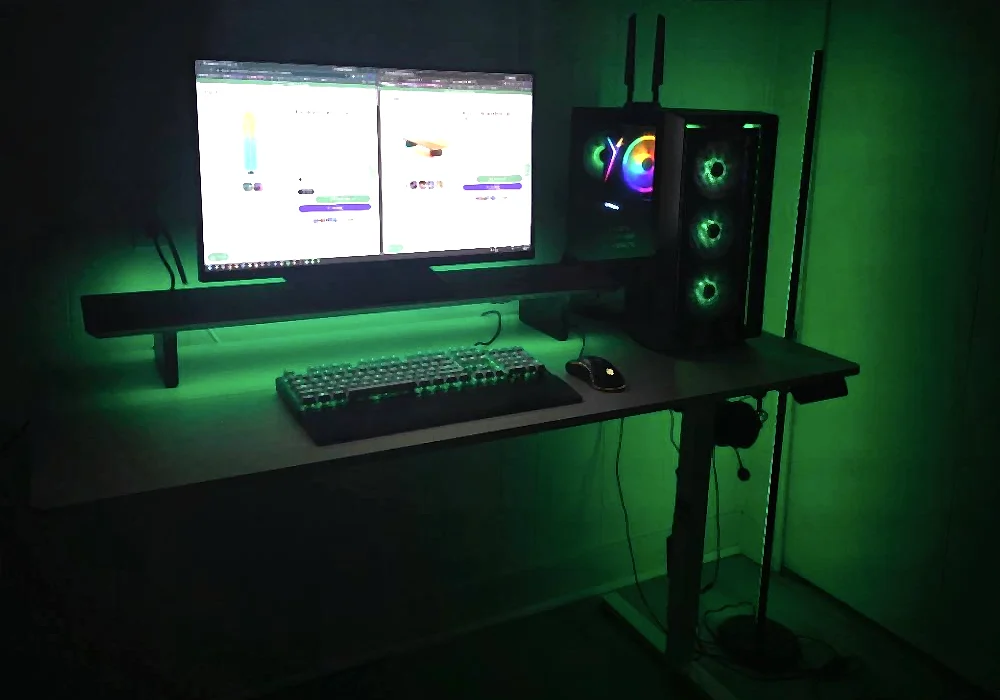
Assembly and app use were straightforward for me. Hiding the cables after raising the monitor was the main practical challenge; the finished arrangement looks clean.
Documentation & support clarity 15%8.0
Official pages establish the models, dimensions and integration requirements, but Matter and Razer software need careful distinction. Conflicting lamp specification fields were omitted rather than treated as verified measurements.
Compare scores within the same product category. Small decimal differences should not override your needs or the evidence limits.
How the Standpoint Score works
We score five aspects of the documented product on a 0–10 scale, then calculate a weighted total:
- Features & capability30% of the total
- Compatibility & connectivity20% of the total
- Ownership & upkeep20% of the total
- Setup & everyday use15% of the total
- Documentation & support clarity15% of the total
This setup’s 8.2/10 is a hands-on editorial assessment based on our own use and the linked documentation. It is not a laboratory measurement or a long-term reliability rating. Compare it with products in the same category, and read each criterion’s reasoning above.
Read the full rubric and score bands ↗From a tech standpoint.
After a few days, I'm happy with how these two products have come together. The setup looks clean, the app has been easy to use, and getting the monitor stand, floor lamp and my Razer keyboard synchronized was a useful finishing touch. At C$329.98 for the two separate Canadian listings, this is a considered desk upgrade. I would start with the product that solves a need in your room, then add the other if you want the coordinated look. My early-use score covers this combined setup; it does not establish long-term reliability or separate ratings for each product.
Reasons to consider it
- Both products were straightforward to set up, and I found the Nanoleaf app easy to use.
- The finished desk arrangement looks clean and nice once the cables are handled.
- The two lights synchronized successfully with my Razer keyboard.
- I am happy with the quality and packaging so far; shipping was very fast for my review shipment.
Go in knowing
- Raising the monitor made hiding its cables the trickiest part of my setup.
- The two current Canadian listing prices add up to C$329.98 before tax; that is not a bundle offer.
- Razer synchronization requires compatible desktop software, while Matter control involves a compatible smart-home controller.
- A few days of use cannot establish long-term reliability, and I have not tested the advertised automation features.
Not an affiliate link: Tech Standpoint doesn't earn a commission from purchases through these links. Disclosure
The specification sheet.
Published specifications from the linked sources. Configurations and availability can differ by country.
- Products reviewed
- Nanoleaf Smart LED Monitor Stand (Nanoleaf x FANTAQI) and Nanoleaf Smart Multicolor Floor Lamp; supplied for review.
- Canadian listing prices
- Monitor stand C$199.99; single floor lamp C$129.99. Checked November 3, 2026. C$329.98 combined before tax, not a bundle price.
- Stand dimensions and load
- Manufacturer specifications: 100 × 22.5 × 12.1cm, 4.2kg; maximum load 28kg without the centre support or 70kg with it. Not load-tested here.
- Stand construction and light
- Walnut veneer over multilayer wood; front task lighting and RGB ambient lighting; USB-C power and integrated capacitive controls.
- Floor lamp
- Manufacturer specifications: 1.4m tall, 19cm base, 24 colour zones and up to 1,700 lumens. Corded, with an inline controller. Brightness was not measured here.
- Connectivity
- 2.4GHz Wi-Fi and Bluetooth setup; Matter over Wi-Fi. Compatible Matter controller required for supported ecosystem integration; neither product is a Thread border router.
- Control and integrations
- Nanoleaf app and physical controls; documented Apple Home, Google Home, Alexa and SmartThings support. Razer integration uses compatible desktop software. My tested synchronization involved these two lights and my Razer keyboard.
The short version
Nanoleaf sent me its Smart LED Monitor Stand and Smart Multicolor Floor Lamp, and I put both on my own desk. Setup was easy, the app was simple, and I got the stand, the lamp and my Razer keyboard changing colour together. The hard part wasn’t Nanoleaf’s. Raising my monitor put every cable behind it on display, and tidying them took longer than building the stand.
In Canada the stand is C$199.99 and the lamp is C$129.99 on Nanoleaf’s own store, checked November 3, 2026. That’s C$329.98 for the pair before tax, and they’re sold separately, not as a bundle. I’ve had them a few days, so this is an early review, and I plan to add a follow-up after a month of use.
Setup: easy to build, slower to tidy
Both boxes arrived quickly and well packed, and both products felt solid coming out. The stand goes together without any fuss, and the lamp is a pole, a base and a cord. Getting both into the Nanoleaf app was the easy part.
The cable work is the real job. A riser lifts the monitor, which means the power and display cables that used to hide behind the old base are now in plain view under the screen. If you buy the stand, plan for that: check your cables are long enough to reach the new height, and have a few clips or a cable tray ready. Once mine were routed, the desk looked clean, and that finished look is a big part of why I like this setup.
The monitor stand: measure your desk first
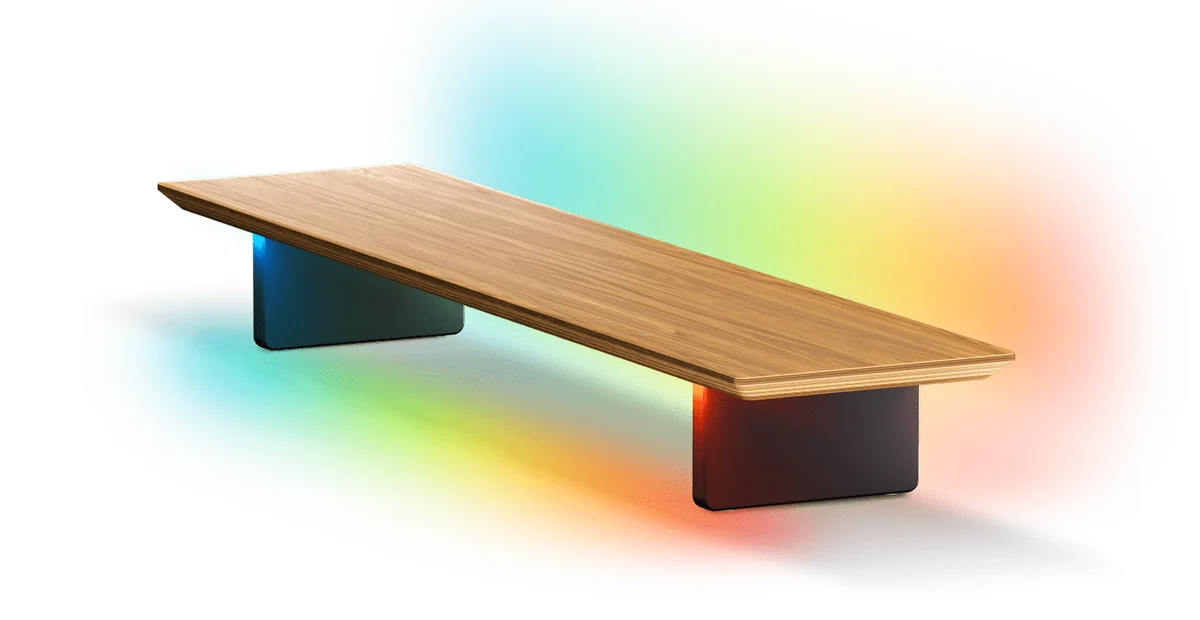
The stand is a monitor riser with lights built in: task lighting along the front and RGB ambient light that spills onto the desk and wall. Nanoleaf lists it at 100 cm wide and 12.1 cm tall, with a walnut veneer top over multilayer wood. It’s a metre long, so measure your desk before you order, and remember it raises your monitor’s own base by those 12 cm. If the screen is already at a comfortable height, lifting it may not help.
Nanoleaf rates it for 28 kg without the centre support and 70 kg with it. Those are Nanoleaf’s limits; I didn’t load-test it. If all you want is height, a plain riser costs less. The stand makes sense when you want the lighting and the riser in one piece of furniture instead of a riser plus a separate light bar.
The floor lamp: simple, and it does the room
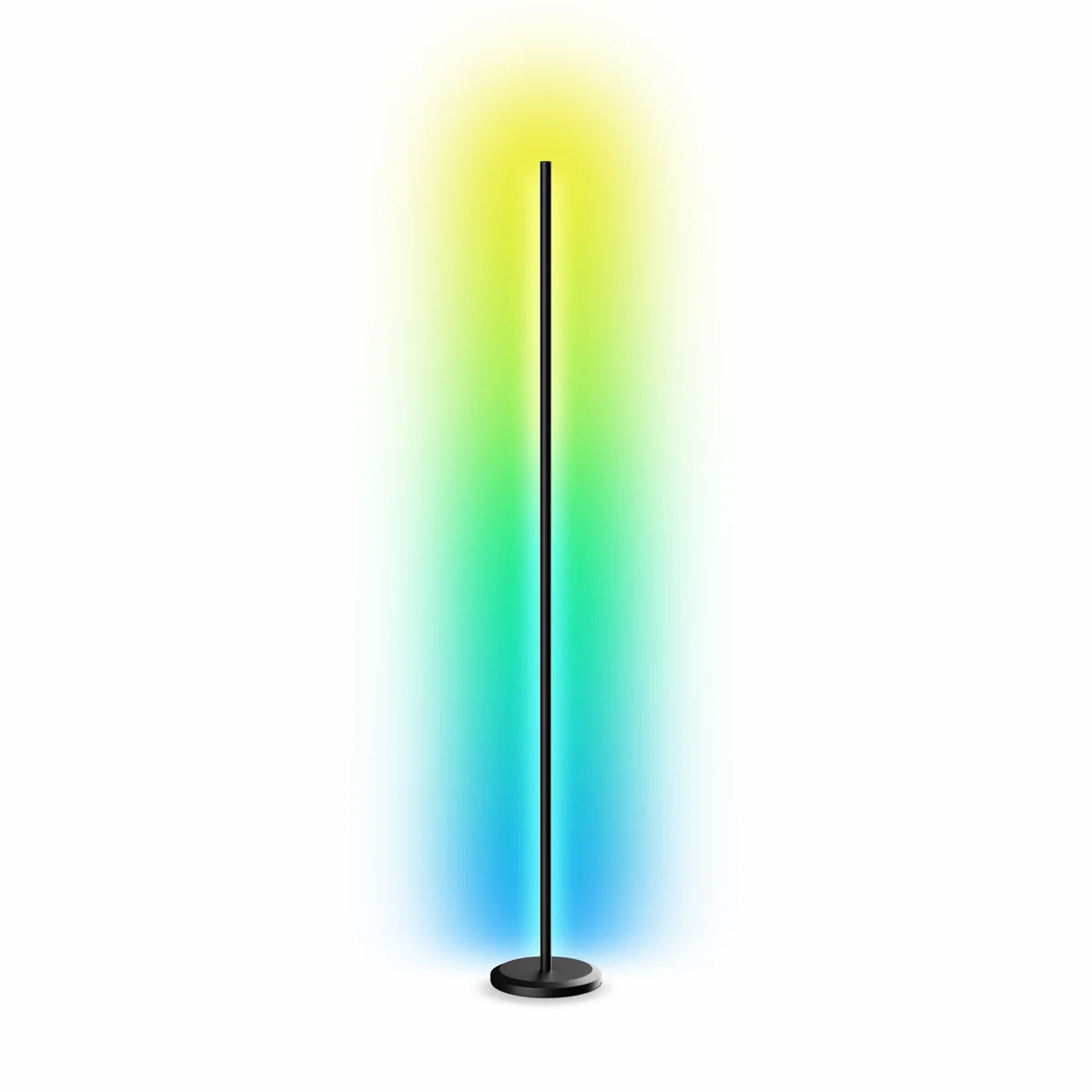
The floor lamp has been the simpler of the two. It stands beside the desk and lights the wall, which fills in the dark corner the stand can’t reach. Having both lights in one app is what makes the pair work for me: one place to change colours instead of two systems to learn.
Nanoleaf lists it at 1.4 m tall with a 19 cm base, 24 colour zones and up to 1,700 lumens. I didn’t measure brightness, and that peak figure won’t apply to every colour. Think about placement before you buy: it needs a wall or corner to wash, an outlet nearby, and a route for the cord.
The app, and syncing with my Razer keyboard
The Nanoleaf app was easy to use with both lights. The highlight was getting the stand, the lamp and my Razer keyboard synced, so all three change colour together. That’s the combination I set up; I haven’t tried other keyboards or measured any lag between them.
It isn’t automatic. Nanoleaf documents a Windows setup using its Desktop App, Razer Synapse and Chroma Connect, and Razer now puts some of those settings in its separate Chroma App, so the menus depend on your software version. Follow both companies’ current instructions. Game-reactive lighting depends on the game supporting it.
Matter and smart-home support
Both lights use Matter over Wi-Fi on a 2.4 GHz network, not Thread, and neither acts as a Thread border router. To add them to Apple Home, Google Home, Alexa or SmartThings you need a compatible Matter controller, such as a smart speaker or hub that supports it. I’ve only used the Nanoleaf app and the Razer sync so far; schedules, voice control and other platforms are on my list for the follow-up.
What other reviewers found
Gear Diary liked the stand’s build and customisation but found its physical controls finicky. I’ve mostly used the app, so I can’t argue with that yet. Their unit was an earlier FANTAQI-branded version, which explains packaging that may look different from what you get.
TechRadar’s floor-lamp review, from October 2025, praised the light but found the app less intuitive, including trouble with old inactive devices in its account. My setup was easy, and both can be true: different accounts and app versions behave differently. If the app matters most to you, that’s the part to try within the return window.
Buy it if, skip it if
Buy the pair if you were going to buy a monitor riser anyway and want the desk lighting built in, if you like a coordinated look, or if syncing your lights with Razer gear sounds fun. Start with whichever one solves a problem in your room, and add the other later if you want everything to match.
Skip the stand if your monitor already sits at the right height or your desk is under a metre wide. Skip both if you only want brighter task light, since a plain desk lamp does that for less. And if you don’t want to deal with cables, know that the riser makes them more visible, not less.
Price in Canada
Nanoleaf Canada lists the stand at C$199.99 and a single floor lamp at C$129.99, checked November 3, 2026, so C$329.98 before tax for both. That’s two separate prices, not a bundle, and not something I paid, since Nanoleaf supplied these units. With Black Friday coming, check the Canadian checkout price before you order. I haven’t seen a confirmed Canadian discount on either product yet.
From a tech standpoint
After a few days I’m happy with both. They were easy to set up, the app is simple, and having my keyboard in the same lighting scheme makes the desk feel finished. The one thing I’d plan for next time is the cable routing under the raised monitor.
I’d recommend the pair most to someone who wants a riser and desk lighting in one, and has the desk width for it. The 8.2 score covers the combined setup after early use, based on my experience and Nanoleaf’s documentation. It isn’t a brightness measurement or a separate score for each product, and I plan to revisit it after a month.
Questions before checkout.
Did Nanoleaf provide these products?
Yes. Nanoleaf provided the Smart LED Monitor Stand and Smart Multicolor Floor Lamp for review. This article describes Cameron's first few days with the two units.
How much do the two products cost in Canada?
The Canadian listings checked November 3, 2026 were C$199.99 for the monitor stand and C$129.99 for a single floor lamp. Their C$329.98 sum is before tax and is not a bundle offer.
Do these lights require a Thread border router?
These models use Matter over Wi-Fi, not Matter over Thread. Nanoleaf documents a compatible Matter controller for ecosystem integration; neither light is a Thread border router. App and physical control are separate from that integration.
Did the lights work with a Razer keyboard?
Yes. Cameron synchronized the monitor stand, floor lamp and his Razer keyboard. Other devices, software versions and game-specific effects were not tested. Follow Nanoleaf's current desktop integration instructions and Razer's Chroma documentation for your setup.
Are Black Friday discounts confirmed?
No future Canadian discount on either reviewed product was confirmed for this article. Check the current Canadian listing and checkout terms rather than assuming a discount or applying a US promotion.
Sources & further reading.
The documentation and outside reporting referred to in this review. Specifications are manufacturer claims; everything else in the review is from our own use unless attributed.
- Nanoleaf Canada: Smart LED Monitor Stand ↗manufacturer
- Nanoleaf Canada: Smart Multicolor Floor Lamp ↗manufacturer
- Nanoleaf: Razer Chroma integration ↗Manufacturer integration documentation
- Razer: Chroma App, Synapse and Chroma Connect ↗Manufacturer integration documentation
- Nanoleaf: Matter over Wi-Fi and Matter over Thread requirements ↗Manufacturer support
- Gear Diary: Nanoleaf Smart LED Monitor Stand review ↗Independent review; separately attributed experience
- TechRadar: Nanoleaf Smart Multicolor Floor Lamp review ↗Independent review; separately attributed experience
Product software and regional bundles can change. Corrections and editorial disclosures.
Not an affiliate link: Tech Standpoint doesn't earn a commission from purchases through these links. Disclosure