Not tested. This is a research score for the documented features, compatibility and ownership trade-offs discussed in this review, not a performance measurement.
Features & capability 30%9.2
The pen, screen, cameras and current Snapdragon platform give the Ultra a broad capability set, although headline camera modes need real scene testing.
Compatibility & connectivity 20%8.8
Android, Wi-Fi 7, USB-C and Samsung services make the phone flexible, while the best experience still assumes comfort with Samsung accounts and software.
Ownership & upkeep 20%8.2
Seven years of support is unusually useful for ownership planning, but the sealed battery and expensive display make condition and case protection important.
Setup & everyday use 15%8.5
The large screen and pen make notes, editing and multitasking straightforward; the same scale can make one-handed use tiring.
Documentation & support clarity 15%8.9
Samsung publishes a detailed specification and support trail, with regional modem, storage and software details still worth checking before purchase.
Compare scores within the same product category. Small decimal differences should not override your needs or the evidence limits.
How the Standpoint Score works
We score five aspects of the documented product on a 0–10 scale, then calculate a weighted total:
- Features & capability30% of the total
- Compatibility & connectivity20% of the total
- Ownership & upkeep20% of the total
- Setup & everyday use15% of the total
- Documentation & support clarity15% of the total
This product’s 8.8/10 is an editorial research assessment. It does not claim measured performance, tested reliability or a verified customer satisfaction rate. Compare it with products in the same category, and read each criterion’s reasoning above.
Read the full rubric and score bands ↗From a tech standpoint.
Buy it if at least two of its headline tools (the 6.9-inch canvas, the built-in S Pen, the four-camera zoom range, the seven-year software window) will see daily use. Skip it if you mostly message and scroll, because a smaller S25 gives you most of the experience with less weight and less money. Used buyers should check the pen silo, the flat panel and the regional model before anything else.
Reasons to consider it
- Built-in S Pen on a 6.9-inch QHD+ 120 Hz panel
- 200 MP main camera plus 50 MP ultrawide, 50 MP 5× and 10 MP 3× telephotos
- Seven OS generations and seven years of security updates, stated by Samsung
Go in knowing
- It is big and heavy, and a case makes it bigger
- Charging is slower than some rivals offer
- Four lenses still depend on light, motion and Samsung's processing
Affiliate link. As an Amazon Associate, Tech Standpoint earns from qualifying purchases. It never changes our verdict or score. Disclosure
The specification sheet.
Published specifications from the linked sources. Configurations and availability can differ by country.
- Display
- 6.9-inch QHD+ Dynamic AMOLED 2X; up to 120 Hz
- Processor
- Snapdragon 8 Elite for Galaxy
- Rear cameras
- 200 MP wide; 50 MP ultrawide; 50 MP 5× telephoto; 10 MP 3× telephoto
- Battery
- 5,000 mAh
- Durability
- IP68 water and dust resistance; titanium frame
This is a tool first and a phone second
The S25 Ultra is organised around three things: a 6.9-inch flat display, a titanium frame and an S Pen that slides into the body. Together they make it closer to a pocket notebook than a handset. That is great if you annotate screenshots, mark up PDFs or keep two apps open side by side. It is less great if you want something that disappears in a jeans pocket. Try it with the case you will actually use, because a chunky case turns a big phone into an unwieldy one, and one-handed reach across the panel is already a stretch.
Titanium and an IP68 rating make it tougher than a glass-slab phone, not indestructible. The display, the camera cluster and the pen silo are still the expensive parts to break, and the pen is easy to lose when you swap cases or lend the phone out. Buying used? Look at the flat panel for pressure marks, the frame for dents beside the camera rings, and click the pen in and out to confirm it seats and connects. The right size is the one you are still comfortable holding at the end of an ordinary day.
The big screen pays off when the pen has a job
The QHD+ Dynamic AMOLED 2X panel runs up to 120 Hz and is the centre of the whole Ultra pitch. Scrolling is smooth and the pixel density is high; nobody argues about that. The real question is what you do with the extra area. Reading long documents, culling photos and writing directly on a meeting note are solid reasons to want it. If your phone is mostly for short messages, a smaller S25 gives you nearly the same daily experience with less weight in your pocket.
Because the S Pen lives inside the phone, quick notes are always available rather than left at home. It is still a small stylus with a replaceable tip, and how useful it is depends on the app. Samsung Notes is the obvious starting point and works well as one. Drawing, signing and markup in third-party apps vary, and cross-platform workflows often add export and formatting steps. Try the apps you rely on before making the Ultra your main work device; a pen is only as good as the software that listens to it.
Four cameras buy you range, not guarantees
The rear array is a 200-megapixel main camera, a 50-megapixel ultrawide, a 50-megapixel 5× telephoto and a 10-megapixel 3× telephoto. That is a genuinely wider spread of focal lengths than a single big sensor with digital cropping. In practice it means a distant subject stays a subject, a tight room fits in the frame, and the main camera gives you a detailed base for cropping later. All of that still depends on light, motion and the processing choices Samsung bakes into the pipeline.
Sensor counts do not turn into better photographs on their own. What a buyer should decide is which focal lengths they actually shoot at, and whether Samsung's processing style suits that work. Moving people, fine foliage, night scenes and mixed lighting are where phone cameras separate, and exposure can shift when you jump between lenses. If you value having every option in your pocket, the Ultra is the strongest candidate in the range. If you shoot one way and want it to be consistent, a simpler two-camera phone may serve you better.

The chip is not the bottleneck; your day is
Snapdragon 8 Elite for Galaxy puts the S25 Ultra on a current top-tier platform with plenty of headroom for demanding games, camera processing and multitasking. The caveat is the usual one with any flagship: a short burst of speed says nothing about a long recording session or a phone left on a hot dashboard. If the Ultra will replace a laptop for part of your day, judge it with your own apps, files and accessories rather than a spec sheet.
The 5,000 mAh battery is capacity, not a runtime promise. QHD+ resolution, 120 Hz, camera use, weak signal and background services all eat into it. Set a baseline on a normal day instead of comparing Samsung's estimate against a reviewer's unrelated schedule. Charging is the softer spot here: Samsung's wired rate is less aggressive than some rivals, so pair the phone with the charger and case you will really use. A big battery helps, but the win is predictable endurance in a phone you are still willing to carry.
Seven years rewrites the depreciation maths
Samsung states seven generations of OS updates and seven years of security updates for the S25 series. That does not mean every future feature arrives in identical form, but it changes how you should think about resale and longevity. A well-kept Ultra has a longer official runway than many older flagships still being sold as bargains. If you buy used, confirm the regional model and current software status, and keep the receipt; warranty and support treatment vary by market.
The software is broad and sometimes busy. Samsung's account, cloud, health, wallet, DeX and accessory services are useful when they match your habits and clutter when they do not. Review permissions and backup choices deliberately instead of tapping through defaults. Keep the services that solve a real problem, silence the notifications that do not, and confirm the apps you cannot live without still work if a network or account session drops. A deliberate setup is what makes the long support window worth having.
The real cost sits around the handset
USB-C, wireless charging and the S Pen cover the core hardware, but an Ultra purchase tends to grow: a charger, a case, a screen protector, spare pen tips and cloud storage. Price that bundle when you compare it against rivals. A case that shields the camera bump often makes the phone less pleasant to hold, and a cheap charger may never reach the rate you expect. Look for stated standards and clear return terms instead of assuming any accessory sold for a large Android phone fits this one.
That camera array also changes how files leave the phone. Big stills and high-resolution video make local storage and a backup routine matter more than on a simpler handset. Test the transfer to the computer, editor or cloud service that will hold your work. Samsung's desktop-style DeX mode is a real feature, but judge it by the whole keyboard, display and file workflow, not by the presence of a toggle. The Ultra can be a mobile workstation; that still requires a comfortable desk and a backup plan.

The right buyer wants the breadth, not the badge
The S25 Ultra makes the most sense for someone who will use at least two of its defining tools: the big display, the S Pen, the long zoom range, top-end performance or the extended software promise. Buying it because it is the most expensive S25 leaves you carrying extra size and cost for no daily return. Put the dimensions and your camera habits beside the smaller S25 models before deciding the Ultra is the rational pick.
What a buyer should settle before paying: how the phone sits in one hand, how the screen reads outdoors, whether the pen works in the apps that matter, how the battery holds up across a typical week, and how the camera handles moving subjects. Also confirm the support path for the exact regional model. On paper the Ultra is an easy shortlist entry. Its value comes down to whether you want to live with a large phone every single day.
Set it up to last as long as the update promise
Start with the software update, account recovery and a backup before loading apps. Tune the display, pen shortcuts and camera defaults to your real habits rather than leaving every demo feature on. Avoid charging it hot in direct sun, and check the port and pen silo for grit now and then. If it will double as a work phone, keep personal and business data separated where the tools allow, and confirm your employer's policy before enrolling it.
The S25 Ultra has a clear reason to exist: a big canvas, a built-in pen, a flexible camera set and unusually long support in one body. Its limits are just as concrete, namely size, cost, a sealed battery, and the fact that camera and battery results depend on how you use it. The Standpoint Score reflects documented capability weighed against those ownership trade-offs. It does not assume Samsung's specifications equal measured performance or that every owner uses the full range.
The closest alternatives.
| Product | Standpoint Score | Best for | Price |
|---|---|---|---|
| Samsung Galaxy S25 UltraThis review | 8.8Research | A power user who wants a big display, a stylus that lives in the phone, a real optical zoom range and the longest stated… | Amazon.ca ↗ |
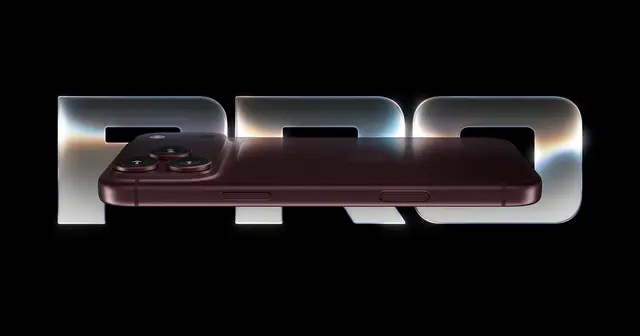
| Apple iPhone 18 Pro | 8.3Research | An iPhone creator who will actually use aperture, shutter and white-balance controls and has a plan for storage and… | Amazon.ca ↗ |
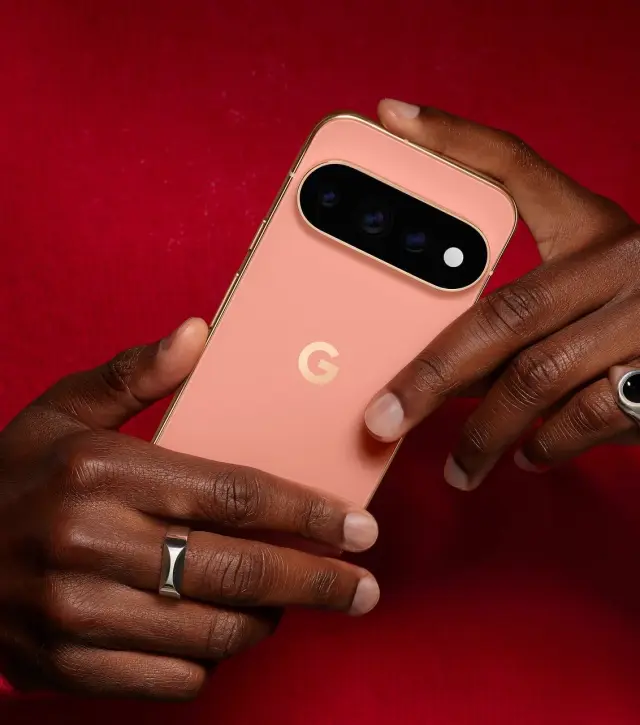
| Google Pixel 11 Pro | 8.3Research | An Android buyer who wants a compact flagship with wide, ultrawide and 5x cameras and a long, published software… | Amazon.ca ↗ |
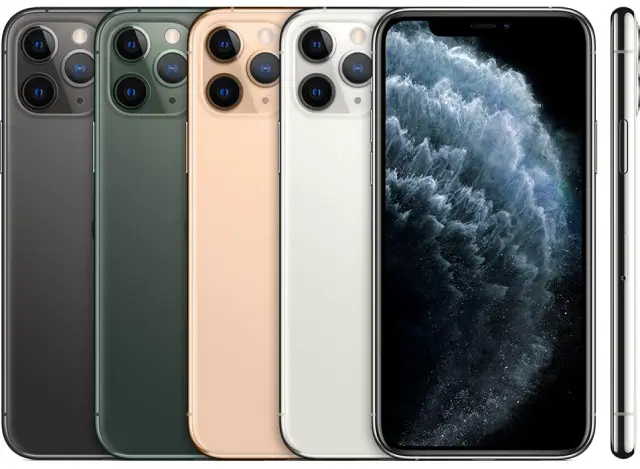
| Apple iPhone 11 Pro | 6.9Research | An iPhone user who wants a compact body and a genuine 2× telephoto for everyday framing, and who will inspect a used… | Amazon.ca ↗ |
Compare scores within a category: Tested means our own use, Research means documentation and attributed outside testing. Price links are affiliate links. As an Amazon Associate, Tech Standpoint earns from qualifying purchases. Disclosure
Sources & further reading.
These are the sources behind this research review. Manufacturer claims are not independent performance measurements. Community accounts, when cited, describe individual experiences.
- Galaxy S25 Ultra — official product page ↗manufacturer
- Samsung US Galaxy S25 series specification sheet ↗manufacturer
Product software and regional bundles can change. Corrections and editorial disclosures.
Affiliate link. As an Amazon Associate, Tech Standpoint earns from qualifying purchases. It never changes our verdict or score. Disclosure