Not tested. This is a research score for the documented features, compatibility and ownership trade-offs discussed in this review, not a performance measurement.
Features & capability 30%8.5
Documented wrist apps, activity records and differentiated health functions form a broad package with stated eligibility limits.
Compatibility & connectivity 20%8.2
Core Android functions are useful; no iPhone support and Galaxy-only Health Monitor limit the ideal owner.
Ownership & upkeep 20%7.2
Non-removable battery, charger dependence and optional cellular costs require a sustainable daily routine.
Setup & everyday use 15%8.3
Two sizes support fit choices; notifications, compatible charging and phone-specific setup determine everyday usefulness.
Documentation & support clarity 15%8.1
Current regional pages explain calibration, phone requirements, body-composition exclusions and charging restrictions.
Compare scores within the same product category. Small decimal differences should not override your needs or the evidence limits.
How the Standpoint Score works
We score five aspects of the documented product on a 0–10 scale, then calculate a weighted total:
- Features & capability30% of the total
- Compatibility & connectivity20% of the total
- Ownership & upkeep20% of the total
- Setup & everyday use15% of the total
- Documentation & support clarity15% of the total
This product’s 8.1/10 is an editorial research assessment. It does not claim measured performance, tested reliability or a verified customer satisfaction rate. Compare it with products in the same category, and read each criterion’s reasoning above.
Read the full rubric and score bands ↗From a tech standpoint.
Buy it if you have an Android 11 or later phone, want wrist apps, notifications and a broad wellness record, and will charge it most days. Galaxy owners get the full package, including Health Monitor where eligible; owners of other Android phones get messages, calls and core Samsung Health but should list what they lose before paying. Skip it if you use an iPhone, need a cuff-free blood-pressure reading, or want a route record you can trust blindly in a downtown core.
Reasons to consider it
- Messaging, calling and core Samsung Health work with compatible non-Samsung Android phones, not just Galaxy handsets
- Two case sizes, 40 mm with a 300 mAh battery or 44 mm with 425 mAh, so you can pick fit or endurance
- Ryan Haines' Android Authority testing gives concrete context on GPS, comfort and battery
Go in knowing
- Health Monitor, including ECG, needs a compatible Galaxy phone and regional eligibility
- No wireless power sharing from a phone, so the watch charger has to travel with you
- A neat route map or a wellness score is not proof of clinical or universal tracking accuracy
Affiliate link. As an Amazon Associate, Tech Standpoint earns from qualifying purchases. It never changes our verdict or score. Disclosure
The specification sheet.
Published specifications from the linked sources. Configurations and availability can differ by country.
- Models
- 40 mm or 44 mm; Bluetooth and LTE variants
- 40 mm reference model
- Canada SM-L305FZGAXAC LTE; 1.3-inch 432 × 432 AMOLED
- Processor / memory / storage
- Exynos W1000 (five-core, 3 nm); 2 GB / 32 GB
- Battery capacity
- 300 mAh (40 mm); 425 mAh (44 mm); non-removable
- 40 mm rated runtime
- Up to 40 hours with always-on display off; 30 hours on
- Positioning
- Dual-frequency L1 + L5 GPS
- Phone compatibility
- Android 11 or later for pairing; no iPhone support
- Health Monitor phone
- Compatible Samsung Galaxy running Android 12 or later
- Backup charging
- Wireless PowerShare from a phone is not supported
No iPhone, and that is final
The Galaxy Watch7 makes most sense as an extension of an Android phone. It moves a quick reply, a timer or an activity check onto your wrist, but only if the connection and features suit the phone you already own. Samsung's current compatibility guide lists Android 11 or later and explicitly rules out iPhone. That is a hard buying boundary, not a small trim to the feature list.
This review combines current Samsung documentation with Ryan Haines' named testing for Android Authority. Tech Standpoint has not handled a Watch7 sample or validated its sensors. The focus is on decisions the evidence can support: which phone functions are documented, what the charger can and cannot do, and where an outside observation actually helps. Before buying, write down the two or three wrist tasks you will use most. A watch bought for health monitoring needs a different eligibility check than one bought for notifications, and the same hardware can delight one owner and frustrate another.
Non-Samsung Android gets more than you might think
Samsung documents messages, replies, calls and many Samsung Health functions for both Samsung and other Android phones. Its guide also lists features that need Galaxy hardware, including Health Monitor, Samsung's Reminder app and suggested replies, the last of which requires a Samsung phone on One UI 6.1.1 or higher. So neither "everything works" nor "only Samsung phones work" is accurate.
If you own a non-Samsung phone, decide based on the specific omissions. If a manual ECG is the reason you are buying, ordinary activity tracking is no substitute. If the main jobs are timers and reading messages, the missing health tool may barely register. Check your calendar and reminder workflow too, because a connected watch can still fail to show the alert you care about. Set notifications up selectively during the return window. A wrist that buzzes for every minor phone event adds noise instead of saving attention. Keep the useful apps close and leave the rest on the phone.
21.1 GB usable, not 32
Samsung's launch specification lists the five-core, 3 nm Exynos W1000, 2 GB of memory and 32 GB of storage. It shipped with Wear OS 5 and One UI 6 Watch; those are launch versions, not a description of what an updated watch runs today. The Canadian model page separately lists 21.1 GB of available storage, so do not plan your downloads around the headline figure.
Pick a few essential wrist apps before installing a pile of them. If music without the phone is part of the plan, check the service's watch app, offline rules and any subscription required; storage space does not make every streaming service phone-independent. On secondhand hardware, check the installed software and update process during setup, then try the actual apps you need. That tells you more than the processor's manufacturing node. Keep account recovery tidy as well: the watch, phone apps and paid services can involve separate sign-ins, and losing one should not leave you guessing how to rebuild the routine.
40 mm or 44 mm: comfort wins
Samsung sells 40 mm and 44 mm versions, with a 300 mAh battery in the smaller one and 425 mAh in the larger. The Canadian 40 mm LTE specification lists a 1.3-inch, 432 x 432 Super AMOLED display. That makes size a practical decision. A bigger battery is tempting, but not if the case bothers you enough to take it off before bed or a workout.
Wear it with the band adjusted for normal use, then move your wrist through the activities that matter. A tidy fit while seated can feel different under a jacket cuff or with your wrist bent at a desk. Haines called the design comfortable and liked its restrained shape; that is one person's wearing experience, not a fit guarantee. There is no physical rotating bezel on Watch7, so anyone used to turning one should try the controls before assuming the round face behaves the same way. With used stock, confirm the exact case and connection variant instead of trusting a generic Watch7 listing.
L1 and L5, with mixed results downtown
Watch7 uses L1 and L5 satellite frequencies. Haines compared its GPS with a Coros Pace 3 on a run-club route mixing waterfront stretches and tall buildings. He described mixed results while judging it generally more accurate than the Galaxy Watch6. That is a healthy counterweight to the assumption that dual-frequency hardware produces an exact track wherever you wear it.
Ask what you need from the route. A rough record of where a walk went is far less demanding than reliable pacing around a tricky urban loop. Look at the conditions of any independent comparison and whether they resemble your own routes. When you try it yourself, use a familiar distance and look for obvious detours or gaps rather than treating a smooth line as proof of precision. A good route also says nothing about heart-rate accuracy, even though both sit in the same workout summary. Choose around the record you need to trust, and judge each metric on its own.
One dashboard, many kinds of number
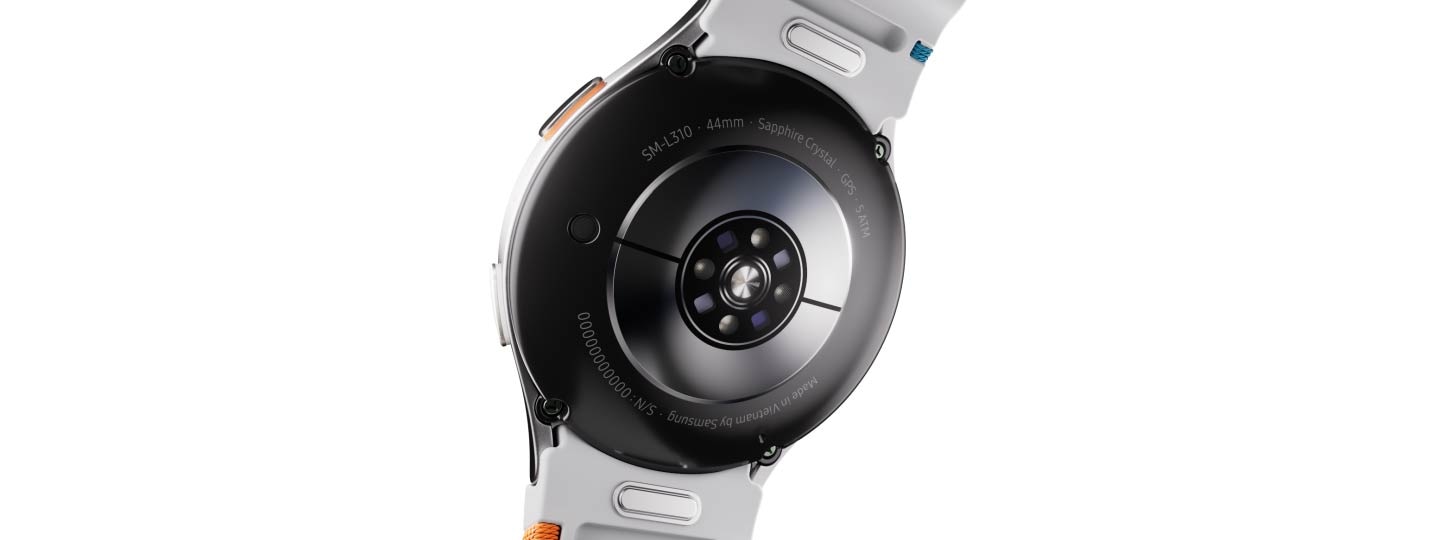
The rear-view illustration below is Samsung's supplied depiction of the 44 mm Watch7 sensor area. It explains the hardware layout; it is not a Tech Standpoint photograph. Samsung's launch material lists workout routines, Race comparisons, body composition and wellness tracking among Watch7's functions. Having it all in one place is convenient, but it can put estimates, manually started readings and alerts side by side without making their differences obvious.
Decide which records help you act on an ordinary routine. If the question is whether you have become more consistent about activity, a weekly pattern may beat another headline score. If you need a specific sports measurement, look for evidence on that measurement instead of assuming the sensor array covers it. Haines liked how Energy Score explained what contributed to its result. That speaks to the presentation, not to clinical certainty about how you feel. A readiness-style number should prompt reflection alongside the day's circumstances, never dictate a workload or wave away symptoms because the screen looks reassuring.
No data if it is on the charger at bedtime
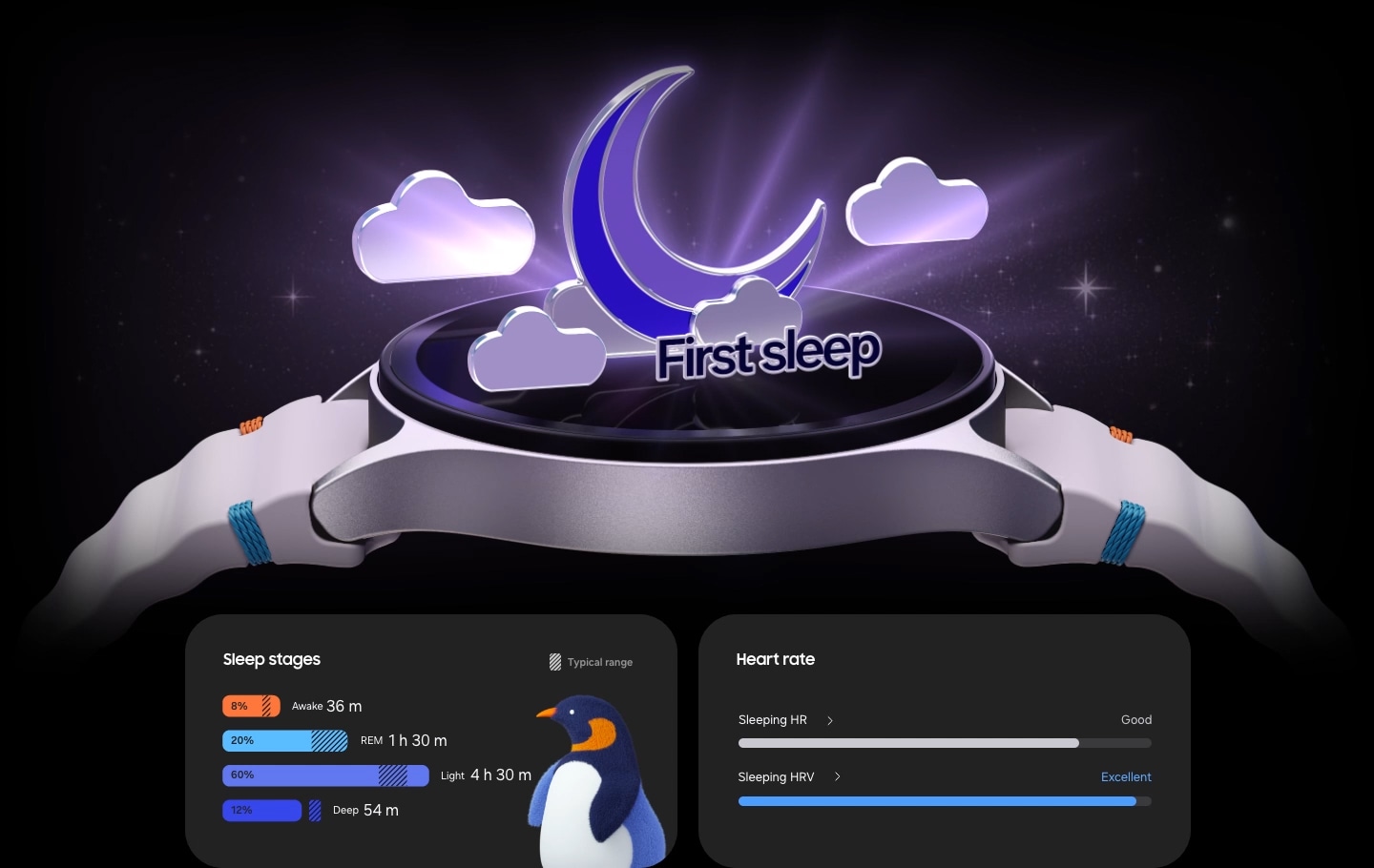
Samsung's supplied sleep illustration below shows example stages and heart-rate information. The numbers are demonstration data, not Tech Standpoint sleep measurements. The first question is simpler than the chart: will the watch be comfortable enough, and charged enough, to cover the night? A watch that comes off for charging at bedtime cannot fill that gap with an impressive feature list.
Treat the sleep record as an estimate that depends on consistent wear. Check the time window and any obvious gaps before reading the detailed stages. An isolated score grabs attention without explaining a bad night; a pattern tied to a known routine is easier to investigate. Watch7 also offers a separate sleep-apnea feature through Samsung Health Monitor. That is a different function from ordinary sleep coaching, with its own eligibility and instructions, so check the current phone, software and country requirements before buying for it. This research review does not validate sleep-stage accuracy or that feature's clinical performance.
Health Monitor is Galaxy-only, with age limits
Samsung's current Health Monitor support requires a compatible Galaxy phone on Android 12 or later, with the service available in your country. Its guidance attaches age and other eligibility restrictions, and the ECG and sleep-apnea tools are intended for adults 22 and older. The US sleep-apnea instructions describe checking for signs of moderate to severe obstructive sleep apnea over two nights within a ten-day period. They exclude people already diagnosed and do not replace traditional diagnosis or treatment.
That makes eligibility part of the product. Do not buy a used or imported watch assuming every advertised health icon will appear once paired. Check the app instructions for your actual phone and region, and read the exclusions rather than treating a general setup screen as clearance for everything. If a health question is the main motivation, find out what a clinician actually needs. A consumer record can be useful context, but a missing alert is not a clean bill of health, and no score here makes the watch a substitute for professional assessment.
Blood pressure still needs a cuff
Both the current Canadian and US Health Monitor pages describe blood-pressure functionality. Setup requires initial calibration with an upper-arm cuff, sold separately, and recalibration every 28 days. The US guidance lists Watch4 and later supported Galaxy models plus a compatible Galaxy phone. Still confirm availability and your exact configuration in the app; an old review's regional feature list does not prove current access.
So the real cost includes keeping a cuff around and sticking to the procedure. If you hoped to ditch the cuff entirely, this is not that. Decide whether the convenience between calibrations is worth the routine. Read the instructions before measuring, and take interpretation to a qualified professional rather than changing treatment based on a wrist reading. The point here is to explain what ownership involves, not to offer a medical evaluation. The Watch7 name alone cannot prove that an imported unit, a particular app version and a different phone meet every condition.
Body composition comes with warnings
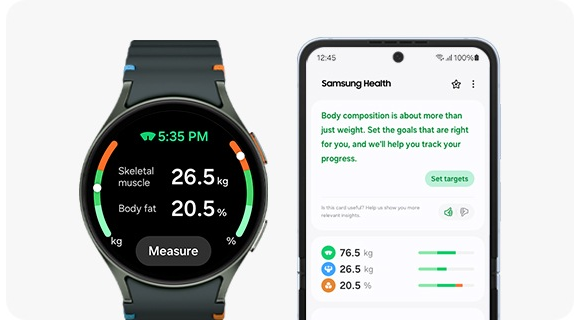
Samsung's body-composition support describes a bioelectrical impedance reading taken with your fingers on the watch buttons. It says not to use it with implanted medical devices or during pregnancy, and warns that results may be inaccurate for people under 20. The watch-and-phone illustration below shows an example display, not measured results from Tech Standpoint.
Lots of fields on screen is not the same as lots of verified measurements. A body-composition estimate can look precise without making a small change meaningful. Follow the documented procedure and keep your interpretation proportionate. If the feature is unsuitable for you, the rest of the smartwatch still works fine, but paying extra mainly for this feature makes little sense. A manufacturer illustration, a correlation claim or one reviewer's satisfaction is not proof of accuracy for your body. The documented function and its stated limits get credit here; it is not scored as a validated medical result.
Your phone cannot top it up
Samsung states plainly that Watch7 does not support wireless power sharing from a phone. The dedicated compatible watch charger stays essential, even if your Galaxy phone reverse-charges other gadgets. Do not assume emergency charging from the phone's feature list. Samsung also recommends matching the dock to the watch and using a compatible wall charger.
For runtime, the Canadian 40 mm LTE page rates up to 40 hours with always-on display off and 30 hours with it on, under Samsung's test conditions. Haines reported roughly two days in his own use, but without a controlled settings record that would make it universal. Plan around your usual mix of screen, workouts and connectivity, and choose a regular charging window that does not cost you the period you most want recorded. On used hardware, check the charger and watch together and decide whether the battery suits your routine. A spare compatible charger may fix travel headaches more cheaply than a pricier watch.
Only pay for LTE if you leave the phone behind
Samsung's LTE setup guide runs through the Mobile plans section of Galaxy Wearable and sends owners to their carrier to confirm the right plan and device identifiers when activation fails. Cellular hardware is not an active connection. Confirm support for your exact regional model and account before paying the extra purchase price or the ongoing plan.
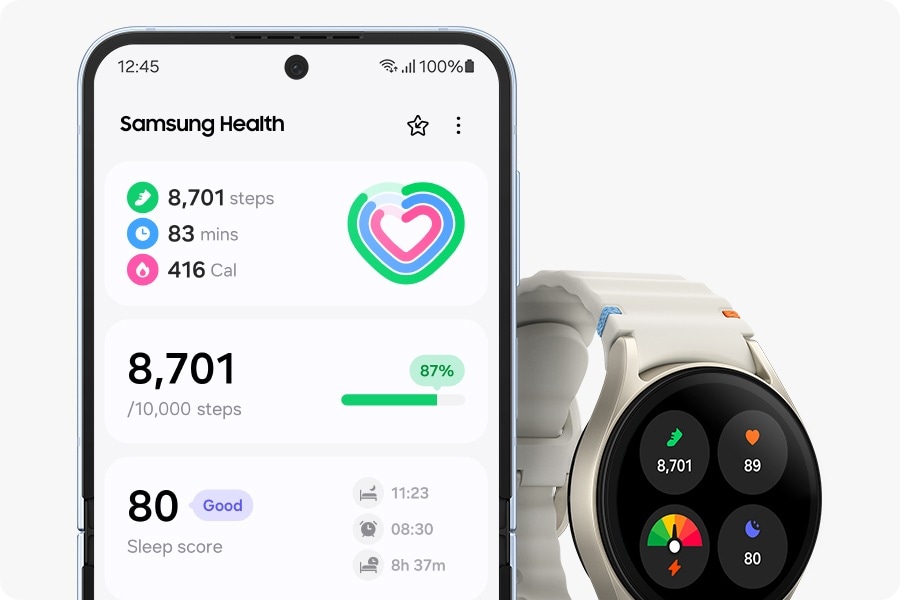
Name the moments when leaving the phone behind actually matters. A short walk, run or errand might qualify; a day with the phone always within reach probably does not justify another monthly bill. After activation, try the calls and messages you expect to use instead of treating a signal icon as proof that every app is independent. The phone-and-watch image below illustrates how they relate in Samsung Health, and its step and sleep figures are examples. The watch works as a small interface while the phone stays home base for detailed review. Choose LTE for a specific benefit, not as an automatic upgrade.
Seals, sensors and the final call
Samsung's water-resistance guidance excludes scuba diving and high-pressure water, calls for a fresh-water rinse after seawater, and notes that impacts can weaken resistance. A rating does not mean a used watch's seals are as good as new. Inspect the glass, rear sensor area, buttons, band attachment and charger, and follow the care instructions for your model.
The 8.1 Standpoint Score rewards the documented Android functions, the size choice and useful wellness tools, while accounting for phone-specific health access and charging demands. The right purchase fits comfortably, does the wrist tasks you need and works with the phone you plan to keep. Compare the full cost with an alternative that has decent return or warranty coverage, especially if buying used. Do not pay for a health feature you cannot use, an LTE plan you do not need or a case you will not wear. Settle those, and Watch7 is a capable buy; this verdict rests on research, not a Tech Standpoint hands-on trial.
The closest alternatives.
| Product | Standpoint Score | Best for | Price |
|---|---|---|---|
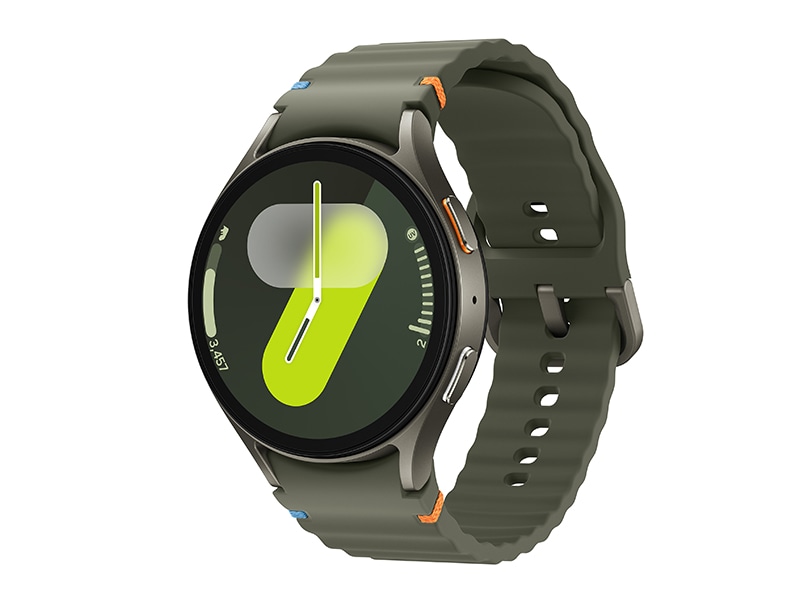
| Samsung Galaxy Watch7This review | 8.1Research | Android users who want wrist apps, notifications and activity records, especially Galaxy owners eligible for the Health… | Amazon.ca ↗ |
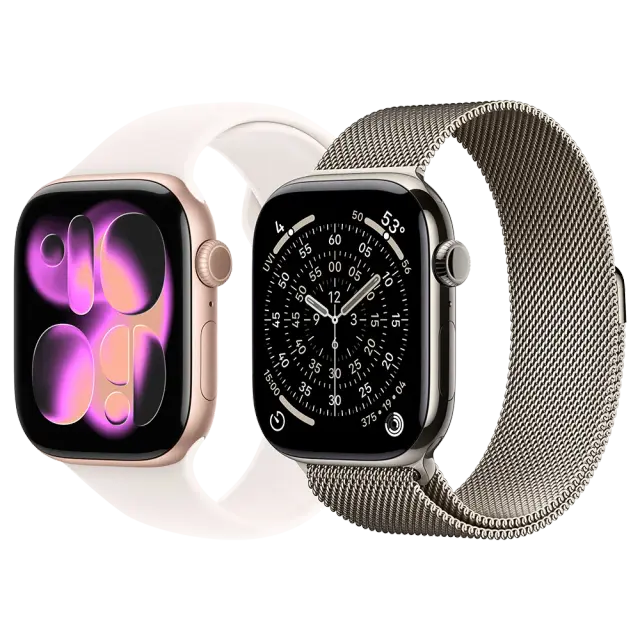
| Apple Watch Series 11 | 8.5Research | An iPhone household that wants a versatile everyday smartwatch rather than a dedicated endurance instrument. | Amazon.ca ↗ |
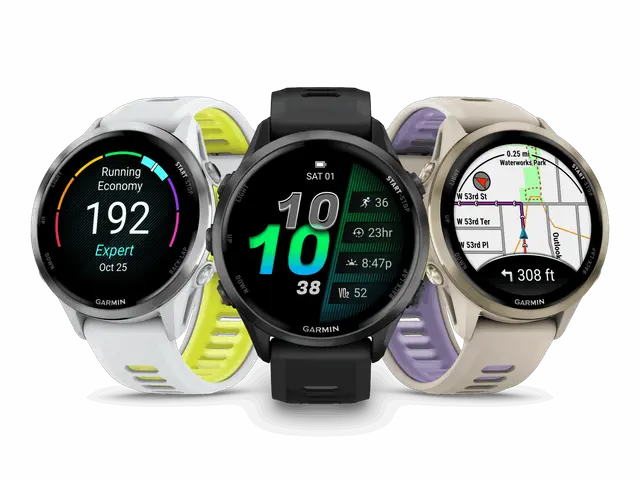
| Garmin Forerunner 970 | 8.6Research | Runners and multisport athletes who want route guidance, detailed training history and physical workout controls. | Amazon.ca ↗ |
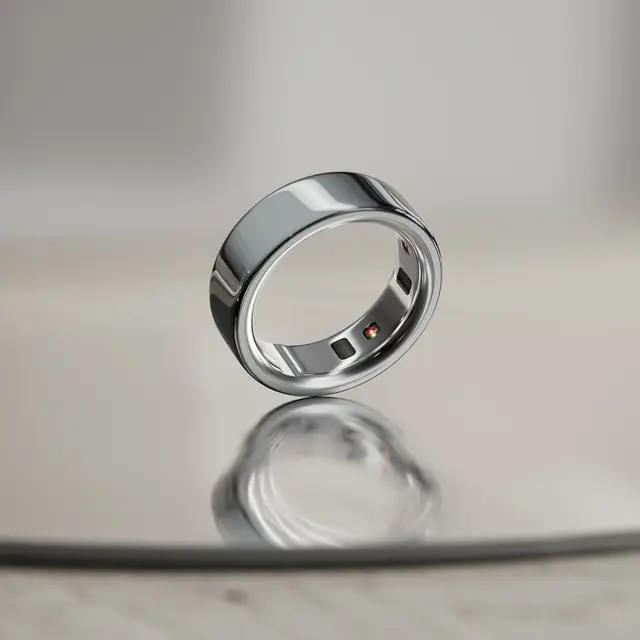
| Oura Ring 4 | 7.8Research | People who want sleep and daily trends without a wrist screen, accept the ongoing membership cost and will take the time… | Amazon.ca ↗ |
Compare scores within a category: Tested means our own use, Research means documentation and attributed outside testing. Price links are affiliate links. As an Amazon Associate, Tech Standpoint earns from qualifying purchases. Disclosure
Sources & further reading.
These are the sources behind this research review. Manufacturer claims are not independent performance measurements. Community accounts, when cited, describe individual experiences.
- Canadian 40 mm LTE specification, size options and supplied imagery ↗manufacturer
- 2024 Watch7 launch functions and hardware ↗manufacturer
- Ryan Haines’s Android Authority Watch7 evaluation ↗independent
- Watch7 phone and feature compatibility ↗support
- Charger matching and Wireless PowerShare exclusions ↗support
- Health Monitor compatibility and setup ↗support
- Canadian Health Monitor instructions and regional conditions ↗support
- US Health Monitor calibration and sleep-apnea conditions ↗support
- Body-composition procedure and eligibility precautions ↗support
- Water-resistance and care boundaries ↗support
- LTE activation and service-plan requirements ↗support
Product software and regional bundles can change. Corrections and editorial disclosures.
Affiliate link. As an Amazon Associate, Tech Standpoint earns from qualifying purchases. It never changes our verdict or score. Disclosure