Not tested. This is a research score for the documented features, compatibility and ownership trade-offs discussed in this review, not a performance measurement.
Features & capability 30%8.6
Four preheated toolheads, a 270 mm cube and multi-material TPU work cover most hobby jobs, but there's no drying, no chamber heat and ABS needs a paid cover.
Compatibility & connectivity 20%8.3
Klipper, Fluidd, LAN mode and standard OrcaSlicer give unusual local control; Wi-Fi is 2.4 GHz only, Ethernet isn't listed and the app trails Bambu's.
Ownership & upkeep 20%7.5
Hotends are cheap at US$15.99, but the warranty is one year, the spools sit in open air and the thin plastic shell has drawn complaints.
Setup & everyday use 15%7.9
Reviewers report 15 to 60 minutes of setup and fully automatic calibration, offset by confusing tubes, a fixed screen, a rear USB port and a loud fan.
Documentation & support clarity 15%7.4
The spec sheet is detailed, but the Canadian store prices in US dollars, return terms are hard to find and reviewers hit undocumented tube and app quirks.
Compare scores within the same product category. Small decimal differences should not override your needs or the evidence limits.
How the Standpoint Score works
We score five aspects of the documented product on a 0–10 scale, then calculate a weighted total:
- Features & capability30% of the total
- Compatibility & connectivity20% of the total
- Ownership & upkeep20% of the total
- Setup & everyday use15% of the total
- Documentation & support clarity15% of the total
This product’s 8.0/10 is an editorial research assessment. It does not claim measured performance, tested reliability or a verified customer satisfaction rate. Compare it with products in the same category, and read each criterion’s reasoning above.
Read the full rubric and score bands ↗From a tech standpoint.
The Snapmaker U1 is the best value in multicolour printing right now if your prints actually change colour a lot. Independent tests show it cuts purge waste to a few grams and finishes colour-heavy jobs hours sooner than single-nozzle AMS-style printers. The trade-offs are real: open spools with no drying, an open top that keeps ABS and ASA off the official list until you buy a US$149 cover, plastic panels, and software that's less polished than Bambu's. Buy it for frequent four-colour work in a dry room. If you mostly print one colour or need a sealed, drying setup out of the box, the Bambu Lab P2S Combo is the easier buy.
Reasons to consider it
- Each colour has its own nozzle, so Tom's Hardware saw prime towers of 0.76 to 7 g instead of piles of purge
- Colour swaps take seconds rather than the roughly 90 seconds Tom's Hardware timed on a Bambu machine, which cuts hours off busy prints
- Klipper with the Fluidd web interface and OrcaSlicer gives you local control and open settings that Bambu and Creality don't offer by default
- At CA$989 to CA$1,199 depending on the retailer, it costs less than a third of Bambu's CA$3,499 H3C toolchanger
Go in knowing
- The four spools hang in open air with no drying, which TechRadar and 3Dnatives both flagged for PETG, nylon and TPU
- ABS, ASA, nylon and PC are only officially supported with the US$149 top cover, which isn't in the box
- Plastic panels flex and, in Make:'s case, popped out of place; it feels less solid than older Snapmaker machines
- The phone app trails Bambu's, and 3Dnatives hit a recurring bug that showed the printer as offline
Affiliate link. As an Amazon Associate, Tech Standpoint earns from qualifying purchases. It never changes our verdict or score. Disclosure
The specification sheet.
Published specifications from the linked sources. Configurations and availability can differ by country.
- Canadian price (Nov 21, 2026)
- CA$989 at Canada Computers (sale from CA$1,209, shown sold out online); CA$1,199 at Amazon.ca; Snapmaker's store sells a Canada version for US$699 (from US$999), billed in US dollars
- Build volume
- 270 × 270 × 270 mm
- Toolheads
- Four independent, preheated toolheads; Snapmaker quotes about 5 seconds per swap
- Nozzle and bed
- 0.4 mm stainless steel nozzle to 300°C; PEI steel sheet on a 100°C heated bed
- Speed
- Up to 500 mm/s and 20,000 mm/s² acceleration; 32 mm³/s max flow
- Materials
- PLA, PETG, TPU, PVA, PCTG out of the box; PET, ABS, ASA, PA, PC need the optional top cover; CF and GF filaments also need a hardened nozzle
- Connectivity
- 2.4 GHz Wi-Fi, USB flash drive, 26 GB storage, 2 MP camera, Klipper firmware
- Size and weight
- 584 × 499 × 730 mm, 18.2 kg
- Warranty
- 1 year on machines and modules, per Snapmaker's store; Snapmaker Care for U1 is US$99 extra
Four hotends, a 4-gram prime tower and a CA$989 price tag
The number that sells the Snapmaker U1 isn't its 500 mm/s top speed. It's how little plastic it throws away. Tom's Hardware printed the same three-colour spiders on the U1 and on a Bambu Lab P1P that swaps colours through one nozzle. The U1 finished two hours sooner and left 4.4 grams in its prime tower. The P1P used about 25 grams more in purge waste.
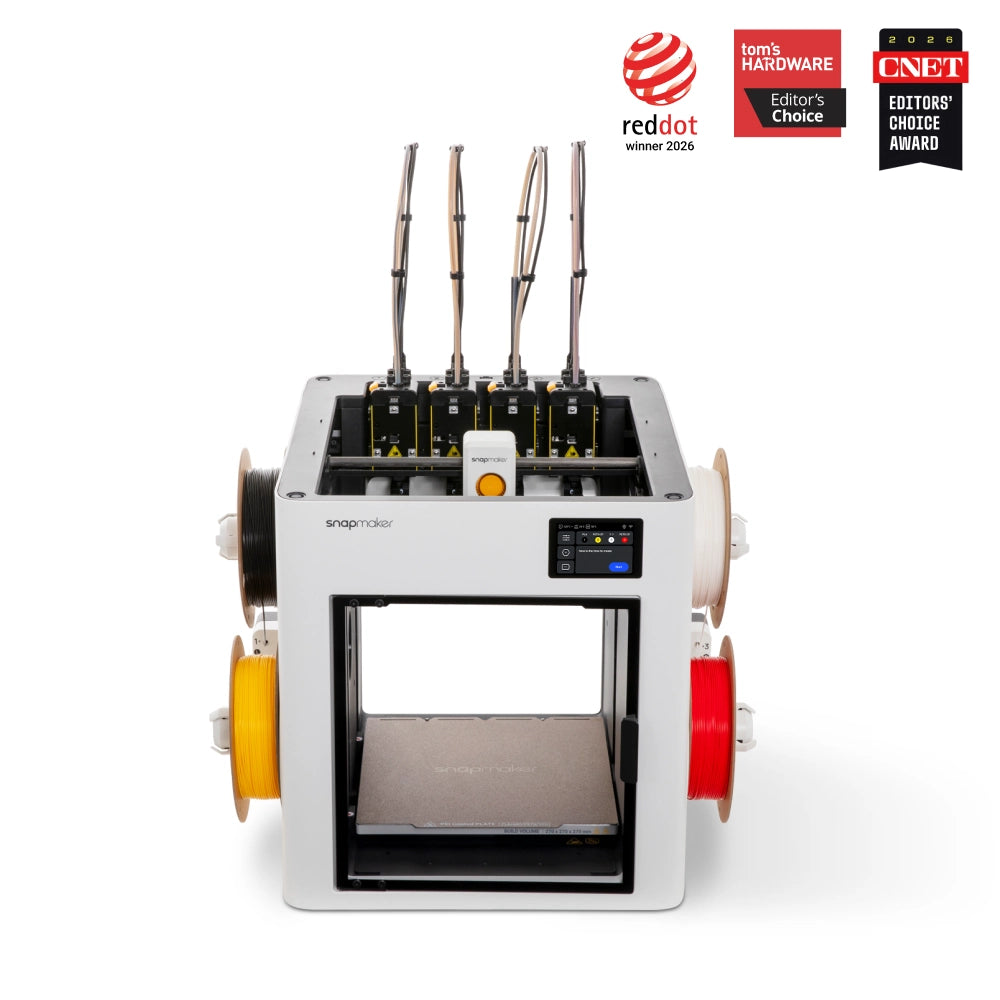
That's because the U1 is a toolchanger. It's a 270 mm cube CoreXY printer with four complete toolheads parked at the back, each one loaded with its own filament and kept warm. When the model needs a new colour, the carriage drops one head and picks up the next. Snapmaker quotes about five seconds per swap and claims up to 85% less waste than shared-nozzle printers, based on its own lab tests.
In Canada, Canada Computers lists it at CA$989, down from CA$1,209, though the online listing showed it sold out on November 21, 2026. Amazon.ca has it at CA$1,199. Snapmaker's own store sells a Canada version for US$699, marked down from US$999 and charged in US dollars. So the real question is simple: is a four-head toolchanger at that price a better colour printer than a single nozzle with a filament box?
Snapmaker dropped the 3-in-1 idea, and the metal shell went with it
If you know Snapmaker from the 2.0 or the Artisan, forget most of it. Those were heavy machines that switched between 3D printing, laser engraving and CNC carving. The U1 does one job. Tom's Hardware, which reviewed the earlier machines, found almost nothing in common with them, and 3Dnatives calls the U1 the clearest sign of the brand moving to dedicated printers. There are no laser or CNC modules here.
The other change is the build. The older machines were mostly metal. The U1 uses injection-moulded plastic panels over a frame that, per Tom's Hardware, uses die-cast aluminium and sheet metal where precision matters, with carbon fibre rods on the X axis. Make: found the plastic thin enough that some joints popped out and had to be pushed back in. 3Dnatives saw the side panels flex with two 1 kg spools loaded, with no effect on print quality.
Who shouldn't buy one? If you already own a Bambu printer with an AMS and mostly print in one colour, the U1 saves you very little, because its advantage only shows up when a print changes colour often. The same goes if ABS is your main material. Out of the box, Snapmaker only rates the U1 for PLA, PETG, TPU, PVA and PCTG.
Why the purge pile behind your printer nearly disappears
Single-nozzle colour systems like Bambu's AMS have to pull one filament back, push the next one in and flush the old colour out of the hotend at every change. That flush is the pile of 'poop' behind the printer. On the U1, each colour already sits in its own nozzle, so a swap needs only a short prime on a small tower.
The independent numbers back this up. Tom's Hardware ran a three-colour figure plate with 90 colour changes that finished three hours faster than on its P1P, with a 4 g prime tower. A four-colour alignment test wasted 0.76 g, and a two-material Benchy used 7 g. Tom's Hardware timed swaps at 10 to 12 seconds including the prime, against about 90 seconds on a Bambu machine. TechRadar says a four-colour robot tortoise that normally takes days finished in under 24 hours, and the small internal waste tray only needed emptying at the end.
Here's what that means day to day. Save 25 g on each busy multicolour print, run a few of those a week, and you're saving most of a 1 kg spool every couple of months, plus hours of machine time and no clearing out purge mid-print. For one-colour brackets and replacement parts, it means nothing. The waste saving is the best reason to buy a U1, and it's real, but only if your prints really use the colours.
ABS needs a US$149 lid that isn't in the box
Snapmaker's spec sheet is clear about materials. The base U1 handles PLA, PETG, TPU, PVA and PCTG. Add the optional top cover and the list grows to PET, ABS, ASA, PA and PC. Carbon-fibre and glass-fibre filaments need the cover plus a hardened steel nozzle. The stock nozzle is 0.4 mm stainless steel rated to 300°C, the bed reaches 100°C, and there's a chamber temperature sensor but no chamber heater.
The cover costs US$149 on Snapmaker's store, and Make: says it adds a HEPA filter and passively holds in heat. Tom's Hardware printed ASA on the open machine anyway and got a usable part, but Snapmaker doesn't rate it for that. In a cool Canadian basement, warping is a bigger risk, so plan on the cover if engineering filaments matter to you. Count that US$149 as part of the real price.
TPU is where reviewers split. Tom's Hardware fed soft TPU automatically through the wide tubes and printed two colours of it cleanly, and TechRadar's TPU also came out well. 3Dnatives had clogs and under-extrusion, even after Snapmaker's suggested fix of splitting the PTFE tubes. TPU can work, but don't buy the U1 counting on flexible prints being routine.
Four open spools and a Canadian summer basement
The spools hang in pairs on each side of the machine, open to room air. There's no dry box and no heater. TechRadar and 3Dnatives both singled this out as the main design trade-off. PETG, nylon and TPU absorb moisture, and wet filament prints stringy, bubbly and weak.
In much of Canada the risk changes with the season. Furnace-heated air in January is usually dry. A humid basement in July isn't. If you print PLA in a heated living space, you'll probably be fine. If you want to run nylon or keep PETG loaded for weeks, budget for a separate filament dryer or sealed storage. BIQU even sells a sealed U1 filament station on Amazon.ca for CA$529.90, more than half the price of the printer.
Tom's Hardware also found a quieter problem. The extra-wide tubes that let TPU slide through are wide enough for a snapped piece of brittle filament to sit inside while a new strand feeds past it, which caused one jam that took a while to trace. Brittle filament is usually old or damp filament, so dry storage helps here too.
Klipper underneath, and an app that trails Bambu's
The U1 runs Klipper firmware with the Fluidd web interface, and that's a big draw for tinkerers. From a browser on your network you can read logs, change settings and add macros, which 3Dnatives points out neither Bambu nor Creality offers by default. Tom's Hardware notes a LAN mode if you'd rather skip Snapmaker's cloud. Slicing happens in Snapmaker Orca, a version of OrcaSlicer with U1 profiles, and standard OrcaSlicer is supported too.
The polish isn't at Bambu's level yet. 3Dnatives found the phone app can monitor prints and show the camera, but can't start a print from a model library the way Bambu's MakerWorld can. It also hit a recurring bug that showed the printer as offline until a restart. Early reviews had more: Tom's Hardware's camera only worked through the cloud, and TechRadar's file transfers from Orca were unreliable, though the USB stick worked every time. Firmware was still changing during the reviews, so some of this may already be fixed.
On paper, connectivity is basic: 2.4 GHz Wi-Fi, a USB port and 26 GB of storage. Snapmaker doesn't list Ethernet. 3Dnatives didn't like that the USB port sits at the back, the side you can least reach. RFID tags on Snapmaker's own spools set the material and colour automatically. Other brands work fine but need entering by hand, so there's no filament lock-in.
Box to first print in under an hour, if the tubes don't trip you up
TechRadar put setup at 15 to 30 minutes, and 3Dnatives said 30 to 45 for an experienced user and up to an hour for a beginner. You slot in the four toolheads, fit the feeders and tubes, plug in cables and remove the transport screws. All3DP warns you'll need tools. Then the printer calibrates itself: bed mesh, toolhead offsets, input shaping and pressure advance. Tom's Hardware says the offsets use an eddy current sensor, and Make: compares the touch-off routine to how a CNC machine finds its cutter.
A few snags came up. The box includes two tube diameters for different paths, and 3Dnatives says the manual doesn't explain which goes where, although the wrong one simply won't fit. The 3.5-inch touchscreen is fixed and can't tilt. 3Dnatives found the cooling fan loud at high speed, which an open top doesn't help. TechRadar had some prints lift off the PEI sheet until it added a skirt in the slicer.
Measure before you order. Snapmaker lists the U1 at 584 × 499 × 730 mm and 18.2 kg, and the spools hang off both sides. It fits on a desk, but not a narrow shelf, and you'll want the sides clear to reach the spools.
U1 vs Bambu's P2S and H3C in Canadian dollars
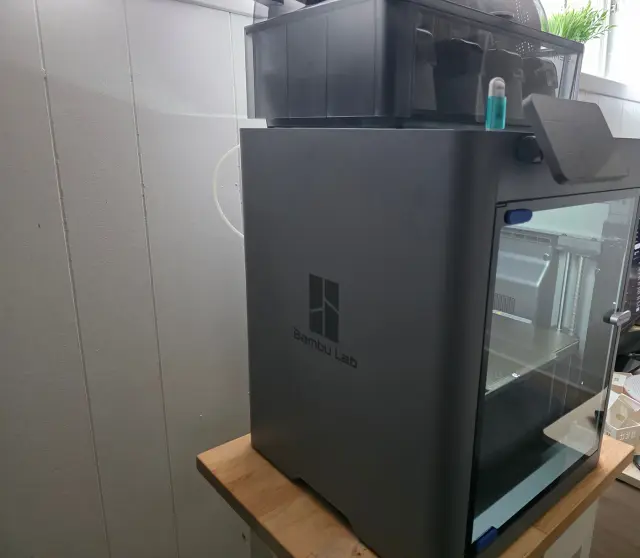
The obvious alternative is the Bambu Lab P2S Combo. Bambu Lab Canada listed it at CA$889 with the AMS 2 Pro when our P2S review checked on November 3, 2026, so it's about CA$100 less than the U1 at Canada Computers. You get a fully enclosed body, a four-spool feeder that dries filament, and Bambu's more polished app. You also get a single nozzle, so every colour change purges, and our P2S review notes that TPU can't go through the AMS.
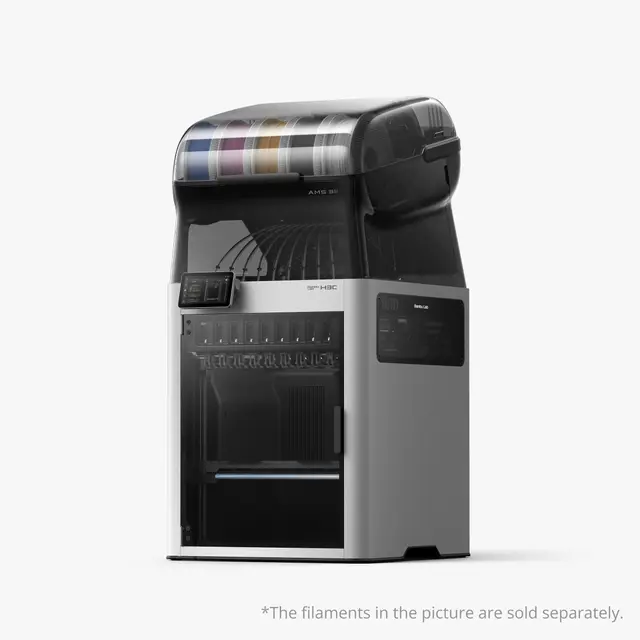
At the other end sits the Bambu Lab H3C at CA$3,499, a nine-tool changer with roughly six-second swaps and a 65°C heated chamber. It's the full professional version of the U1's idea, at about three and a half times the price. Unless you need nine materials or a heated chamber, the U1 gets you most of the toolchanger benefit for a fraction of that.
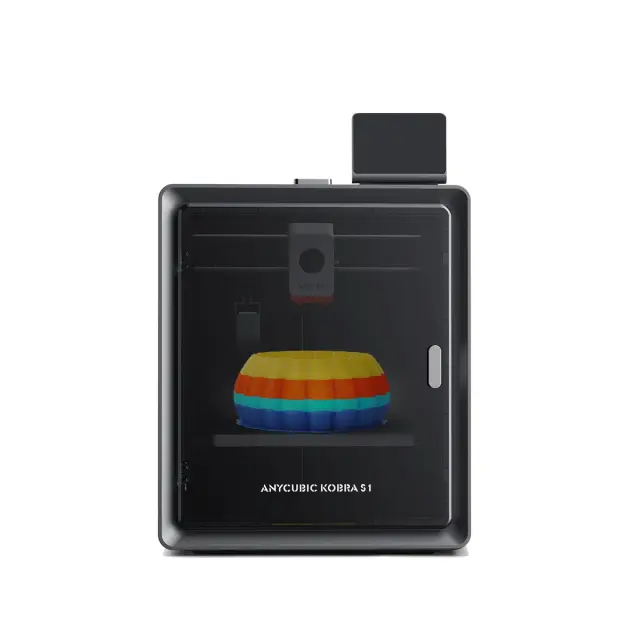
So which one? For frequent three- and four-colour PLA or PETG, the U1 wins on waste and time. For mostly one or two colours, damp rooms or a sealed box out of the gate, the P2S Combo is the safer buy for less money. Tom's Hardware's own fallback picks if you don't want the U1 were the Bambu A1 Combo and the Anycubic Kobra S1 Combo, both cheaper single-nozzle machines.
Hotends cost US$15.99, the warranty runs one year
The nozzle comes as one assembly with the heater and thermistor, so you swap the whole hotend rather than unscrewing a tip. 3Dnatives warns that can cost more over time. Snapmaker's store prices a replacement U1 hotend at US$15.99, and a Phaetus high-flow version at US$34.99, which is reasonable for a four-head machine. A whole replacement toolhead is US$64.99.
Snapmaker's store says machines and modules carry a one-year warranty, and Snapmaker Care for U1 adds extra coverage for US$99. Canadian orders from Snapmaker ship free from a Canada warehouse, according to its shipping policy, though the store charges in US dollars and we couldn't find Canada-specific return terms. Buying from Canada Computers or Amazon.ca gets you a Canadian-dollar price and that retailer's own return policy, so check it before you pay.
The long-term risks are the usual first-generation ones. The U1 started life as a Kickstarter, the plastic shell has drawn criticism, and firmware was still changing during the reviews. Klipper and OrcaSlicer help, because they're open projects with big communities, so you're not relying only on Snapmaker for fixes and profiles.
Buy it for four-colour PLA, skip it for ABS in a damp basement
Buy the U1 if you print colourful models, figurines or multi-material parts with breakaway supports every week, and the purge waste and slow swaps on a single-nozzle printer drive you up the wall. At CA$989 it's a cheap way into real toolchanging, and Tom's Hardware, TechRadar and 3Dnatives all came away impressed with its print quality and reliability on swaps.
Skip it if most of your prints are one colour, if your printer lives somewhere humid, or if you want ABS and nylon without buying a lid and a dryer. In those cases, the Bambu Lab P2S Combo at around CA$889 gives you an enclosure and drying in the box. If you need nine tools and a heated chamber, save up for the H3C.
The closest alternatives.
| Product | Standpoint Score | Best for | Price |
|---|---|---|---|
| Snapmaker U1This review | 8.0Research | People who print three- and four-colour PLA or PETG models every week and are tired of buckets of purge waste and slow… | Amazon.ca ↗ |
| Bambu Lab P2S Combo (AMS 2 Pro) | 8.5Tested | Home makers and small workshops who want an enclosed printer that handles PLA and PETG with little fuss, especially… | Amazon.ca ↗ |
| Bambu Lab H3C | 8.3Research | Makers and small studios who regularly print five or more colours, or mix flexible TPU with rigid plastics, and have the… | Amazon.ca ↗ |
| Anycubic Kobra S1 | 7.9Research | Makers who want a compact enclosed printer and may benefit from optional ACE Pro drying and color changes. | Amazon.ca ↗ |
Compare scores within a category: Tested means our own use, Research means documentation and attributed outside testing. Price links are affiliate links. As an Amazon Associate, Tech Standpoint earns from qualifying purchases. Disclosure
Questions before checkout.
How much does the Snapmaker U1 cost in Canada?
On November 21, 2026, Canada Computers listed it at CA$989, down from CA$1,209, but showed it sold out online. Amazon.ca had it at CA$1,199. Snapmaker's own store sells a Canada version for US$699, marked down from US$999, and charges in US dollars with free shipping from a Canada warehouse.
Can the Snapmaker U1 print ABS or ASA?
Not officially out of the box. Snapmaker rates the base printer for PLA, PETG, TPU, PVA and PCTG. ABS, ASA, PET, nylon and PC need the optional top cover, which costs US$149 on Snapmaker's store. Tom's Hardware did print ASA without it, but that's outside Snapmaker's rating.
How much filament does the U1 actually save?
Snapmaker claims up to 85% less waste than shared-nozzle printers in its own tests. Tom's Hardware measured prime towers of 0.76 to 7 grams across its prints, and a three-colour spider batch that used about 25 grams less than the same job on a Bambu Lab P1P.
Does the Snapmaker U1 dry filament?
No. The four spools hang open on the sides of the machine with no dry box or heater, which TechRadar and 3Dnatives both flagged. For PETG, nylon or TPU, or a humid room, plan on a separate filament dryer or a sealed storage station.
Is the Snapmaker U1 locked to Snapmaker filament?
No. Snapmaker spools have RFID tags that set the material and colour automatically, but any 1.75 mm filament works. Third-party spools just need the material and colour entered on the touchscreen. Make: and 3Dnatives both confirm the RFID is a convenience, not a lock.
Should I buy the U1 or the Bambu Lab P2S Combo?
Pick the U1 if you print three- or four-colour models often and want less waste and faster swaps. Pick the P2S Combo, about CA$889 at Bambu Lab Canada in early November, if you mostly print one or two colours or want an enclosure and filament drying included.
Sources & further reading.
These are the sources behind this research review. Manufacturer claims are not independent performance measurements. Community accounts, when cited, describe individual experiences.
- Snapmaker U1 product page ↗manufacturer
- Snapmaker U1 specifications ↗manufacturer
- Snapmaker U1 3D Printer (Snapmaker global store, Canada option) ↗manufacturer
- Snapmaker shipping policy (Canada warehouse) ↗manufacturer
- Snapmaker U1 review: An affordable tool changer for all (Tom's Hardware) ↗independent review
- Snapmaker U1 3D printer review (TechRadar Pro) ↗independent review
- 3Dnatives Lab: Review of the Snapmaker U1 3D Printer (3Dnatives) ↗independent review
- Review: Snapmaker U1 Strikes Hard (Make:) ↗independent review
- Snapmaker U1, Reviewed: Make Haste, Not Waste (All3DP) ↗independent review
- Snapmaker U1 3D Printer (Canada Computers) ↗retailer
- Snapmaker U1 3D Printer (Amazon.ca) ↗retailer
Product software and regional bundles can change. Corrections and editorial disclosures.
Affiliate link. As an Amazon Associate, Tech Standpoint earns from qualifying purchases. It never changes our verdict or score. Disclosure